r/Makera • • 58m ago

Wood cutting parameters

Post image
3 Upvotes

Hi everyone,

I’m a complete beginner with CNC milling and I'm about to run my first test cut on hardwood (the model in the screenshot is just a test piece). Before I hit start, I wanted to double-check my 3D Pocket toolpath settings in Makera Studio to make sure I don't break a bit or burn the wood.

Here are the current parameters I have set up:

  • Bit Diameter: 3.175 mm (1/8")
  • Step Over: 2.000 mm
  • Step Down: 1.000 mm (Multiple Depths enabled)
  • Feed Rate: 1000 mm/min
  • Plunge Rate: 300 mm/min
  • Spindle Speed: 10,000 RPM

Do these speeds and feeds look safe for hardwood on a z1 pro, or should I tweak anything (like increasing RPMs or lowering the step over)? Which kind of bits do yopu suggest for wood? Any advice for a newbie is greatly appreciated! Thanks in advance!


r/Makera • • 9h ago

Using fusion 360 with makera z1 pro

5 Upvotes

How do you guys handle the 3d probing at setup when using fusion? I was to use fusion but I also want to use the probing features of the machine. How do you guys enable it?


r/Makera • • 1d ago

Ive had my Carvera a few months now and decided to keep it. I'm getting to the point where I'm accessorizing it. Are there any 3d Scans or CAD models of the machine itself to base these off of? I'd can measure myself but wouldn't mind a head start in the process.

4 Upvotes

thanks!


r/Makera • • 1d ago

Free tool: merge single-tool Fusion 360 Personal files into one program with tool changes (Makera Carvera / Z1)

Thumbnail
reddit.com
7 Upvotes

r/Makera • • 1d ago

Email problem

4 Upvotes

Hi everyone,

I'm trying to create a new account directly through the Makera Studio app, but I'm not receiving the verification code email to complete the registration.

Here is what I've already tried:

  • Checked my spam/junk and promotions folders
  • Double-checked that my email address is spelled correctly
  • Clicked "resend code" and waited several minutes

r/Makera • • 1d ago

How to cut the holding tabs?

Post image
5 Upvotes

Hello everyone!

I'm a beginner with CNC machining and have a question about removing holding tabs when finishing a piece using the fourth axis.

What's the best way to remove the tabs?

I've tried using horizontal contour passes with indexed operations. It works, but I was wondering if there's an easier approach. Maybe something similar to a vertical cutting pass on a lathe?

I'm using a Makera Z1.

Any suggestions or tips would be appreciated!

Thanks!


r/Makera • • 2d ago

liquid cooling

Post image
29 Upvotes

Milling a piece that needed a good finish so i added liquid cooling. its 99% iso alc so it evaporates fast and doesnt cause any issue. Probably should upgrade to a pump though


r/Makera • • 2d ago

Z height probe is moving past stock - Please Help

2 Upvotes

I just received a Z1 Pro and completed the test clamp with great success. I am now trying to start a new project I made in Fusion360 and the Z-Height probe keeps probing a few MM past the stock and touching the build plate of the Z1 instead of my stock.

I have lined up the stock perfectly with the bed on the simulation and set my point of origin on the bottom left corner where it rests against the L bracket. My stock size (x,y) in fusion is set to 100mmx100mm which is the size of the epoxy block given with the test materials of the Z1.


r/Makera • • 2d ago

Bulit a 70 kg box for makera z1 pro...

14 Upvotes

Hey everyone,

I usually pride myself on making things look clean and professional, but this time my priorities were strictly budget and peace of mind. My workshop is in my garage/basement, directly underneath another family's kitchen. To avoid any noise complaints, I’ve already soundproofed the entire room, but since a CNC mill is a different beast, I needed an extra layer of protection.

Instead of spending €500+ on a commercial solution or buying brand new materials, I managed to keep the total cost down to just €150 by sourcing everything else from scrap material I was originally supposed to throw away. For now, this is what I can afford, and it gets the job done perfectly.

The result is a massive, 70 kg (154 lbs) beast of an enclosure for my Makera Carvera Z1 Pro. It took me 15 hours of labor and 10 full tubes of silicone to seal every single gap.

Despite looking like a backyard DIY project, the acoustic and vibration engineering inside is pure overkill to keep the neighbors happy:

• 12 cm Thick Walls: Built as a double-walled "box-within-a-box" design with an air gap, acoustic foam pyramids, and a mass-loaded lead vinyl panel for heavy soundproofing.

• The Door: Packed with 6 cm of high-density fiberglass (60 kg/m³) and fitted with a heavy 10 mm tempered glass viewing window.

• Vibration Control: Mounted on heavy-duty anti-vibration feet to prevent the CNC movements from shaking the ceiling and transmitting structure-borne noise to the apartment above.

• Air Intake & Exhaust: The next and final step is building the baffled air intake and exhaust vents, which will also be fully wrapped in soundproofing material to ensure airflow without letting any noise escape.

Combined with the room insulation, it’s definitely not the prettiest thing I’ve ever built, but it saved me a fortune, recycled a ton of waste, and keeps the peace in my building.

Happy to answer any questions about the build!


r/Makera • • 2d ago

Update: Z1 Pendant App walk through + New Features Added 3d Probing, Run Job, File manager + more

Thumbnail
youtu.be
26 Upvotes

As promised here is a full walk through of the Z1 Pendant app i created. I have added a bunch of features over the last week so if you saw my first video youll definately want to check this one out.

This app is completely free, available for Android, iOS phones and tablets. github link in the description.

Please like the video and leave a comment and consider subscribing! Much appreciated.


r/Makera • • 2d ago

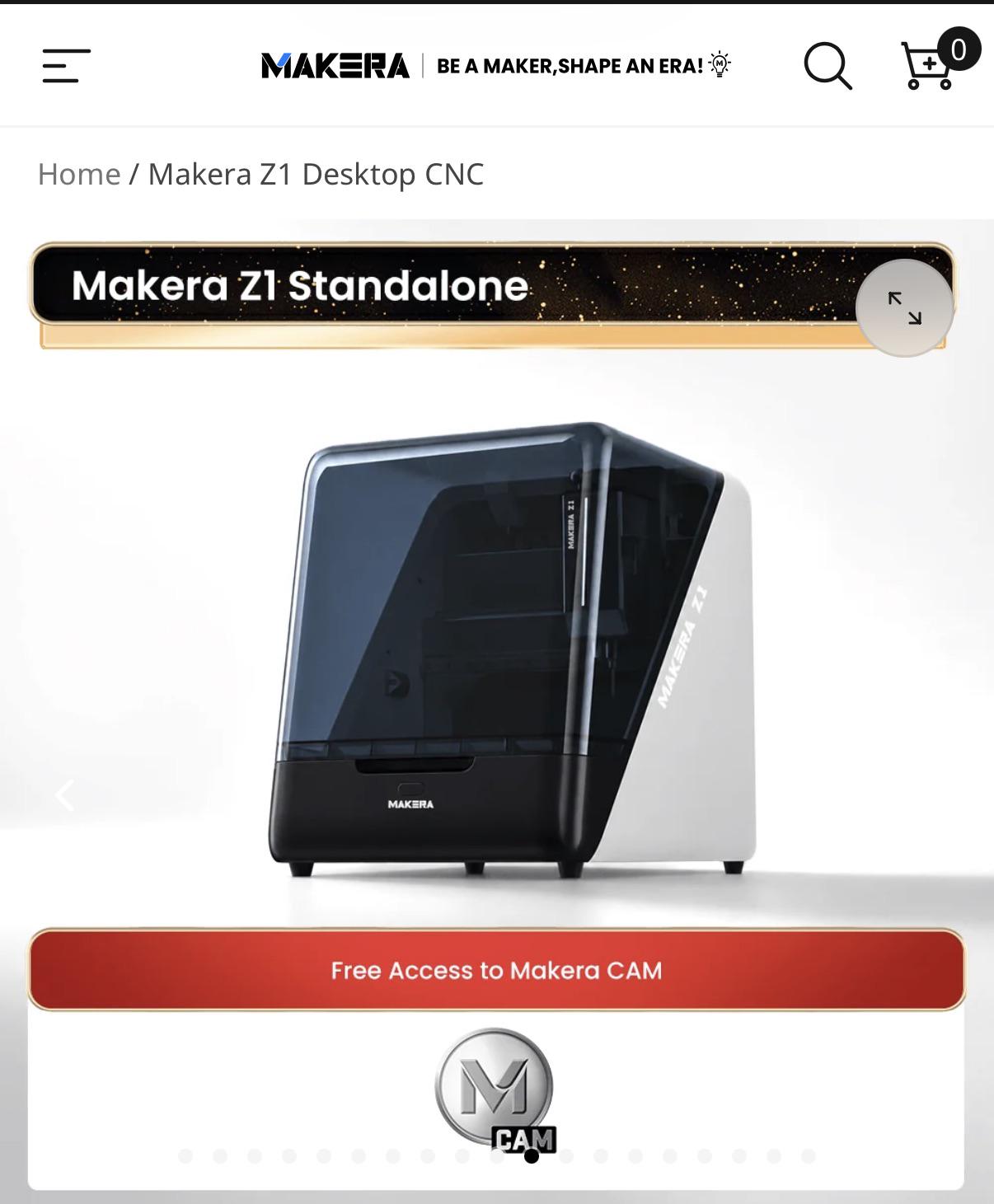
I thought Makera CAM was dead?

Post image
6 Upvotes

What’s going on here?
Makera seems to be promoting Makera CAM use with the Z1 but I thought Z1 users were being pushed onto Studio? Or at least that’s what happened to me, so I moved to Fusion for 3-axis.


r/Makera • • 2d ago

PCB Fab: Pad milling is my persistent problem. Is the Z probe surface scan preserved from one path to the next? (or can I force it to persist?)

2 Upvotes

When cutting PCB's (primarily using Claude/AI generated .NC files rather than Makera studio) my routine is: 1. Use the Z-probe to generate a surface map of the target area. 2. Use the engraver to isolate the traces. 3. Manually apply UV activated mask. 4. Run pad cut .NC file down to the surface identified in step 1. Step 4 is where I keep having some trouble and some pad clusters are cut through the copper, some are partially cut, and some are not fully cut through the mask. This leads me to believe that the surface map is not necessarily being correctly/accurately applied in the 2nd operation. How can I resolve this?


r/Makera • • 2d ago

Things to know before using Z1 Pro? Avoiding crashes

6 Upvotes

Hey guys my Z1 Pro just arrived. I will unpack and put it to use over next days. I am technological but not yet experienced in CNC.

I seen quite some issues recently, especially the 3d probe issue. In my head these are just software updates bugs, not like hard phisical limitations. Were these also fixed already by firmware updates?

Could anyone more knoledgeable tell me please what to look for / how to be careful when starting to use the Z1? My most important worry is not breaking something then having to wait another 1-2 months for support to send, since i already waited almost 3 months to arrive.

I wouldnt ask and just play around usually until i get the hang of it, but seeing the “random” crash issues i decided to ask for help before free diving into it.

Thanks a lot.


r/Makera • • 3d ago

Not sure how to safely use the 3d probe going forward

7 Upvotes

I've been working with support and they say they are sending me another 3d probe which is nice, thank you. Kind of wish we didn't have this issue in the first place.

But they don't seem to have an answer for a very simple question.

How do I stop a crash from happening again?

I used that probe at least two dozen times if not more without issues. I had read about people having crashes, and I thought, hey, I could do something on my side as a sanity check to see if I might have a crash when probing, so checking the probe before sending it down seems like a reasonable step for me to add to my work flow. If you have more tips for probe safety, please share them.

So religiously, I tapped the probe before I send it down to check the to see the LED flash and register that it was actually going to sense a touch. For the first few times I anxiously held my hand over the emergency stop button just in case. Last thing I want to do is crash $100 probe where replacement tips are $30 each. After a couple of dozen probes, I thought this routine was going to protect me.

The problem is my crash happened right after I checked the probe just before I sent it down to set the Z height.

Is that the rest of my life using this machine and the 3-D probe? Panic and fear each time I send it down?

Do I have to hover over and stare at the probe just inches away from the emergency stop button just in case the firmware decides to go nuts and drives the probe through the part again?

Other than tapping the tip and checking the probe right before I sent it down again and having my hand hover over the e-stop while I lean in to see if the probe is going to ram into the part and not stop how do I prevent a future crash?

Is this my life with the Z1 Pro and the 3d probe forever? What else can I do to mitigate this probe crashing issue or is there nothing other than just rolling the dice on each probe?


r/Makera • • 3d ago

During 3D relief finishing, the bit was just moving mid-air

3 Upvotes

Just received my Z1 pro a few days ago. I also ordered a box of assorted bits, but that package is still en route. So currently I'm limited to the 12 mm flat-end, the 3 mm 30-degree engraving, and the 90-degree shank bits.

I have a design file that seems appropriate for 3D relief. Initial test with the epoxy board worked fine. When switching to aluminum, since the step-down has to be reduced, I wanted to first remove bulk material with a flat-end bit, then get to the details with the engraving bit.

So, I first added a 3d relief toolpath with the flat-end bit, which seems to do what I intended. Then I added another 3d relief with the engraving bit. This time, I noticed that the toolpath still started from the very top, and moved down gradually at the step-down I set. Therefore, for most of the time, the engraving bit was moving mid-air, doing nothing. Making the previous roughing step meaningless.

I did try to disable "multiple depths". It seems faster, but that will let the bit cut to the max depth directly, which can be risky.

Any suggestions here?


r/Makera • • 4d ago

Follow-up: Coinmaking CADCAM software

24 Upvotes

Hey GUIs,

the other day I posted about a coin I made but it seemed that the custom software I made it with got way more interest lol.

It's a CAD/CAM software for designing cylindrical bodies (or disc surfaces) with some interesting generators.

So, I thought about it and will release it as a free-to-use web app and am looking for beta testers now. If you are interested shoot me a DM with your email address and I will unlock you for the beta.

EDIT: Just tested it on my Z1 Pro so far. Not sure if the Carvera shares the same g-code!?


r/Makera • • 4d ago

Unclearable Calibration Error

3 Upvotes

I am getting a calibration error that I can't seem to clear. The Z-probe light doesn't turn on until I touch the tip a few times. It was working earlier but suddenly it started throwing the error. Turning it off and on and restarting the app doesn't seem to matter.

What am I doing wrong?


r/Makera • • 4d ago

I guess it`s a common thing?

4 Upvotes

Got my Z1 today, ok fine unboxed nothing broken nice. Installed Makera studio time to log in , but nop no code ever gets sent to me, even after multiple trys.
How long did you have to wait for your code and if you contacted the support to get it working how long did that take you?


r/Makera • • 4d ago

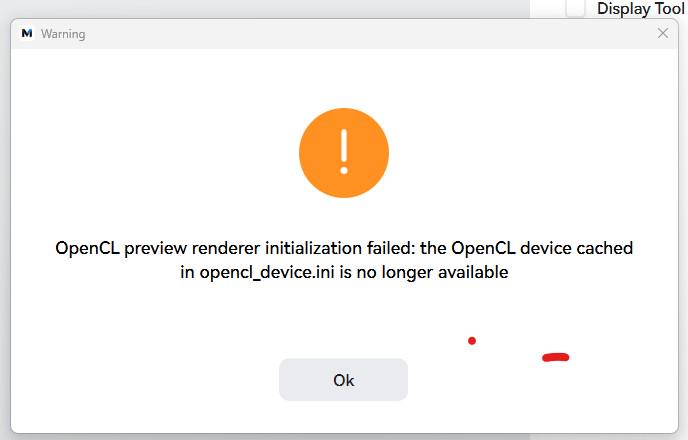
Problem rendering preview on Makera Studio 0.1.3.0 (Beta)

Post image
2 Upvotes

I'm running studio on a machine with an AM5 Ryzen 9 CPU and a Radeon 7700 XTX GPU. The GPU is running fine and the driver is loaded and it's not having any issues with any other software

Problem is when I try to render a preview in makera studio it's throwing up an OpenCL error. I've rebooted the machine and reinstalled the software and no luck.

All the other functions of the software both CAM and machine control are working fine?

Any one else run into this?


r/Makera • • 4d ago

Conventional vs Climb Milling

5 Upvotes

Hola Bambinos, so before this machine I've only every milled using my lathe. It's a Myford Super 7 so not a mini lathe but certainly a small one. The wisdom I received in the context of milling on that machine was to always use conventional milling, the theory being that it generates less tool pressure and is kinder to less rigid machines.

While it's not a big lathe, it still takes two normal sized men to lift it and it's much more robust than a Z1, but even the sample project that comes with the Z1 alternates between conventional and climb milling. For what it's worth I think the cut sounds healthier when the Z1 is climb milling, at least for the cuts in the sample project.

What are our thoughts?

edit: so I looked into it, climb milling has a tendency to pull the work into the cutter (or cutter into the work - same difference). Machines of an older design such as said lathe tend to have appreciable backlash between the feed screws and their nuts which, when climb milling, runs the risk of the cutter catching and pulling the work, work holding and slide "through" the backlash. The cutter rides up on the work and may break.

Modern CNC's usually have mechanisms in place who's purpose is to eliminate backlash. Ballscrews in the case of the Z1 Pro, perhaps an anti-backlash nut on the basic Z1? So climb milling is generally safe.

Climb milling tends to apply a downward force to the work due to the way the cutter flutes engage it; the top portion of a flute contacts the work first, with the point of contact moving down the cutter as the cut progresses. The opposite is true in the case of conventional milling, wherein the bottom of a flute first engages the work and the point of contact rises up the cutter as the cut progresses, applying an upward force to the work.

Both types have their own effects, both desirable and undesirable. It is the work holding and cutting conditions which dictate how desirable or undesirable a particular effect is.

In the case of climb milling the cutter meets the work at maximum engagement, cutting a thick to thin chip. The opposite is true for conventional milling. Conventional milling leads to more rubbing and increased tool wear, I can only assume because the shallow angle at which the cutter flute meets the work means it is less enthusiastic to penetrate the material and more prone to rub in the first micro-moments of the cut. Unlike climb milling where the more aggressive engagement causes the cutter to promptly penetrate the surface of the work.

https://www.xometry.com/resources/machining/climb-milling-vs-conventional-


r/Makera • • 4d ago

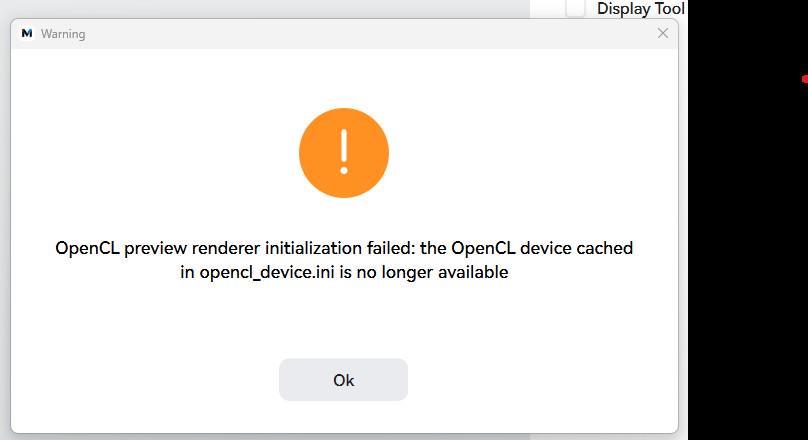
Error creating preview on Makera Studio 0.1.3.0 beta

Thumbnail i.redd.it
0 Upvotes

I am currently running the latest beta on a computer with an AM5 9 series Ryzen CPU and a Radeon 7700xtx GPU. When I try to view a preview the software is throwing up an OpenCL error. All the other functions of Studio (path generation, sending to the machine, running the machine, etc.) are running fine.

Any one else run into this? I confirmed the GPU is running fine and the driver is loaded and it's got no issues with any other software.


r/Makera • • 4d ago

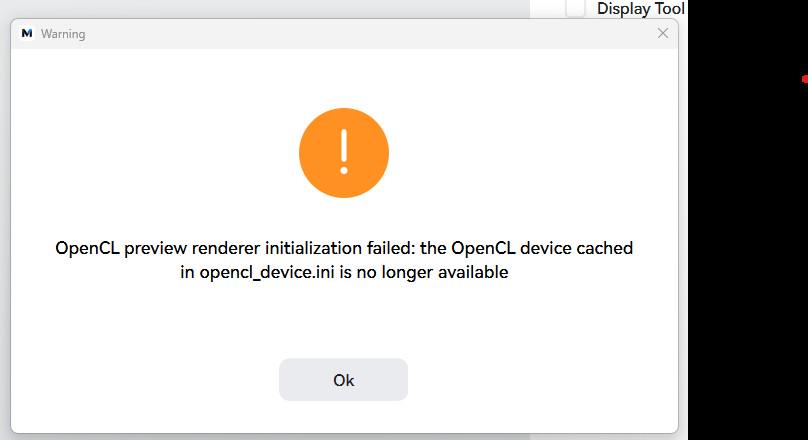
Error creating preview on Makera Studio 0.1.3.0 beta

Post image
0 Upvotes

I am currently running the latest beta on a computer with an AM5 9 series Ryzen CPU and a Radeon 7700xtx GPU. When I try to view a preview the software is throwing up an OpenCL error. All the other functions of Studio (path generation, sending to the machine, running the machine, etc.) are running fine.

Any one else run into this? I confirmed the GPU is running fine and the driver is loaded and it's got no issues with any other software.