r/MaonoCommunity • • 9h ago

Maono Story šŸŽ… A Christmas Surprise Is Coming! šŸŽ„

Post image
2 Upvotes

Christmas is coming, and we'd love to celebrate this special season with you! šŸŽ

As a little thank-you for all your love and support throughout the year, Maono is bringing you a special Christmas celebration! ā¤ļø

We've prepared over $5,000 worth of prizes, from our flagship PD500W microphone to exciting creator gear, ready to make your creative dreams come true!

šŸ“… Date: December 4, 2026

šŸ“ Where: Instagram: maonoglobal

Time to make a wish! We'd also love to hear about your creative wishes for the year ahead — something you've been dreaming of creating, improving, or bringing to life. ✨

Share your answer in the comments.

Let's celebrate Christmas together and make it a warm and joyful one! ā¤ļøšŸŽ„


r/MaonoCommunity • • 2d ago

Maono Story HYBRIDĀ WITHĀ PD500W

Thumbnail
gallery
7 Upvotes

OneĀ MicĀ FitsĀ EveryĀ CreativeĀ Flow.

FromĀ effortlessĀ setupĀ toĀ versatileĀ recordingĀ andĀ backup,Ā PD500WĀ isĀ yourĀ creativeĀ buddy,Ā readyĀ wheneverĀ inspirationĀ strikes!

So,Ā whatĀ haveĀ youĀ andĀ yourĀ PD500WĀ beenĀ upĀ to?

šŸ“øĀ CheckĀ outĀ theĀ posterĀ forĀ fullĀ participationĀ details!

šŸŽĀ Prizes:Ā CashĀ rewardsĀ ($500–$1,500),Ā MaonoĀ audioĀ interfacesĀ &Ā exclusiveĀ merch!

ā°Ā Ends:Ā Dec.Ā 20,Ā 2026,Ā atĀ 11:59Ā PMĀ PST

šŸ†Ā WinnersĀ announced:Ā Dec.Ā 22,Ā 2026,Ā inĀ theĀ MaonoĀ Community!

#PD500WĀ #hybridwithpd500wĀ #Maono


r/MaonoCommunity • • 11h ago

Maono Help Maono PD200W + Maono G3: How can I route USB microphone audio into Maono Arena?

Post image
4 Upvotes

Hey everyone!
I’m looking for some help with my Maono PD200W and Maono G3 setup.
I recently purchased the PD200W and would like to use it with my G3 through USB or 2.4GHz wireless instead of XLR.

Here’s what I’m trying to achieve:
Keep the PD200W connected via USB or 2.4GHz.
Keep all its features working, including RGB lighting, onboard controls, Maono Link DSP, EQ presets and noise reduction.
Get the microphone audio into Maono Arena so I can control it and route it through my G3’s Stream Mix.
Continue using the G3 for my dual-PC streaming setup.

My problem:
When I connect the PD200W via USB, Windows recognizes the microphone, but I can’t seem to add its audio as a microphone input/channel in Maono Arena.
Is there a way to route the PD200W’s USB audio into Maono Arena while keeping all its USB features active?
Does Arena actually support this type of USB microphone integration with the G3, or is XLR the only way to get the microphone audio into the G3’s mixer?

Has anyone successfully managed to get this working?
I’d really appreciate any help or suggestions. Thanks!


r/MaonoCommunity • • 1d ago

My Maono Story My Little Audio Story

3 Upvotes

I have gone through many mics since 2018! I was a noob at audio stuff. A noob streamer, I had a yamah ag03 before i even knew how to compress my voice or eq it.

I had a AKG D5Ā as one of my first mics. i didnt know how to eq my voice yet but it worked for its time. i heard about the Shure SM7B and i was out to get something that hit better and cheaper. Eventually got to theĀ Aston Element Mic. used it for a while then got to FIFINE K658.

I was looking for a mic that was one all be all. i kept changing mics i was chasing something. i wanted a good mic for my voice that suited it. a broadcast warmth even. at the time i wasnt realizing i already hit that. but i kept changing unfortunately.
Lewitt LCT 240 Pro
Mackie EM-99B

FIFINE AmpliGame AM8W

FIFINE AmpliTank K688W

then i tried the RƘDE PodMic

it didnt work on my voice but i realized in retrospect what wasnt working. I didnt know how to eq my voice and understood which frequencies were good for me. i had the answer with the lewitt and the austin element. i just didnt know it yet.

i landed on the MAONO PD400X. its a great mic for my voice and suited it out of the box and i started learning to eq even better by this point when i first got it two years ago. as i went abroad i saw a sale on a Logitech G Yeti Studio.

finally something like the sm7b but not realizing that the PD400X hit close to it. i just wasnt sure of it yet. after a couple months i decided after a video about overbuying things. i realized i had to take a good look at myself. all my previous stuff was perfectly fine. i ended up selling the yeti. selling any extra things i had like extra mousepad. sold a wooting keyboard i had. settled on the things i had prior. went back to the pd400x and now knowing how to properly use mic technique and eq and compress. i was doing well! but then the pd500w came out. i backed it on kickstarter. i told myself i will buy this last mic and nothing else. no more. its been my workhorse since then. i started recording with my podcast on it. i have the pd400x as a back up and a behringer xm8500 for my other podcast so i can use the same mics with my friend who i gave a xm8500 with.

otherwise im happy with my journey but i wish i did more research and listening with my ears properly. i went with it because i wanted the SM7B like look and sound. it exceeds it because in my opinion being able to be wireless and have flexibility is a great one instead of being stuck to the desk. ill disconnect it whenever i need to stream my drum practice or do backyard shenanigans. its great so far and i have no regrets. just wish i could learn more earlier but time passed. #HybridWithPD500W


r/MaonoCommunity • • 2d ago

My Maono Story My Maono Microphone Journey

5 Upvotes

My microphone journey started back in 2021–2022 when I got my Logitech Blue Snowball iCE. I used it for years for gaming, Discord calls, and eventually getting more interested in content creation and streaming. It served me well, but by 2026, I knew it was finally time for an upgrade.

That’s when I started researching microphones and learning more about audio quality. I kept coming across the legendary Shure SM7B, which really sparked my interest in dynamic microphones and the kind of sound quality I wanted.

After doing quite a bit of research, I decided to purchase two microphones to test out: the Maono PD400X and the RODE PodMic USB. Honestly, I really enjoyed the sound of the PD400X. Its audio sounded crisp, clear, and exactly what I was looking for. I found myself preferring its sound over the RODE PodMic USB.

My microphone journey didn’t stop there. I eventually came across Maono’s new Kickstarter campaign for the PD500W, which is how I discovered my eventual microphone, the Maono PD500X.

I felt like this was the perfect opportunity to upgrade. After looking into both options, I decided on the PD500X because I didn’t really need wireless functionality. What mattered most to me was sound quality, design, and finding a microphone that would fit into my everyday setup.

And honestly, I couldn’t be happier with my decision.

One of the first things that caught my attention was its design. I absolutely love how it looks. It has that professional broadcast microphone aesthetic that reminds me of the Shure SM7B, and I personally prefer its appearance over the PD400X.

But beyond its looks, the sound is what really makes this microphone special to me. It sounds fantastic, even over USB and I’ve genuinely enjoyed using it for gaming, Discord, and my content creation journey.

Looking back, going from a Blue Snowball iCE that I used for years to the PD500X feels like a huge upgrade. Going from a $50 condenser USB mic to a very high quality $429 dynamic professional microphone is very apparent. My voice sounded so much better. My friends over Discord immediately could tell that my voice sounded nicer and asked if I got a new mic.

After trying different microphones and doing all that research, I feel like I’ve finally found the one that fits my needs.

The Maono PD500X is the perfect microphone for me, and I’m excited to keep using it as I continue my journey into streaming and content creation.

#HybridWithPD500W


r/MaonoCommunity • • 2d ago

My Maono Story One Microphone for Every Creative Workflow

6 Upvotes

My morning started at my desk with a tight script deadline for a technical breakdown video. Instead of spending twenty minutes untangling wires or booting up a complicated audio interface, I simply connected the Maono PD500W to my computer via USB-C and hit record. Its hidden-cable yoke kept my desk looking clean, while the onboard Adaptive Gain Control and built-in de-popper handled my vocal levels right out of the gate. For extra peace of mind, I tapped the dedicated record button on the mic body to trigger a simultaneous 32-bit float backup track directly onto its 32GB of internal storage.

By noon, inspiration struck for an impromptu interview away from my workstation. Rather than packing a bag full of bulky gear, I unplugged the mic, slipped the compact 2.4GHz wireless receiver into my smartphone, and walked out the door. Because the PD500W runs on a 60-hour battery, I didn't have to worry about a wall outlet. Outside, traffic hummed in the background, so I cycled through the physical AI Noise Reduction button on the mic to dial in the right level of background filtering, while the -9dB safety channel ensured my guest's sudden laughter wouldn't clip the audio.

Later that evening, I wrapped up the day in a proper studio setup for a live podcast session. Moving from mobile wireless to a traditional mixer took seconds—I just plugged an XLR cable into the rear hub for a pure, zero-latency analog signal. Even when my co-host leaned in too close or my laptop briefly froze mid-session, that internal 32-bit float recording kept rolling uninterrupted. From quick desk voiceovers to on-the-go wireless shoots and full studio sessions, having one microphone that adapts instantly—and backs itself up automatically—meant I never lost a take or broke my creative momentum. #hybridwithpd500w


r/MaonoCommunity • • 5d ago

Maono Help maono pd200x very silent cant fix.

Post image
2 Upvotes

i have a maono pd200x and its very very silent. i tried everything maono link settings everything at max . microphone 2cm from mouth . tried different motherboard ports uninstalled reinstalled maono device etc. nothing. is it faulty mic or the problem is from my side?


r/MaonoCommunity • • 5d ago

Maono Help MAONO PD200X very quiet unless I'm speaking almost directly into it. Is it faulty?

2 Upvotes

Hey everyone,
I recently bought a MAONO PD200X, and since I started using it, my teammates in games and friends on Discord have been complaining that my microphone is way too quiet.

My friends actually have to increase my voice volume in Discord to 200% to hear me properly. And this doesn't help with game’s voice chats, where my teammates can't adjust my volume like that.

So I started looking into the problem and trying different settings to figure out what's going on.

My setup:
- I'm using the microphone on a Windows PC, connected via USB-C.
- The microphone is mounted on a boom arm.
- It's positioned according to the manual, with the top part angled towards my mouth and the USB-C connection pointing towards my keyboard.
- Distance from my mouth is around 15 cm.
- Windows microphone volume is set to 100%.
- Audio format is 24-bit, 48000 Hz.
- All audio enhancements and noise suppression are disabled in Windows and Discord.

At first I wasn't using MAONO Link at all. I decided to install it and see if changing the gain would make any difference.

The default Gain was set to 70%, so I increased it to 100%, but the microphone barely got any louder.

I also tried recording my voice in OBS, without any filters or additional settings, just to see what levels I was getting with my normal speaking voice.

At my normal speaking volume, these are the levels I get in OBS at different distances:
15 cm – around -24 dB
10 cm – around -20 dB
5 cm – around -15 dB
Less than 1 cm – finally gets to a decent level

I know OBS levels are not an absolute way to determine if a microphone is working correctly, but the difference seems pretty big.

I also tried a different USB port, a different
cable and connected the microphone to another Windows PC. The results were pretty much the same.

My MAONO Link firmware is V1.2.9, and there are no newer firmware updates available.

So my questions are:
Is this normal for the PD200X? Could my unit be faulty, or is this just how the microphone is supposed to work?

In any case, I am planning to return the microphone to the store, regardless of whether this behaviour is normal or not. The only thing I'm trying to figure out before doing that is whether I should ask for a replacement PD200X first, in case I simply got a faulty unit, or just return it and get a different microphone.

Thanks!


r/MaonoCommunity • • 7d ago

Maono Help Which microphone should I get?

3 Upvotes

I'm thinking about getting a new microphone, but I can't decide between the Maono PD200W, PD300X, and PD400X.

My main priorities are getting the cleanest audio possible, with as little keyboard and other background noise pickup as possible (without relying on noise cancellation), along with the best overall sound quality.

Wireless connectivity and built-in noise cancellation would be nice bonuses, but they're not deal-breakers.

Which of the three do you recommend? Is there a noticeable difference in sound quality and how much background noise they pick up?


r/MaonoCommunity • • 9d ago

Maono Help need help on my pd100 gen 2

1 Upvotes

i use the monitoring jack for my computer audio. But it keeps resetting to hearing my own voice whenever i boot up my system. What should i do to make the mic save its settings on only playing the computer audio in the monitor jack


r/MaonoCommunity • • 10d ago

Maono Help About PD200x

1 Upvotes

I have used it with my audio interface using XLR cable. waveforms are small and mostly under -18dbfs.

gain knob is around 60-70 cuz if i increase it more then gain meter starts to vibrate means it is catching noise.

I also tried connecting this mic to my pc directly with usb a to usb c. and gain i set to 60%. Surprisingly the waveforms get significantly larger and voice goes around -12dbfs to -6dbfs.

Is my audio interface faulty?


r/MaonoCommunity • • 14d ago

Maono Help MAONO G1 Neo + iPad Pro M2 + PRISM Live Studio — Game Audio Not Captured During iOS ScreenCast

1 Upvotes

Hello MAONO Support and community!
I’m experiencing a frustrating audio routing issue with my MAONO G1 Neo while streaming FC Mobile from my iPad Pro M2 using PRISM Live Studio.
I’ve spent quite some time testing different settings, reconnecting devices, and troubleshooting the audio routing, but I still haven’t managed to get both microphone audio and internal game audio working simultaneously in my livestream.
I’m hoping someone from MAONO or another G1 Neo user with a similar iPad setup can help me identify what I’m missing.

1. My Equipment Setup
Device: iPad Pro M2 (13-inch)
Audio Interface: MAONO G1 Neo
Streaming Application: PRISM Live Studio
Game: EA SPORTS FC Mobile
Microphone: Connected through MAONO G1 Neo
Monitoring: Headphones connected to G1 Neo
Streaming Platform: TikTok LIVE
My main goal is to stream FC Mobile while capturing both:
My microphone voice (live commentary).
Internal game audio (commentary, stadium sounds, music, and sound effects).

2. The Main Problem
The microphone works perfectly.
When I start a livestream through PRISM Live Studio, the Microphone Input indicator responds normally, and my voice is successfully transmitted to the livestream.
However, App Audio does not register any activity at all.
The App Audio indicator remains completely inactive, even while FC Mobile is running and producing sound.
As a result, viewers can hear my voice, but they cannot hear the game.
This is the main issue I am trying to resolve.

3. Troubleshooting Steps I’ve Already Tried
Here is everything I’ve tested so far:
A. USB Connection and Reconnection
Disconnected and reconnected the G1 Neo to my iPad.
Interestingly, reconnecting the USB cable seemed to restore simultaneous audio playback temporarily.
This made me suspect an iPadOS USB audio initialization or recognition issue.
B. Loopback Function
Tested Loopback both ON and OFF.
I noticed that game audio appears to be received by the G1 Neo even when Loopback is OFF.
The audio seems to be associated with the AUX IN / Music channel on the mixer.
However, receiving or monitoring the audio through the G1 Neo does not mean it reaches the livestream.
C. PRISM Live Studio Settings
My current settings include:
Internal Capture: ON.
Microphone Input: Wired Microphone.
Input Device: MAONO G1 Neo.
Microphone volume: Maximum.
App Audio volume: Maximum.
The microphone input works, but the App Audio meter remains completely silent.
D. iPadOS ScreenCast Settings
Enabled Microphone through the iPadOS Screen Recording / Screen Broadcast control panel.
Selected PRISM Live Studio as the broadcast destination.
Confirmed that Microphone is ON.
Started Screen Broadcast successfully.
After doing this, the microphone input became functional in PRISM, but App Audio still did not work.
E. iPad Audio Settings
Checked the in-game audio settings.
Commentary, music, and other audio options are enabled.
Checked the iPad’s Silent Mode as well.
Increased the iPad volume.
Unfortunately, none of these steps resolved the App Audio issue.

4. Additional Observations
There are a few unusual behaviors worth mentioning:
Initially, when monitoring through the G1 Neo, I could hear stadium ambience and crowd cheering, but the in-game commentary and music were missing or intermittent.
When I stopped my voice conversation with ChatGPT, the game commentary audio seemed to become available again. This made me wonder whether iPadOS audio session prioritization or microphone routing might be affecting the game audio.
The G1 Neo appears to receive at least some of the iPad’s game audio, even with Loopback disabled. However, PRISM Live Studio still does not detect any App Audio activity during the livestream.
The microphone signal is consistently detected and transmitted, so the problem appears to be isolated to internal application audio capture rather than microphone input.

5. Questions for MAONO Support
I would really appreciate technical clarification on the following:
Is the MAONO G1 Neo fully compatible with iPadOS ScreenCast / ReplayKit audio capture when streaming through PRISM Live Studio?
Does the G1 Neo require Loopback to be enabled to send audio from an iPad back to the streaming application over USB?
If game audio is already being received through the G1 Neo’s Music or AUX IN channel, should that audio automatically be transmitted to PRISM Live Studio through USB?
Is there any known limitation involving iPadOS audio sessions, microphone input, and internal game audio capture running simultaneously?
Are there any specific G1 Neo settings, firmware updates, or connection procedures recommended for this particular setup?
Could this issue be related to PRISM Live Studio’s ScreenCast implementation rather than the G1 Neo itself?

6. What I Ultimately Want to Achieve
I want a straightforward streaming setup where:
My microphone audio is transmitted clearly.
FC Mobile internal game audio is captured simultaneously.
Both audio sources are mixed correctly through the G1 Neo.
PRISM Live Studio receives both microphone and game audio.
TikTok LIVE viewers can hear everything without needing additional external audio interfaces.
At this point, microphone input is working, but App Audio remains completely inactive in PRISM Live Studio.
I’ve already tried multiple configurations, USB reconnections, Loopback settings, and iPadOS ScreenCast microphone settings.
I’m genuinely hoping someone can help me understand whether this is a hardware limitation, an iPadOS compatibility issue, or simply a configuration problem that I’ve overlooked.
Thank you in advance to the MAONO team and everyone willing to help! I would really appreciate a technical explanation or a step-by-step solution.


r/MaonoCommunity • • 14d ago

Maono Setup Which mic is this?

Post image
6 Upvotes

Here is one quiz for you guys, which mic is this?

Is it PD200X, PD200W or PD300X?


r/MaonoCommunity • • 15d ago

Maono Help MAONO PD100X USB microphone has low input volume despite all settings being at 100%

0 Upvotes

Hey everyone! I'm having an issue with my MAONO PD100X microphone, where the input volume is significantly lower than it used to be. The strange thing is that the microphone was working perfectly fine before I had to reset my Windows 11 installation. Ever since the reset, I've been experiencing noticeably lower microphone input levels.

My setup and current settings:

  • Microphone: MAONO PD100X
  • Connection: USB
  • Operating System: Windows 11
  • Windows microphone input volume: 100%
  • MAONO LINK compressor: Maxed out
  • Physical microphone gain knob: 100%
  • Microphone distance: Approximately 25 cm (10 inches) from my mouth.
  • Microphone positioning: I keep it at roughly the same distance and position whenever I speak.

Troubleshooting I've already tried:

  • Reinstalled the microphone drivers.
  • Checked and set Windows microphone input volume to 100%.
  • Maxed out the compressor settings in MAONO LINK.
  • Turned the physical gain knob all the way up to 100%.

Unfortunately, none of these steps have resolved the issue. My microphone still sounds quieter than it did before resetting Windows 11.

I'm wondering:

  • Could Windows 11 have changed something in its audio processing or USB audio configuration after the reset?
  • Is there another gain setting or configuration in MAONO LINK that I might be overlooking?
  • Could a Windows update or a different audio driver be affecting the microphone's input sensitivity?
  • Has anyone else experienced something similar with the PD100X, and if so, how did you fix it?

I'd really appreciate any suggestions or troubleshooting advice. Thanks in advance!


r/MaonoCommunity • • 17d ago

Maono Help Maono G3 – Crackling/Static Noise in Headphones and Dual-PC Audio Setup

2 Upvotes

Hi Maono FAM, I'm experiencing another audio issue with my Maono G3, and I would really appreciate your technical assistance. I'm getting a noticeable crackling/static noise in my audio. I've tested multiple different headphones and IEMs, but the issue remains. What's particularly concerning is that the noise is present in both places:

  • I can hear it directly through my headphones connected to the G3.
  • The same crackling noise is also transmitted to my second PC (streaming PC) and ends up being recorded in my Twitch VODs.

The only temporary solution I've found is to turn the G3 off and back on again. The audio returns to normal, but after some time, the problem eventually comes back. Here's videos showing the issue: At this point, I'm wondering if this could be related to the G3's internal audio processing, firmware, USB connection, or audio drivers. Could you please help me troubleshoot this issue and find a permanent solution? Since I rely on the G3 for my dual-PC streaming setup, having to constantly restart the interface is becoming quite frustrating. Thank you for your continued support!

Could this issue be related to Windows Audio Enhancements on my G3 speaker output? I disabled Audio Enhancements in my Windows sound settings about a week ago, and I'm wondering if this could somehow be affecting the G3's audio processing or causing the crackling/static noise. Could someone confirm if this setting should be enabled or disabled when using the Maono G3?


r/MaonoCommunity • • 23d ago

Maono Feedback Maono wave t1 mini vs lark a1

1 Upvotes

Hi All

Can anyone guide how are maono wave t1 mini compared to lark a1 in audio quality and ANC. I was planning to buy one but then I saw a YouTube review demonstrating it's anc and it seemed horrible.

Any positive reviews?


r/MaonoCommunity • • 24d ago

Maono Help PDM100X muting unmuting on its own?

1 Upvotes

So recently it's been like this, after a bit of use on the pc, it starts flashing christmas lights and muting unmuting me, just got this mic earlier this year.


r/MaonoCommunity • • 25d ago

Maono Help Disable Low Battery RGB Effects

2 Upvotes

Is there a way to disable the blinking yellow RGB at low battery or change the point at which it starts the effect? I find it really annoying on my PD100W


r/MaonoCommunity • • 28d ago

Maono Help Blinking/Solid Ring led when muted

1 Upvotes

Hello Maono Community/Team,

How hard would it be to create a toggle, either solid or constant, breathing of the red LED light when the mic is muted?

I have had too many times where I speak with it being muted and me not realizing, both frustrating and embarrassing.

Feel free to remove if it doesn’t follow the rules.


r/MaonoCommunity • • 28d ago

Maono Help Issue with Google Pixel 8 Pro and the Maono Neo G1 audio interface

Thumbnail reddit.com
2 Upvotes

Issue with Google Pixel 8 Pro and the Maono Neo G1 audio interface

The audio interface is detected, but whenever I open the native camera app on my Google Pixel, any sound—whether captured via a microphone or played from another device—comes through with significant static and a lot of noise. The same issue occurs when using the standard audio recorder app; however, audio sounds fine when recording a TikTok video. I was advised to try using a USB hub with an external power supply, but that didn’t work either.

I have already tried toggling various settings, such as USB routing and spatial audio, among others.


r/MaonoCommunity • • Oct 28 '26

Maono Help How to connect PD200x to XBOX?

2 Upvotes

r/MaonoCommunity • • Oct 28 '26

Maono Help Should I repair this or buy a new pair?

Post image
3 Upvotes

I have a old maono headset sound quality still great but this part on the picture is the problem. Now I'm open to suggestions on what to do


r/MaonoCommunity • • Oct 25 '26

Maono Help Will this work? On my PS22 Live and PD100x?

Post image
1 Upvotes

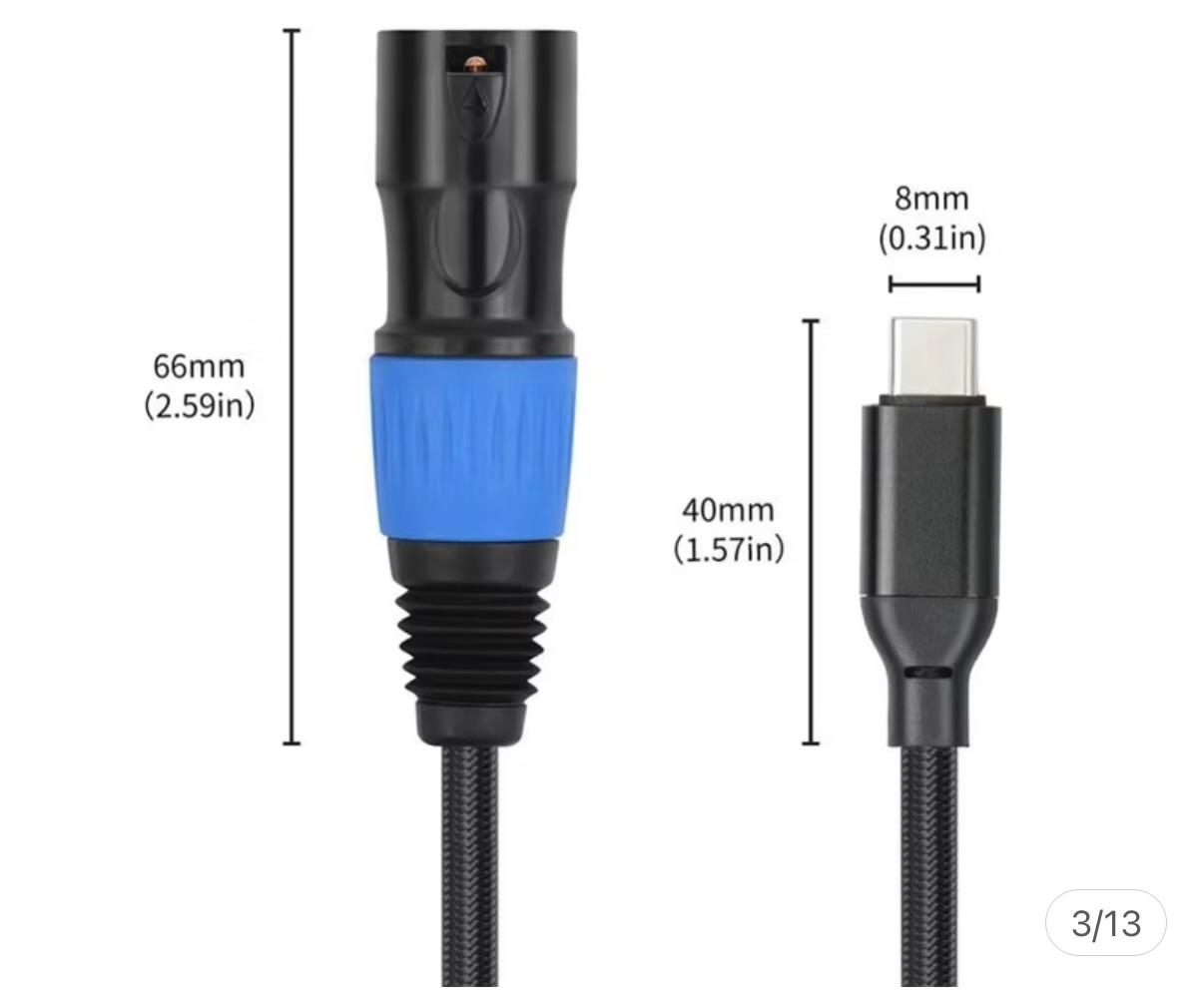
I just want to use my rgb lights on my microphone and use XLR at the same time. While not using another wire to the setup

Will it still have the same power? Same 48V gain When i turn that on?


r/MaonoCommunity • • Oct 24 '26

Maono Help I still don't understand how this should work. can someone ELI5?

Post image
0 Upvotes

r/MaonoCommunity • • Oct 23 '26

Maono Setup Does the Maonocaster Lite AU-AM200 interface work with the Maono pd100 microphone, or the pd200x?

1 Upvotes

It is for use on an iPhone, the microphone that comes with the kit sounds strange, and I want to replace it—do I need to buy a different interface?