r/MonitorAdvice • • 6m ago

✖️ Issue BenQ EX2710U / PS5 Base Model / GTA VI - Best settings?

1 Upvotes

Hi, has anyone managed to find settings for PS5 / Monitor / Game to not judder the background dreadfully when panning the camera? It is honestly unplayable for me and I have run out of combinations to try :'(


r/MonitorAdvice • • 44m ago

🖥️ Suggestions needed Anything better than the DELL AW2725D in the 400USD range?

1 Upvotes

Hello, I'm asking for advice for purchasing a 1440p OLED monitor. The main purpose of the monitor would be gaming, and sometimes work. I mainly play in a dark room. I'm thinking about the DELL AW2725D as I can buy it for 400 USD, and Dell's warranty is incredible. I don't need more than 240Hz. I'm located in Europe if this can help.

Thanks in advance!


r/MonitorAdvice • • 1h ago

Monitor Question Calibrating max HDR brightness - trust Xbox sliders or use verified monitor max brightness?

1 Upvotes

TL;DR

I'm trying to calibrate my monitor with the Xbox HDR calibration tool and finding that the 'ideal' point at which the max brightness screen stops showing the squares is already way past the verified peak brightness for my monitor. Do I trust the calibrator or go with the screen's verified peak brightness?

----------‐-------------

Heeey guys,

I've just bought the below monitor for the spare room and it's doing my head in trying to calibrate the HDR. It's a cheapish QD-OLED that gets pretty decent reviews for the price. Slightly dim for an OLED but perfect for my use as I mainly play in very low lighting.

https://www.eteknix.com/aoc-q27g4zdr-qd-oled-240hz-gaming-monitor-review/view-all/

I'm using DisplayHDR so all of the tone options are locked down, it's just HDR needing set. Should be as simple as setting black level to zero and setting full screen and highlight brightness to my screen's maximum nits, but that's where it gets confusing.

I previously adjusted the xbox calibration to the point where the white boxes vanish. However, upon learning that you can use the button combo to show nit values I'm seeing that the point where the lines disappear is way above the verified peak brightness for my screen (650 nits vs the panel's listed max of 400 which seems to be accurate from the tests I've seen).

I don't know whether to trust the calibration screen or the verified specs as I know some HDR tools aren't accurate (e.g. GTA6). I'm reading that tone mapping is the likely culprit whereby it requests a range outside the monitor's capability and then compresses it down - sounds kinda like downscaling/supersampling.

Asking AI is giving me two consistent answers that completely contradict each other. First is that it's using tone mapping and I need to use the 650 nits as despite it not being able to display above 400 it expects to be fed a bigger range and will compress down the 400 if not given the headroom, resulting in a flatter picture and diminished useable range.

The second answer is to trust the panel's specs and not send a higher brightness level as it will cause it to tone map twice.

Unlike with audio stuff I'm struggling to just judge it by the game as I'm playing lots of dark stuff like Cyberpunk, Gears, Resi Evil, etc. I can't decide if it's a bit too dark or if I'm just not used to the true OLED blacks which are obv accentuated in the type of games I'm playing.

Setting to clipping point in calibration tool is slightly blowing out some highlights but setting to monitor's peak brightness looks less HDR-ish. But at this point I'm struggling to know which is 'right'. Bit like how TV's in shops look popping with dynamic contrast on at a quick glance but in reality you're much better using a less artificial profile.


r/MonitorAdvice • • 2h ago

🖥️ Suggestions needed Which one should I choose out of these, mostly for fps games such as CS GO?

Thumbnail gallery
0 Upvotes

r/MonitorAdvice • • 3h ago

🖥️ Suggestions needed Looking for a new Monitor

Thumbnail reddit.com
1 Upvotes

r/MonitorAdvice • • 3h ago

🖥️ Suggestions needed Samsung Odyssey G5 ou AOC AGON Q27G4F

1 Upvotes

gente, tô pesquisando qual monitor comprar e bati na trave entre o G5 e o AOC Q27GF4.

ambos são QHD e 27'', a principal diferença é que o G5 é VA e o AOC é IPS...

meu principal uso vai ser pra jogos indies ou de história, e tb pra estudos (word, ia, etc)... qual vcs recomendam pra uma leiga no assunto?


r/MonitorAdvice • • 3h ago

Monitor Question Which should I buy for my first OLED?

Thumbnail reddit.com
1 Upvotes

r/MonitorAdvice • • 3h ago

🖥️ Suggestions needed Help with upgrading my setup from the PA279CRV to the PA279CDV?

Post image
1 Upvotes

r/MonitorAdvice • • 3h ago

✖️ Issue Xiaomi Pro 27Qi HDR and local dimming problem

Thumbnail reddit.com
1 Upvotes

The backstory:

So I recently wanted to upgrade from my LG 27GS85Q-B a 27inch IPS 1440p monitor. After reading on the problems of oled (burn in, brightness etc) I gave up on them and looked at mini-led. I initially tested the samsung neo g7 a 32inch 4k va miniled but the viewing angles convinced me to return it although I liked everything else. So I ended up with the Xiaomi G Pro 27Qi 2026.

THE PROBLEM:

The Xiaomi has great colors, brightness and viewing angles but in HDR everything seems washed out and less bright compared to SDR wether yt videos or games(Elden Ring). The biggest problem however is with local dimming which is the reason I bought it. While it does make blacks better and blooming seems good there is a clear loss of detail. As an example the yt video titled 2020 LG OLED at 1:19. In general it doesnt seem to handle reflections and sources of light well. Also with HDR and Local dimming in games I have seen flickering and aggresive changes of brightness

Is there anything I can do to fix the HDR and local dimming and do you think it was an actual upgrade compared to the LG


r/MonitorAdvice • • 4h ago

🖥️ Suggestions needed Need help finding the best monitor sub $180

Thumbnail
reddit.com
1 Upvotes

r/MonitorAdvice • • 4h ago

✖️ Issue Input lag on LG MP410-b monitor

1 Upvotes

so i bought this monitor recently, and it has noticeable lag when i move my crosshair fast on valorant. didnt happen with my old monitor even tho it was so much older (had a 12 ms response time, from the 2000s). It is also happening when browsing or in the desktop.

things i tried:

-updated nvidia drivers.

-changed monitor settings

-this thing about deleting non-used resolutions: UPDATE: LG Monitors causing Stuttering (FIX) : r/nvidia

my pc:

-amd fx 8320

-nvidia gtx 960

-12 gb ram

any help or hint is appreciated. maybe the monitor is just kind of bad orrr it is another kind of badness to that which i was used to. My old monitor was 2006 or sooner, 5:4, old as hell, smaller. i was used to its badness.


r/MonitorAdvice • • 4h ago

Monitor Question Eizo Flexscan vs Other Productivity Monitor Product Lines

0 Upvotes

First time buyer of a monitor with extremely limited budget -- ~140 USD (not based in US, prefer to not mention location). I think I've narrowed down to ~24" IPS 1080p 16:9 as being "correct" based on my very limited desk space, budget, and local aftermarket listings (if I'm lucky, there may be units still under transferrable warranty).

My only laptop's specifications are i5-8265U and Intel UHD 620 Graphics with no immediate plans to upgrade.

As a daily driver, the monitor will do plenty of movie streaming. Side stuff include light gaming (described below), web browsing/reading, office suite stuff. I guess that puts me exclusively in the sRGB colour space. Dual-boot Windows and Linux (Wayland), if that matters.

I don't play FPS games, just a single MMORPG almost daily (caps out at 1920 x 1080), and mostly retro games from my youth occasionally (with resolutions that won't end up with ideal scaling ratios at 1080p). Not doing, and will not be doing colour-critical work.

I'm not familiar with other brands' productivity line of monitors. I've heard great things about Eizo's ColourEdge series, but found next-to-little on Flexscans, especially as of recency. I'm also not at all familiar with other brands' productivity monitor product lines or how to compare them in terms of real world use beyond the spec sheets.

The reason why Eizo Flexscan as a contender for now -- I care about the brand's QC, because any monitor would cost me an arm and a leg, and I should hope it last me for several years with next-to-no hiccups. Also that ALS looks neat -- I don't know how other brands' ALS compare. (EV2480)

I had previously considered Dell's Ultrasharps within that budget, but I'm leaning towards thinking the P-series is a step down in QC and therefore a risky choice. Ultrasharps seem to be marketed towards those who can appreciate the DCI-P3 colour space, which makes me feel like I'm buying a wrong or what feels like a confused product line, a feature I won't use, ever, even though it pops up a fair bit as far as BIFL-like or semi-reliable QC goes.

I'd consider NEC's MultiSync EA243WMi, but (a) none in the aftermarket for now and (b) I don't know how it compares to other product lines, or if Sharp has great monitors under a name I'm not aware of.

Would greatly appreciate real life comparisons rather than spec-sheet comparisons if you're able to and are willing to share, however dated.

Addendum: I personally don't think the higher contrast ratio of a VA panel is worth its various cons. IPS Black is far beyond budget (and size). OLED is a non-starter. 24" 1440p with great QC and affordable price point... doesn't exist... does it?


r/MonitorAdvice • • 5h ago

🖥️ Suggestions needed Best black friday monitor deal?

Thumbnail reddit.com
1 Upvotes

r/MonitorAdvice • • 6h ago

🖥️ Suggestions needed 27” 4K gaming + productivity monitor: Mini-LED Dual Mode vs 240Hz IPS Black? RTX 5080 owner looking for advice

1 Upvotes

Hi everyone!
I’m looking for a new 27-inch monitor for a mixed gaming and productivity setup, and I’m having a hard time deciding between 4K Mini-LED and high-refresh-rate IPS Black.
My current setup:

• ⁠GPU: NVIDIA RTX 5080
• ⁠CPU: AMD Ryzen 9 9950X3D
• ⁠Current monitor: MSI MAG 346CQ, 34” UWQHD 180Hz VA

My usage includes:
• ⁠Competitive FPS games
• ⁠AAA games at high/ultra settings
• ⁠Python programming, quantitative analysis and trading platforms with static interfaces
• ⁠General productivity and multimedia

My main concern is resolution scaling.
Many 27” 4K Mini-LED monitors offer Dual Mode: 4K at 160Hz or 1080p at 320Hz.
I’ve read several owner reviews reporting that the 1080p/320Hz mode looks noticeably blurry or soft, even though it provides a higher refresh rate.
I’m not sure that’s a compromise I’m willing to make.
I’m therefore considering a native 4K 240Hz IPS Black monitor.
However, I would lose the superior HDR performance and local dimming of a good Mini-LED.
I’m tempted to choose an OLED, but I’m concerned about the phenomenon of burn-in and lower text definition.

Thanks for any firsthand experiences or recommendations!


r/MonitorAdvice • • 7h ago

🖥️ Suggestions needed Looking for 27 inch monitor, suggestions?

Thumbnail reddit.com
1 Upvotes

r/MonitorAdvice • • 8h ago

🖥️ Suggestions needed Looking for a 27-inch 4K monitor for work + PS5 Pro with better motion clarity

1 Upvotes

I currently have a **Dell S2725QS (27”, 4K, 120Hz IPS)** and I like it for work, but the motion clarity when gaming isn’t great, especially with GTA 6.

RTINGS also mentions the slow response time / blur on this model, and I’ve noticed it myself on PS5, especially when moving the camera around. The image looks sharp when still, but noticeably blurrier in motion.

I’m looking for something around **£250–£350** that can handle both - Work/productivity and PS5 Pro gaming

I’ve been looking at the **Philips Evnia 27M2N5901A** because it’s 4K 160Hz, Fast IPS, HDMI 2.1 and has built-in speakers, USB-C and KVM.
Has anyone used the Philips, or is there anything better around this price range?

Main thing I want to avoid is buying another monitor that looks great on paper but still has noticeable blur/ghosting at 60fps on console.


r/MonitorAdvice • • 8h ago

✖️ Issue Struggling to fix hertz with monitor

1 Upvotes

r/MonitorAdvice • • 10h ago

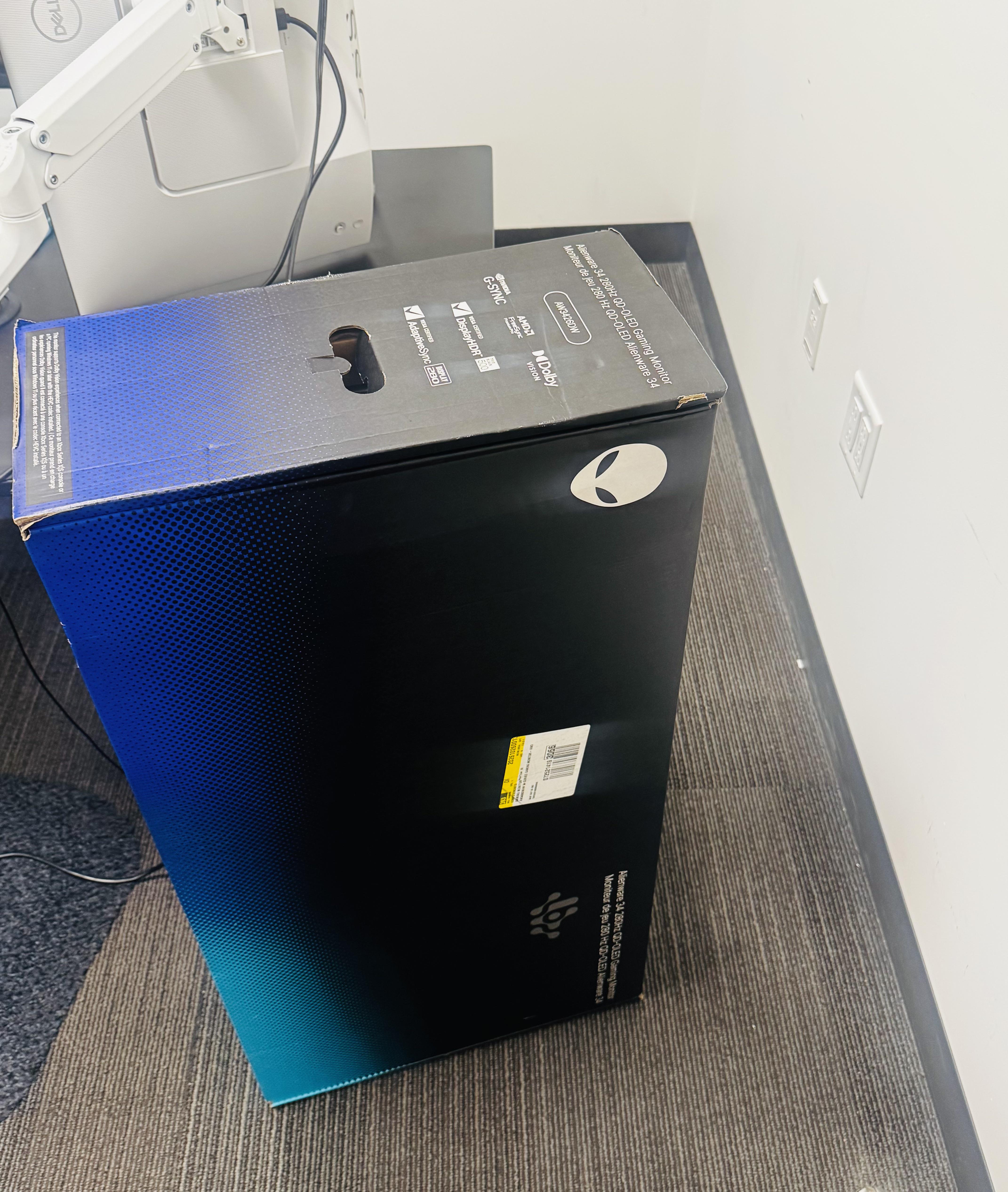
Monitor Question Debating now if I show go with the 39 inch AW3926QW or keep AW3426DW?

Post image
1 Upvotes

r/MonitorAdvice • • 11h ago

🖥️ Suggestions needed Need MAJOR monitor upgrade

Thumbnail reddit.com
1 Upvotes

r/MonitorAdvice • • 12h ago

🖥️ Suggestions needed HP Omen 27qs G2 vs Alienware AW2726DL vs AOC Q27G41ZE

Thumbnail reddit.com
1 Upvotes

r/MonitorAdvice • • 12h ago

✖️ Issue Help with monitor connection to laptop

Thumbnail reddit.com
1 Upvotes

r/MonitorAdvice • • 12h ago

Monitor Question Monitor sem sinal

Thumbnail
gallery
0 Upvotes

Eu montei meu primeiro pc, segui todos os passos certo, e liguei e o monitor fica sem sinal, pensei que a placa de vídeo não estivesse conectada direito,porque tava sem rgb e não tava girando as ventoinhas,retirei ela e e as memórias ram e coloquei de novo, agora ela ta funcionando, mas o monitor ainda dá sem sinal, obs:como da pra ver na 3° foto eu pluguei o cabo do monitor na placa de vídeo e não na placa mãe.


r/MonitorAdvice • • 13h ago

🖥️ Suggestions needed Monitor suggestion

1 Upvotes

I am currently on a sceptre 34 inch 180 hz monitor. I want to upgrade but I dont know what to go with. 95% of the time I just play rocket league or siege. I would be willing to spend at most 400$. Any recommendations would be great. Thanks.


r/MonitorAdvice • • 14h ago

🖥️ Suggestions needed hello

1 Upvotes

hello i need help to pick monitor, other guy recomended this for me TCL 27G64 or

AOC Q27G3XMN

if there is better option then please say, i want monitor less than 200$