r/PHHomeLabs • • Oct 27 '26

Meta Welcome to r/PHHomeLabs, start here

2 Upvotes

Mabuhay, and welcome to r/PHHomeLabs!

This is the homelab hub for the Philippines. Whether you run a full rack or one old laptop you rescued from a drawer, your lab belongs here. Beginners are welcome, and nobody gets judged for their hardware.

What it’s for

Builds, configs and questions about servers, NAS, networking, Proxmox and self-hosting, plus the PH realities that come with them, like power bills, brownouts, UPS sizing, heat, dust and ISP headaches.

How to post

Tell us at least two things about your lab, like what it is, what it’s for, how it’s set up or why you built it. If you can, end by asking how others would do it, so people have an easy way to join in.

Flairs

  • My Lab for your own setup, a build step or your hardware
  • Question when you need help. Switch it to Solved once you have your answer
  • Discussion for open questions and opinions
  • Guide for a how-to others can follow

Before you post

Read the rules. Redact passwords, keys, public IPs and serial numbers from your screenshots. English, Taglish or Tagalog, all welcome here.

Say hi below

Introduce yourself in the comments. Easy starter: what’s the oldest hardware still running in your lab?

Wala ka pang lab? Sabihin mo lang kung anong lumang PC o laptop ang meron ka sa bahay, at tutulungan ka naming magsimula.


r/PHHomeLabs • • 1d ago

My Homelab Compute Nodes

Thumbnail gallery
1 Upvotes

So local AI has been a thing for quite some time already and AI agents have been very promising since OpenClaw. AI agents help me run my homelab, from creating multiple sandbox LXCs for science, to troubleshooting an unresponsive service while I'm outside doing more urgent stuff. You can reach them through Telegram and Discord.


r/PHHomeLabs • • 8d ago

Solved Help these laptops find a new home rack

Thumbnail gallery
2 Upvotes

So, I've been looking for ways to unclutter my homelab. It's only 2 laptops and some tower PCs for now, but the cables are all tangled like a rubber hairball.


r/PHHomeLabs • • 17d ago

My Lab Inside the Zenbook Micro Blade: The LXCs Behind My First Homelab Node

Thumbnail
gallery
3 Upvotes

Continuation from: The Zenbook That Never Sleeps: Calm, quiet, and always on

That Zenbook has now been humming along on the shelf for over 33 days straight without a single issue. And true to its new role, it’s become the quiet backbone of my entire setup. Instead of spinning up heavy virtual machines for everything, I leaned into lightweight Proxmox LXCs to keep resource usage light while splitting every core service into its own clean container.

Right now, this node handles the essentials that keep the rest of the lab reachable and visible:

  • AdGuard Home sits at the front door, filtering DNS traffic across the network with sub-70ms response times so everything resolves cleanly and ad-free. The ad blocking is my main use case for this.
  • Uptime Kuma keeps a constant pulse on the stack, watching AdGuard, Forgejo, Homepage, Open WebUI, and even a dedicated health-check database on my PostgreSQL instance so I know the moment anything blinks. So I chose this as I am so busy with tinkering with local AI and creating Proxmox LXC sandboxes for science. This gives me a quick health check on some of the most important utilities on my homelab.
  • Homepage ties it all together into a single command center, giving me one-click access to every service across my nodes. Just a better looking collection of direct links for now, at least when you compare it to browser bookmarks. Now I only need one bookmark on my browser.

Sitting at under 1% CPU usage and barely touching its 16 GB of RAM, this "micro blade" barely breaks a sweat running the whole network operations stack. Definitely still have room for more LXCs. But don't want to go overboard and install everything I can think of. Just what I need for now is enough.

And I still haven't fully configured Homepage and Uptime Kuma as I've been busy setting up some LXCs for my local AI compute servers. And it's been a blast having some light homelab infrastructure supporting your heavy compute nodes. Still a long way to go as I haven't thought about aesthetics yet. Just making it work and useful for now, so that they are pulling their weight in electricity consumption.

If you looked closely at that Homepage screenshot, you might have noticed a second column, an HP Elitebook micro blade pulling its own weight right next to the Zenbook, hosting self-hosted Git and local AI tools.

Next time, we’ll open the lid on that second laptop and see what it’s running. I'll be putting the link in the comment section when I post it.


r/PHHomeLabs • • 29d ago

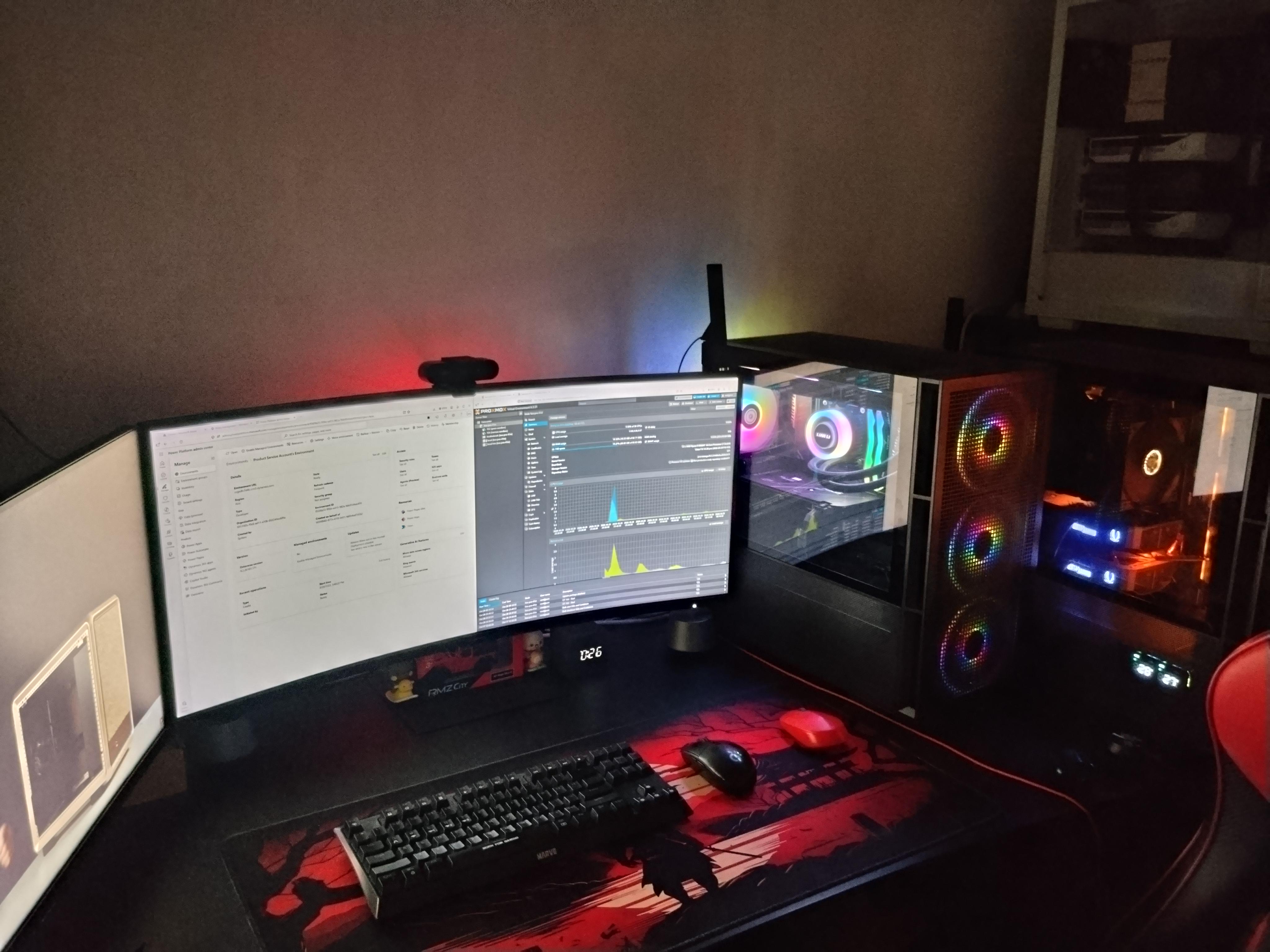
My Lab Command Center, Homelab, and Local AI Fleet

Post image
2 Upvotes

My current entry to HomeLabPorn


r/PHHomeLabs • • Oct 27 '26

Guide Proxmox Laptop Node: Lid Setup

4 Upvotes

This is how to keep the laptop from sleeping when you close the lid.

Tell systemd-logind to ignore the lid so closing it does not suspend the node. This works the same on every laptop.

nano /etc/systemd/logind.conf

Under [Login], uncomment these three lines and set each to ignore:

HandleLidSwitch=ignore
HandleLidSwitchExternalPower=ignore
HandleLidSwitchDocked=ignore

Save, then apply:

systemctl restart systemd-logind

Verify, then close the lid and confirm the node still answers ping and SSH

Let me know if it did not work for you.


r/PHHomeLabs • • Oct 27 '26

Guide Proxmox Laptop Node: Screen blanking

2 Upvotes

This is how to prevent the laptop screen from getting dead pixels.

Blank the panel on demand without affecting the console session, VMs, SSH or the web UI. Add two aliases to the shell profile:

nano ~/.bashrc

alias screenoff="TERM=linux setterm --blank force </dev/tty1"
alias screenon="TERM=linux setterm --blank poke </dev/tty1"

Reload, then use them as needed:

source ~/.bashrc
screenoff   # blanks the panel
screenon    # wakes it back up

r/PHHomeLabs • • Oct 27 '26

Guide Proxmox Laptop Node: Battery Setup

2 Upvotes

This is how to cap battery charge at 80%

Confirm the kernel exposes a charge-limit control before changing anything.

ls /sys/class/power_supply/
ls /sys/class/power_supply/BAT*/ | grep -i charge

Expected output: (at least for my laptop)

AC0  BAT0
charge_control_end_threshold

Record the current state:

cat /sys/class/power_supply/BAT0/charge_control_end_threshold
cat /sys/class/power_supply/BAT0/capacity

Typical baseline: threshold 100, capacity 100.

Set the cap and read it back. This takes effect immediately but does not survive a reboot.

echo 80 > /sys/class/power_supply/BAT0/charge_control_end_threshold
cat /sys/class/power_supply/BAT0/charge_control_end_threshold
cat /sys/class/power_supply/BAT0/status

A systemd oneshot unit re-applies the cap at every boot.

cat > /etc/systemd/system/battery-charge-limit.service <<'EOF'
[Unit]
Description=Set battery charge limit
After=multi-user.target

[Service]
Type=oneshot
ExecStart=/bin/sh -c 'echo 80 > /sys/class/power_supply/BAT0/charge_control_end_threshold'

[Install]
WantedBy=multi-user.target
EOF
systemctl enable --now battery-charge-limit.service
systemctl is-enabled battery-charge-limit.service

Feel free to recommend something better or let me know if it did not work for you.


r/PHHomeLabs • • Oct 27 '26

My Lab The Zenbook That Never Sleeps: Calm, quiet, and always on

Thumbnail
gallery
1 Upvotes

Continuation from: From E-Waste Ubuntu Sandbox, to Proxmox VE Hypervisor

Down the rabbit hole indeed. Once Proxmox clicked, one machine was no longer enough. The lab kept growing, and I needed something that could stay on around the clock and keep the core network services running, even when the power didn’t cooperate. Brownouts are part of life here, and a desktop with no battery goes down the moment the lights flicker. So I looked at my old laptops differently.

That’s how an ASUS Zenbook with an Intel Core i7-8565U (4 cores, 8 threads) and about 16 GB of RAM became my network operations node. It’s modest by today’s standards, but it’s plenty for the small infrastructure services the rest of my lab depends on. Laptops make great homelab nodes. They draw little power, run nearly silent, take up almost no space, and come with a built-in battery that works as a free UPS.

Turning a laptop into a server takes a different mindset, though. It was designed to be opened, used, and put to sleep, and a server should do none of those. The first thing to fix was the lid. By default, closing it suspends the machine, and the node drops off the network. A small change to the login manager tells the system to ignore the lid entirely, so the Zenbook can sit closed on a shelf and still answer SSH and the web UI.

The screen came next. A lit panel in a closed lid just wastes power and wears out the backlight. I set up simple shortcuts to blank the display when I don’t need it and wake it when I do, without touching any running containers or VMs.

The battery needed the most thought. A lithium-ion cell held at 100% around the clock, especially in a warm room, ages much faster. Since the laptop is plugged in permanently, I capped charging at 80%. That keeps the cell at a gentler voltage while leaving enough runtime to ride out short power interruptions. I made the cap reapply automatically on every boot, because some laptops forget it after a restart.

The one piece still on my list is a low-battery shutdown, so a long outage ends in a clean power-off instead of a hard crash. Even so, just like that old 2200G, a machine I almost wrote off has found a second life as one of the most dependable nodes in my lab. Of course, a node is only as useful as what runs on it.

Next time, I’ll show the LXCs. To be continued...

Inside the Zenbook Micro Blade: The LXCs Behind My First Homelab Node


r/PHHomeLabs • • Oct 25 '26

My Lab From E-Waste Ubuntu Sandbox, to Proxmox VE Hypervisor

Thumbnail
gallery
3 Upvotes

Continuation from: How my homelab started with e-waste

As it turns out, maintaining a bare-metal Ubuntu sandbox is quite tedious because you have to tear down the entire machine and reinstall the OS whenever you make breaking changes. This is where Proxmox VE came to the rescue. Proxmox VE is a hypervisor that enables you to create multiple Linux containers, allowing you to back up a container before trying something that might break it. This way, instead of completely reinstalling your OS, you can just restore a working backup and tear down the broken instance with a few clicks. This machine paved the way for me to learn not just Ubuntu, but Proxmox VE as well, and truly understand the difference between Linux Containers (LXCs) and Virtual Machines (VMs).

Homelabbing completely accelerated my learning curve by providing a risk-free, hands-on training environment. Because I can safely 'use and abuse' the system without worrying about permanent consequences, I have been able to aggressively test configurations, break them, and fix them in real time. This interactive setup has allowed me to deepen my practical knowledge of both Linux environments and underlying hardware infrastructure far faster than traditional theoretical learning ever could.

And this is just the beginning. Down the rabbit hole we go.

The journey continues here: The Zenbook That Never Sleeps: Calm, quiet, and always on


r/PHHomeLabs • • Oct 25 '26

My Lab How my homelab started with e-waste

Thumbnail
gallery
2 Upvotes

One boring Saturday last year, I was cleaning out my old things and looking for anything to discard so I could make room for more storage space. I considered throwing away my very old PC, a Ryzen 2200G with a single stick of 8GB 2666 DDR4 RAM that was collecting dust inside my cabinet. My curiosity got the better of me. Since my PC hardware skills had been collecting dust as well, I figured I might as well check if it was still working and troubleshoot any problems. I had nothing to lose anyway because I already considered it e-waste and was about to discard it.

The funny thing is, PC hardware skills are like riding a bike. New hardware replaces old hardware, but the principles stay the same. Long story short, I was able to make it work after cleaning every single component. However, I knew it was an aging piece of tech, so I really had no practical use for it. Then it clicked. I remembered that I wanted to learn about Linux on a deeper level outside of work. What if I made it a Linux sandbox?

That was how it became an Ubuntu desktop. It started with an Ubuntu bare metal installation using a USB flash drive. From there, I explored Ubuntu, broke it in the process, reinstalled it, and repeated the cycle.

To be continued here From E-Waste Ubuntu Sandbox, to Proxmox VE Hypervisor