r/PS5_Jailbreak • u/Cyborg_Todoroki • 4h ago
General Mario Kart World recomp running at 60fps on PS5
there are some casual frame drops, visual glicthes and some game crashes often, but I've been able to finish an entire cup!!
r/PS5_Jailbreak • u/Hoveringforallsorts • Oct 18 '26
ULTRA BASIC FAQ FOR NEW MEMBERS
‘How do I get started jailbreaking my PS5 on XYZ firmware?’
‘The jailbreak isn’t working for me I can’t get anything to work at all’
PLEASE WATCH MODDED WARFARE’S YOUTUBE CHANNEL ITS YOUR FIRST PORT OF CALL AND TAKES NO EFFORT AND WILL ANSWER ALL YOUR QUESTIONS, THEN USE THE SEARCH FUNCTION BEFORE YOU POST A QUESTION (IF YOU STILL HAVE ONE)
‘Should I update from A to B firmware?’
‘Should I jailbreak or play [insert upcoming game release]?’
SPAM. IF YOU WANT TO PLAY A GAME RELEASING IN THE FUTURE THAT REQUIRES HIGHER FIRMWARE THAN THE HIGHEST CURRENT JAILBREAKABLE ONE THEN DON’T JAILBREAK -CHOOSE ONE OR THE OTHER.
ALSO WATCH MODDED WARFARE’S YOUTUBE CHANNEL.
‘I can’t post my post keeps being removed’
READ THE PINNED POSTS (AKA COMMUNITY HIGHLIGHTS) CAREFULLY, IT IS FULLY EXPLAINED WHAT THE REQUIREMENTS FOR POSTING ARE, WHEN YOU MEET THEM YOU CAN POST.
‘Where can I download games?’
YOU CANNOT DISCUSS THAT HERE. DO THAT ELSEWHERE. DISCUSSING PIRACY WILL EARN YOU A PERMANENT BAN FROM THE SUB. THIS INCLUDES BUT ISN’T LIMITED TO - PIRACY SOURCES WEBSITES & STORES, KNOWN SCENE DUMPER NAMES, TALK OF ‘DOWNLOADING’ OR ‘FREE’ GAMES. ZERO TOLERANCE ON PIRACY DISCUSSION HERE.
‘My game is crashing before it loads, it’s giving this message [screenshot] what should I do?’
PLEASE USE THE SEARCH FUNCTION, MAKE A NEW DUMP OF YOUR GAME CHECKING THE PROCESS TO ENSURE NO MISTAKES, TRY CHANGING ITS FORMAT OR STORAGE LOCATION- NOBODY ELSE LEGALLY HAS YOUR GAME DUMP, YOURS IS YOURS.
If you read this to the end, and understand and respect these simple things, you will be able to post and enjoy the sub without being banned or having your posts removed as spam.
r/PS5_Jailbreak • u/Low-Recognition-7293 • May 04 '26
Greetings!
For anyone who would like to contribute to the wiki for this sub please comment here. This will allow ease of feedback and visibility of requests so we can build on them over time. If you have a change please put the index page you want the changes to and either quote or provide full replacement text. If you want technical details added or changed provide a reference link. For simple tool/package additions reply to the stickied comment.
I'm sure this will evolve as time goes on but thank you all in advance!
r/PS5_Jailbreak • u/Cyborg_Todoroki • 4h ago
there are some casual frame drops, visual glicthes and some game crashes often, but I've been able to finish an entire cup!!
r/PS5_Jailbreak
•
u/Redomic
•
11h ago
This is the first (public) faithful rehost of the PS5 14.22 kernel on QEMU.
With only 62 patches, it's 10x as pristine as the last known rehost on 13.60.
Hope this helps the community get further.
r/PS5_Jailbreak • u/Conscious-Network841 • 42m ago
r/PS5_Jailbreak • u/Inevitable_Worry_115 • 5h ago
Hey everyone!
I've been developing an Android application called Relay, a PS5 Remote Play client designed to recreate the PlayStation Portal experience on Android phones, tablets, and handheld gaming devices.
The goal is to go beyond basic Remote Play functionality and create something that feels like a dedicated PlayStation handheld, complete with a Portal-inspired interface, system settings, controller customization, and additional features.
Relay is an independent project that builds on ideas, research, and open-source work from the PlayStation homebrew and Remote Play communities.
Current Features and Development Progress
PlayStation Portal-inspired interface — Custom home screen, menus, backgrounds, animations, quick settings, and navigation designed around the PlayStation Portal experience.
Traditional PS5 Remote Play — A dedicated mode intended for standard, non-jailbroken PS5 consoles.
Remote Play JB — A separate streaming mode designed for jailbroken PS5 consoles, allowing experimentation with features beyond the traditional Remote Play experience.
Advanced streaming quality — JB streaming has been tested at 720p, 1080p, and 1440p at approximately 60 FPS. Additional resolutions and streaming improvements are being researched.
PS5 Media Gallery integration — Functionality under development for browsing, previewing, and transferring media from a jailbroken PS5.
Portal-style settings and quick menus — Custom menus with animated backgrounds, transitions, and visual effects.
Touchscreen and physical controller support — Development focused on phones, tablets, and dedicated Android gaming handhelds.
Upcoming Features
Full controller remapping — A graphical DualSense controller with annotation lines showing the current mapping of each button, allowing complete customization.
Integrated Wi-Fi and Bluetooth management — Network connections and controller pairing directly through the app's interface, within Android's supported capabilities.
Automatic controller detection — Improved support for USB and Bluetooth gamepads.
Enhanced video quality controls — Portal-style resolution icons, streaming presets, and consistent settings menus.
Live game-text translation — Exploring OCR technology to translate text directly from the video stream.
Dedicated launcher mode — The option to turn an Android device into a dedicated PlayStation Remote Play handheld with Relay as the default launcher.
First-boot setup experience — A PlayStation Portal-inspired onboarding process, including Wi-Fi setup, controller configuration, and console pairing.
Improved jailbreak streaming integration — Research into alternative streaming implementations and protocol improvements.
Unified system update interface — A Portal-inspired update system integrated into Relay's settings.
Open-Source Credits and Acknowledgments
I want to give proper credit to the developers and communities whose open-source projects have helped make this kind of development possible.
Chiaki-ng — Street Pea and contributors
https://github.com/chiaki-ng/chiaki-ng
Chiaki-ng is one of the most important open-source projects for PlayStation Remote Play. Its work on console communication, streaming, controller support, and cross-platform compatibility has been a major technical reference for Relay's development.
Original Chiaki — Florian Märkl (thestr4ng3r) and contributors
https://github.com/thestr4ng3r/chiaki
The original Chiaki project helped establish the open-source PlayStation Remote Play ecosystem. Its protocol implementation and foundational work deserve recognition.
TP Play — mB14ck22
https://github.com/mB14ck22/tp-play
TP Play is an open-source project based on Chiaki-ng, focused on native Android and iOS Remote Play clients. Its architecture and mobile development approach are useful references for Relay.
Chiaki-ng Asobi AGPL Audit
https://github.com/chiaki-ng/asobi-agpl-audit
This project documents technical research and open-source licensing considerations surrounding alternative Remote Play implementations. I've also been investigating streaming approaches and compatibility improvements as part of Relay's development.
Additional Acknowledgments
I'm also grateful to the developers contributing to PlayStation homebrew tools, PS5 jailbreak research, protocol documentation, and Android game-streaming projects.
I'm investigating PlayTranslate for potential OCR-based game translation functionality and studying additional streaming implementations. These are areas of ongoing research rather than completed integrations.
I want to be transparent that the projects above include both open-source foundations and technical references. The complete list of incorporated dependencies and their required license notices will be documented as development progresses.
What Makes Relay Different?
My goal isn't simply to create another alternative to Sony's Remote Play app.
I want Relay to provide the experience of using an actual PlayStation handheld, with a complete interface, controller customization, device configuration, and expanded functionality.
One of the biggest areas I'm exploring is Remote Play for jailbroken PS5 systems, where there may be opportunities to implement features that aren't available through traditional Remote Play.
I'm also interested in turning existing Android hardware into dedicated PlayStation streaming devices without needing to purchase separate handheld hardware.
Development Status
Relay is still actively being developed. Some features are implemented, others are undergoing testing, and several are on the development roadmap.
This is an independent community project and is not affiliated with, sponsored by, or endorsed by Sony Interactive Entertainment.
Community Feedback
I'd really appreciate hearing what the community thinks.
What features would make you choose Relay over your current Remote Play application?
Would you be more interested in standard PS5 Remote Play or the additional functionality being explored for jailbroken consoles?
And would you be interested in turning an Android handheld or tablet into a dedicated PlayStation Portal-style device?
I'm looking forward to sharing more development updates as the project progresses.
r/PS5_Jailbreak • u/TheOddSup • 41m ago
just wanted share what I found from a developer on X, do you guys think this may be real or maybe just slop? gonna try it eventually on a spare ssd.
r/PS5_Jailbreak • u/TableEmbarrassed6099 • 4h ago
Not sure if anyone or groups are working on super low fw's in this day in age anymore. I know anything below 4.xx is just much different than 4.xx-13.60 (im at 3.20) just curious to know if anyone has been trying to figure something out like a hybrid/minimal fw or cfw by chance. I never see anything for low versions and everyone is either clouded on FOMO for the game that just dropped or beefing about the devs that are keeping up with modern fws (it's not that deep tbh for the FOMO game, i don't feel like taking care of my virtual wife/girl after a long ass day from work/real chores and responsibilities and then dealing with my real ball busting wife inbetween the larp if you catch my drift).
Not trynna ragebait or start some bullshit, genuinely curious about the state of legacy jailbreaks and if there's potential for something big if some of us waited a long time on really low fw's
r/PS5_Jailbreak • u/MrAssman90 • 18h ago
Update: it works fine again, no issues, don’t know what the hell fixed it 😂
I’m on firmware 9.00.
I turned on my ps5 today after playing games on Thursday, every app in the “game” tab except prosperostore has this problem.
When i close the app on the home screen, the screen goes back to normal.
Prosperoeden works, but the games wont start, every game crashes.
I cleared my system cache, used other jailbreaking methods, used other kstuff and shadowmount+ without results.
Can someone please help me, i don’t know what to do.
r/PS5_Jailbreak • u/marice • 10h ago
Hi all!
I built a file explorer for jailbroken PS5s because I wasn't happy with the existing ones (no offense!). Some felt clumsy to use, some were plain buggy, and one even wiped my entire USB drive. So I made my own, with two goals:
Comfort (it should feel good with a controller on the couch) and opening files (look inside things without leaving the app).
## What it does
- Two panes, one per folder or drive. Internal storage (`/data`), USB drives and the rest of the filesystem. Sort by name, size or date; L1/R1 turn a page in long folders.
- Copy, move, delete, rename, new folder. Runs in the background with progress, cancel by holding a button, and it asks what to do when a name already exists (skip, overwrite, keep both). Big files are copied in chunks, so memory stays small.
- Careful by design: changes (delete, move, rename, copy into) are only allowed in `/data` and on USB/ext drives. Everything else, like system folders, is read-only: you can look at it and copy files out of it, but nothing there can be deleted or overwritten. Deleting needs you to hold a button, and symbolic links are never followed.
- Open files straight from the list (press Cross):
- Text: JSON, XML, logs, INI, Markdown and more, with line numbers and accents. Only the first 8 MB is read, so big logs open instantly.
- Images: JPG, PNG, BMP, GIF and TGA, plus DDS textures (BC1-BC5, BC7).
- Hex view: any file, however large (it only reads the part you look at), with a cursor, "go to offset" and a scroll bar. View only: nothing is written.
- MP3 player: title, artist, album cover, seek, volume and .m3u playlists. The music stops when you close the player.
- Anything else opens as hex, and the Options menu has "Open as..." for any file.
- Long file names scroll when you rest on them, and file types it can open get a coloured icon.
## Install
It needs a jailbroken PS5 that runs homebrew apps (I use etaHEN). Tested on my own console only so far, so please tell me what you run into.
## What's next
This is the first release. I want it to grow into the one tool you open to do things with your files.
Planned (not promised, and no dates):
- loading payloads straight from the explorer
- more file types
- ShadowMount integration
- more audio formats (OGG, WAV)
- hex editing
- ??? Tell me what you'd like to see!
## Notes
- The title ID is `LAPY69432` (the `LAPY` prefix is what lets the app get the file acces it needs.
- Built on the ps5-homebrew-ui kit by BlackBearReloaded (GPL-3.0). EliVier Explorer is GPL-3.0-or-later.
Source and downloads: Sourcecode & Release download
r/PS5_Jailbreak • u/DareUpset5337 • 23h ago
I know am not a developer and I wish I was smart like one or know how to do these stuff but either way I support in a way I can , like donating $ to the course. I just hope we’ll work together as a community to get our own GTA:6 running on a jailbroken PS5. I can buy the game if I want to, but I rather spend the money donating to people who are working on how to get the Game working on a jailbroken PS5 so that other people who can’t afford to buy the game will have an opportunity to play. Let’s make this work I believe there’s still HOPE.
r/PS5_Jailbreak • u/ActivityBorn2019 • 10h ago
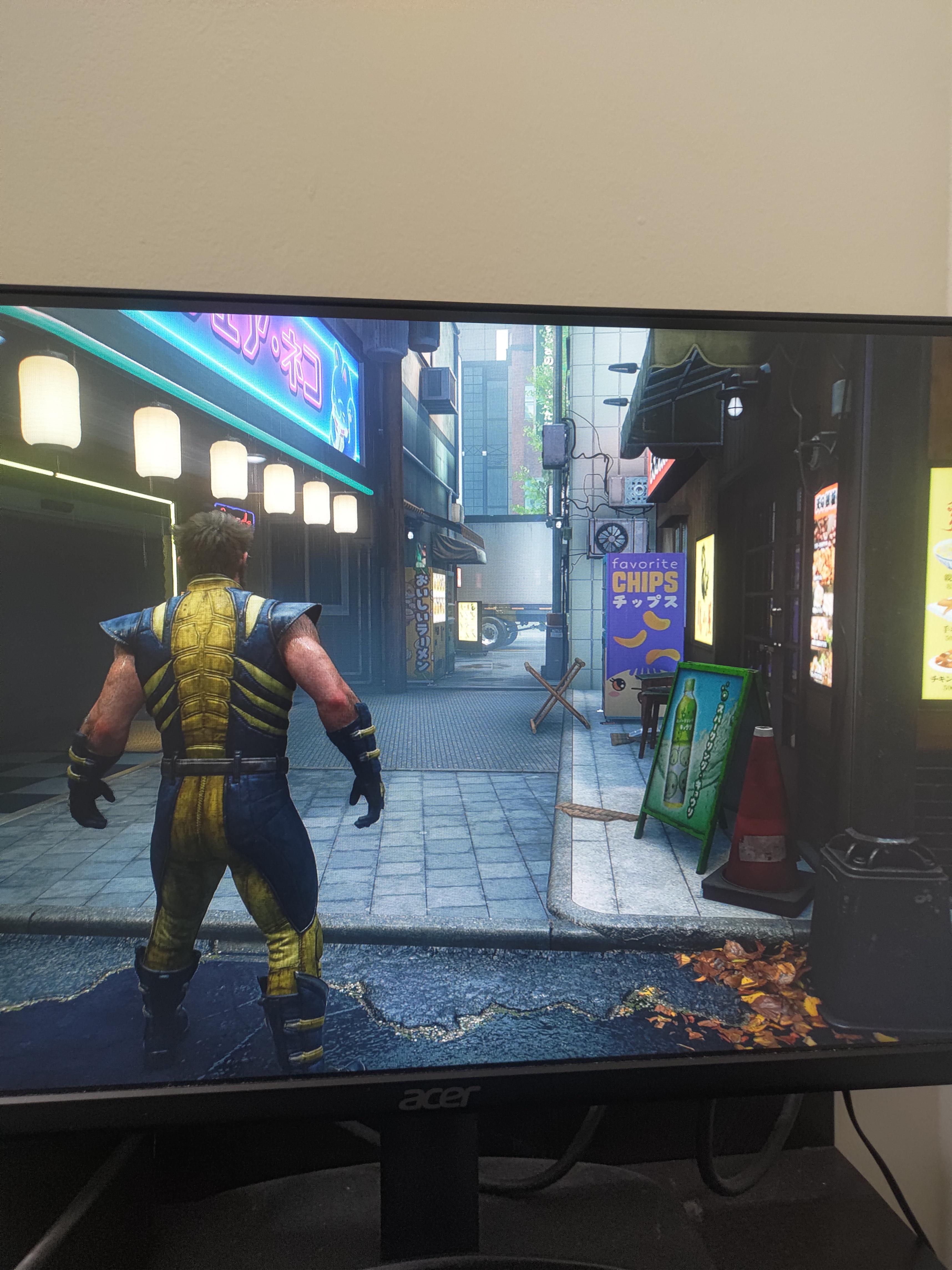
Stuck at this mission named "in the shadows". Jean is supposed to appear here and open the arcade shutter but apparently she is nowhere to be found and it's soft locked in a way.
I have tried putting in fresh game files as well , restarted checkpoint multiple times , restarted the previous mission bad blood also multiple times , tried changing the outfits of logan.
The game is on internal ssd of ps.
Any idea how to progress in this?
r/PS5_Jailbreak • u/11pmStalker • 17h ago
r/PS5_Jailbreak • u/Masta-G • 16h ago
PS5-CachyOS is a ready-made CachyOS image for jailbroken PS5s. Flash it to a USB SSD, boot it with the Linux loader, and you get a full KDE Plasma desktop plus a SteamOS-style Gaming Mode. Nothing is installed on the PS5's internal storage, unless you want it there.
It's my fork of abrocoma's PS5-CachyOS, built on the official ps5-linux image. What the fork adds:
7.3.5-pc8fe-bc1), so llama.cpp, ComfyUI and ROCm run reliably on the PS5's GFX1013 GPUsudo ps5-boost on)sudo ps5-install-m2 to install it on the internal M.2Tested on a PS5 Pro. Download and guide: https://github.com/MastaG/PS5-CachyOS
New: Inkling-2-Mini runs well on the PS5 Pro
Tested Thinking Machines' Inkling-2-Mini (26B MoE, about 3.4B active per token) on the PS5 Pro under PS5-CachyOS. It uses Trecto34's llama.cpp fork with fused Vulkan shaders for this model: https://github.com/Trecto34/llama-inkling2-vulkan/releases
The model is Unsloth's Inkling-2-Mini-UD-IQ3_XXS.gguf (10.85 GiB), fully on the GPU through Mesa RADV, with Steam closed to free memory.
llama-bench -ngl 99 -fa 1 -p 512 -n 128 -r 3
prompt (pp512) generation (tg128)
PS5 Pro 686.2 t/s 59.2 t/s
BC-250 (for comparison) 444.9 t/s 47.2 t/s
inkling2 architecture yet, so you need this fork for now.Try it yourself. These are the steps we used on a BC-250 running CachyOS; the build itself hasn't been run on a PS5 yet:
sudo pacman -S --needed cmake ninja vulkan-headers shaderc glslang git
git clone https://github.com/Trecto34/llama-inkling2-vulkan.git && cd llama-inkling2-vulkan
git checkout e734ca0
cmake -B build -G Ninja -DGGML_VULKAN=ON -DBUILD_SHARED_LIBS=OFF -DCMAKE_BUILD_TYPE=Release
cmake --build build --target llama-cli llama-server llama-bench
curl -LO https://huggingface.co/unsloth/Inkling-2-Mini-GGUF/resolve/main/Inkling-2-Mini-UD-IQ3_XXS.gguf
./build/bin/llama-cli -m Inkling-2-Mini-UD-IQ3_XXS.gguf -ngl 99 -fa 1 -c 8192
The model needs about 11 GB of the 16 GB, so close Steam first (or switch to desktop mode with nothing else running). How much context fits hasn't been tested yet.
Documentation will be updated shortly: https://github.com/MastaG/PS5-CachyOS#9-ai-and-gpu-compute
EDIT:
Documentation updated for running Qwen 3.8 Flash Next!
https://github.com/MastaG/PS5-CachyOS/blob/main/docs/AI.md#biggest-model-qwen38-flash-next-ps5-only
r/PS5_Jailbreak • u/SohCrazy • 12h ago
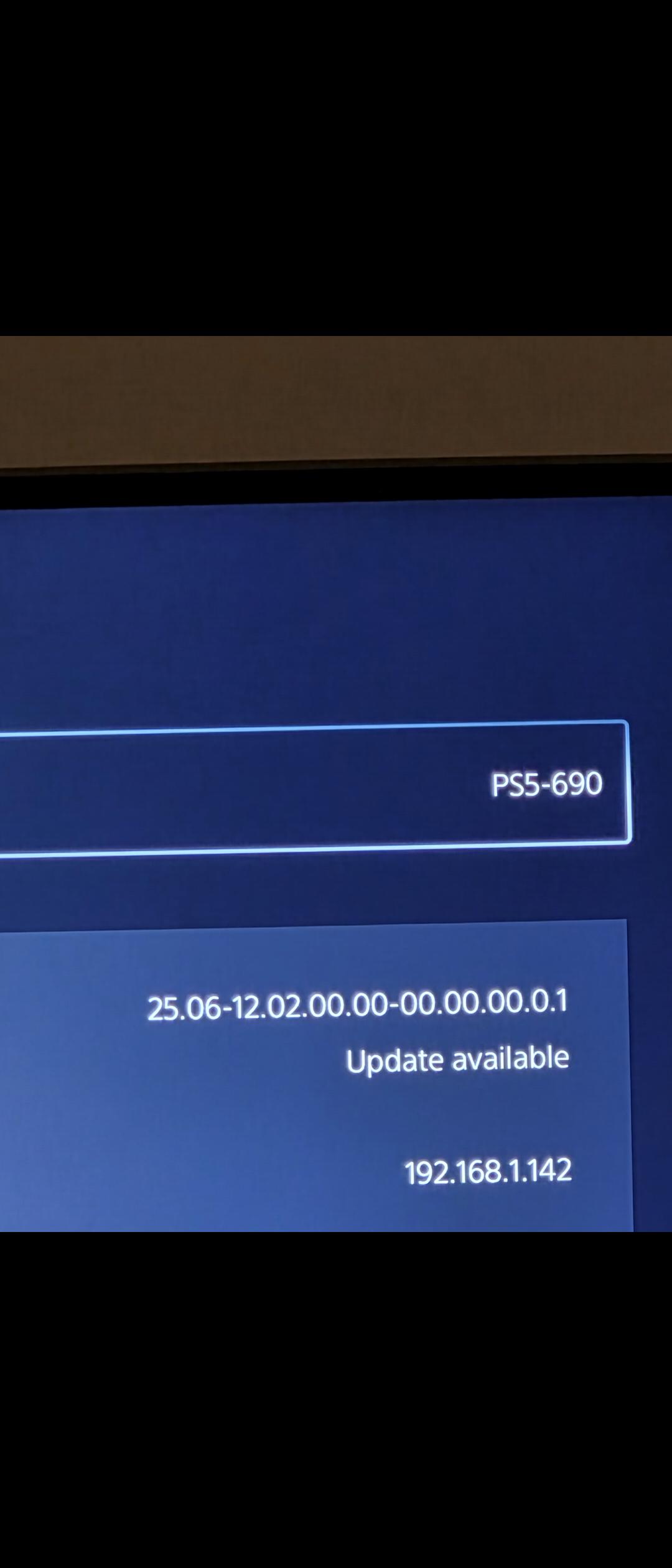
I got a ps5 on rent just for the new release and its on 12.02 while my other main one is on 13.60 but crazy that is a refurbished console and its from Sony and it shipped with 12.02 lol. Just wanted to share in case any one was curious to know. Cost me £27pm rolling, will finish the game and send it back haha
r/PS5_Jailbreak • u/GCalvinho • 7h ago
Every time I use Kraken mount or Titan core, my PS5 starts the game normally and everything seems completely fine. Then, suddenly…
THE PS5 JUST SWITCHES OFF. 💀
No warning, no error message, nothing. It just shuts down completely.
With kraken I load first kstuff and then the kraken elf (no icon appears on the menu), with titan I load it directly as it have kstuff and shadow mount embedded.
Has anyone else experienced this, or is my PS5 just deciding that it has had enough? 😂
Would be interested to know if this is a known issue or if there’s something I should be checking on my end.
r/PS5_Jailbreak • u/Mango3714 • 9h ago
Tried folder, exfat, ffpfsc, and fpkg. I'm on 10.01. The game seems to run perfectly fine but doesnt recognize any of the dlc packages I've also installed. Am I doing something wrong?
r/PS5_Jailbreak • u/Oliver425 • 1d ago
r/PS5_Jailbreak • u/Marieon_Now • 7h ago
Looks like theres a wild Fedora version out, CatchyOS and Bazzite Deck, I guess also base Ubuntu.
So I'm looking for two things / Full GUI distro, for using it as Linux environment device/Dev home automation environment/ and 2nd STEAMOS/PROTON playing beast, Really wanna see if we could get BodyCam Zombies running on it. - Low settings ofc
r/PS5_Jailbreak • u/CanyouPlzHelpmety • 6h ago
Apologies if this is the wrong place to ask this! I have a playstation five that the HDMI no longer functions due to a problem on the motherboard. I have taken it to a repair shop and the repair shop replaced the HDMI port as well as reseated it on the motherboard, but it still does not produce a video signal.
I have a retail demo unit that is stuck in IDU mode and can't be used. Is there any way I can frankenstein these two consoles into one working home unit again? Forgive my ignorance if this is a stupid question!
r/PS5_Jailbreak • u/Electro_Creeeper • 17h ago
i just forked the new webkit autoloader installer to create linux webkit autoloader
This adds a couple changes-
This is based on the latest 0.83 at the time of this post, (uses wobkot) As stable as ytjb in my testing, and very fast.
I will attach the speed test video in the commends
r/PS5_Jailbreak • u/TRASH-THROWER • 13h ago
MKW Pit stop (mkw recomp for ps5) says no base game in my .nup file but I've used that same file to build my PC recomp has anyone encountered this and know a way around it? can I copy the pc build and move it to the PS5 folders? lol
r/PS5_Jailbreak • u/Strict-Bend-3794 • 14h ago
r/PS5_Jailbreak • u/HopeZEXAL • 23h ago
No one asked for it. Just wanted to do it. This was entirely vibe-coded, so love it or hate it. I tested every single build on my console before even putting up this first release and completed all story modes and missions. Comes with controller support and a bunch of options to play around with. I also wanted to fix Super Sonic in this game, but then got carried away and left a bunch of options for other to play with. Built using YuutaTsubasa's PC port as a base. Multiplayer hasn't been tested at all so expect stuff to break there. Installation is pretty straight forward: compile the game on pc - transfer the folders to the right place. Hope yall enjoy.