r/PocoPhones • • 3d ago • Bravo 1

Apps/Mods I built an open-source Android app that unlocks Xiaomi bootloaders from another phone — no PC or Termux needed

Hi everyone,

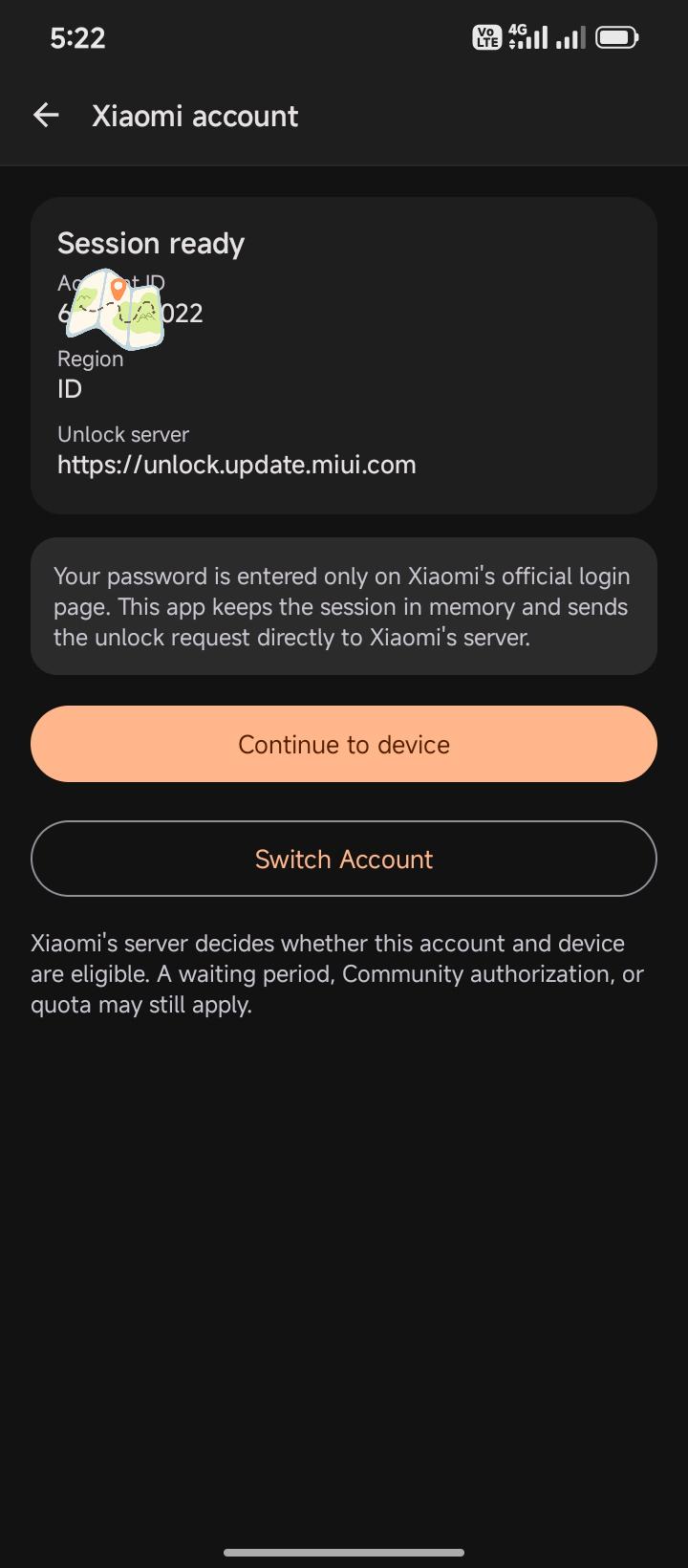
I built Bootloader Studio, an open-source, native Android client that performs the same server-authorized Xiaomi bootloader unlock flow as the official Mi Unlock tool, over USB OTG.

It is designed for people who want to avoid Termux scripts and closed-source APKs. The app is built with Kotlin and Jetpack Compose, uses Material 3, and is licensed under Apache 2.0.

Features:

  • Guided native flow: login → device detection → eligibility check → unlock → verification.
  • Xiaomi login on Xiaomi's own page; your password is never read or stored.
  • Session encrypted with AES/GCM using a key in the Android Keystore.
  • Safety checks for USB handle, codename, token, and account/device binding before unlocking.
  • Official Xiaomi error messages with localized guidance.
  • Signed APKs built by GitHub Actions.

Requirements: a second Android phone (Android 9+) with USB OTG, an OTG adapter and data cable, the target phone in fastboot mode, and an eligible Xiaomi account bound to it.

Important: this does not bypass Xiaomi's waiting periods, quotas, region checks, account binding, or any other eligibility rule. Unlocking usually erases all data and may void the warranty. Not affiliated with Xiaomi.

Links:

Credits: MiTools (Apache-2.0) for the unlock signing and USB fastboot reference.

Feedback and testing on different MIUI/HyperOS versions are welcome.

7 Upvotes

14 comments sorted by

3

u/ilmer 2d ago

Wow, nicely done. What do you mean by otg adapter? USB-C tot USB-C cable?

1

u/Unusual_Pain3928 2d ago

Thanks! Yes, a direct USB-C to USB-C cable works great if both phones have USB-C ports.

An OTG adapter (like USB-C to USB-A female) is only needed if you are using a standard charging cable (USB-A to USB-C) or if one of the phones uses Micro-USB. Either way works as long as the host phone supports USB OTG/Host mode.

2

u/deadly_poison7 2d ago

Wait, let me see if I’ve got this right: this doesn’t bypass the reservation process on the Xiaomi Community, does it? I still need to successfully make a reservation first, in order to link my account via the "Mi Unlock" option in the developer settings—is that correct?
It’s a fucking nightmare; I’ve been trying for 3 weeks now, but I can’t manage it—not even with scripts.

0

u/Unusual_Pain3928 1d ago

Yes, you understood that correctly—it does not bypass the Xiaomi Community quota or account binding requirement.

Bootloader Studio only replaces the Windows PC Mi Unlock tool at the final fastboot stage once your account is already bound and approved. I totally feel your frustration with the HyperOS quota system, though—hopefully Xiaomi eases up on it soon, or you manage to catch a slot!

2

u/deadly_poison7 1d ago

Thanks for the reply, I tried your app anyway, I really like it... I find it a useful project packaged in a nice UI/UX.

0

u/Unusual_Pain3928 1d ago

Really appreciate you giving it a shot and the kind words on the UI/UX! Glad you like it—best of luck catching that HyperOS unlock slot, and feel free to drop any feedback if you run into anything!

2

u/Cheap_Phrase_710 21h ago

Got this error

1

u/Unusual_Pain3928 19h ago

Hi there! 👋

Thanks for reporting the issue, and sorry for the trouble you encountered with the unlock process. We've identified the root cause: the error was related to a "10005 Invalid nonce" problem, where the nonce parameter was being reused after being consumed by a previous request.

This has been fixed in v1.0.30. The update ensures a fresh nonce is requested for every unlock attempt, includes a retry mechanism for nonce rejections, and refreshes your account session if needed. No re-login is required—your existing Xiaomi session will remain valid.

You can download the fixed version here: 👉 GitHub

Please give it a try, and let us know if the issue persists. Thanks for your patience!

1

u/Cheap_Phrase_710 17h ago

Well that error is gone. But my device's system had been destroyed so I guess there's no way to recover that

1

u/Unusual_Pain3928 13h ago

Glad the 20031 is gone — that confirms it was the account binding on Xiaomi's side, not the unlock flow itself.

About the system: the tool only sends the signed oem unlock command. It doesn't flash, repartition, or modify the OS — the only thing an unlock erases is userdata, which is mandatory on every bootloader unlock. So it can't corrupt the system by itself.

Could you share what you're seeing now?

  • Does it still reach fastboot (the Mi Bunny screen) or recovery?
  • Is it stuck on the logo / bootlooping?
  • Did you flash or modify anything before or after the unlock?

If fastboot still works, it's very likely recoverable: flash the official peridot fastboot ROM with MiFlash (or fastboot flash manually). An unlocked bootloader actually makes that easier. If it doesn't reach fastboot at all, it needs EDL / authorized service.

And if by "destroyed" you mean your files are gone — unfortunately that part is expected: unlocking always wipes userdata and it can't be recovered. Sorry about that.

2

u/Cheap_Phrase_710 13h ago

No.. my device already had corrupted system so the tool has nothing to do with this

1

u/Unusual_Pain3928 13h ago

Thanks for clarifying really sorry about the corrupted system. Since the bootloader. unlocked now, recovery is usually easier: if it still reaches fastboot, flashing ti official peridot fastboot ROM with MiFlash should bring it back. Happy to help with th steps if you want.

2

u/Cheap_Phrase_710 13h ago

Just to clarify I wasn't able to unlock bootloader due to corrupt system. Is there any way to recover system? phone only boots in fastboot but can't unlock bootloader