r/ProtoArcHub • • Jul 15 '26

Discussion Quick update on the EM06: Mass production & Beta feedback

Thumbnail
gallery
101 Upvotes

Hi guys,

Just wanted to give you a quick heads-up: the EM06 is officially in mass production! It’s been a long wait (over a year!), and we’re really happy to finally get this moving.

We picked 8 testers from our old sign-up list here on Reddit to try out the early units. A huge thanks to our testers for their time and for being so honest with us:

u/odd_enough, u/Jirki88, u/Bhrzg, u/ArchieEU, u/Scatterthought, u/n3burgener, and u/Frosty_Dog_2834.

We really wanted to find the common frustrations now so we can fix what we can before the final release.

I also want openly address a couple of common questions that have come up in the comments:

1.Polling rate

We've seen the disappointment regarding the 125 Hz polling rateThe reason is that we’re using two sensors instead of one.

A single sensor is fine for moving the cursor, but it can’t really "see" the ball spinning for scrolling. That’s why most mice need a physical scroll wheel. With two sensors, you can scroll just by spinning the ball. But syncing two sensors to work together is actually really hard, and 125Hz was the limit to keep the tracking stable and smooth. We had to choose between this new way of scrolling or a higher polling rate, and we went with the scroll.

We know that won't satisfy everyone, but we wanted to be transparent about why that decision was made.

Edited (July 21, 2026): Just to clarify, by "this new way of scrolling," we mean holding the Drag Scroll button while spinning the trackball, not twist-to-scroll.

2. The Ploopy Adept design

To be honest, we definitely took inspiration from the Ploopy Adept's button layout.

People love that layout, so we thought it made sense to use something that works well.

But The internals, the PCB, and the dual-sensor hardware are all our own design. We have massive respect for what the Ploopy team does for the community. We aren't at a place where we can go full open-source with our manufacturing yet, but it’s a goal we’re genuinely working toward. We’ll also be making sure we’re square with any licensing requirements where they apply.

We’re still tweaking things based on what the beta testers are telling us. Some things we can fix now, some will have to wait for the next version, but we are listening.

Thanks for sticking with us for over a year. It’s been a long road.

ProtoArc Team


r/ProtoArcHub • • Aug 06 '26

Subscriber Goal Welcome to r/ProtoArcHub!

4 Upvotes

Welcome to r/ProtoArcHub

1739 subscribers / 2000 subscribers. Help us reach our goal!

Visit this post on Shreddit to enjoy interactive features.


r/ProtoArcHub • • 1d ago

Discussion Anyone else have massive reliability issues with EM06?

1 Upvotes

I bought an EM06 with my own money, and ergonomically, I found it very promising. But I had issue after issue with it.

For context, I've owned about 20 different trackballs and am deep into the custom keyboard, mouse, trackball scene. I'm a systems engineer by trade. I use a Mac and SteerMouse for most of my pointing devices.

Issues:

  • Top of ball velocity/accuracy (similar issues to TB800)
  • Flip-flopped my right-left clicks on ALL of my input devices, including my Mac's trackpad
  • Buttons randomly lose their mapping
  • Inputs and clicks randomly stop working (while powered on, connected)

I had these issues on wireless and bluetooth. I ended up returning it as defective (Amazon). That said, I still kinda really liked it when it worked.

Am I the only one? I'm kinda hoping I am (might buy another), but curious if others had this same weirdness.


r/ProtoArcHub • • 1d ago

Discussion EM01 NL Scroll Wheel Does Not Work Well with iPad. Any Fix?

1 Upvotes

The scroll wheel does not scroll very well, it’s slow and stutters. It takes an effort to scroll up and down a webpage.

I’ve tried cleaning but to no avail.

Has anyone else had an issue with this mouse and iPadOS? Is there a fix?


r/ProtoArcHub • • 5d ago

Review 7 month update on the ProtoArc EC300

Post image
1 Upvotes

r/ProtoArcHub • • 5d ago

Review An EM06 review from a SlimBlade user

7 Upvotes

Overview

I have been using trackball mice for years, working my way through most of the usual suspects: the Kensington ExpertMouse, multiple Kensington SlimBlades, Logitech's thumb trackballs, Elecom's bearing models, and some other Protoarc trackballs. Protoarc sent me the EM06 after I inquired on one of their posts looking for testers, and I was chosen. I received the device for free, but the whole review is based on my actual opinions. The trackball isn't perfect, but it has replaced the SlimBlade that used to be on my desk. The Protoarc EM06 is now my favorite desk trackball.

Short version: Easy to set up, genuinely Linux-friendly, more buttons than the SlimBlade, and configurable from a browser. Two small caveats: an occasional one-axis wake-up glitch and a web configurator that simply will not run in Firefox.

Setup and Linux Compatibility

Getting started is refreshingly boring, which is exactly what you want from a pointing device. Plug it in and it works. There was no software hunt, no awkward pairing key combo for bluetooth, and the default button layout was fairly intuitive.

The part that really gets me is Linux compatibility. On my Linux setup the EM06 behaves like it should: movement, scrolling, and the extra buttons all came up without any special configuration, available to configure in the web app or through programs like InputRemapper. That is not something I can say for every trackball I have owned, especially Kensingtons, and it is the main reason the EM06 earned a permanent spot at my desk.

Buttons and Web Configuration

The EM06 gives me more buttons than the SlimBlade, and that extra real estate is genuinely useful once they are mapped to the workflow I already use. Getting there is painless thanks to the web-based configuration tool — no installed software, no firmware utility, just open a page and remap.

Unfortunately one of these buttons has to be mapped to scrolling, because there is no rotate-to-scroll, like there is on the SlimBlade. This is something that the EM06 desperately needs in my opinion.

There is one significant catch: the web configurator does not work in Firefox at all. I tried it with the developer settings enabled to allow USB passthrough, and it still failed. If Firefox is your daily driver, plan on using a Chromium-based browser for setup, or be prepared to live with the default button layout.

Tracking and the Wake-Up Quirk

During normal use, tracking is smooth and predictable. The one issue I have run into is on wake-up: occasionally only one sensor comes back after the mouse has been asleep. For a few seconds the cursor travels in a single line instead of moving freely in two axes. A quick wiggle of the ball brings the second sensor back and everything returns to normal.

It is intermittent, it recovers on its own, and it takes a couple of seconds to shake out — but it is worth knowing about if you are coming from a trackball that wakes up perfectly every time.

How It Compares

The SlimBlade is a good trackball and I have plenty of respect for it, but for day-to-day desk use the EM06 wins for me. It costs less overall than the SlimBlade while delivering the things I actually care about: a hassle-free setup, proper Linux support, additional buttons, and configuration that lives in a browser tab instead of an installed application.

At a Glance

AspectEM06
SetupPlug-and-play, no driver hunt
Linux supportWorks out of the box on my setup
ButtonsMore than the SlimBlade; remappable in a browser
ConfigurationWeb-based; Chromium works, Firefox does not
Wake behaviorOccasional one-axis tracking for a few seconds; fixed by a wiggle
ValueCheaper than the SlimBlade, and my preferred desk trackball

Pros

  • Effortless setup — plug it in and get to work
  • Solid Linux compatibility, including the extra buttons
  • More buttons than the SlimBlade
  • Web-based configuration with no software to install
  • Excellent value: an upgrade over the SlimBlade that costs less overall

Cons

  • On wake, sometimes only one sensor activates and the cursor tracks in a single line for a few seconds until the ball is wiggled
  • The web configurator does not work in Firefox, even with developer settings allowing USB passthrough

Verdict

The Protoarc EM06 is an excellent upgrade from the SlimBlade despite costing less overall. It has taken the top spot on my desk because it gets the fundamentals right: it is easy to set up, it just works on Linux, it gives me extra buttons, and I can tune it from a browser. The wake-up sensor glitch and the Firefox incompatibility are real annoyances, but neither is enough to change my recommendation. For a desk trackball, this is my new favorite.


r/ProtoArcHub • • 5d ago

EM06 trackball back in stock (US + Japan; ¥2,000 off in Japan )

Post image
1 Upvotes

Quick update from the ProtoArc team — our EM06 customizable finger trackball sold out fast and is now back in stock in both the US and Japan.

Pricing:

• 🇺🇸 US: $89.99 — regular price, just restocked (no discount)

• 🇯🇵 Japan: restocked + Black Friday deal — ¥10,800 (was ¥12,800, ¥2,000 off), Japan-only

【Link In Here】

The EM06: 55mm ball, 7 programmable buttons, 4 onboard profiles, browser-based setup (no software), tri-mode wireless (2.4G + Bluetooth + USB-C), ambidextrous with wrist rest.

Built with a lot of community feedback — happy to answer questions below.


r/ProtoArcHub • • 5d ago

Review The Protoarc EM06 should've been a Trackman Marble

Post image
2 Upvotes

r/ProtoArcHub • • 5d ago

Review Yet another ProtoArc EM06 Review From an Ergomech Maker

Post image
2 Upvotes

r/ProtoArcHub • • 6d ago

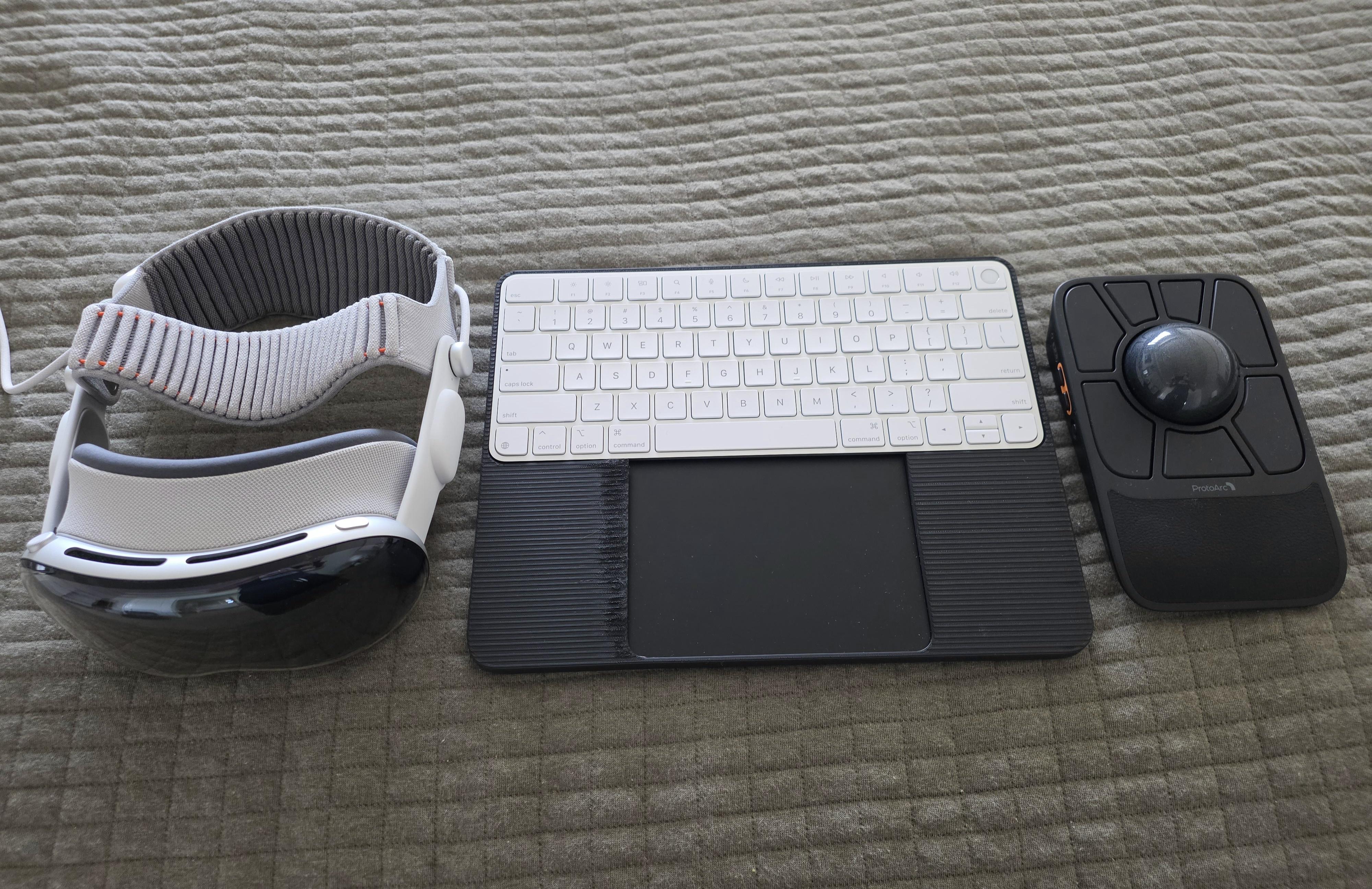
Review Best portable+ergonomic set of input devices for Vision Pro + Mac - includes EM06

Post image
3 Upvotes

I beta-tested the EM06 and found that it fits naturally into my on-the-go setup with my Apple Vision Pro and other input devices. If you'd like to see a bit of a unique use case for the trackball, read my post here: https://ryanwwest.com/avp-mac-input-devices/.


r/ProtoArcHub • • 6d ago

Question Shipping within EU?

4 Upvotes

I can only choose from Germany, France, Italy or Spain? Is there something I'm missing or they only ship to these EU countries?


r/ProtoArcHub • • 6d ago

Review EC200 Long term review (February 2026 to Nov 2026)

4 Upvotes

It's been awhile, so here is my long term(ish) review of the EC200

Original review thread here

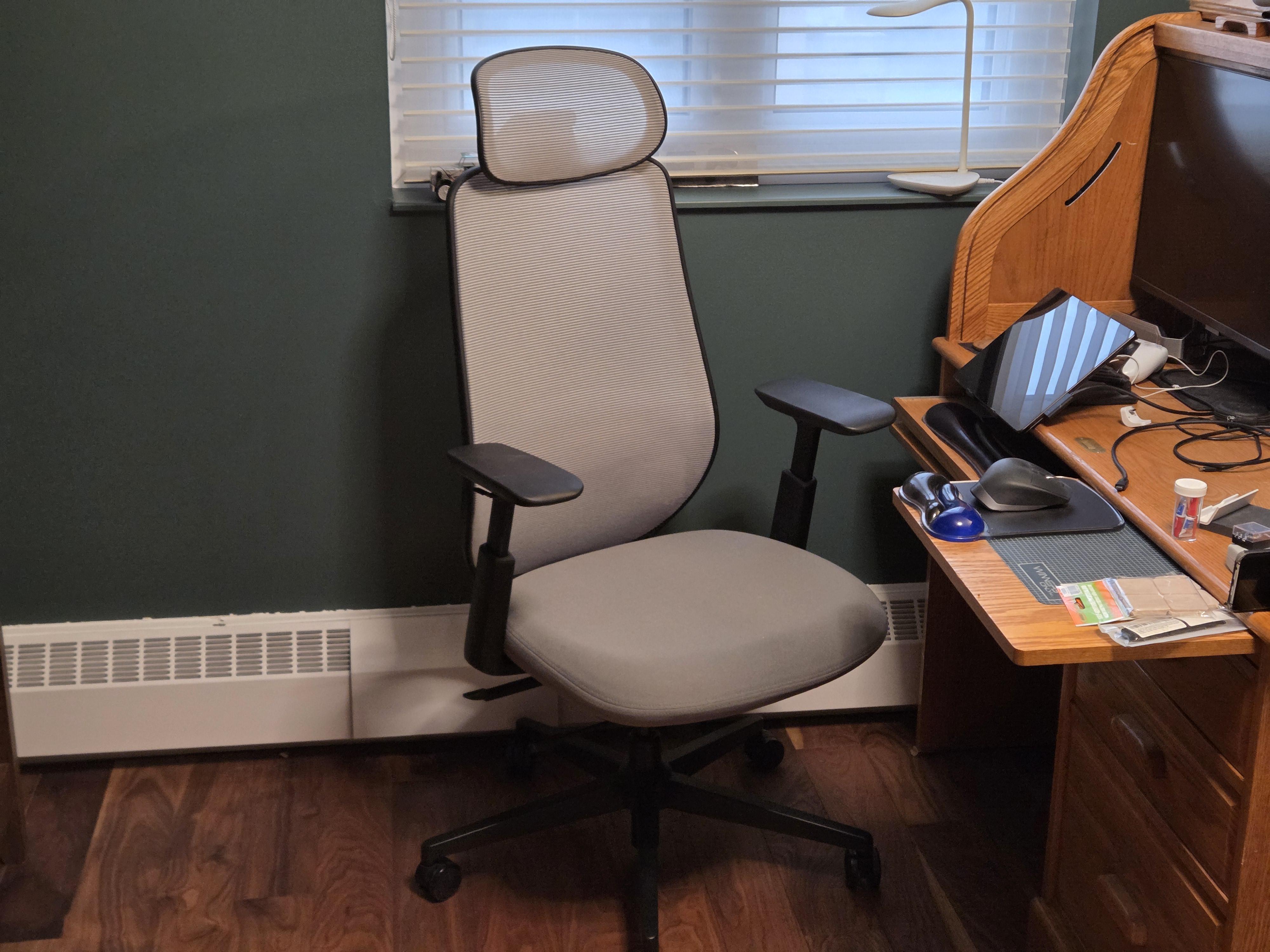
ec200 in its natural habitat...

The EC200 has become my daily chair at home, and like most others that have kept it, the pro's greatly outweigh the cons

The mesh back has remained one of my favourite things about the chair. It's nice and supportive, while remaining really comfortable. I'm a big fan of the lumbar on this chair, and have had it dialed into the right position (for me) since early days, and it's remained a great feature. It really keeps me in good posture, such that I don't rely on the headrest much at all.

Headrest is still comfortable when I lean back for watching a show, but I really appreciate how the rest of the chair keeps me in good posture.

I'm still waiting on my 4d armrests to arrive, but the regular 2d versions the chair comes with are still pretty decent. The material they're made of is holding up really well, no signs of deterioration, or discolouring. I'd sure like if they were able to swivel a little bit tho ;)

The wheels remain impeccable, silent, and smooth. To be fair, they'd be awfully brutal if they were breaking down inside of a year, so it's not really a surprise at all that they're still tip top.

BUT WHAT ABOUT THE STIFF CUSHION SEAT?

It's still very firm, no sign of degradation, and I still like it a lot. As much as I liked the mesh seat on the shihoo m57 chair, after a few hours, I always felt like you could feel the rim around the mesh on the back of the legs. The EC200 cushion (and the EC100 as well) always eliminated that for me.

If I only sat on a chair for 15 minutes at a time, I might still prefer the mesh seat, but for longer sessions the firmer foam cushion is a much better choice for me.

There's not much to really update with, to be honest. The chair remains looking exactly like it did out of the box, everything still moves smoothly, adjusts smoothly, and looks great

There's no new creaks, squeaks, or clicking. Just a really solid chair that I expect will remain good for many more years


r/ProtoArcHub • • 7d ago

Review My EM06 Review

5 Upvotes

Disclaimer: ProtoArc sent me the EM06 for free so I could review it. They didn’t ask for anything in return, and everything below is my own honest opinion.

Overall I’m really happy with the EM06. The big 55 mm ball feels smooth and accurate, the mouse stays comfortable even through long sessions, and I love that every button can be remapped.

A while back, when ProtoArc asked for design feedback on Reddit, I was one of the people who suggested drag scroll, so it was great to see it make it into the final product. For the most part it works well, but there’s one behavior that keeps tripping me up.

That behavior is the drag scroll lock. Normally I hold the drag scroll button, roll the ball to scroll, and let go. Every so often, though, it gets stuck in scroll mode. I release the button, try to move the cursor, and the ball keeps scrolling instead. It stays like that until I double click the drag scroll button. I suspect I’m sometimes double clicking it by accident without realizing. Whatever the cause, it breaks my flow, and usually I don’t notice until the page has already flown off somewhere.

There are two things I’d love to see added to the configurator. The first is an option to turn off the scroll lock completely, so drag scroll only works while the button is held down. I’d guess a lot of users never want the lock at all. The second is a setting to reverse the scroll direction for drag scroll, so it can match natural scrolling or the opposite, depending on your OS and what you’re used to.

Both of these look like they’d only need a firmware or software update, and with them drag scroll would be close to perfect. Even as it is, the EM06 is an easy recommendation for anyone looking for a comfortable, well built trackball.


r/ProtoArcHub • • 8d ago

Review ProtoArc EC300 Updated Review 5 months later

Thumbnail gallery
2 Upvotes

r/ProtoArcHub • • 8d ago

Review ProtoArc EC300 – 6-Month Long-Term Review

Thumbnail gallery
2 Upvotes

r/ProtoArcHub • • 10d ago

ProtoArc Black Friday Sales Is Live: Up to 52% Off Selected Items !(Nov 15–30)

Post image
4 Upvotes

ProtoArc team here — Black Friday is live, with up to 52% off selected items.

【Shop the official US Black Friday sale】

Black Friday sale

Chairs: EC200 or EC300?

• EC200 — $169.99

Adjust lumbar height and depth independently.

• EC300 — $199.99

Move the entire backrest and integrated lumbar support together through five height positions.

Both include adjustable seat depth and a 3D headrest. The $30 difference comes with a different approach to back-support adjustment.

Vertical mice: EM11 Pro or EM11 NL?

• EM11 Pro — $35.99

A larger grip with horizontal scrolling for wide spreadsheets and other side-to-side navigation.

• EM11 NL — $20.99

A smaller-profile vertical mouse designed for small-to-medium hands.

Check the hand-size guides before choosing — fit matters.

Keyboard: EK01 Plus

• EK01 Plus — $59.49

A full-size split-layout keyboard with a cushioned wrist rest and adjustable white backlighting.

Need help choosing? Share which models you're comparing and what matters most in your setup.

Ends Nov 30 .

US offers · Prices in USD

Discounts vary by item. Check product pages for dimensions, availability and offer details.


r/ProtoArcHub • • 11d ago

Review 6 weeks in with the EM06

Thumbnail
gallery
3 Upvotes

I received the EM06 directly from Protoarc for testing late September and it has been my primary pointing device for work since, so a 6 week usage review felt fair.

Tiny bit of background, I used to use a kensington expert for work, and for gaming i use a zaunkoenig m1k. I consider myself fairly big on ergonomics and finding the best ways to protect the 2 wrists you start life with ha so that's why I applied to test the EM06 (im one of the 20 selected testers)

#Ergonomics:

I've found the EM06 comfortable to use pretty much since delivery day, at a push I'd say it took me a day at most to get used to the different angle from the kensington. The slant is comfy and wrist laying on the leatherette pad doesn't give me any problems. I seem to like hooking my pinky onto the side of the trackball which is a bit strange feeling and I catch myself after a while and correct it before I cramp up or hurt myself haha. Can't explain it.

I would say all buttons are easy to reach and ive never found an issue hitting the right ones.

#Performance / usage:

I've really enjoyed using the em06 so far in my 6 weeks testing. Its been smooth and efficient as my main work mouse, i know this sounds like corpo glazing in the community but I dont think ive ever had a stiction problem! With the expert i would say maybe once every 3 or 4 days the cup where the ball sits would get jammed with fluff and dust and cause some scratchings, but somehow that hasn't happened at all with the em06. The buttons are clicky and satisfying, nothing feels cheap or tacky.

I sorted my fav button layout by day 2, its slightly unorthodox and its a super subjective topic so im just going to list it here and let people fight in the comments. All I'll say is it works for me and I dont want to change it BUT I did contact Protoarc about having a "hold to repeat" toggle in the web configurator that would massively improve how I mousewheel.

Bottom left = left click

Bottom middle= windows tab (app switcher)

Bottom right= right click

Top left = scroll up

Top left/middle = open snipping tool/spectacle

Top right/middle = back

Top right= scroll down

#Maintenance:

On a Friday after work i wipe the whole thing down with iso alcohol and a cloth with the ball removed so I get into the cup, and the ball I give a quick wipe down with a microfiber. No issues cleaning it yet but I might have lost some colour on the left click button because of the alcohol+frequent usage.

#Pros:

*Web configurator so my locked down corporate laptop has no issues even with changes. On board saving so nothing has to run 24/7 on the machine side

*Not seen any issues on a Linux machine either running Bazzite (apart from the normal BT disconnects haha). Just remember you have to use chrome or edge to use the web configurator! Firefox won't work.

*Both lighter and shorter than my old kensington so office trips are a bit easier, very backpack-able

#Biggest cons so far:

*I KEEP pressing either the dpi button or the 2.4ghz to bluetooth switch button when moving the device, even just around the desk. Very annoying and have to reconnect or mess with doing for 10 seconds afterwards (which adds up over 6 weeks)

*As mentioned earlier I want to hold Top left or right and have a continuous scroll

#Overall Verdict:

If i lost this one in a house fire, i would buy another one to replace it. Wouldn't go back to kensington expert, even though the scroll ring is sorely missed of course but that's by us all haha


r/ProtoArcHub • • 12d ago

Review First ergo chair: Protoarc ec200

Post image
3 Upvotes

Greetings everyone!

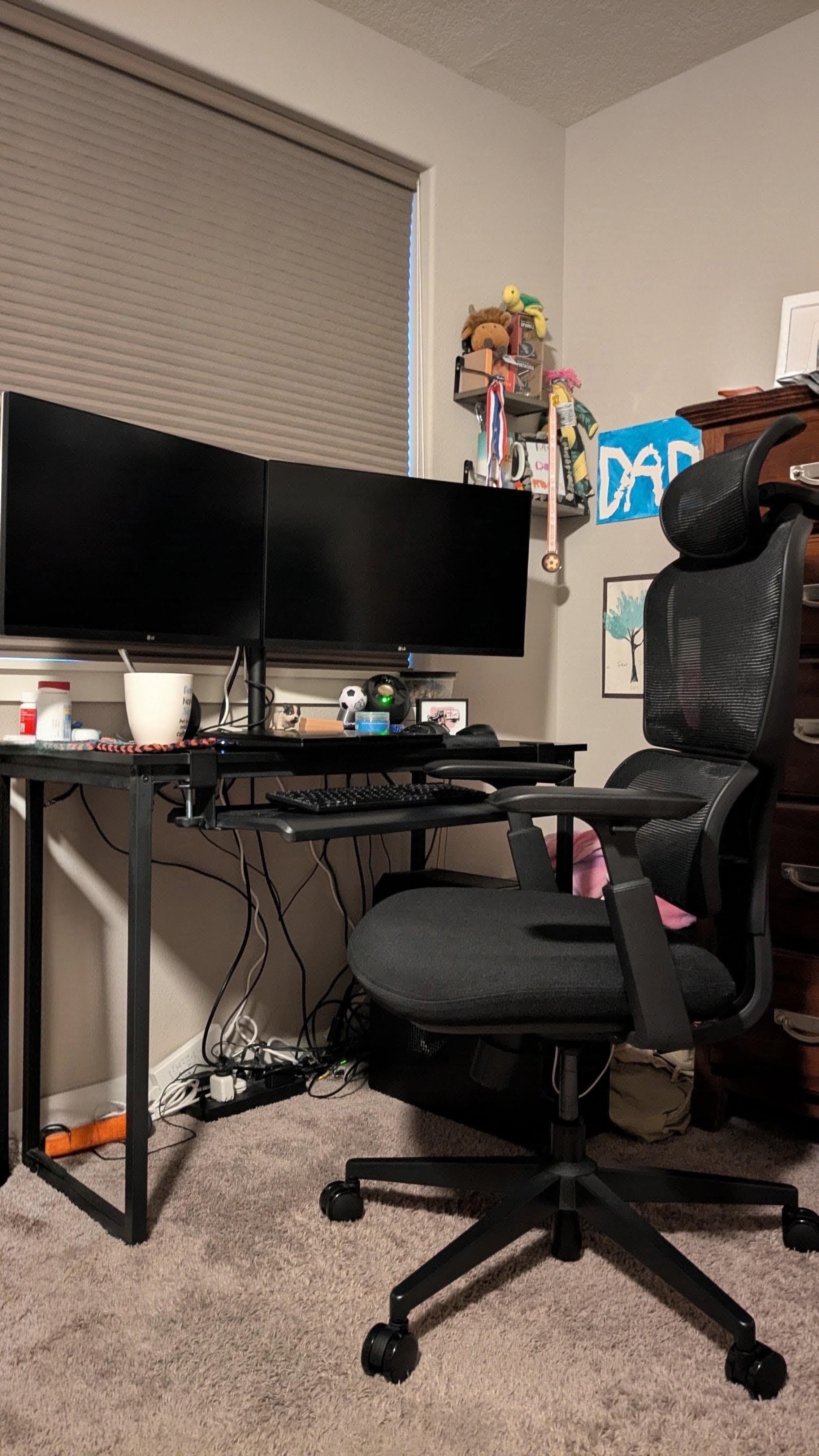
This is the first time in my life using an ergonomic chair, so I wasn't entirely sure what to expect and beware of my unbiased opinion of course. After trying the ProtoArc EC200, I can honestly say that my first experience has been very positive. At least when compared to the fossil you can see behind the newer chair.

The first thing I noticed was how adjustable the chair is. Being able to fine-tune the lumbar support, armrests and overall sitting position makes it so easy to find a setup that feels right for me. The chair feels sturdy and well-built, and I appreciate the attention to detail in its design. All in all exactly what I was hoping for when I bought it!

Differently from many reviews online I have to say that the lumbar support is not invasive, I keep it at maximum atm and it's so perfect.

The only problem right now is the headrest, I'm 1.85m and while to could be perfect for my head it falls short of a few centimetres and it keeps sliding back if I move it forward (up) as it reaches the reset position. It's basically usable only when reclined for resting and not while working in an upright position.

Overall, the ProtoArc EC200 has made a GREAT first impression. For someone like me who is new to ergonomic chairs, it has been a pleasant surprise and a worthwhile upgrade to my home office setup. I'm glad I decided to give it a try!

#ProtoArc


r/ProtoArcHub • • 16d ago

Review ProtoArc EC200 3 Month Review

Post image
7 Upvotes

#ProtoArc

Great value and comfort

I bought the ProtoArc EC200 because it seemed like a solid, all-around office chair for the price, but one of the main features that stuck out to me was the sliding seat cushion at this price point. For context, I’m 5'11" and 140 lbs, and have somewhat longer legs means so being able to adjust the seat depth forward and back for proper support makes a huge difference in daily comfort.

Assembly & Build Quality
Building the chair was easy and straightforward, with clear instructions and all the parts went together without any hassle. The adjustment mechanisms are smooth, and the chair overall feels stable. My only minor complaint regarding build quality is that the star base holding the wheels is a multi-piece design rather than a single solid piece, but it still feels sturdy enough and haven’t noticed it again since after assembly

Comfort & Support
- Seat Cushion: The cushion is on the firmer side, but in a really good way. It keeps its shape and stays genuinely comfortable for long hours of sitting without bottoming out. It’s not too firm though, and is immediately comfortable when sitting down.
- Recline: The tilt-and-lock mechanism is smooth and perfect for leaning back when taking a break. Is able to lock in relaxed position and various different angles, which is also a huge bonus.
- Headrest: The headrest has tons of adjustments and it might take a second to get in the perfect position, but is very comfortable once you find it.

Armrest Upgrade
My only real complaint out of the box was the stock armrests, which didn't offer much adjustments. I ended up ordering the upgraded armrest kit. It ended up being a big upgrade in overall comfort, though it did feel a bit expensive for what it was.
Overall, it’s a great all-around chair for the money, and I’d definitely recommend it.


r/ProtoArcHub • • 17d ago

Review EC200 6 Month Update

Thumbnail
gallery
6 Upvotes

I have been using the ProtoArc EC200 daily for over 6 months now and wanted to share my honest update on how it has held up (I’m 6'2" for reference). Full disclosure the chair was gifted however my thoughts are all my own both good and bad.

What I still like:

  • Seat depth adjustment and large seat pan – easy to adjust and compared to other brands at this price point its great for tall users.
  • Lumbar support - good for tall users, I have it set at the lowest setting which is the sweet spot for my height.
  • Mesh back still holds up well - comfortable and breathable for my 8 hour work days.
  • Ability to lock the recline, a surprisingly useful feature when gaming/watching movies.

4D Armrests upgrade :

  • Protoarc sent me the 4D arms to try, however unfortunately these move too easily under very minimal pressure. e.g. when putting elbows on them or putting hands on and pushing down slightly to get up from the chair. I tried them for a week but I went back to the 2D arms. I think a locking mechanism could help with the play in the movement in a potential future revision. The padding was also noticeably firmer then on the 2D arms which had the perfect amount of padding.

What could still be better:

  • The seat is still slightly on the firmer side after 6 months.
  • The ability to remove the lumbar support completely would help with the pokey feeling shorter users have.

Overall after 6 months:
As a taller user, I’d say the EC200 fits really well especially if you are on a budget. The Colamy Atlas chair seat depth is not as good, so this one is the better pick. If the seat comfort and 4D arms can be updated on the next model this would be the perfect chair for the price range.


r/ProtoArcHub • • 19d ago

Question Looking for Case for EM11 Pro

1 Upvotes

Anyone have anything that's worked? I want to take it around in my backpack, but I don't want stuff crashing around breaking some of the buttons.


r/ProtoArcHub • • 21d ago

Discussion Big Boys

Post image
23 Upvotes

The ProtoArc is a gift to myself for Christmas. I probably wont get any other gifts so I have put it away now till Christmas morning.

Didn't get free for review but did get for about 1/2 price opened box off Vinted.

Not had a lot of time to test but the scrolling sucks which with the amount of complaints I am sure will be fixed hopefully before Christmas.


r/ProtoArcHub • • 21d ago

Review ProtoArc EM06 thoughts

Thumbnail
gallery
10 Upvotes

I received this ProtoArc EM06 trackball for free by ProtoArc to test and give feedback and do a review. All opinions are however my own.

I am a long time user of the ProtoArc EM03 trackball (I have bought two), which I have really enjoyed a lot.

INITIAL IMPRESSIONS OF THE EM06 DURING THE FIRST HOUR OF USE:

• The ProtoArc EM06 is much bigger than I expected. Looks oversize. I was genuinely surprised.
• The 55mm ball is very smooth rolling. The large ball also carries more momentum than smaller trackballs when spun and it feels significantly better and more precise.
• Nice feel and sound from pressing the buttons.
• The device and packaging gives a premium and high quality impression.

MAIN POSITIVES FOR ME AFTER A FEW WEEKS OF USE:

• High fun factor in use due to the large 55mm ball and its smooth high momentum roll behaviour. The feeling of rolling the EM06 55mm trackball reminds me of the big and heavy trackball control that was on the Missile Command arcade game that I used to play when I was a kid ---> https://www.arkadium.com/games/atari-missile-command/

• No stiction during the test period. With the EM03 I need to fix the stiction almost every day.

• The large 55mm enables high precision for me when e.g. doing technical analysis on price charts.

• Feels like a high quality device in use and looks nice and interesting on the desk.

• Easy configuration of the buttons in the web interface.

• Connectivity is quick and always works on the first try.

MAIN NEGATIVES FOR ME:

SCROLL FUNCTIONALITY
• The button scroll functionality is still harder and less intuitive for me to use than scrolling with a well positioned scroll wheel like e.g. on my ProtoArc EM03. This is by far the most serious issue for me with the ProtoArc EM06.

I mainly use the bottom right button for drag scroll, activated by my ring finger and little finger on the right hand. I do however also have the bottom middle button programmed for drag scroll, which I activate with my thumb on my right hand in order to have an alternative during longer sessions to mitigate "finger" fatigue caused by the scroll activation finger gymnastics.

ACCIDENTAL PERMANENT SCROLL ACTIVATION
• Unfortunately I quite regularly double click the drag scroll button by mistake (with my ring finger and little finger on my right hand) and activate the "permanent" scrolling. This is quite annoying, since I have to stop whatever I am doing to double click the drag and scroll button to inactivate "permanent" scrolling, and then continue what I was doing. This happens several times per day, probably ~10-15 times on an average day.

I never use this double click to "permanent" scrolling functionality on purpose, so I wish it was optional in the configuration interface. It should be an easy fix with a firmware update though.

WRISTREST
• The built-in wrist support is too short for me (see photo). For me it would have been much better if the wrist rest part was removable so I could position it further away from the trackball. 

I worked around this problem by using a small silicone wrist rest laid partially on top of the wrist rest part on the EM06 (see photo). With this extra silicone wrist rest the ergonomic hand position is near perfect for me.

OTHER MINOR ISSUES:

• The 55mm ball falls out if the trackball is turned upside down and this is not the case with the ProtoArc EM03 that I have been using for a couple of years. This is obviously not a huge deal, but it is good to have in mind when moving the trackball around.

• I have accidently pressed the side configuration buttons a few times when positioning the trackball on the desk. I think that these two buttons should possibly be slightly recessed to decrease the risk of pressing them by accident.

SUMMARY:

Due to that I am having a lot more fun using the ProtoArc EM06, I am not going back to the EM03 any time soon in spite of the less than ideal scroll implementation (for me) and my DIY wrist rest add-on. 

For now I can live with these drawbacks that I have found with this trackball. The ProtoArc EM06 is still more enjoyable to use than the alternatives that I have tried so far.
 
I do however hope ProtoArc adds a scroll wheel on the left side and possibly right side and make the wrist rest detachable in the next version.

Finally, thanks to ProtoArc for involving the trackball community in the design and evolution of their trackballs.


r/ProtoArcHub • • 22d ago

Review ProtoArc EM06 Review: A big, smooth finger trackball with a learning curve

Thumbnail
gallery
12 Upvotes

Disclosure: ProtoArc sent me this retail EM06 for review. I'm already an EM01 owner and left an Amazon review of it, so I'm a fan of the brand, but all opinions here are my own.

Background
I tore my TFCC in 2012 in a kayaking accident and needed surgery after physical therapy failed. I've used trackballs ever since: first the Logitech M575, then the MX Ergo. Both were good, but the left-click buttons kept failing. That led me to the ProtoArc EM01, which has been great. When ProtoArc offered the EM06, I said yes right away. I'd also had my eye on the Kensington Expert, so this was a good chance to try a finger trackball.

How I use it
I work in IT, so I'm on a laptop 8+ hours a day in documents, Excel spreadsheets, and PowerPoint. Outside work I do 3D design and modeling, and I'm a photographer who edits a lot. This mouse gets used for all of it.

Learning curve
Coming from a regular mouse and thumb trackballs, this took a few days of consistent use to click. Now it's the one I reach for before my EM01.

What I like
- The large ball is easy to control, with smooth, precise movement
- Build quality feels premium, not cheap plastic
- Fully configurable buttons
- The included case holds the mouse, cable, and ball securely
- Multi-device connectivity: I pair it with my work laptop and my personal MacBook and switch between them
- The online hub applies changes immediately (it was a bit hard to find at first, but easy once I got there)

My button setup
I moved right-click from the bottom right to the top right, and put drag-scroll on the bottom right so my pinky can hold it while scrolling.

What I didn't like
- Loose ball: It fell out the first time I flipped the mouse over. I'm used to balls that need a push, so this is a preference rather than a flaw.
- Big, but not quite big enough: My pinky hangs off the side with nowhere to rest. I may 3D model a pinky rest myself.
- Wrist rest: I'd like more positioning or angle adjustment so I can tune how my wrist sits.
- No center-click: I'm used to clicking the scroll wheel, so I had to rely on drag-scroll.
- 3D modeling: In Blender and Onshape, I rotate and zoom with mouse button + wheel combos. Without a wheel, I had to think about which combination does what. That's partly my habits, but worth knowing if you do CAD or modeling.

Who it's for
- Office and spreadsheet-heavy users who spend long days at a desk
- Users with wrist or hand issues who want an ergonomic option
- Trackball users ready to move from thumb to finger designs
- People who switch between multiple computers
- Anyone who likes tinkering with button layouts

Who might want to skip it
- Anyone who needs a scroll wheel or center-click for CAD or 3D work
- Anyone who wants the ball firmly seated
- Anyone with larger hands who needs extra pinky or wrist support

Suggestions for ProtoArc
An adjustable or angled wrist rest, and an easier-to-find link to the configurator would improve this a lot.

Verdict
It's a very good trackball with a strong build, smooth tracking, and flexible customization. It handles my all-day office work well. Plan on a few days of adjustment, and some ergonomic tweaks if you have larger hands. For me, it has already replaced my EM01 as my daily driver.


r/ProtoArcHub • • 23d ago

Review ProtoArc EM06 Review

Post image
13 Upvotes

Disclaimer: First of all, thanks to ProtoArc for selecting me as one of the testers and providing the EM06 for free.

I've been using the EM06 for about four weeks now. I have a few trackballs that I can compare to, including the Elecom HUGE, IST Pro, and Ploopy A+. My current go to trackball is the Elecom IST Pro.

Overall, I think the EM06 is a good trackball with some nice features, but a few things prevent me from using it as my main pointing device.

I was going to post some pictures of the trackball, but ProtoArc already has a really good video of it on their website.

https://www.protoarc.com/products/em06-customizable-finger-trackball-mouse

Build Quality and Ergonomics

The build quality is good. The housing is sturdy with no creaking or flexing, although it feels a bit hollow and lightweight. At $89.99, I expected something that feels a little more premium. That said, it doesn't affect functionality, and it's still a step above a 3D-printed construction.

The integrated wrist rest has a nice leatherette-like surface, although I wonder how well it will hold up over time, especially with sweaty hands.

Ergonomically, I find the EM06 very comfortable. The angle feels just right, and I prefer the integrated wrist rest over a removable one. For reference, my hand measures around 19–20 cm from wrist to fingertip, and I have relatively long fingers.

I also appreciate the ambidextrous design, even though I only use trackballs with my right hand.

Trackball and Bearings

The ball is nicely sized and rolls very smoothly. It also stays securely in place during normal use.

However, after four weeks, I've noticed increasing stiction. The ball still rolls smoothly once moving, but it takes more effort to get it started.

Compared to my Ploopy A+, which uses roller bearings, the difference is significant. The Ploopy has practically no stiction and requires much less effort to move the ball.

I wish ProtoArc had used roller bearings instead, or at least made them an optional upgrade. I know some people prefer static bearings, but personally, I much prefer the effortless movement of roller bearings.

Buttons

The buttons are one of my favorite things about the EM06. They're quiet but still provide satisfying tactile feedback.

The newer Elecom trackballs, like the HUGE and IST Pro, have very quiet buttons but lack tactile feedback in my opinion. Meanwhile, the Ploopy A+ is a bit too stiff and clicky for my taste. The EM06 strikes a nice balance between the two.

The buttons are large and easy to reach, except for the extra button at the bottom (6 o'clock position). I have to move my hand to press it, so I've assigned it to something I rarely use, like refreshing a webpage (F5).

Scrolling; My Biggest Complaint

The EM06 doesn't have a dedicated scroll wheel or ring. Instead, you hold a button and move the ball to scroll.

I find this awkward and tiring, especially when scrolling through long documents or webpages.

With a regular mouse, your arm moves the cursor while your fingers operate the buttons and scroll wheel. With a trackball, you're already using two or three fingers to move the cursor, so having to hold another button just to scroll feels unnecessarily complicated.

ProtoArc offers a double-click function that locks the trackball into scrolling mode, so you don't have to keep holding the button. Unfortunately, it's easy to accidentally activate this when frequently switching between scrolling and cursor movement.

Personally, I'd much prefer a dedicated scroll ring like the one on the Kensington Expert. Having it around the ball makes it easy to reach without repositioning your fingers.

The lack of a dedicated scrolling mechanism is the biggest reason I wouldn't use the EM06 as my daily driver.

Polling Rate

The EM06 is limited to 125 Hz, both wired and wirelessly.

I'm using a 120 Hz monitor, and compared to a 1000 Hz mouse, the cursor feels noticeably floaty and less responsive, even during normal desktop use.

It's not really an accuracy issue, but rather how responsive the cursor feels. For an $89.99 trackball, I would have liked to see a higher polling rate.

Customization and Accessories

One of the EM06's biggest strengths is its browser-based configurator, ProtoArc Hub. There's no software to install, and remapping buttons or assigning key combinations is straightforward.

Unfortunately, it only works with Chrome and Edge. As a Firefox user, I find that a little annoying, but otherwise, the configurator works well.

I primarily use the EM06 wired, so I can't comment on battery life.

The included carrying case is solid and provides good protection, although it's quite bulky.

Final Thoughts

There's a lot to like about the EM06. The build quality is good, the ball is nicely sized, the buttons feel excellent, and customization is simple.

However, three things hold it back for me:

  • Static bearings: Smooth, but the increasing stiction makes them less enjoyable than roller bearings.
  • 125 Hz polling rate: The cursor feels less responsive than I'm used to.
  • No dedicated scroll wheel or ring: Drag-to-scroll isn't a good replacement for a physical scrolling mechanism in my workflow.

At $89.99, I think it's a little expensive. Around $79.99 would feel more reasonable.

Overall, the EM06 is a solid trackball, especially if you prefer large finger-operated trackballs and don't mind drag-to-scroll. It won't replace my Elecom IST Pro, but I can see it being a good option for others.

I'd love to see a future version with roller bearings, a higher polling rate, and a dedicated scroll ring.