r/RG28XX • u/Silenceisdead • 4h ago
Help Setting MuOS and trying to set shaders and overlays.

1
Upvotes
r/RG28XX • u/Silenceisdead • 4h ago
r/RG28XX • u/ThxItsadisorder • 13d ago
I ordered a black rg28xx for my 7 year old nephew so he can play all the old pokemon games. I loaded up the sole sd card and ran pokemon blue just fine until I started clicking buttons and the system went to sleep and is now stuck on the boot screen.
I’m going to buy two replacement sd cards and reflash the os or switch to a custom firmware (I run Spruce on my miyoo a30). I don’t feel like paying $20+ on the ultra sandisk cards. Is there a reliable cheap micro sd card anyone has tried from Amazon?
also: suggestion for the new OS? should I reflash the original or do you guys think a 7 yr old would need something more user friendly?
thanks!
r/RG28XX • u/DigitalEtc • Oct 16 '26

Hooked up my RG28XX running MuOS to an analog video transmitter with a USB hub, Wi-Fi dongle, and external controller!
It’s working great, but I’m running into a wall trying to find a compact USB hub/OTG dock that lets me run two USB devices and charge the console at the same time.
Has anyone found a hub/splitter that handles OTG host mode and power delivery on this chipset without issue?
Overall, still obsessed with this tiny device!
r/RG28XX • u/ICElvlAN • Sep 28 '26
So my RG28 just arrived and I am not sure how to set it up. I have heard the stock memory card is useless so am planning to buy a 16gb memory card for OS and 128gb card for games. Is this a good combo?
r/RG28XX • u/CheezFunk • Sep 27 '26
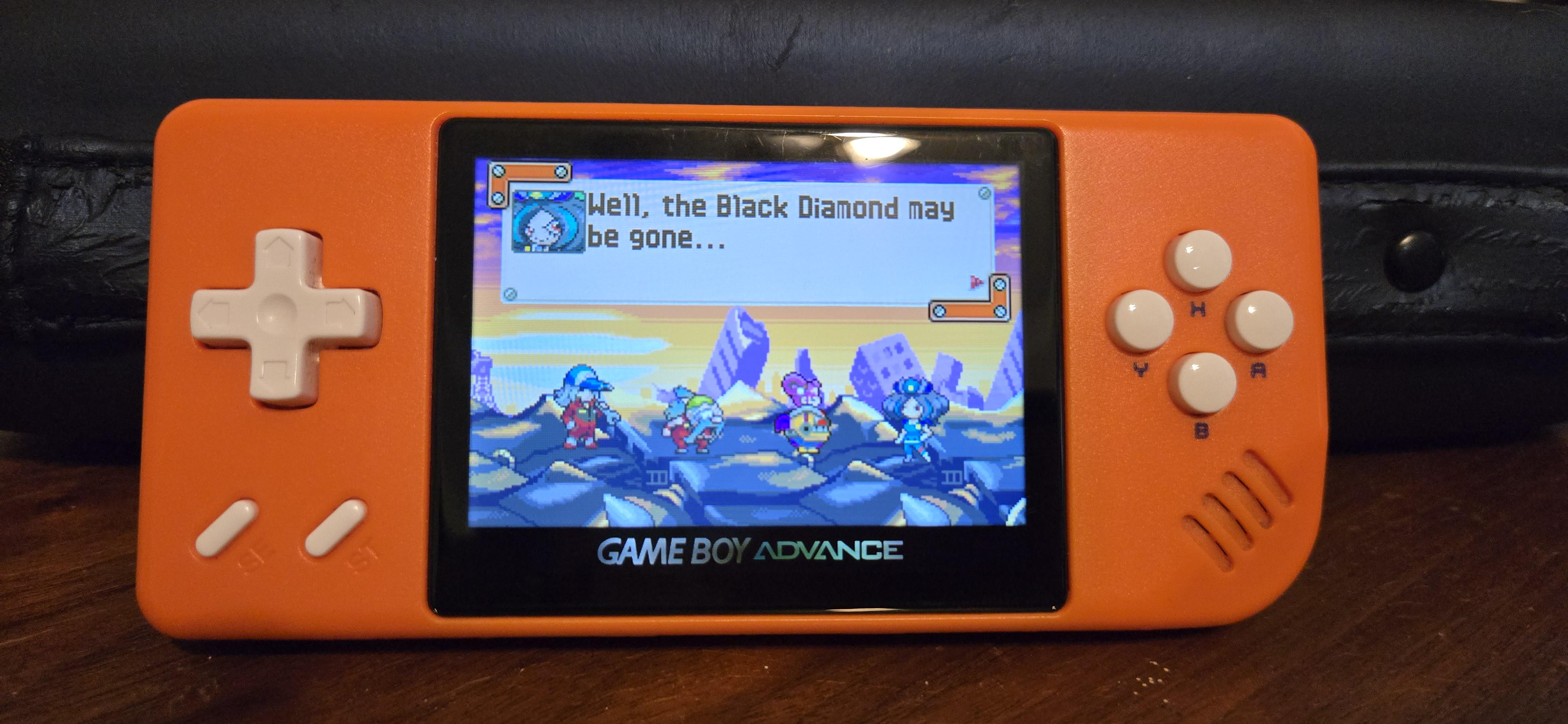
I believe this game has shown up on every GBA must play and hidden gems list. Loved the game, didn't 100% but I got to the end screen.
r/RG28XX • u/bratwurstzauber • Sep 27 '26
Hola! I want to add a RG28xx to my collection. I found some on amazon for like 45$ but somehow under the brand name “Cintwory”. They also carry other Anbernics in their shop and the RG38xx offer has many good reviews, but I’m still a bit concerned. Are these knockoffs, or is it just a rebrand / licence built? The name anbernic is never mentioned, just the model names are the same.
Ordering from Anbernic sadly isn’t an option because of very complicated import in my country, and also there’s no grey ones available anymore…
I just want to avoid having an inferior device that maybe doesn’t support MuOS and other functions. Thank you!
r/RG28XX • u/NiNjaMAN121O • Sep 24 '26
So my RG28XX screen somehow broke. It might have been put down screen first hard or something. Anyways, when I lifted it up a while later, the screen was out, hanging on by a ribbon wire. no image showed, just a dark blue screen producing little light.
I'll probably have to play on it using the HDMI port now, which is unfortunate. Kinda defeats the purpose.
But if this has happened to anyone before and they were able to fix it easily, please let me know!
Thank you!
r/RG28XX • u/ork_dreadnought • Sep 23 '26
Any gotchas or obvious stuff Im missing? Portmaster nor ZX speccy will run anything, Have got both ready to play and bought games in Portmaster, loads of ZX games as .tap files. No dice. Anyone been through this and fixed it? Thanks in advance. I've managed to get every other system I tried working no problem.
r/RG28XX • u/degradedbagel • Sep 07 '26
r/RG28XX • u/PEACE-OUT-PEOPLE • Sep 01 '26
Kinda bored right now. What are some fun games to play on the console?
r/RG28XX • u/PEACE-OUT-PEOPLE • Aug 26 '26
For some reason, whenever I download psp games to the micro sd card, it never pops up in the actual console. I even check back on the micro sd card, and it says its in correct folder, but it doesn't pop up!!!
r/RG28XX • u/Independent-Ad4933 • Aug 25 '26
So I have an Anbernic RG28XX which I love because it's my EDC, and I'm just another GBA fan.
The thing is that the D-pad's conductive rubber membrane has a tear, and the ⬆️ button doesn't pop back up. It still works fine, but it's ruining the experience because I can't tell whether I'm clicking it or not.
I have the tools and I can change it myself, but I don't know how to find the membrane I need. I searched on Anbernic's official site but can't find anything there.
How should I look for it? Or can I buy the same part for another device that works with it?
Thank you!
r/RG28XX • u/LixarGoesWest • Aug 25 '26

Hi there! I made a guide to help people install PortMaster on the Anbernic RG28XX via Knulli since I haven't seen anyone else do it.
The process of installing PortMaster with Knulli on this device is pretty straight forward if you have installed another OS in the past, but I wanted to be as detailed as possible for those who haven’t done something similar in the past.
Things you’ll need:
Optional: you can make a backup of your current microSD by using a tool like Win32DiskImager.
1. First of all, you need to download Knulli on your PC. You can find all versions released up to this date here: https://github.com/knulli-cfw/knulli-linux/releases, but the version I used for this purpose is the most recent one at the time of this post, which is the 20260511 (https://github.com/knulli-cfw/knulli-linux/releases/tag/20260511).
2. This step is not necessary as far as I have tested, but if you want to format your microSD before installing, you can do so by using a tool like SD Card Formatter (https://www.sdcard.org/downloads/formatter/). Sometimes this program can help recover what seemed like damaged microSDs.
3. Now, from this point onwards the installing process is pretty straight forward if you have both your Knulli image and imaging tool. Just connect your microSD to your PC by using your adapter, and then open your imaging tool.
4. After your imaging tool is open, make sure it’s detecting your microSD (which you can confirm if it’s showing the total size of your microSD), and then select your Knulli image.
5. Once both the device and image are selected, you simply have to start the process, which can take some time depending on your PC. You can leave it running in the background or do something while the imaging tool is doing its work. It’ll show you a message when it’s ready.
6. After the process is complete, you can disconnect your microSD from your PC and then insert it back to your Anbernic RG28XX.
7. Once your microSD is back on your Anbernic, simply turn it on and Knulli is going to finish its installation, which should take no longer than a minute.
Now, you have Knulli on your Anbernic. But you still need to do a few things before proceeding to the next big step.
1. Connect your Wi-Fi dongle to your Anbernic.
2. Go to settings by pressing start, and go to “System Settings”.
3. Go down to the Advanced section, and select “Services”.
4. Select the option that says “ENABLE_WIFI_DONGLE”.
5. Now go back to settings, and then go to network settings.
6. You’ll notice that the Wi-Fi is not enabled at this point. You can enable it by simply selecting the enable option.
7. Once it’s enabled, you may now press “Wi-Fi SSID”. If the dongle is compatible, and you previously activated the use of dongles as mentioned in the step 2 to 4, then you’ll be able to see all the available Wi-Fi networks. Select yours, and then add its password on the following setting titled “WIFI KEY”.
Now we can finally move to PortMaster. This process is even faster than the previous one, even if my rambling makes it looks like it’s not at first glance, lol.
1. Download the latest version of PortMaster via their official website: https://github.com/PortsMaster/PortMaster-GUI/releases
Now, the following steps are going to depend whether you want to use your USB adapter or use your Wi-Fi to put the files on your device.
2. If you want to use your USB adapter, simply take out the microSD from your device and connect it to your PC by using your adapter. Knulli has multiple partitions, but not all of them are going to be available to check on your PC, so you might see some error messages regarding those, or messages about formatting those partitions. Ignore those.
3. If you want to use your Wi-Fi to drag the installer from your PC to your Anbernic, then turn on your device with its dongle and Wi-Fi activated. If you haven’t already, you must activate the SAMBA function in settings. Go to settings > System settings > Advanced > Services > Select SAMBA.
At last, we finally have Knulli and Portmaster on our Anbernic RG28XX. Now what? Well, first things first. You’ll probably need to download some updates on your device, something that you can do right away by booting PortMaster for the first time. Remember to be connected to your Wi-Fi.
1. After updating PortMaster, you can see a list of compatible games. Take a good look at it, and see what games might catch your attention. Each one of them have their own set of instructions to install, but as long as you have your own copy of the game, the process should be relatively easy.
2. Once you have found one that you want to play, go ahead and install it by using PortMaster. This will download the base files, and then you’ll have to provide the rest of the remaining files.
3. Let’s use Undertale as an example. After installing the base files on your device, you must go to ports/undertale/assets on your Anbernic device, and put all of the files you’d normally find in the Steam folder of Undertale.
4. And that’s pretty much it. Go, turn on your Anbernic, and start the game!
I think that covers pretty much anything regarding PortMaster on an Anbernic RG28XX with Knulli. I haven’t tested PortMaster on MuOS, but I think the process must be somewhat similar, especially regarding the last steps.
Games I have tested personally:
Based on what I could see from the games I tested, the device is going to have lag to some degree if there is a lot happening on a visual level.
And that’s it! I hope you guys enjoying playing your favorite games on your Anbernics.
*Updated to fix a mistake in the "Things you'll need" section*
r/RG28XX • u/CheezFunk • Aug 23 '26

r/RG28XX • u/NoMaximum435 • Jul 21 '26
Hey everyone, I’m on the newest stock firmware (v1.1.3-260526) with the new MU2 theme. Before this update, you could tap the Power button in-game to toggle the D-pad between digital and virtual-analog input (useful for N64 games).
Since updating to the MU2 UI, this doesn’t seem to work anymore.
Has anyone figured out the new hotkey for this on v1.1.3? Or has it been removed entirely and I need to use RetroArch’s manual input remapping instead?
Thanks in advance!
r/RG28XX • u/Longjumping-Place-25 • Jul 18 '26
r/RG28XX • u/retro_gamer_2002 • Jul 10 '26

I've been able to install and launch Half-Life on the RG28XX (using Knulli OS) and can strafe the character but can't seem to look around! I've pressed Function + Select which normally works for other stick based games.
Is there anyone out there who knows how?
Thank you!
r/RG28XX • u/One_Zookeepergame541 • Jul 07 '26

Definitely this is my end game device..so convenient and a power house in your pocket ..
r/RG28XX • u/Chong_420_Smoker • Jul 06 '26
Button swap matches so good with the black transparent RG28XX👀🫦👌🏽
r/RG28XX • u/Chong_420_Smoker • Jul 06 '26
Added some custom decals and made me a mesh pouch for easy safe storage 👌🏽
r/RG28XX • u/Civil_Inspector_8855 • Jul 05 '26

I have scratch on the back and a small crack on my RG28XX. Even though I don't mind them much, the existence of them annoys me a little. In my country I am not able to order shell, case or something like that. So I wanted to ask in here if anyone knows if there is a 3D print file out there that I can use?
Thanks in advance guys.