r/SQLServer • u/fdfdsaka7 • Oct 11 '25
Question I would be grateful to whoever solves this problem.
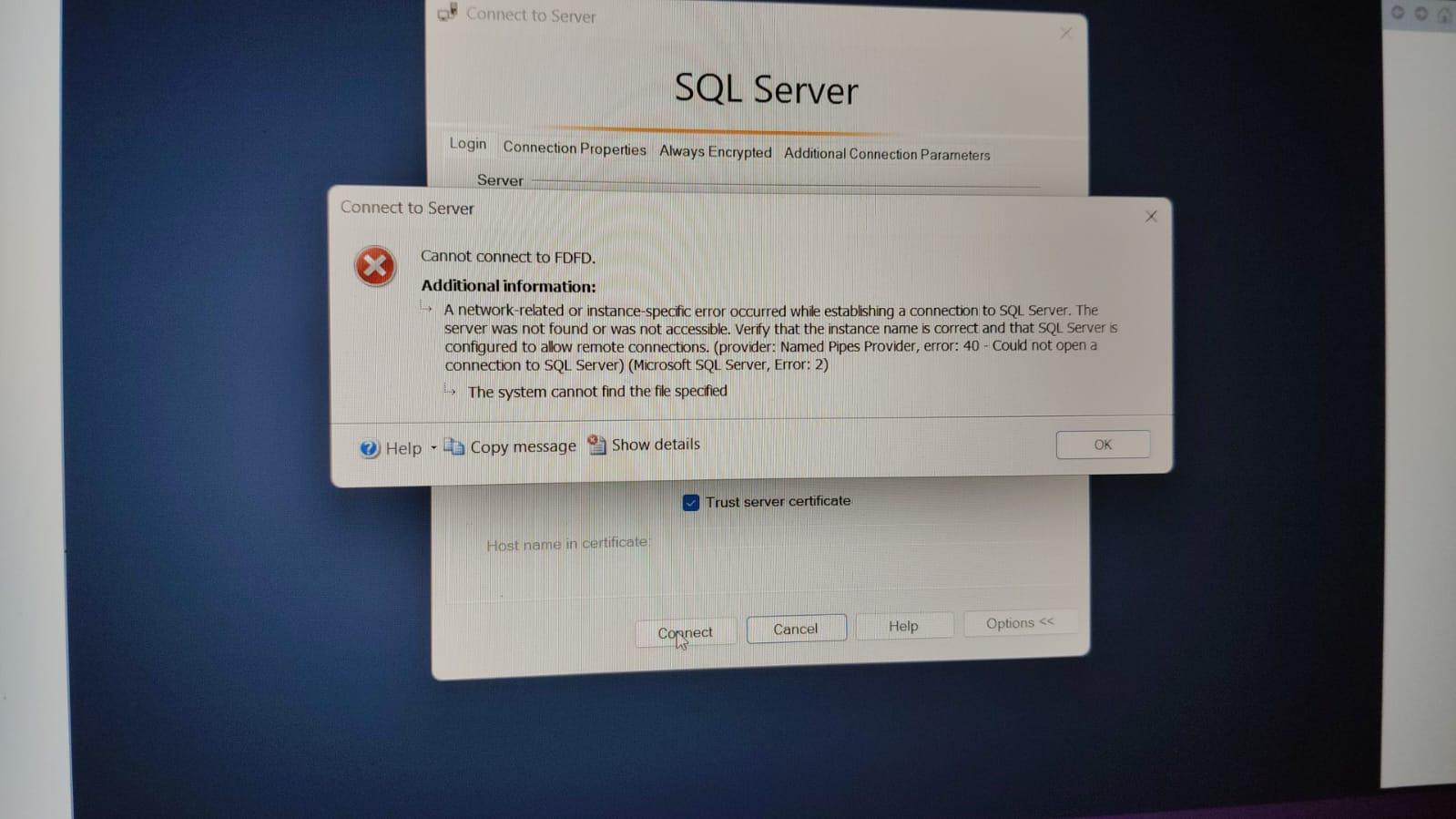
I have not been able to use SQL Server for more than 3 years due to this problem. I use a container on Docker to run it, but it outputs 3 GB and i searched very much but no solution
0
Upvotes
8
u/No_Resolution_9252 Oct 11 '25
SQL server is either not on or there is no network path to it
3
u/PaulCr125 Oct 11 '25
Tcpip protocol is enabled.
2
u/Comfortable-Crew-919 Oct 11 '25
Are you forwarding port 1433 in your docker compose file?
1
u/GonerDoug Oct 11 '25
Server config utility Enable named pipes and tcpip Enable broker Bounce server Try again
1
u/RUokRobot Microsoft Employee Oct 11 '25
Check that the system databases exists in the path configuration manager says it should be, same with the errorlog, if everything is where it should, then open a case with CSS, the error says "cannot find the file specified", deep. Troubleshooting might be required.
1
u/Dry_Author8849 Oct 12 '25
What's the port you mapped in the container? SQL server uses port 1433, for example: docker run -p 1400:1433.
From outside docker you can use localhost:1400 or specify the port in the connection dialog.
From another container (within docker) the server name should be "container_name".
If for whatever reason you installed a named instance, from within docker "container_name\instance_name".
From outside docker ip_address, mapped port should work.
Disable any firewall and check.
Cheers!