r/SQLServer • u/Admirable_Talk1982 • Feb 19 '26
Solved Help with installing sql server
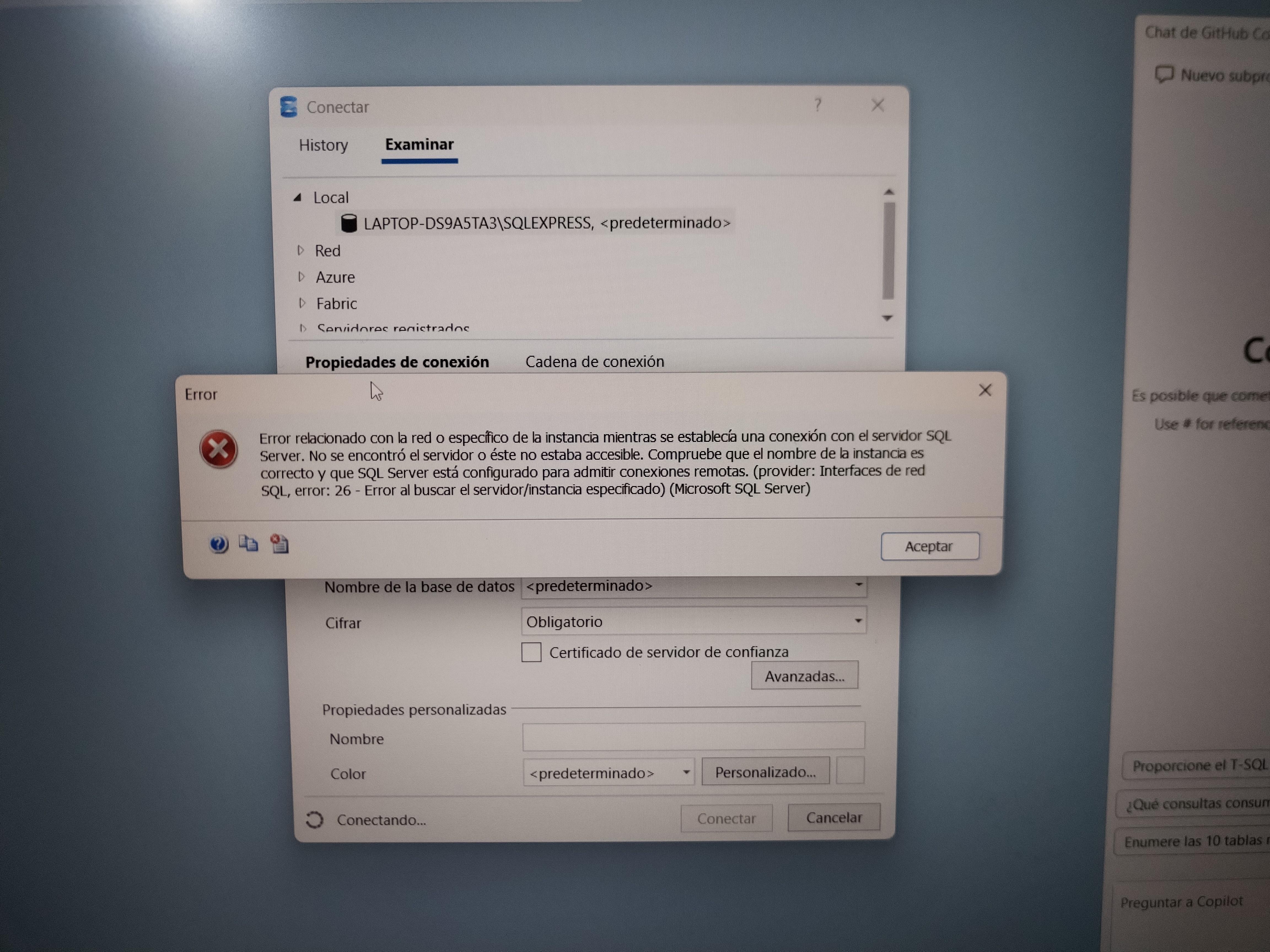
I don't know how I managed to install sqlserver(EXPRESS) but I did it by modifying this file: ForcedPhysicalSectorSizeInBytes that at the time of installing it was with the value of * 65536 but at the time of connecting I no longer wanted to and it gives me an error (I will attach all the images) and on the Microsoft page the value they give it is *4095 but it still doesn't work for me It works, could you help me if I have to install it from scratch or what I can do to solve this problem I'm already very stressed because it never cost me that much to install SQL
•
u/AutoModerator Feb 19 '26
After your question has been solved /u/Admirable_Talk1982, please reply to the helpful user's comment with the phrase "Solution verified".
This will not only award a point to the contributor for their assistance but also update the post's flair to "Solved".
I am a bot, and this action was performed automatically. Please contact the moderators of this subreddit if you have any questions or concerns.
2
u/TheGenericUser0815 1 Feb 19 '26
Is it Win11? Then sector size can bea n issue. Look for I/O errors in the log. Maybe try this reg key workaround: https://blog.cslonz.de/sql-server-windows-11
4
u/FishBones83 Feb 19 '26
is the sql server service running?
3
u/Radiant_blue_ Feb 19 '26
My 2 cents are just a suggestion because I can't read the language on screen. Bit from what you described you can check what the previous guy said check if the services are running. Also you can check in the SQL server manager if you are allowed to connect in the network configuration enable named pipes and if you connect on enable TCP/op. Reboot the SQL services afterwards and try again.
2
u/Empty-Ad4867 Feb 19 '26
At SQL Connection Manager enable TCP/IP. Restart At SSMS Change Cypher to other option that is not mandatory.
2
u/largpack Feb 23 '26
The fact that you were unable to take a screenshot says it all.
1
u/emilioml_ Feb 19 '26
The notice says that the instance service is not running. So check the service
1
u/idk_01 Feb 19 '26
Do you have SSMS (SQL Server Management Studio) installed? If not, install it. Then check your database properties to make sure that the box for "Allow remote connections to this server" is checked.
Also, make sure your SQL Server is running. Go to Services and check. (Start > Run > Services.msc)
1
u/MinderBook Feb 20 '26
Classic things: