r/Scriptable • u/Quinte5 • 10d ago
Script Sharing ScriptSCAD – a full OpenSCAD editor and CuraEngine slicer as Scriptable scripts
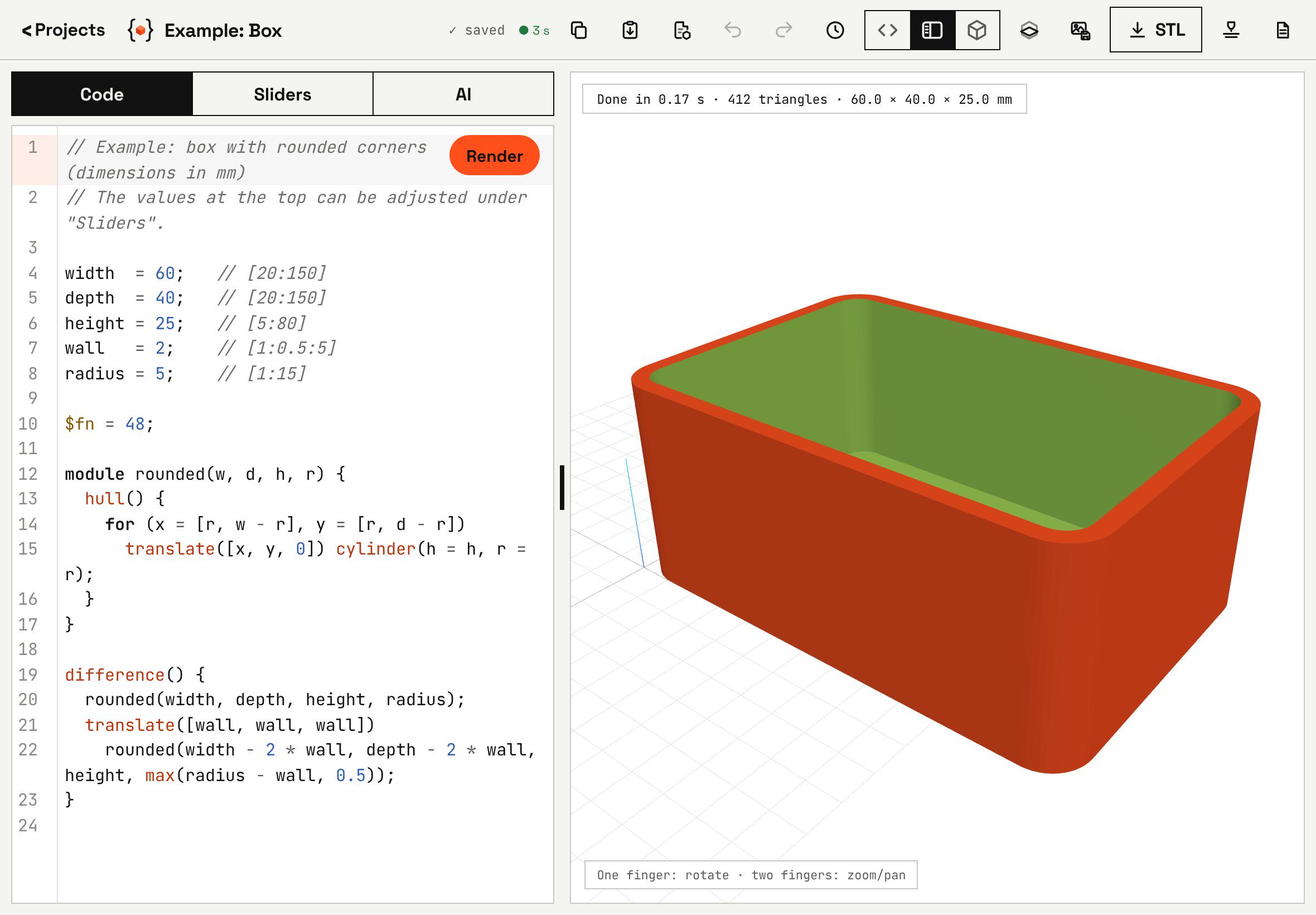


Hi everyone,
I'm not a programmer, but I wanted to design and print parts without sitting at a computer. So I built ScriptSCAD – a free, open-source suite that runs entirely on the iPad (and iPhone) inside the Scriptable app.
What it does:
- Real OpenSCAD running locally as WebAssembly – offline, no account, no server
- Code editor with autocompletion, plus sliders for every parameter and an object editor (tap a part in 3D to move, rotate or resize it)
- Optional AI: say "make the wall 2 mm thicker" and it edits your .scad code. It runs through an Apple Shortcut with Apple Intelligence, the ChatGPT app or the Claude app – no API key needed
- BOSL2, MCAD and NopSCADlib built in, plus import of STL/OBJ/3MF/SVG/DXF
- Export to STL or 3MF with colors
- A separate slicer based on CuraEngine: about 300 printer profiles, layer preview, and upload to OctoPrint, Klipper (Moonraker) or PrusaLink
Everything stays as normal files in your iCloud Drive. No tracking, no subscription, GPL-3.0.
The slicer is still new – please check the layer preview before printing and stay near your printer for the first prints.
GitHub (install takes about 5 minutes):GitHub
I'd love feedback – especially bug reports, printer profiles that don't work, and ideas for what's missing.
1
u/Paulom1982 7d ago
This is fantastic, great work! I would love to learn CAD but life has been busy, time is short, and the ideas in my head won't stop flowing. Right now I just want to experiment and build, not necessarily learn all the tools. This is super helpful in accomplishing that goal!
In terms of slicing, how difficult/easy would it be to include an option for slicing to Bambu printers such as the A1?
1
u/Quinte5 10d ago
A video, to see all the features.
I added the functionality of using shortcuts to insert the code from Apple Intelligence. Unfortunately, the code returned often is not as reliable as from Claude.
-4
u/Jmc_da_boss 9d ago
> I'm not a programmer
> but I built
The state of the world fucking sucks these days