r/SideStore
•
u/No-Trick-7465
•
3d ago
•
 2
Solved with these steps
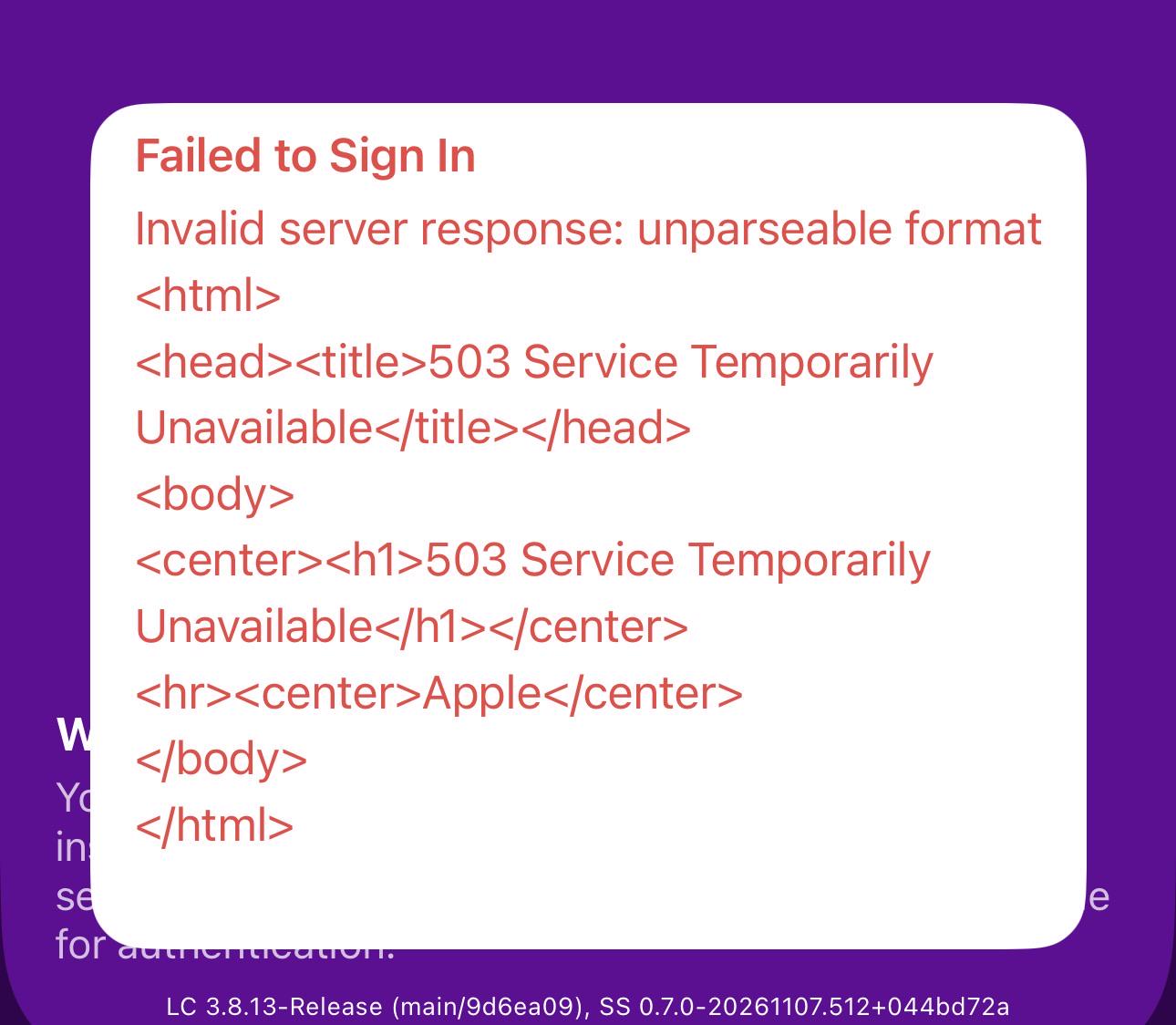
Step 1: Go to Settings > User Customizations, turn On-Device Anisette OFF (restart if prompted),
Step 2 : from Settings > Anisette Servers, select jkcoxson (Windows ADI) and turn Auto Rotation OFF.
Step 3: From Settings > User Customizations > Anisette Client Configuration, Remote Server Sync, tap Fetch, then tap Save as Overrides.
Step 4: Return to User Customizations, tap Reset adi.pb (keep Keep Headers checked), then force-close and reopen SideStore.
Step 5: Connect your VPN / LocalDevVPN tunnel and retry signing in with your Apple Account.
10
u/ludviglongen 3d ago •
These steps didn't fix it for me, but this did (from GitHub issue #1745):
Settings > User Customizations > Anisette Client Configuration > in the Client Info field, replace "macOS;" with "Mac OS X;". For example:
<Mac15,7> <Mac OS X;27.0;26A5378j> <com.apple.AuthKit/1 (com.apple.akd/1.0)>
Tap Save Overrides, force-close SideStore, reopen it and sign in. Worked right away.
Apparently since Nov 20 Apple's login server returns 503 when the client info says "macOS", so changing anisette servers or resetting adi.pb doesn't help on its own.
iPhone 18 Pro, iOS 27, SideStore 0.7.0-20260911.
https://github.com/SideStore/SideStore/issues/1745
4
u/LackOfLogic 3d ago
Worked for me, thank you. Since this is just a workaround, do I need to change anything back in the future?
3
u/Apprehenslve_Mind777 3d ago
This video worked for me because I was missing some steps https://www.reddit.com/r/SideStore/s/mwd4KvDnMY
1
u/zTurboSnailz 3d ago
Still Apple endpoint error. My $3 certificate still works for signing.
1
u/Favna 3d ago
What is your SideStore version? I don’t see this jkcoxson option. Mine is 0.7.0-20260911.328+6032424a (0700) iOS 27.2.1 (24B156)
1
u/Kooky-Marionberry-60 3d ago
sorry im an bit new where can i find jkconxson windows adi and auto rotation?
1
u/jfickrow 3d ago
Where do you see jcoxson (Windows ADI)? How do I get there?
1
u/A_mbigous 3d ago
Should the settings stay this way whenever this issue gets fixed?
1
u/Kensation21 3d ago
After doing the steps and trying to sign in:
1
u/rrrand0mmm 3d ago
Don’t see single option for auto rotation anywhere.
1
u/talksickwalkquick 3d ago
Where is user customization
1
u/summrsxx 1d ago
I’m getting a device registration error. Is it cos of the network configuration settings ? Someone said to change the tunnel ip to 10.7.0.2/30 and device ip to 10.7.0.1/32 in localdevvpn…. but it didn’t work
2
u/Michi436 3d ago
Works! Thank you!!
2
u/xplaya 2d ago
Worked for me. Thanks !!!
1
u/Traditional-Nature88 3d ago
Thanks my bro , love you
1
u/Katalos 3d ago
Login worked! Thanks. I think you meant User Customization in step 2. There isn’t a User Configuration setting.
I’m still stuck with the following error after logging in though. Double triple quadruple checked LocalDevVPN is running.
1
u/Luaiovo 3d ago
Jkcoxson worked for me
1
u/NeonWolf3 3d ago
Worked! Thank you
1
u/TurbulentOkra6207 3d ago
The goatttt
1
u/Giorgio_053 3d ago
tysm it worked!! how did u found out this fix and how does it work
1
u/nopice 3d ago
🎉 It worked!! Thanks a lot!!
1
u/rrrand0mmm 3d ago
This just sends me into a sign in loop. It keeps asking for my code. Never logs in.
1
u/skyerday 3d ago
You save me, bro! Thank you.
1
u/East-Ice-3199 3d ago
I don't have a User Customizations page, what version of sidestore are you using?
1
u/coolaaron88 3d ago
This worked! Thank you for the help!
1
u/ComprehensiveBug5797 2d ago
Thank You!
1
u/ioninvain 2d ago
Worked for me , thanks
1
u/DrCristiano 2d ago
This worked on my phone that had the latest nightly but on the iPad I can’t even install sidestore cause my Apple id isn’t getting signed in on iLoader. I thought I was banned but I tried altstore and it worked fine 💀
1
u/TheBeckFromHeck 2d ago
You saved my bacon, thank you!
1
u/jcalbuenamuerte 2d ago
Login ok but now SideStore show this error when try to refresh apps
InvalidVPN: Failed to install profile, error: (Socket(Custom { kind: UnexpectedEof, error: "peer closed connection without sending TLS close_notify: https://docs.rs/rustls/latest/rustls/manual/_03_howto/index.html#unexpected-eof" }))
1
u/rick_al9900 2d ago
I don’t even have the remote server sync option. I’m using LiveContainer+ side store. Ami cooked? I need to refresh my apps today or they expire
1
u/dannydirnt 2d ago
Worked for me, thank you! I couldn’t refresh my apps today because it said my session had expired and I needed to log in again. After logging out, I was getting this exact error. I’ve now been able to log back in and refresh my apps.
1
u/Boob_Preski 2d ago
it worked thankyou
1
u/ecstacyreign 2d ago
It’s not working
1
u/jiznon 2d ago
thanks! this resolved the issue for me
1
u/W00S 1d ago
Thanks worked perfectly for me
1
u/One_Neighborhood968 1d ago
Working fix: 503 → -22410 → "PTM/TK endpoint returned HTTP 401" (Nov 2026)
Setup: LiveContainer 3.8.14 nightly with built-in SideStore 0.7.0-20261107 nightly, iOS 27.0.1 (24A446), free Apple ID.
What I went through:
macOS;toMac OS X;in Client Info. The 503 was gone, but I got -22410.What finally worked (steps 1–5):
https://mac-ani.jkcoxson.com.10.12.6;16G29to26.6;25F84:<MacBookPro13,3> <Mac OS X;26.6;25F84> <com.apple.AuthKit/1 (com.apple.akd/1.0)> Keep the fetched User Agent,akd/1.0 CFNetwork/811.5.4 Darwin/16.7.0, and tap Save Overrides.https://github.com/SideStore/SideStore/issues/1745#issuecomment-7065875033
1
u/Human_Mood151 1d ago
this worked for me, thank you!
1
u/Cdoggle 1d ago
Was prompted to reinstall sidestore after all the steps but in the end it worked, thanks!
0
u/siddhuu98 3d ago
it worked! tysm
