r/Steam_Link • • 16d ago

Question Am I missing something?
Post image

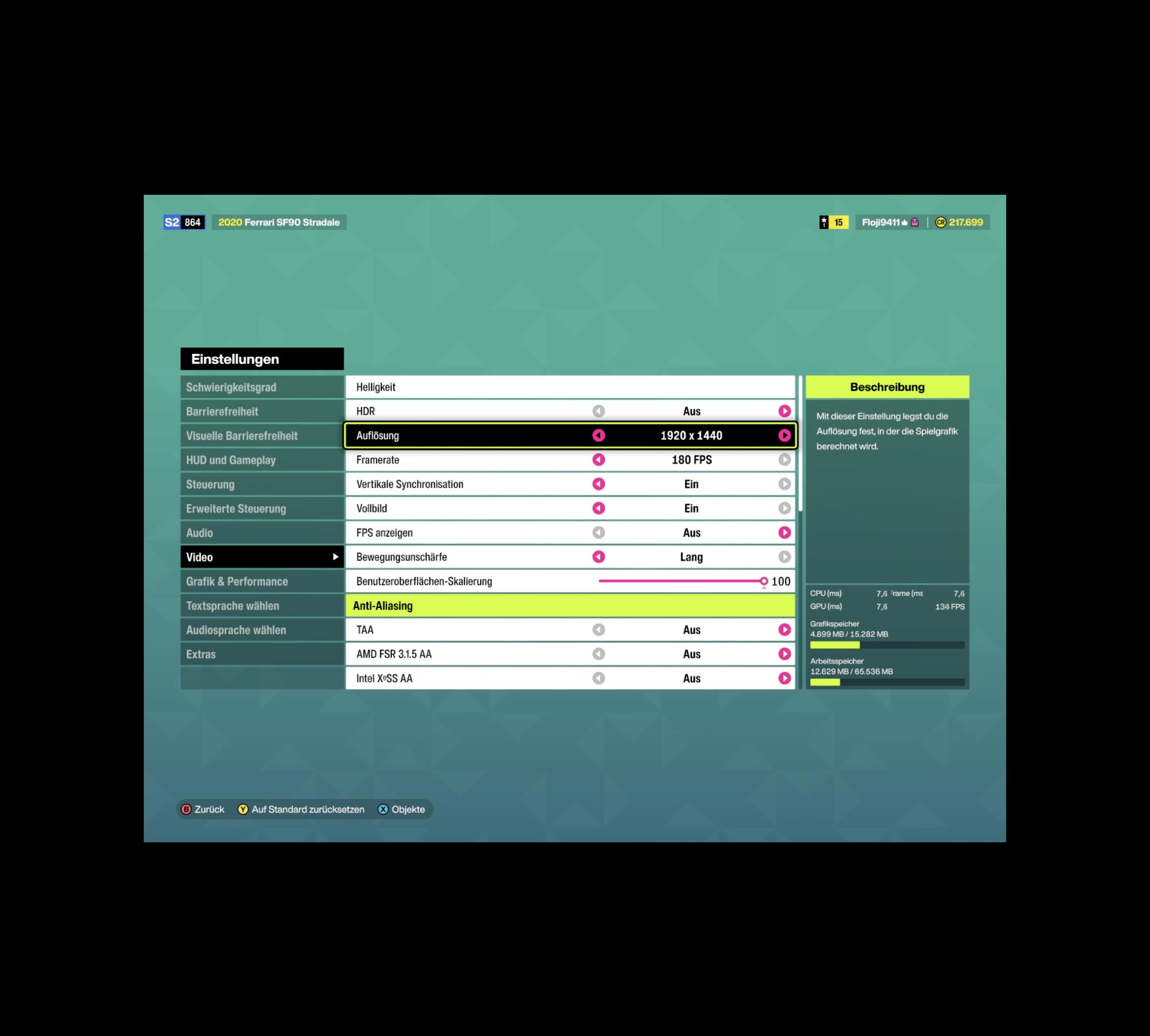
I play on my Samsung Galaxy Z Fold 7 inner screen that has a Ratio of 10:9, via Steam Link and changed my resolution to 1920x1440 in Steam Link. The ratio seems to be fine, but why doesn't it fill up the screen? There is no option in Steam Link or in the Samsung/Good Lock settings to zoom the screen in. Is there an option somewhere else that I am missing?

3 Upvotes

4 comments sorted by

1

u/furiant 16d ago

My guess is because the Z Fold 7 runs at 2184×1968 and your computer is running at 1920x1440 it's due to a mismatch in resolutions.

1

u/Floji9411 16d ago

So do you think it's a problem of the game?

2

u/furiant 16d ago

If you only experience this with one game, then it's a limitation of the game engine to properly scale things. If it happens for all games, then it (probably) has something to do with the Z Fold 7 not being able to properly interpret a graphic input of 1920x1440.

1

u/Packetdancer Link hardware 15d ago

When you start the stream and are in Steam's Big Picture mode, does Big Picture go all the way to the edges of the Z-Fold 7's display? If it does, then this is likely an issue relating to the game. If it does not, it's likely an issue relating to the Z Fold 7's weird screen size.

Beyond that...

If you turn on the performance overlay details (set Performance Overlay to 'Show Details' in the settings, or bring up the streaming panel and hit the little icon of the graph), it should show things like what the capture resolution is. In addition, the streaming_log.txt in the Steam logs directory on your host PC will show what the client thinks it is using as a render size (and a lot of other details), so you might want to look there.