r/Stereo3Dgaming • • Aug 29 '25

Welcome to r/Stereo3DGaming! - Getting started

30 Upvotes

Hello there! If you're new and want your game to run in stereo 3D, please check our Wiki first:

  • "Overview" gives a basic introduction to stereo 3D and related technical terms
  • "Decision Tree" has a decision tree of how to run games in stereo 3d using existing solutions with links to examples
  • Setup guides - collection of subreddit posts containing setup guides
  • "Software" contains more details about drivers, wrappers, tools and tips for SteamOS/Bazzite
  • "Emulators " - list of consoles and emulators with how to enable stereo 3D
  • "Hardware" lists possibilities to visualize stereo 3D
  • "Fixes and Shader hacking" contains links to tutorials regarding hacking shaders and making your own fixes

You can leave any suggestions, critique etc. regarding the wiki, or the subreddit in general, below. Always open to discussions!


r/Stereo3Dgaming • • 8h ago

Geo3D StereoShutter’s 3D fixes for 18 DirectX 9 games are now free for everyone

Post image
14 Upvotes

The testing period is over! All 18 DirectX 9 fixes are now free in StereoShutter Manager. If you own one of the games below, you can download its fix and play it in stereoscopic 3D without a subscription. Download StereoShutter Manager for Windows

Thank you to our subscribers for supporting the project and playing these games during early access. Your feedback helped us get all 18 fixes ready for everyone. We hope you enjoy revisiting these classics in 3D!

I built StereoShutter Engine for DirectX 9 to bring these games back to modern PCs in geometric 3D, with a separate view for each eye. For eight games, I adapted and reworked existing Helix Mod fixes for the new engine. For the other ten, the engine restores the game’s original NVIDIA 3D Vision rendering. You’ll find the credits for each fix on its game page in the Manager.

8 games with adapted Helix Mod fixes

  1. Fallout 3: Game of the Year Edition
  2. Castlevania: Lords of Shadow 2
  3. Star Wars: The Force Unleashed II
  4. Dead Space (2008)
  5. Dead Space 2
  6. Dead Space 3
  7. Resident Evil 5
  8. Resident Evil 6

10 games using their original 3D Vision rendering

  1. Alan Wake
  2. Batman: Arkham Asylum
  3. Batman: Arkham City
  4. Batman: Arkham Origins
  5. Duke Nukem Forever
  6. Mafia II
  7. Super Street Fighter IV: Arcade Edition
  8. The Witcher 2
  9. Trine Enchanted Edition
  10. Trine 2

Which 3D outputs are supported?

  • StereoShutter frame-sequential output for active shutter glasses. Use NVIDIA 3D Vision glasses with a certified 3D Vision monitor or a compatible 240 Hz+ OLED display. Samsung SSG-5100GB glasses have experimental support with the TP-Link UB500 Bluetooth adapter. NVIDIA glasses work without the legacy NVIDIA 3D Vision stereoscopic driver. The NVIDIA infrared emitter still needs its official USB driver.
  • Side-by-side (SBS), half or full. For 3D TVs, projectors and displays that accept side-by-side input.
  • Top-and-bottom (TAB), half or full. For displays that accept an over-under 3D image.
  • Row interlaced. For compatible passive 3D displays, including LG passive 3D TVs.
  • Checkerboard. For compatible DLP TVs and projectors that accept checkerboard input.
  • Red/cyan anaglyph. For a conventional screen and red/cyan glasses.
  • Leia SR. Glasses-free 3D on compatible displays, including supported Acer SpatialLabs and Samsung Odyssey 3D models.
  • Katanga. For playing on a virtual 3D screen in a VR headset through a compatible Katanga viewer.

You can choose your output under Library → Select your game → Configure 3D. The illustrated guide walks you through the right choice for your display. Find your screen in the setup guide

If there’s another classic you’d love to revisit in 3D, let us know in the comments. Supporting StereoShutter on Ko-fi helps fund the time it takes to adapt the next game, correct its shaders and test it. Enjoy the fixes! Support the project on Ko-fi

🌐 Website · 💬 Discord community & support
▶️ Watch the side-by-side demo · 👓 Watch the red/cyan anaglyph demo


r/Stereo3Dgaming • • 1d ago

Acabo de comprar mi odyssey 3d. Y solo tengo una expresión. !!Guauu !!

9 Upvotes

r/Stereo3Dgaming • • 1d ago

Discussion My AI generated web player for out-streaming 3d content in many ways

5 Upvotes

Hello I had AI do something useful which was build a and help me with my website to stream out my stream in 3D while making it 2D friendly for others who are watching.

I would like to offer this service to other people who want to simultaneously reach people in 2D and 3D without broadcasting two separate feeds.

The website I broadcast on is Leelabowl.com. There's a demo of a 3D video when I'm not streaming to see how well this thing converts.

You can take a video that's broadcasting in 32x9 or 8x3 and convert those respectively into 16x9 and 4x3 dog the individual user in these formats:

Left Eye

Right Eye

Basketball mode (side by side half)

Sumo mode (top bottom half)

Dubois Red and Cyan 3d

Noir Red and Cyan 3d

A happy accidental feature I discovered which is a cross between Dubois and what I intended Noir to be. And we got a decent color picture with decent color 3D graphics. I knew when I got it, to save it and it turned out to look good. It's called cdmx standing for Color Depth Mix X. It may be a new formula of anaglyph, one or two words wrong were said wrong by me and somehow instead of creating Noir which is black and white footage converted to red and cyan it did something different which was really strange it's sort of like speaking Dr Moriarty into existence, you didn't know what you got but you know you got something worth saving and you didn't know how to get there but that happy accident came about.

Next time I stream I'll let you guys know or you can follow my Facebook page or Twitter page and see if I'm gaming to watch along.

Also I said I would like to hopefully host other people to have a good 3D/2D cross playef


r/Stereo3Dgaming • • 2d ago

Ryujinx Stereo update

Post image
51 Upvotes

Hey everyone, it's been a while since my last update, I have been busy with other things - but have not forgotten Ryujinx Stereo.

This new update fixes 3D issues in supported games, improves performance and adds support for Trails in the Sky 1st Chapter, TUNIC, The Legend of Zelda: Skyward Sword HD and Super Mario 3D All-Stars.

3D works great in all supported games now from my personal testing.

I am also including the source code for this project for anyone interested. All files are here:

https://drive.google.com/drive/folders/1rhP1KHAVW-n3OiRgmyDs9RmV-4roWlPy

Have fun playing in 3D :)


r/Stereo3Dgaming • • 3d ago

Eden-stereo-1.0-releases,60 games are supported in stereo 3D mode.

Thumbnail
gallery
48 Upvotes

Hi everyone, this is my Eden-Stereo project, adding stereoscopic 3D support for Eden, after thousands of test cycles and shader fixes for select games. It only supports the Vulkan rendering backend, uses synchronous-frame 3D, features FXAA, and works with 60fps patches. Over 60 games have been tested and fixed. This build is developed from Eden’s master branch. It retains all native Eden features while adding exclusive controls for stereoscopic 3D. The 3D settings are integrated directly into the menu: go to Emulation → Settings → Graphics to find the global stereoscopic 3D toggle. It supports auto-convergence, left/right eye swap, and a wide range of output formats: side-by-side, over-under, row-interleaved, column-interleaved, checkerboard, and Katanga. Hotkeys for parameter tuning:

  • Ctrl + Up/Down: Adjust 3D depth; hold to ramp gradually relative to current separation
  • Ctrl + Left/Right: Adjust convergence; hold to ramp gradually relative to current convergence value
  • Ctrl + F5 / F6: Adjust HUD pop-out depth
  • Ctrl + F7: Toggle auto-convergence
  • Ctrl + F11: Cycle through 3D output modes
  • Ctrl + F12: Swap left and right eyes
  • Ctrl + T: Switch to mono mode

Test environment: RTX 3070 + i7-12700. Windows and Linux builds are provided; the Linux build has not been physically validated. Testers on multiple systems — NVIDIA GPUs, AMD GPUs, Steam Deck, Windows handhelds — report stable performance. The package includes 3D presets. Simply overwrite your existing user folder, and the tuned 3D profiles for those 60 games will activate automatically with no manual tweaking needed. You can fine-tune parameters anytime using the hotkeys above.

If you enjoy this stereoscopic 3D mod, you can support me here: https://ko-fi.com/jasony84

Mod download link:https://drive.google.com/drive/folders/1vDzN-8BZ7zFP-CxDhRLrqpLm1ezF-A79

Here is the 60 game support list(Games not on the list mostly have visual glitches or cannot run in 3D mode.Requires further fixes.):

Bayonetta
Bayonetta 2
Ori and the Blind Forest: Definitive Edition
Ori and the Will of the Wisps
Diablo III
13 Sentinels: Aegis Rim
The Legend of Zelda: Link's Awakening
Monster Hunter XX (Generations Ultimate)
Luigi's Mansion 2 HD
Metroid Dread
Ninja Gaiden Σ2
Ninja Gaiden 3
Resident Evil: Revelations
Ni no Kuni: Wrath of the White Witch
Ni no Kuni II: Revenant Kingdom
Hollow Knight
Hollow Knight: Silksong
Ys Origin
Rayman Legends
Front Mission 1st: Remake
Valiant Hearts: Coming Home
Astral Chain
Planet of Lana
Silverpine
Castlevania: The Belmont Curse
Shinobi: Art of Vengeance
Prince of Persia: The Lost Crown
Devil May Cry 3 Special Edition
Tails of Iron 2: Whiskers of Winter
Fire Emblem Engage
Child of Light
Captain Toad: Treasure Tracker
Sakuna: Of Rice and Ruin
Super Smash Bros. Ultimate
Super Mario Bros. Wonder
OCTOPATH TRAVELER 0
Story of Seasons: A Wonderful Life
Trails in the Sky 2nd Chapter Remake
Bayonetta Origins: Cereza and the Lost Demon
Donkey Kong Country Returns HD
Donkey Kong Country: Tropical Freeze
Final Fantasy X / X-2 HD Remaster
Super Mario Galaxy
Super Mario Galaxy 2
The Legend of Heroes: Trails of Cold Steel III
The Legend of Heroes: Trails of Cold Steel IV
The Legend of Heroes: Trails into Reverie
Moss: Book I & II
Sky Force Reloaded
Raiden V: Director's Cut
Pokémon Sword / Shield
River City Saga: Three Kingdoms
Cocoon
Grime
Dave the Diver
Ender Lilies: Quietus of the Knights
Little Kitty, Big City
Heavenly Bodies
Hauntii
ENDER MAGNOLIA: Bloom in the Mist

Eden-Stereo 1.1 is out. Changelog:

  1. Added LeiaSR display output support.
  2. Added convergence presets. You can now find a new convergence preset field under convergence, in the per-game config → graphics tab. Enter any convergence values separated by commas. Save, then use left/right arrow keys to cycle through them in-game. Presets are independent for each game.
  3. 3D hotkeys are now visible in Global Settings → General → Hotkeys. Keyboard bindings remain hardcoded, but you can map controller buttons here for easier in-game adjustments.

r/Stereo3Dgaming • • 2d ago

Question Is it worthgetting 3D glasses if I already have a Quest 3?

4 Upvotes

I'm mainly asking people whom have switched from a VR headset to glasses to enjoy 3D content. Glasses seem more comfortable and faster to get into content.


r/Stereo3Dgaming • • 2d ago

Question Does VRChat support for non-hmd 3D displays?

Thumbnail reddit.com
1 Upvotes

r/Stereo3Dgaming • • 2d ago

Discussion Can I say this game is a stereoscopic 3d game

Post image
4 Upvotes

r/Stereo3Dgaming • • 2d ago

Playing Geforce Now with Rayneo glasses on my phone...in 3D! 🤓

Thumbnail reddit.com
1 Upvotes

r/Stereo3Dgaming • • 5d ago

Emulator PPSSPP with native stereoscopic 3D renderer (no wrappers, cross-platform)

Post image
33 Upvotes

I don't know how valuable it is, but I just finished a fork of PPSSPP that adds native stereoscopic 3D rendering support directly into the renderer (no wrappers). Compatibility is pretty good, I tested it on 10 games and everything was close to perfect.

GitHub release

Current features:

  • Works natively on Windows, macOS, Linux and Android
  • Supports all rendering backends (DX11, OpenGL, Vulkan, Metal)
  • Supports SBS and TAB (full and half frame), experimental DisplayXR mode for android
  • Adjustable UI depth with support for separating UI into two layers and additional option for crosshair depth
  • Convenient in-game overlay for stereo adjustments, opens with Ctrl + Shift + F1 or L1 + L2 (configurable)

PPSSPP already had some stereoscopy support, but it was experimental, worked only on Vulkan, and lacked separation/convergence and UI depth settings.

I tested it primarily on macOS and Windows. Never tried it on linux, steam deck or android.

I would love to merge these changes into official repo, but I don't have time to go through the process, if someone can do this for me it would be great.


r/Stereo3Dgaming • • 5d ago

Discussion My 3ds broke, so I'm considering a glasses free 3d monitor

10 Upvotes

My 3ds’s top screen started acting up recently. It’s got these weird lines across the middle. I thought about getting it fixed, but I’m not sure it’s worth paying to replace the screen. I love 3d. Some games feel completely different with it on. Take monster hunter, for example. With 3d off, I sometimes feel like I’m just swinging at thin air. Turn it on, and it’s so much easier to tell how far away a monster is and how far my weapon actually reaches. It just makes the whole experience feel more immersive. But the 3ds’s 240p screen looks pretty blurry. I’ve decided to skip the repair and get a glasses-free 3d monitor for pc gaming instead. I feel like it’d be a huge step up from the 3ds.

Has anyone here used one they'd recommend? I've seen some reviews of the Viewx, and it looks pretty interesting. I noticed it supports 4k in 2d mode, and the 3d looks sharp and colorful. I like the colors on the Samsung odyssey too, but it's a bit too big for me. Any suggestions?


r/Stereo3Dgaming • • 6d ago

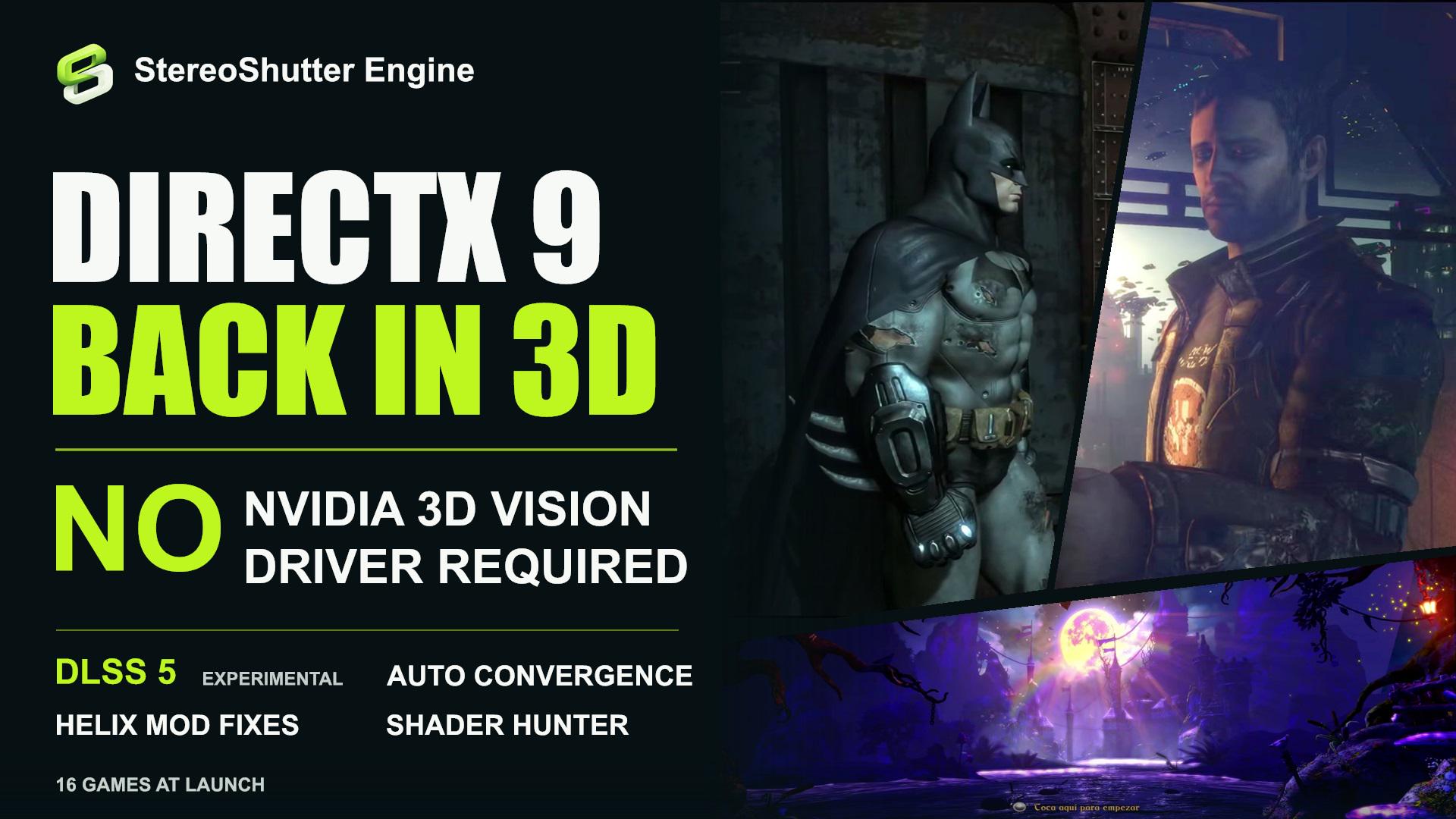
Geo3D StereoShutter Engine DX9 beta: 16 classic games in geometric 3D, without the legacy 3D Vision driver

Post image
33 Upvotes

Hi everyone! We're the team behind StereoShutter, and our new DirectX 9 stereoscopic engine is now available in early access for Beta-tier members and above, through StereoShutter Manager.

After early access, the DX9 engine and game fixes will be free for everyone. DLSS 5 will also become available to everyone. Video recording will remain exclusive to Priority. You will still need your own copy of each game.

We’re starting with 16 games, including Alan Wake, The Witcher 2, Mafia II and titles from the Batman: Arkham, Dead Space and Resident Evil series.

  • Helix Mod fixes are compatible, but require adjustments to work with our engine. Credit to their original authors for their work.
  • Built-in shader Hunter for creating and adapting fixes.
  • Automatic convergence, depth presets and HUD adjustments, plus corrections for lights, halos and lens flares in the included games.

No legacy NVIDIA 3D Vision stereoscopic driver is required. The NVIDIA infrared emitter still needs its official USB driver.

Supported outputs: NVIDIA glasses on official 3D Vision monitors or compatible 240 Hz+ OLED displays; full/half SBS and TAB, interlaced, checkerboard, anaglyph, Leia SR and VR through Katanga. Each output requires a compatible display or device.

Membership access

  • Beta and above: early access to the DX9 engine and experimental DLSS 5, integrated into StereoShutter for shutter-glasses gaming on compatible hardware.
  • Priority: also includes 3D gameplay recording through StereoShutter while you play.

Update the Manager and sign in with the account linked to your membership to access your downloads.

▶️ Watch the 3D HSBS video

👓 Watch the anaglyph video — red/cyan glasses

Your support helps us keep developing the engine and more game fixes. Feedback from beta testers is welcome!

🌐 Website

⬇️ Download the Manager

💬 Discord — community and support

☕ Ko-fi — memberships and support


r/Stereo3Dgaming • • 6d ago

SuperDepth3D and Xreal Glasses

Thumbnail reddit.com
2 Upvotes

r/Stereo3Dgaming • • 6d ago

GTA V in 3D? Having some issues

3 Upvotes

I've been trying to get Grand Theft Auto 5 running on my Odyssey 3D monitor and I'm having some issues. I'm pretty experienced using Geo-11 mods so hoping there might be some others that were in the mood for GTAV while waiting for the GTA VI release.

Stuff I've tried so far, taken from a necro'd mtbs3D thread.

https://www.mtbs3d.com/forum/viewtopic.php?t=160556&sid=fbdd911ab8b4a550c9606c38d86fa2a9

  1. Installed Grand Theft Auto V Legacy since the enhanced version doesn't support DX11.
  2. Disabled Battleye (Rockstar anti-cheat) in the Rockstar app and also applied (-DX11 -nobattleye) in the Steam launch options
  3. Set GTA5.exe in compatibility mode for Windows 7
  4. Copied Geo-11 files (V-0.6.196)
  5. Updated settings.xml to use DX11: <DX_Version value="2" />

(\Documents\Rockstar Games\GTA V\settings.xml")

6) Added the following values to the d3dxmi.ini file

dm_game_3dvision_fix = 1

[TextureOverride_GTAStereoParams]
hash = a17ac501
dm_game_3dvision_fix_stereo_sig = 1
StereoMode=1

Despite all this, I still get an error message: "3D migoto doesn't support DX12" even though GTAV Legacy doesn't even have an option for DX12.

Note: I have tried wiz3D and it does "work" but since there's no custom shaders like what MasterOtaku does for Geo-11 mods it's not fully playable.


r/Stereo3Dgaming • • 8d ago

PC Fate of the Galaxy 3D (FreeSpace Open) incl Leia SR

Thumbnail
gallery
9 Upvotes

Fate of the Galaxy is a free fan total conversion that turns FreeSpace Open into an Original Trilogy starfighter game: X-wings, TIEs, Star Destroyers, all of it. FreeSpace Open is open source and already renders each eye separately for VR headsets, so I made a 3D edition for flat 3D screens: every frame is drawn twice, once per eye, from two real cameras. How I wish I could’ve had this back when I was screaming my lungs out as an 8-year-old at a Star Wars re-release in the long-gone Waldorf Cinemas!

How it works: the engine’s own per-eye path (the one its VR mode uses) renders the full scene for each eye, with the camera moved sideways and an off-axis projection. Both eyes share the same random seed and lights, so screen shake, effects and explosions match. The cockpit model is drawn per eye too. The depth comes from the game’s real geometry, not from a depth buffer or 2D+depth: lasers, debris, capital ships and your own cockpit struts are where they really are.

Made for a flat 3D screen

Off-axis projection on the main view only: render targets such as environment maps and the cockpit’s own displays stay untouched, so they look right in both eyes

External and chase views: the stereo rig scales with the camera’s distance to your ship, so the X-wing sits at the screen plane with space behind it, instead of looking flat from 15 m away

Interlaced rows follow the physical panel rows, even in a window that isn’t at the top of the screen

Swap eyes for monitors that start on the other row, or when depth looks inside out

Formats: row-interlaced (passive monitors), side-by-side and top-and-bottom (half, as 3D TVs expect), and Leia SR (glasses-free, eye-tracked panels).

Features

A Stereo 3D Setup button on the game’s Graphics options page: mode, swap eyes, eye separation and convergence distance. Changes apply on Save & Close, even mid-mission

Leia SR: both eyes at full resolution, woven by the SR Platform with the Direct3D 12 weave pattern confirmed on panels in my other ports. FreeSpace Open draws with OpenGL, so a small bridge shares the images with D3D12 through GPU memory on the same graphics card, with no CPU copies. Without the SR Platform it falls back cleanly to side-by-side

Everything from the original: it’s the engine FotG 1.1.3 runs on (FreeSpace Open 26.0.1), so your missions, pilot, settings and Knossos updates stay as they are

3D draws the scene twice, so expect roughly half the 2D frame rate

Install: you need Fate of the Galaxy installed through its Knossos launcher; no game files are included. Unzip the release, close Knossos and run Install.cmd: it points FotG at the stereo engine (your other settings are kept). Start FotG as usual and turn 3D on in Options > Graphics > Stereo 3D Setup. Uninstall.cmd puts the normal engine back. After a FotG update, run Install.cmd again.

Download: https://github.com/agrofubris/fotg-3d-stereo/releases/tag/v0.1.0

It’s a first release. Tested on an RTX 3080 in the practice missions. Not tested yet: AMD and Intel GPUs, a real Leia SR panel with this game, the campaign missions in 3D, and frame rates (not measured yet). Known limits: the 2D HUD sits at screen depth, the mouse cursor shows in one eye only in side-by-side and top-and-bottom, and the hyperspace camera roll turns faster in 3D. Reports are very welcome on the repo’s Issues page, with the fs2_open.log the game writes on every launch.

Like my other ports, it’s made almost entirely with AI (Claude Code), directed, tested and reviewed by me.

Credits: the Fate of the Galaxy team for the game; the FreeSpace Source Code Project for FreeSpace Open and its per-eye VR rendering, which this builds on; Volition for FreeSpace; bo3b (SR-lib), oneup03 (Leia SR approach), kandowontu2 (Leia work) and masterotaku (SR-panel testing) for the Leia SR side. Unofficial fan project, free and non-commercial; not affiliated with the Fate of the Galaxy team, the FreeSpace Source Code Project, Volition, Lucasfilm/Disney or Leia.


r/Stereo3Dgaming • • 8d ago

Geo3D Sleeping-Dogs-Definitive-Edition-3D-Patch

16 Upvotes

r/Stereo3Dgaming • • 8d ago

DepthFlix-S25U: Glasses-free 3D video player for Galaxy S25 Ultra SpatialGlass (spatial-glass.com)

8 Upvotes

I adapted DepthFlix(3D Picture, and Video) for the Samsung Galaxy S25 Ultra and uploaded the project to GitHub.

It was made specifically for the S25 Ultra SpatialGlass screen protector purchased from https://spatial-glass.com/.

While I am not sure how well it works on other models, it performs great on the S25 Ultra, and the 3D effect looks really good.

Key features and tips:

  1. Full-screen 16:9 playback: For 16:9 videos, using the Fill Screen option lets you enjoy 3D video playback across the large display.
  2. Built-in 3D calibration: Instead of relying on the default 3D calibration that comes with the original purchase, you can use DepthFlix's own 3D calibration feature directly.
  3. AI depth engine (Depth Anything): Depth Anything is included as an AI depth engine, though not using it actually produces a better 3D effect. Non-AI is much better.
  4. Phase and brightness control: You can fine-tune the 3D effect using the phase value, and brightness can also be adjusted.

GitHub Repository: https://github.com/nautymac/DepthFlix-S25U

I put this together for my own setup and am sharing it openly in case other S25 Ultra 3D users find it useful.


r/Stereo3Dgaming • • 8d ago

Lumelight-3D-S25U: Glasses-free 3D viewer for Galaxy S25 Ultra SpatialGlass (spatial-glass.com)

2 Upvotes

I adapted Lumelight-3D for the Samsung Galaxy S25 Ultra and uploaded the project to GitHub.

It was made for the S25 Ultra SpatialGlass screen protector from https://spatial-glass.com/to make glasses-free 3D viewing on the device much easier.

Key features and how to use:

  1. Three-finger gesture: Pressing/tapping the screen with three fingers turns an SBS screen into 3D.
  2. 2D-to-3D conversion: Supports 2D-to-3D conversion.
  3. 3D Source and Output options: In the options menu, you can select either SBS or 2D->3D under 3D Source, and set 3D Output to Glassfree 3D.

GitHub Repository:https://github.com/nautymac/Lumelight-3D-S25U

I put this together for personal use and am sharing it openly in case other S25 Ultra 3D users find it helpful.


r/Stereo3Dgaming • • 11d ago

PC Conker's Bad Fur Day 3D incl Leia SR

Thumbnail
gallery
21 Upvotes

Title: Conker's Bad Fur Day in native stereoscopic 3D on PC: a 3D edition of the CBFD-Recompiled port (SBS, TaB, interlaced, cross-view, Leia SR)

I always thought of late 90s videogame programmers' obsession with Tom Waits (see The Neverhood Chronicles, a fantastic game) as a gift, and this game is no exception. Deliciously mischievous.

Conker's Bad Fur Day is an N64 game, but sciaschi's CBFD-Recompiled recompiles it into a native PC program rendered by RT64, which means the renderer can be changed. So I made a 3D edition of it that draws every frame twice, once per eye, from two real cameras.

How it works: the game's camera is found among its matrices each frame and turned into one per eye, moved sideways, with an off-axis projection, and the whole frame is rendered again for each eye. So the depth comes from the game's real geometry, not from a depth buffer or 2D+depth: Conker, the scenery and the rain are where they really are.

Made for a flat 3D screen

- Sprites: the game draws its sparks, smoke and other effects as flat screen-space sprites. Each one gets the depth of what it belongs to, so they don't float on the screen plane

- The opening sequence: its sprites carry the depths of a world that isn't on screen, so there the depth is read back from the picture itself, and the smoke sits with what it rises from instead of in front of everything

- Shadows sit on the ground in both eyes

- Auto Convergence (optional): on each camera cut, the new shot's depth is read back from the depth buffer and the convergence is set once, so close-ups don't jump out of the screen. It never changes during a shot, so there's no depth pumping, and never goes past your own convergence

- The HUD gets its own adjustable depth, in front of or behind the screen; fades and other full-screen effects stay on the screen plane. Menus are shown flat in both halves so they stay readable

- High frame rate works in 3D: the camera is interpolated in both eyes

Formats: row-interlaced and reversed (passive monitors), side by side and top-and-bottom (half, as 3D TVs expect), cross-view, and Leia SR (glasses-free, eye-tracked panels).

Features

- A 3D Stereo section in Settings > Graphics: mode, separation, convergence, Auto Convergence, HUD depth and 3D gamma (to brighten the picture for glasses)

- Live adjustment while playing: Ctrl + arrows for separation and convergence, Ctrl + Page Up/Down for the HUD depth, Alt for bigger steps

- Everything from CBFD-Recompiled 0.1.4: native D3D12 or Vulkan, higher resolutions, widescreen, keyboard and controllers, and asset-only ROM hacks such as the uncensored one

- Tested on an RTX 3080, on D3D12 and Vulkan. 3D draws the whole frame twice, so it needs about twice the GPU; MSAA is off in 3D

- Leia SR: the pair is woven by the SR Platform through a small Direct3D 12 bridge, following oneup03's RT64 3D; without it, a clean side-by-side fallback

Install: you need your own US ROM of Conker's Bad Fur Day (.z64); no game data is included. Extract the release, run ConkerRecomp.exe and pick your ROM the first time (it's checked and remembered). Then choose your 3D mode under Settings > Graphics > 3D Stereo and start the game.

Download: https://github.com/agrofubris/conker-3d-stereo/releases/tag/v0.1.4-stereo

It's a first release. Not tested yet: AMD and Intel GPUs and a real Leia SR panel (if you have one, start the game with leia_test.cmd and attach the leia-log.txt it writes). Reports are very welcome on the repo's Issues page.

Like my other ports, it's made almost entirely with AI (Claude Code), directed, tested and reviewed by me.

Credits: Rare for Conker's Bad Fur Day; sciaschi and contributors for CBFD-Recompiled, built on the Conker decompilation, N64Recomp, N64ModernRuntime and RT64; oneup03 (RT64 3D, whose stereo and Leia SR approach this follows, plus testing and feedback), bo3b (SR-lib) and kandowontu2 for the Leia SR side. Unofficial fan project, not affiliated with Rare, Microsoft, Nintendo or Leia.


r/Stereo3Dgaming • • 12d ago

Zelda Ocarina of Time running in Stereoscopic 3D

103 Upvotes

I'd like to show you a proof of concept of Zelda Ocarina of Time running in real stereoscopic 3D.

NOTE: This is not released and won't be soon. More on that at the end of the post.

Disclaimer: This work was done in collaboration with Gemini 4 Argon and Claude Opus 5.5. I'm an IT professional with +20 years experience and ~15 years of experience in coding. However, coding is not my core and this would not have been possible for me without AI.

Why this PoC

Just because I can. I've always been interested in stereoscopic 3D, and more specifically 3D gaming. My first experience with stereoscopic 3D was around 1995. I was in 3D design for years as a hobby (3D studio max) and I experimented with stereoscopic rendering back in the beginning of the 2000s, and over the decades I've had several 3D projectors, Nintendo 3DS, Glasses-free 3D tablets, VR headsets and XR glasses. I just love 3D gaming.

Target of the PoC

This is suitable to use with XR glasses (primary goal) such as Viture, Xreal, Rayneo and so on but I introduced also the foundations for VR support.

Current status

3D works pretty fine but there is some flickering and movement is not smooth though due to the way the second camera is being rendered but it's fixable.

Framerate is better than you can see in the video (I just quick captured it in low quality) but still not ideal. This should also be fixable.

Contribution and release

My primary goal was just to see if it was possible. It is. However, I started working on this project without even looking at the contribution rules of Longshot, because I just started this out of curiosity.

Therefore, it is not ready to be contributed to the original Longshot project as it.

If I see enough interest I might do the implementation properly and contribute to the original project.

That being said, enjoy the video.


r/Stereo3Dgaming • • 12d ago

PC Star Fox 3D (Switch2) incl Leia SR

Post image
29 Upvotes

Star Fox on Switch 2 is a flat-screen game, but SerenityG4K's SpaceAnimalsRecomp recompiles it into a native PC program, which means the renderer can be changed. So I made a 3D edition of it that draws every frame twice, once per eye, from two real cameras. I spent hours in my teen years listening to the mission selection screen's music. This is a dream come true.

How it works: the game's camera is copied for each eye, moved sideways, with an off-axis projection, and every pass of the main view (post-processing included) runs again for the right eye into its own copies of the game's images. So the depth comes from the game's real geometry, not from a depth buffer or 2D+depth: lasers, explosions, holograms and debris are where they really are.

Made for a flat 3D screen

- Automatic convergence: the depth at the centre of the screen is read back from the game's own depth buffer every frame, so the subject of each shot (the Arwing in flight, a face in a cutscene close-up) stays at the screen plane, with pop-out presets to bring it out

- Scene cuts: cutscenes cut a lot, so the 3D fades in once the new shot is measured, instead of jumping in depth on the first frames

- Transparent objects: holograms and glass write no depth, so they're measured from their vertices. The hangar's hologram globe looks the same in both eyes instead of doubling

- Reflections: Corneria's water reflections are rendered by a mirrored camera; it gets its own per-eye offset, so the reflections sit at their real depth under the sea stacks

- The crosshair is true 3D; the HUD gets its own adjustable depth, with text clean in both eyes

Formats: row-interlaced (passive monitors), side by side and top-and-bottom (half, as 3D TVs expect; full SBS in a 32:9 window), cross-view, and Leia SR (glasses-free, eye-tracked panels).

Features

- A 3D page in the launcher: depth strength, convergence (auto or fixed), pop-out, interface depth and swap eyes, with a live diagram of the two cameras and the screen plane

- All 2,468 of the game's shader stages translate (the original 1.1.0 leaves 80 aside), including the console's tensor-core networks, bit-exact on the PC's tensor cores

- Everything from the original: the game built from your own copy, 15 languages, keyboard and controllers, up to 4K, saves and updates

- 60 fps in 3D in the tutorial and Corneria on a Ryzen 9 7950X + RTX 3080. 3D draws the scene twice, so it needs about twice the GPU; DLSS and FSR are off in 3D, and each eye keeps the game's own anti-aliasing

- Leia SR: a full-resolution pair woven by the SR Platform through a small Direct3D 12 bridge, using the weave pattern confirmed on panels in my other ports; without it, a clean side-by-side fallback

Install: you need your own Star Fox for Nintendo Switch 2 with the 2.0.0 update, dumped from your console as a .nup file; no game files are included. Extract the release, run lanceur.exe, choose your copy and click BUILD THE GAME: it recompiles the game on your PC (20-30 minutes, once). Then pick your 3D mode on the 3D page and play. The launcher checks for updates and asks before installing them.

Download: https://github.com/agrofubris/SpaceAnimalsRecomp-3D/releases/tag/v1.1.2

It's a first release. Not tested yet: AMD and Intel GPUs, a real Leia SR panel with this game, and Area 6 onward in 3D. Reports are very welcome on the repo's Issues page, with the zip from the launcher's BUG REPORT button.

Like the original repo, it's made almost entirely with AI (Claude Code), directed, tested and reviewed by me.

Credits: Nintendo for Star Fox; SerenityG4K for SpaceAnimalsRecomp, the recompilation this is built on; bo3b (SR-lib), oneup03 (Leia SR approach) and masterotaku (SR-panel testing) for the Leia SR side. Unofficial fan project, not affiliated with Nintendo or Leia.


r/Stereo3Dgaming • • 13d ago

WIP: SM64 for Lume Pad 2

8 Upvotes

Anyone interested in a SM64 port for Lume Pad 2?


r/Stereo3Dgaming • • 13d ago

Turn All of your games and apps 3d

Thumbnail gallery
18 Upvotes

This has been updated to work with glasses like VITURE Pro and the likes. Turn any app or Android game including emulators, into 3d. For anyone with a leia 3d device please try this build https://drive.google.com/file/d/1pQVxcPcobadQhURFo3mKZEafFBkHRKoH/view?usp=drivesdk