r/ThrottleStop
•
u/Valour-549
Asus Scar 18 / i9-14900HX
•
Dec 14 '24
•
 2
Ultimate Throttlestop Settings Guide
ASUS ROG Strix Scar 18 i9-14900HX (Cinebench R23 score 35838 // Cinebench 2024 score 2021)
✅ Throttlestop Guide here (PDF version here) — seems long at first, but it's actually half the length due to it being written in two different languages, just work through it one screen at a time.
✅ Liquid Metal Repaste Guide here — includes common temperature questions and testing.
In particular FAQ 3 is worth reading if you're struggling with high temperatures.
✅ CPU Throttling vs. Game Performance here — understanding FPS, CPU/GPU usage explained.
✅ GPU Mode and Display Mode Guide here — Optimus, Adv Optimus, MUX switch explained.
✅ Asus ROG Laptop Standard Advice here — just a list of advice for Asus laptop users.
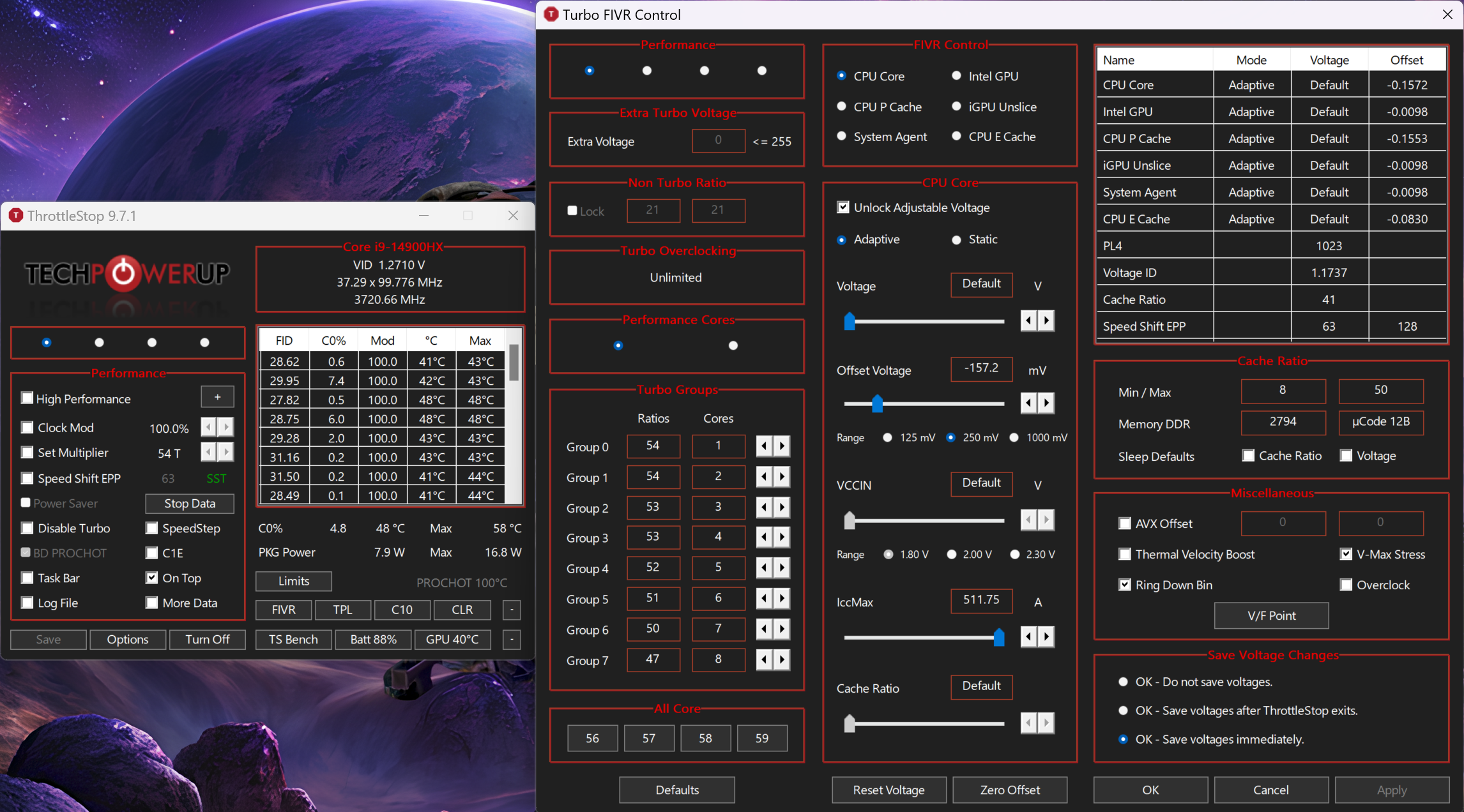
⚠️If you need help with Throttlestop, post your Main screen + FIVR settings side by side.
View all comments
Show parent comment
1
u/Valour-549 Asus Scar 18 / i9-14900HX Feb 03 '25
That is correct. Applying it like in the picture basically adds 160mV to the P-cores and E-cores as well as the P-cache, whenever the frequency is around 800MHz.
Essentially, it is negating the undervolt at very low clock speeds, which is where undervolts tend to be the most unstable because the voltage is very low to begin with. This allows us to have a bigger UV overall while still maintaining stability at light loads.
The V/F points (800, 1700, 2400 etc.) are predetermined, probably set by Intel, and cannot be changed.