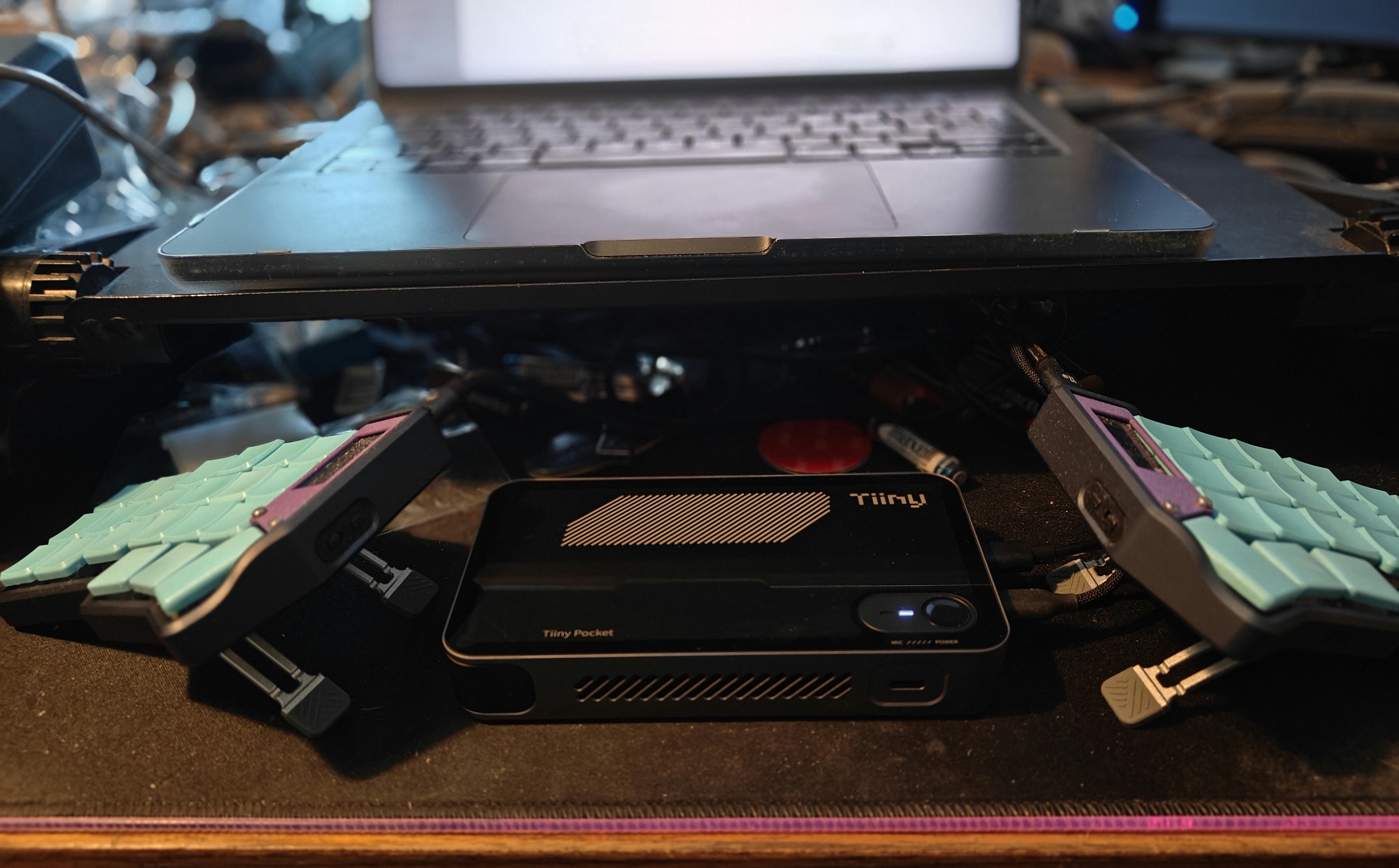
Hello Tiiny team! Received my pocket AI last week and I am loving it so far. Would love to understand how the enthusiast community could help port or load custom models onto the device.
There is so much great content and tools being shared about local models and various optimizations and it would be awesome to get to dive into the pocket to see what else can be done.
On a more practical level, the buzz about the new Inkling 2 Mini model from Thinking Machine labs is really exciting, especially how they are positioning it as a model that can run on your laptop. Hoping we can get to experiment with it on the Tiiny Pocket AI soon 🙏🏽
Some interesting projects from the TiinyVerse community this week.
There's The Chrono Vault, a 3D museum you can explore right in your browser, a Godot asset workflow by Ingonckr, and a 3D Workbench by Marcus for turning images into 3D models.
These are just a few of the projects featured in this week's roundup.
We’ve been testing TiinyImage, a native image generation agent running locally on Tiiny Pocket. The goal was to build an all-in-one workflow (generation, inpaint, outpaint, background removal) without relying on cloud APIs or per-token billing.
The pipeline:
Prompt Optimization: You start with a rough prompt, and it passes through a local Qwen/Qwen-9B-Turbo instance to refine it into a structured, descriptive prompt.
Generation: The optimized prompt goes to Qwen/Qwen-Image-2.1. You can adjust resolution, aspect ratio, and style weights directly in the UI.
Editing Tools:
Region Inpaint: Lasso a specific area, add a text instruction, and it redraws only that mask region.
Erase/Cleanup: Brush over objects for removal with automatic background fill.
Outpainting: Adjust canvas dimensions, reposition the base image, and it extends the scene while maintaining style/lighting coherence.
The constraint (and the point): Because the entire inference stack (both the 9B prompt optimizer and the image model) runs locally on the Tiiny Pocket hardware, we bypass API costs and rate limits. Iterating on a prompt 20 times doesn't cost anything except local compute time.
My Tiiny Pocket finally arrived recently (US backer here). It's still a new delivery, so I haven't seen too many real-world user tests yet. I wanted to try a few local models myself and see how the 80GB(32+48) memory configuration handles actual development tasks.
I tested 4 models I use regularly, covering generation speed, Python coding, debugging, multi-file projects, and long-context tasks. This is a set of custom tests, not a comprehensive model benchmark. A few of the results seemed worth sharing anyway.
Hardware & Test Setup
The Tiiny Pocket has 32GB of SoC memory and 48GB of dedicated dNPU memory, giving it 80GB combined. These are separate memory pools, not unified memory. The device also has 1TB of storage.
Performance Results
For the speed test, I used a fixed prompt of around 4K input tokens and ran five valid requests per model. Prompt Processing (PP), Token Generation (TG), and Time to First Token (TTFT) were recorded separately. The figures below are medians.
Model
PP (tok/s)
TG (tok/s)
TTFT
Total time
Qwen 3.5 9B
1,041.30
75
4.05s
5.45s
Qwen 3.6 35B
590.57
63.57
7.04s
9.28s
GPT-OSS 120B
458.42
15.97
8.78s*
33.07s
*For GPT-OSS 120B, the first body content appeared at around 12.36 seconds. It uses low reasoning effort, and the reported TG includes thinking tokens.
The 9B was the fastest, which wasn't particularly surprising. What caught my attention was how well the 35B kept up, reaching over 63 tok/s.
Model Loading & Memory Usage
I also recorded the initial model loading time and memory usage. These were single-load measurements, so they're more of a snapshot than a repeated benchmark.
Model
Initial load time
dNPU memory
Host RAM
Qwen 3.5 9B
22.53s
13,715 MB
11.60%
Qwen 3.6 35B
18.18s
22,449 MB
11.60%
GPT-OSS 120B
74.65s
47,179 MB
71.10%
The 120B took noticeably longer to load and used 96.2% of the available dNPU memory. So while running a model this large is possible, there's not a lot of room left to spare.
Long-context Tests
I also tested tasks with rules and relevant information distributed throughout longer inputs, at 16K, 32K, and 64K context lengths. These weren't just retrieval tests; the models had to use the information to complete a Python coding task.
Model
16K
32K
64K
Qwen 3.5 9B
No valid scored result
6/10
No valid scored result
Qwen 3.6 35B
2/10
9/10
8/10
GPT-OSS 120B
8/10
8/10
8/10
The 120B was the most consistent here, scoring 8/10 at all three context lengths. The 64K request took 938.43 seconds, or about 15.6 minutes. That's a pretty long wait, but it did produce a usable result.
The 35B had an interesting pattern: its non-thinking scores were 2/10 at 16K, 9/10 at 32K, and 8/10 at 64K. I wouldn't read too much into that as a context limit. The results varied quite a bit between runs and settings.
TL;DR
Overall, the speed performance is pretty close to tiiny's claim before, and actually better than I expected.
My main complaint so far is the limited ecosystem. You're still kind of restricted to supported models and agents tiiny gives you. That said, it's great to see how frequently the team pushes updates. Hopefully, they'll keep improving things and release the model conversion tool soon so we can experiment more freely.
Also happy to see how active their Discord and TiinyVerse creator community are. If you've just got your Tiiny, I'd definitely recommend checking them out. There are plenty of useful tips and projects being shared. I saw this beginner's guide, which gave me quite a few ideas for things to try next.
Anyway, If there's anything you'd like me to test just drop on the comments below. Happy to try a few things out and share the results here.
Regular chat models are great at reasoning, but a Tetris piece doesn't care about your chain-of-thought. It's already falling.
So we hooked up a Jev-style decision model via Tiiny's API to pick the next move. Instead of generating text token by token, it evaluates all candidate moves in parallel and returns a structured choice the game can act on immediately, with confidence scores. No parsing, no delay.
Built for real-time stuff like games, UI automation, and high-throughput workflows. Happy to answer questions in the comments!
We've just rolled out another model update for Tiiny Pocket, with 10 new models and a few improvements to existing ones.
What's new:
10 new models, including Krea 2 Turbo, VoxCPM2, OmniVoice, and the KnowLine series.
Z-Image models: Fixed garbled outputs at 1536px resolutions.
FLUX.2 Klein models: Added support for different input and output image resolutions.
Gemma 4 26B: Improved text generation speed.
Curious about Jev-style decision models? You can now explore the KnowLine series on your Tiiny Pocket and turn inputs into structured decisions your workflows can use.
I must admit that I too was starting being very impatient with a growing fear but it's here and the first tests are really impressive. Will put it to test with Opencode later today!
So far, what are your models of choice for all around tasks ? One of my main goals is to have a Hermes persona (as an UmbrelOS app) use it for managing Home Assistant, especially regarding energy management (solar, battery, ev charge, etc.)... All suggestions welcome!
I have observed an issue / bug: the API key seems to randomly reset itself on its own. Is this a known issue? Can you configure the system to keep the API fixed or otherwise control this behaviour?
I've been using a tool called DeepTutor lately and it does something I wish more study apps did: it starts from your materials, not a generic syllabus.
You upload what you're actually studying, it asks you questions to figure out where you're at, and then builds a learning plan around that. It explains hard concepts and quizzes you to check you actually got it.
It's connected to Tiiny's API now, so if you've got a topic you've been meaning to finally understand, you can bring your own notes/material and just...
Start there
Not trying to shill, genuinely curious if anyone else has tried this kind of "materials-first" approach and whether it stuck for you. 😎
We've recently had many new users receive their Tiiny Pocket, and TiinyOS is continuing to improve with weekly updates.
To make your first Tiiny experience as smooth as possible, we recommend using the TiinyOS 1.0.3 installer below for the initial setup, then updating to the latest service version before you start exploring.
How to get started:
Download and install TiinyOS 1.0.3 for your computer:
And for those who have not gotten the unit yet.. I really do hope you get it soon, because while I do run into issues with it now and then.. I am still impressed by it.
Has anyone received their TiinyAI Pocket? I am asking because the promised dates have passed, and I am beginning to worry that we may not receive them soon.
For the LLMs, we benchmarked the Tiiny-optimized builds against BF16 reference models, so people can see both sides of the tradeoff: inference performance and how much model accuracy is preserved after optimization.
A few results from the report:
- Qwen3.5-9B-Turbo— up to 50.1 tok/s decode and ~1,200 tok/s prefill at 4K - Qwen3.6-35B-A3B-Turbo — 47.5 tok/s coding decode, with all five accuracy benchmarks staying within ~2 percentage points of BF16 - Qwen3.8-27B — up to 256K context, with several benchmark scores matching or exceeding the BF16 reference - GPT-OSS-120B — around 15 tok/s at 4K on Tiiny Pocket
The full reports include:
- Prefill - TTFT - Decode speed - End-to-end latency - Memory usage - Long-context testing - Five accuracy benchmarks - Public benchmark datasets and reproducible test conditions
We’ve also started publishing benchmarks for speech recognition and image generation, not just LLMs.
If you already have a Tiiny Pocket, we’d genuinely like people to reproduce the tests and challenge the numbers.
Just make sure you’re using the latest model version from the Tiiny Model Store so you’re testing the same build used in the report.
If you reproduce anything, whether your result is better, worse, or just different, please share it on TiinyVerse or here. We’d much rather make these benchmarks community-verifiable than ask people to take our word for it.
With the new integration, you can mix and match different agents to suit your specific task. Think of it as a modular AI team rather than a single engine.
The best feature? No rebuilding. No rewriting. Just plug in the right agent for the right job and get the work done.
If you are spending your time fighting with code instead of getting actual work done, this is worth a look.
Decided to test how far DeepSeek Harness could take a single prompt with Tiiny AI Pocket.
One prompt (Build me a personal dashboard that tracks my daily tasks, mood, and quick notes, all local, all lightweight) One run. Here's what I got:
A fully functional, offline-first personal dashboard, tasks, mood tracker, quick notes in under 3 minutes. No bloat. No cloud. Just clean, local AI productivity.
If you've been considering Tiiny AI or DeepSeek Harness for personal automation, this is your sign to try it.
Let's be real, building a project isn't just about writing code. It's setup, debugging, deployment, and a thousand little things that eat up your time.
That's where we come in.
Powered by Tiiny AI Pocket, OpenHands takes your project from a simple prompt all the way to GitHub—so you can focus on the big picture while we handle the grind.
One of our awesome community members shared Odysseus with us, so we had to give it a spin 😆
With Tiiny AI Pocket powering the models, Odysseus turns random brain dumps into structured documents and actionable workflows. Basically, it takes your chaos and makes it actually useful.
We're talking: ✅ Ideas → Docs ✅ Thoughts → Action plans ✅ Procrastination → well, we're working on that part 😅
Huge shoutout to the community for the tip, keep 'em coming!