r/TradingView • • 10m ago

Discussion hot take: the massive amount of spammed “I’m done with tv” posts/comments are case-in-point for why they’re doing it

2 Upvotes

You all saying, “it was supposed to be a place to learn”

“How are we supposed to know we want it if we don’t try it”

I would bet my entire portfolio that the amount of people on the free tier who are within 3 months of signing up is less than 20%… let alone the plebeians and npcs on here directly complaining about it (probably less than 5%)

All you freeloaders bitching and moaning because the free thing you’ve been using for years while trying to use the excuse that tradingview was meant to be a place to learn (which it wasn’t… it just so happened they let you guys learn to apparently lose money for free) have no legs to stand on

I used my broker for charting for the first 6 months I traded

I was profitable by the end of the first 6 months and it was black friday so I got a subscription

I don’t think twice about renewing that subscription every year when it’s literally 70% off

So, ask yourself. Has it been over 3 months that you’ve been “learning” or “testing it out” or whatever sad rationalization/(fallacy) you’re going with?

I would actually have sympathy for you all for the fact that they didn’t give you some forewarning (which they could have, and I imo should have)

But the majority of you are the most insufferable, self-entitled and smooth brained apes I’ve ever come across

Calling anyone who thinks it’s absurd to cry about something you were getting for free a bootlicker (or worse lol)

I’ve legitimately gotten some [removed by reddit] comments lmao

Tighten the fuck up, give your balls a tug, and pay for the tools you need to trade (or find them somewhere else for free - no one cares -)

Or realize you probably shouldn’t be trading at all if a) you don’t make more than $20 a month trading (enough to cover your tools) and b) don’t even understand why a company would decide to try another approach than letting a bunch of freeloaders use their service (even if they sit through ads)

Keep the death threats to a minimum. This is tough love and a lesson you need to learn (although you should have learned it a long time long ago)


r/TradingView • • 45m ago

Discussion If yall want to entertain yourselves please go on Twitter and read the replies to their Black Friday promo 😭

3 Upvotes

I’m over here filled with happiness with the amount of backlash this company is getting.


r/TradingView • • 1h ago

Discussion TradingView Alternative

4 Upvotes

So with all what's going on with TradingView limiting their plans, I am sure people are looking for an alternative.

Well the good thing is now you can build your own terminal. The problem is not the terminal but getting the price data which usually requires a paid api (or a free one but is limited).

I have built one using a library and some customizations. You can add indicators like RSI, or a moving average, use drawing tools (that actually get saved to the chart), customize the candles, download screenshot etc. It basically has most of the functionality that people use. I also created a watchlist feature so you can add symbols, create sections and flag pairs. Another core feature I think is necessary is the bar replay so you can backtest.

Currently it only has crypto as I am still looking as I am looking for an api to use for other symbols. You can test it out https://tradingview-blush-pi.vercel.app/

Note: You may not like how the vertical axis changes as you zoom in and out, click on the axis and unclick Auto (fits data to screen).

You can also check out vela.luxalgo.com but the free plan also has limits like the number of watchlist pairs.


r/TradingView • • 1h ago

Discussion Experience as an Ultimate User

6 Upvotes

A lot of low quality posts from basic users it seems posting about their experience, so don’t mind me while I post mine.

Every year I stack my ultimate plan because I spend more time with TradingView than any other software, I enjoy the perks, and for this years Black Friday it surprised me that it was only for $900 AUD including gst ($600 USD) for 13 months. Last year when I got the plan I had to pay $1000 AUD ($670 USD), so it was cheaper this year to get the ultimate plan than last year? Don’t know what is up with that, but I’ll take it.

To all the free users, if you are not a profitable trader yet, just consider these plans the cost of tuition. Like buying a prop account, you don’t complain when you blow up the account. You don’t complain if TradingView hasn’t make you a profitable trader to justify the paid plans.

Has the generous amount of free perks a few years ago been a good on-ramp that lured me into the ecosystem and got me comfortable with becoming a paid user? Yes, and I wish all of you had the same luxury to this day, however TradingView for whatever reason decided the freemium business model was not working for them.

Get your plan during Black Friday, it is imo good value for money right now. If you aren’t going to, I wish you all the best in finding an alternative platform because it seems free users are no longer welcomed by TradingView.


r/TradingView • • 1h ago

Discussion TRADINGVIEW RIP OFF

11 Upvotes

I've been using TradingView for quite some time, and honestly, I'm really disappointed with the change.

I follow multiple cryptocurrencies and need to use Fibonacci, trend lines, support and resistance levels on different charts. Having only 30 drawings in total for everything is simply unreasonable.

These are basic tools for technical analysis, not some advanced premium features. I shouldn't have to constantly delete my existing analysis just to make room for a new drawing on another coin.

I understand that TradingView is a business and that you want people to subscribe to paid plans, but this feels like an attempt to make the free version practically unusable in order to push users into paying.

I've always considered TradingView one of the best charting platforms, but this decision is genuinely making me reconsider using it.

Please reconsider this change. Limiting users to 30 drawings across their entire account is excessive and unfair to those who have relied on your platform for years.


r/TradingView • • 1h ago

Discussion Uninstalled laptop and mobile apps

7 Upvotes

vela.luxalgo.com

This is the answer and a big fk to TV.

Your greed will make lux algo your competitor.

I have 5 indicators bar replay all for free and you think we are going to pay you for allowing us to draw lines a big fk u.


r/TradingView • • 2h ago

Discussion TradingView attitude sucks

9 Upvotes

Fine, there is no longer a usable free tier, which is acceptable. Yet the stance that free users do not matter feels deeply troubling. TradingView is more than a product; it was larger than that. It is the default application every new trader learns on the first day. I sense that leadership and employees lurking in the comments do not wish to preserve that legacy. We overlooked how free promotion from YouTube channels, trading gurus, and every new trader raised to use only TradingView tools is being betrayed. Paying customers face price increases as well.


r/TradingView • • 3h ago

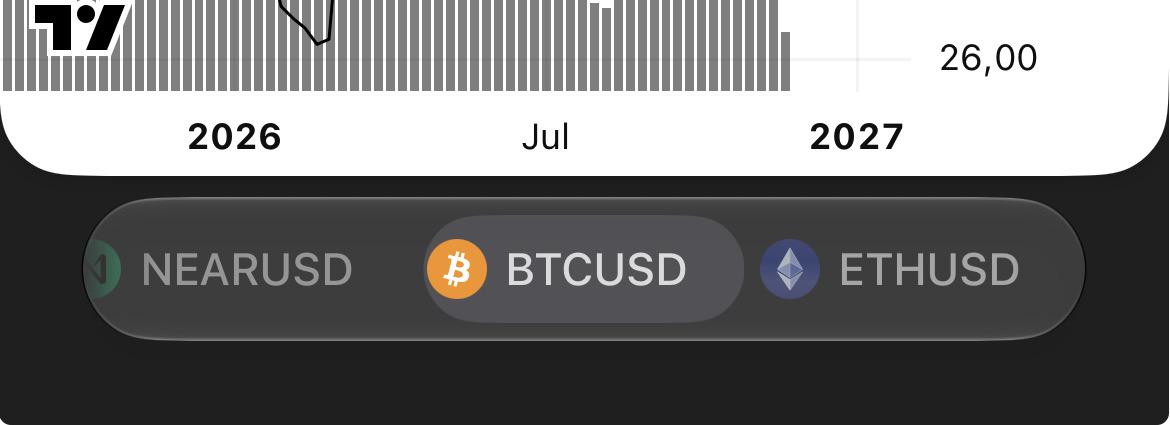
Feature Request Feedback and Complaint Regarding Recent Mobile App Navigation Changes

Post image
2 Upvotes

Dear TradingView Team,

I have been a loyal TradingView user for over five years, and I genuinely love your platform. Until now, I have always appreciated your continuous improvements and new features.

However, a recent change to the mobile app has significantly negatively impacted my user experience.

Previously, I could easily scroll through my charts and switch between symbols using a simple vertical swipe (up or down) in the symbol selection area at the bottom of the screen.

With the recent update, this gesture appears to have been replaced by horizontal swiping (left or right). Unfortunately, this new navigation method feels extremely unintuitive and cumbersome. I frequently find myself having to use two fingers or awkwardly press and drag with my thumb just to navigate between charts.

What was previously a smooth, effortless, one-handed operation has now become frustrating and unnecessarily complicated.

As someone who uses TradingView extensively on a daily basis, this change has considerably reduced the usability of the mobile app.

I would strongly encourage you to either:

  • Restore the previous vertical scrolling functionality.
  • Introduce an option in the app settings that allows users to choose between vertical and horizontal navigation.
  • Improve the responsiveness and usability of the new gesture controls.

I have attached a screenshot highlighting the area I am referring to.

This is the first time in more than five years that a TradingView update has genuinely frustrated me. I am providing this feedback because I really value your platform and would like to continue enjoying the excellent user experience I have become accustomed to.

I sincerely hope you will reconsider this change and take this feedback into account.

Thank you for your time and consideration.

Best regards,
Dimitri


r/TradingView • • 4h ago

Discussion How To Clear Your Drawings

1 Upvotes

I primarily monitor SPY. I kept longer term S/R lines, but also added intra day lines, which I erase the next morning. Like many of you, today I logged in and was given the message that I had 76 drawings, far exceeding the limit of 30. I had no idea how to find all the other ones in order to delete them.

Here is the method. On the top toolbar above the chart, go to the right, but the furthest selection to the left which is for "layouts". Mine is "unnamed". I never saved them or named them. This means every chart I ever looked at and drew lines on was saved in the "unnamed" layout. So click the dropdown arrow, then click "open layout" and then click the trashcan to delete it. A confirmation box will open showing how many drawings it will remove, nd for me all 76 were removed.


r/TradingView • • 4h ago

Help Remove all your drawings fast by lining up the delete and remove button and clicking really fast

Post image
1 Upvotes

That area where the delete button and remove button overlap is where you can click quickly to remove all your drawings for those of us free users with over 1000 drawings that need to be removed to comply with the new limit of 30


r/TradingView • • 4h ago

Help How can I keep the indicator on top of the candles without the candles showing through?

Post image
2 Upvotes

The visual order is already for the indicator to be on top. I don't want the candles showing through it, I don't know why they are.


r/TradingView • • 4h ago

Bug Cannot close indicator "about this script" on desktop

Post image
1 Upvotes

There used to be an "X" in the top right to close this window. On the browser version, this isn't a problem, but on the Windows desktop version this seems to have disappeared.

I've opened an "about this script" page on my chart, and I cannot close it to get back to the chart.

Is the Black Friday banner covering the close button or something?

Edit: managed to get out of it by right clicking the tab and clicking "go back". The "X" is definitely missing though.


r/TradingView • • 4h ago

Help Choppy candles

Thumbnail gallery
1 Upvotes

For a good while I’ve wondered if it is possible to make the candles on stocks less choppy and more smooth. I can barely do any analysis of the stock market because of the choppy looking candles. There is a guy on TikTok that has managed to get cleaner looking candles on the exact same timeframe as me. Please help


r/TradingView • • 5h ago

Discussion Playing Devil's Advocate

2 Upvotes

I suspect TV's recent restrictions on script execution and push to convert users to paid subscriptions could be related to competing with AI demand for technology resources.

The sheer demand for data centre resources from AI is likely putting upward pressure on the cost of compute for the likes of TradingView.

Couple that with the number of people who are now able to write ridiculously complex Pine Scripts courtesy of AI who previously wouldn't have had the foggiest idea how to write one.

TV is probably getting squeezed at both ends. An increasing cost of compute at a time when demand for it is also increasing considerably.

There's obviously a commercial incentive to push people towards paid subscriptions too, but the two aren't necessarily mutually exclusive.

I say this as someone who has been paying for premium on the big discount days. While I only started paying at around this time last year, my subscription ends in mid 2027 and I'll likely pick up another 12 months at the current prices.


r/TradingView • • 5h ago

Help Views on CTAs and Other Types of Automatic and Algo Trading?

1 Upvotes

Hi I’m relatively new to Technical Analysis and trading with it and also to Trading View. Something I’ve been trying to learn about are things like low volume liquidity grabs and liquidity sweeps and when and why algos and CTAs and other non-fundamental forces like options pinning, dealer flows, GEX, systematic automatic buying, institutional hedging, vanna and charm, Opex, etc play a role in price action.

I was wondering the extent to which people think this stuff matters when doing TA and what if any Tradingvie tools you like for trying to account for such non-fundamental forces.


r/TradingView • • 5h ago

Discussion Built a quick charting app today using ChatGPT's free tier (with zero coding experience)

Post image
10 Upvotes

It’s pretty simple for now. No Pine Script or backtesting, which I don't really need anyway and uses TradingView widgets for the charts just for fun

I’m still planning to build it out further, but I wanted to share this just to show that it’s totally possible to put something like this together even if you have zero coding background.


r/TradingView • • 5h ago

Feature Request Move to > New Pane Right/Left

2 Upvotes

I have a vertical indicator (a table), I want it to the left of my chart, not beneath or above it. It's a bit messy having it directly on the chart.

Please allow us to have panes vertically not just horizontally. Thanks!


r/TradingView • • 5h ago

Help Tradingview MCP -> alert watchlists

1 Upvotes

I posted this as comment to help someone but if you want to setup AI scheduled task to tradingview MCP and generate alert watchlist list. This should get you started. You'll need to update some parts.

# TradingView Alerts to Watchlists — AI Starter Guide


Nov 24, 2026 · u/therichfuller


An AI assistant (Claude or ChatGPT) reads your TradingView alert log through TradingView's MCP connection, groups the tickers that fired by alert name, and rebuilds one watchlist with a section per alert. A run takes about 4–5 TradingView calls, and you only need to paste one prompt.


## What you need


You need a paid TradingView plan, the TradingView MCP connection added to your AI app, and alerts that already fire.


- **Connect the MCP:** follow TradingView's own setup instructions for the MCP server, then add it as a connector in Claude (Settings → Connectors) or as an app in ChatGPT. Ask the AI "list my TradingView watchlists" to check it works.
- **Daily call limit:** every request the AI makes to TradingView counts as one call. The limits from November 17, 2026 are below; they are shared by every chat and scheduled task on your account.


| TradingView plan | MCP calls per day |
| --- | --- |
| Essential and legacy plans | 10 |
| Plus | 20 |
| Premium | 50 |
| Ultimate | 150 |
| Any paid plan + AI subscription | 500 (and 50 a minute) |


This job takes about 4–5 calls a run, so it fits every plan, but leave room for anything else you use the connection for.


## Set up your alerts and the watchlist


The alert name becomes the watchlist section, so name every alert for what it means.


- **Name alerts by setup, not by ticker:** "RSI oversold", "MA cross up", "Volume spike". Alerts with the same name are grouped together.
- **Put the name in the alert message too,** for example `{{ticker}} — RSI oversold`. The alert log returns the message, so the AI can sort even when the log leaves the name out.
- **Prefer "Once per bar close"** for daily setups. Alerts that fire intrabar can trigger and then fail by the close.
- **Create the target watchlist once** in TradingView (for example "Alert Hits"), and get its id by asking the AI "list my TradingView watchlists". The run only ever changes that one list.
- **Pick the window:** the last session (daily review), or the last 5 days (weekly review).


## How a run works


The AI reads the alert log once, sorts it, and replaces the watchlist's contents in one write. Tool names can differ slightly between apps.


1. **Read the fires:** the alert log tool (`get-alerts-log`) with `days` = the window and `limit` 2000. It returns when each alert fired, the symbol and the message.
2. **Match fires to alert names:** if the log has no alert name, read the alert list once (`list-alerts`) and match by alert id or by the name in the message.
3. **Keep only the window:** drop fires outside it and fires of alerts you deleted.
4. **Group by ticker:** for each ticker, the set of alert names that fired on it.
5. **Build the sections:**
   - Combos first: tickers hit by 2 or more alerts, one section per combination, named by those alerts (`###RSI oversold + Volume spike`), the largest combinations on top.
   - Then one section per alert for the tickers only that alert hit (`###RSI oversold · 12 fired`).
   - A ticker appears once, in the first section that has it.
6. **Rebuild the watchlist:** read it (`get-watchlist`) and check its name matches, remove every current entry in one call (`remove-from-watchlist`, section headers included), then add the new list in order in one call (`add-to-watchlist`). Entries starting with `###` become section headers.
7. **Report:** sections and counts, tickers with the most alerts, and anything that failed.


## The starter prompt


Paste this into Claude or ChatGPT with the TradingView connection on. Change the two lines in angle brackets first.


```text
Use my TradingView MCP connection to sort my alert hits into a watchlist.


Target watchlist: <watchlist name> (id <watchlist id>). Change no other watchlist.
Window: <the last trading session | the last 5 trading days>.


Steps:
1. Read my alert log once (days = the window, limit 2000). If the log does not give
   the alert name, read my alert list once and match each fire to its alert name by
   alert id or by the name in the message.
2. Keep fires inside the window only. Leave out fires of alerts I have deleted.
3. For each ticker, collect the set of alert names that fired on it.
4. Build the watchlist in this order:
   - Tickers hit by 2 or more alerts: one section per combination, named by those
     alerts joined with " + ", combinations with more alerts first.
   - Then one section per alert for tickers only that alert hit, named
     "<alert name> · <N> fired", most fires first.
   - Each ticker once, in the first section that has it. Section headers are entries
     that start with "###". Tickers in EXCHANGE:TICKER form.
5. Read the target watchlist and confirm its name. Remove every current entry in one
   call, then add the new list, in order, in one call.
6. Tell me: each section with its tickers, the tickers with the most alerts, how many
   TradingView calls you made, and anything that failed.


Rules: about 5 TradingView calls in total; no extra checks or re-reads; never retry a
call refused for the daily limit; never create, edit or delete alerts; if the
watchlist name does not match, stop and tell me.
```


## Run it every day


Once a manual run looks right, schedule the same prompt so the list is ready each morning.


- **Claude:** ask "make this a scheduled task every weekday at 6:30 pm ET" in the chat where the run worked, or create one from the scheduled tasks page.
- **ChatGPT:** ask it to turn the prompt into a scheduled task at the same time.
- **When:** after the close for daily alerts (fires decided at the bar close), or before the open if you want the list ready to scan with your coffee.
- **Add one line for unattended runs:** "Run end to end without asking questions; if something fails, stop and report it."
- Run it once by hand first and check the sections in TradingView before scheduling it.


## Call budget per run


A normal run is 4 calls, or 5 when the alert list is needed to match names.


| Step | Tool | Calls |
| --- | --- | --- |
| Read the alert log | `get-alerts-log` | 1 |
| Match alert names (only if the log lacks them) | `list-alerts` | 0–1 |
| Read the watchlist and confirm its name | `get-watchlist` | 1 |
| Clear the watchlist | `remove-from-watchlist` | 1 |
| Add the new list with sections | `add-to-watchlist` | 1 |
| **Total** |  | **4–5** |


On the Essential plan (10 a day), one daily run leaves about 5 calls for everything else; on Premium (50) it leaves about 45.


## Troubleshooting


| What you see | Likely cause | Fix |
| --- | --- | --- |
| Every ticker lands in one section, or sections say "unknown" | The log carries no alert name | Put the alert name in each alert's message, or let the run read the alert list (step 2) |
| Tickers you never meant to buy keep appearing | Intrabar fires that failed by the close | Set the alerts to "Once per bar close" |
| Old entries stay in the list | The remove step missed section headers | Ask it to remove every entry, headers included, before adding |
| "Watchlist not found" | Wrong id, or the list was renamed or deleted | Ask "list my TradingView watchlists" and update the id in the prompt |
| A call refused for the daily limit | Other chats or tasks used the day's calls | Wait for the reset; keep other TradingView use light on run days |
| The AI asks questions in a scheduled run | No unattended rule | Add "run end to end without asking questions" |


## Make it yours


Each of these is one extra line in the prompt and costs no extra calls.


- **Only some alerts:** "Use only alerts whose names start with Daily."
- **Order inside a section:** "Within each section, most recent fire first."
- **Rename sections:** "Call the RSI oversold section Oversold bounce watch."
- **Skip noise:** "Leave out tickers that fired only once in the window" (for a 5-day window).
- **A second list:** run the prompt again with another watchlist and window, for example a weekly list; that adds about 4 calls.
r/TradingView • • 5h ago

Discussion That's it, guys. See you someday when this nonsense is gone

Thumbnail gallery
80 Upvotes

r/TradingView • • 5h ago

Feature Request Save Execution Marks On/Off settings with Chart templates

1 Upvotes

When I save a chart template, most Chart settings are saved fine. One exception is the trading execution marks. This does not get saved with the template. When switching between chart templates this setting always defaults to "On" and creates very annoying red & blue arrow markers for execution marks. I need to turn off manually every time I switch chart templates.

As a feature request please can this setting for execution marks and other trading settings be saved along with chart template.


r/TradingView • • 6h ago

Bug Cant even delete all layout drawings :/

2 Upvotes

r/TradingView • • 6h ago

Discussion MCP server: please bring back fundamental data (market cap etc.)

0 Upvotes

Since around 21 Nov 2026, the TradingView MCP server no longer returns

fundamental data. market_cap_basic and other fundamentals columns are

dropped from run_screener and get_symbol_data ("cannot be offered within

TradingView"), and the "Fundamentals and forecasts" tools were removed.

Support says it's paused while terms are negotiated with the data vendor.

This breaks a very common use case: screening a market by size. For

example, ranking NSE stocks only against companies above Rs 100 Cr is no

longer possible through MCP, so micro-caps distort any market-wide ranking.

Requests:

  1. Restore market_cap_basic (and ideally other fundamentals) to the MCP

    screener for paid plans.

  2. Until then, let get_screener_columns mark which columns are currently

    unavailable through MCP, so assistants don't waste calls on them.

If this affects you too, please upvote so it gets prioritised.


r/TradingView • • 6h ago

Feature Request MCP server: please bring back fundamental data (market cap etc.)

Post image
0 Upvotes

Since around 21 Nov 2026, the TradingView MCP server no longer returns

fundamental data. market_cap_basic and other fundamentals columns are

dropped from run_screener and get_symbol_data ("cannot be offered within

TradingView"), and the "Fundamentals and forecasts" tools were removed.

Support says it's paused while terms are negotiated with the data vendor.

This breaks a very common use case: screening a market by size. For

example, ranking NSE stocks only against companies above Rs 100 Cr is no

longer possible through MCP, so micro-caps distort any market-wide ranking.

Requests:

  1. Restore market_cap_basic (and ideally other fundamentals) to the MCP

    screener for paid plans.

  2. Until then, let get_screener_columns mark which columns are currently

    unavailable through MCP, so assistants don't waste calls on them.

If this affects you too, please upvote so it gets prioritised.


r/TradingView • • 6h ago

Discussion TV Free sux!

8 Upvotes

Pretty sure everyone is aware of this. You can not save more than 1 custom script and whole bunch of stuff. And if your script is big, it won't even load for you.

I am done with TV, going for MT5 and change my pinescript to run it there.

Goodluck every one.

TV You s*ck!