r/TrySwitchBot • u/Poolguard • 4d ago
My SwitchBot Making that stupid universal remote actually worth something. Part 2 it is working
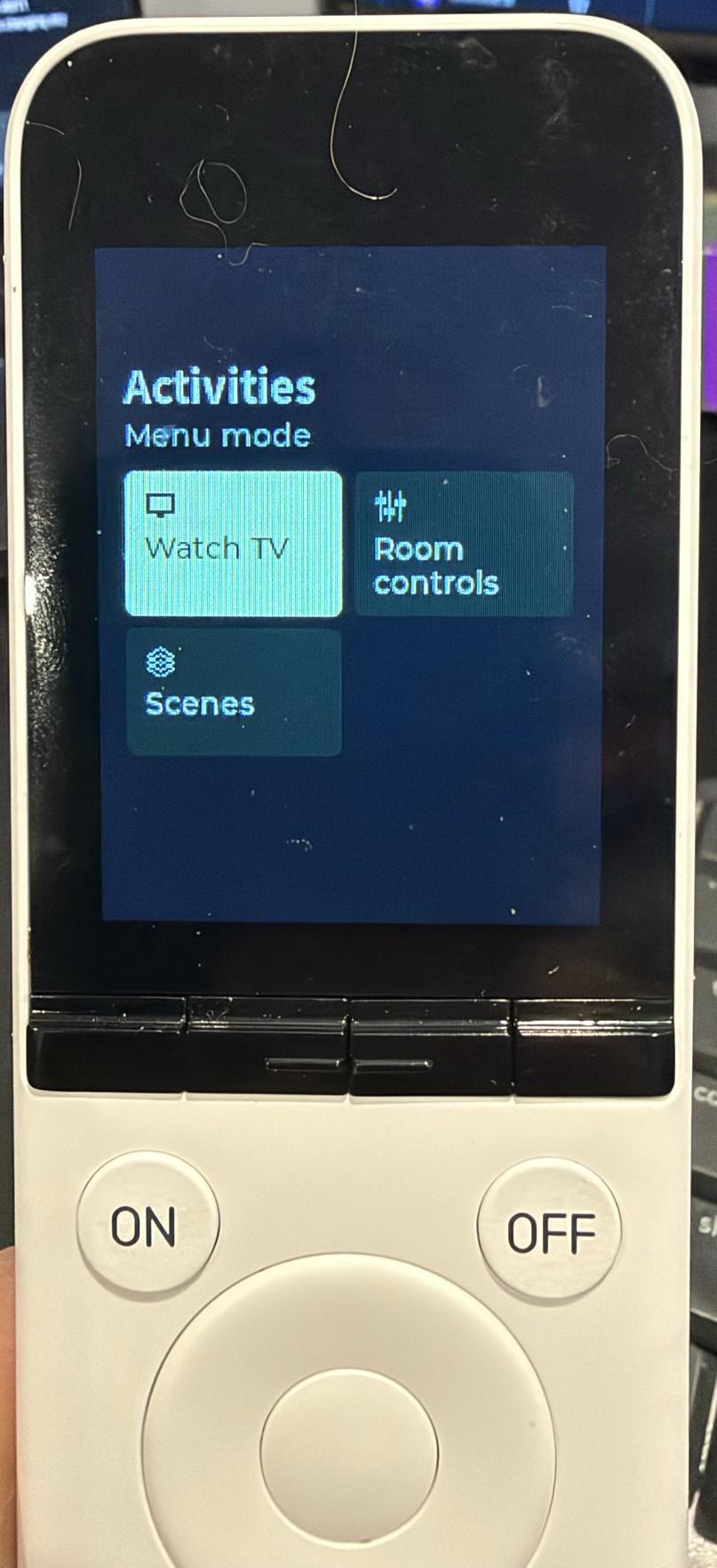
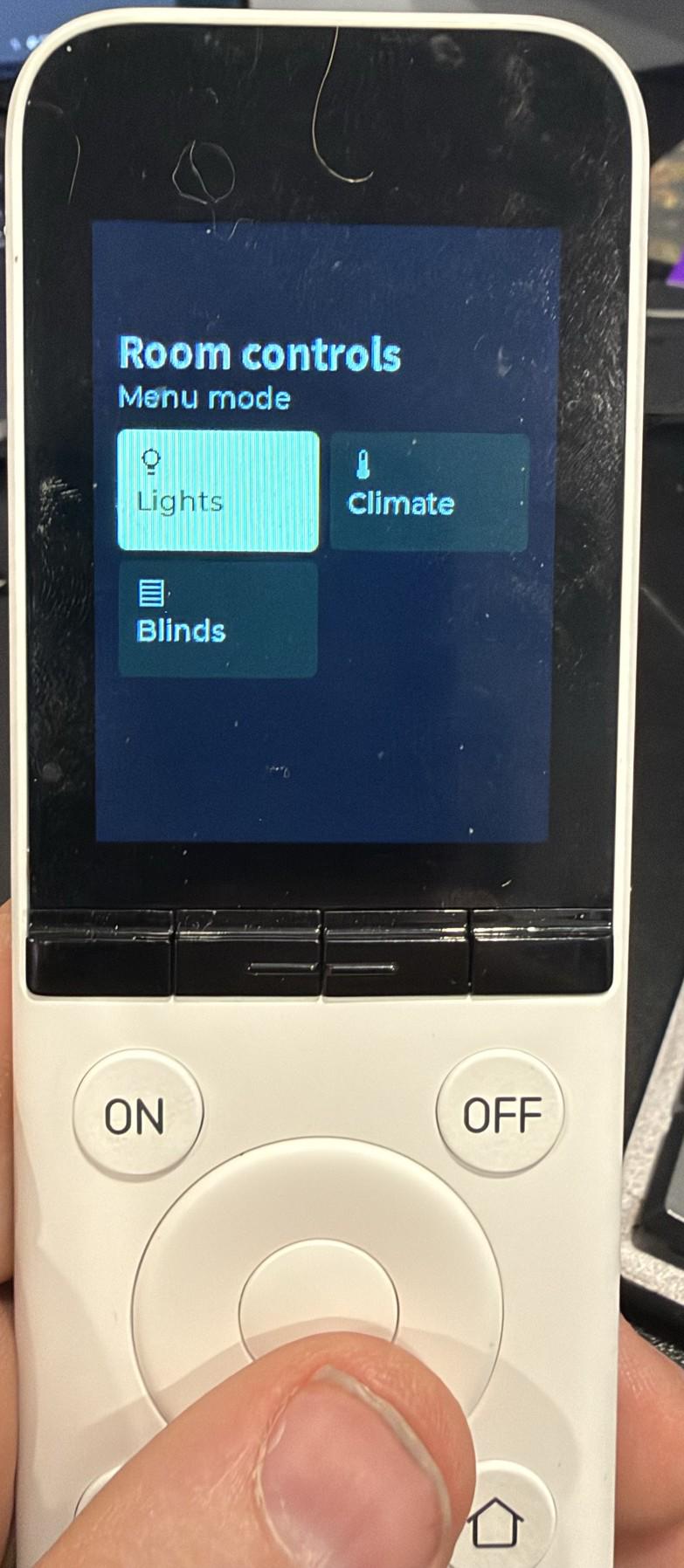


I got my SwitchBot Universal Remote to turn off the actual lights in my office. Then I tried the fan, the blinds, the curtains, and the TV. Those worked too.
For anyone who missed Part 1, I’m turning a spare SwitchBot Universal Remote into a physical controller for Home Assistant. The remote runs a custom menu on its own screen, and its buttons talk directly to Home Assistant over Bluetooth. MQTT was off for the hardware tests.
What got done today
- The remote boots into Almost Universal and has working Activities, Room Controls, and Watch TV screens. Back restores your previous selection, and the TV screen’s Back shortcut works even when Home Assistant is disconnected.
- I toggled the office lights and fan, opened and closed the blind and paired curtains, and verified Stop on both. Volume up, volume down, and mute worked on my Vizio.
- I fixed a blank-screen problem in the custom firmware, moved the Activities title up, and got the stock battery icon onto the screen. I also verified a full restore to stock v4.8 over Bluetooth.
- I built a Menu Builder in Home Assistant where I can create pages, assign actions, and preview the buttons. I also tested an option to run a script or automation when I deliberately open Watch TV. That part has passed offline tests and still needs a run on the physical remote.
What still needs work
- Send edited menus and live values back to the handheld. Climate still shows a placeholder. Temperature is the first target, followed by device status and eventually TV playback info.
- Fix the splash replaying when the remote wakes up and check whether it can return to the screen I was using.
- Test the new Watch TV entry action on the actual remote and repeat the button, reconnect, and recovery checks on the latest build.
The four photos show Activities, Room Controls, Blinds, and Watch TV on the actual handheld. Photos, source, and build notes on GitHub
1
u/Comfortable-Aware 3d ago
Try Omote/OpenFemote Rev6 the best remote Itried.
1
u/Gloomy_Independent44 1d ago
Great project! How you upload the software to the remote. Here I made it with ESP32 without changing Remotes software: https://www.reddit.com/r/homeassistant/comments/1xyyoxd/control_everything_in_ha_with_switchbot_universal/
2
u/Switch-Bot SwitchBot employee 1d ago
Hey, Estelle from SwitchBot here. “Almost Universal” made me chuckle 😂 Super cool seeing your custom menus on the remote controlling lights, fans and curtains. Thanks for sharing your build notes! Can’t wait to see what you’ll put on the screen once live values are working.
1
u/squal900 4d ago
Hey, thank you for sharing. I am keeping an eye on this project. Did you have to mess with the hardware?
1
u/melbourne3k 4d ago
Following. This is great; the ergonomics on the actual device look pretty good and it's cheap. If this can be built to control anything on a HA dashboard, I might be in.