r/UnityHelp • u/Library_Far • Oct 13 '26
Red squiggles not showing. How to fix
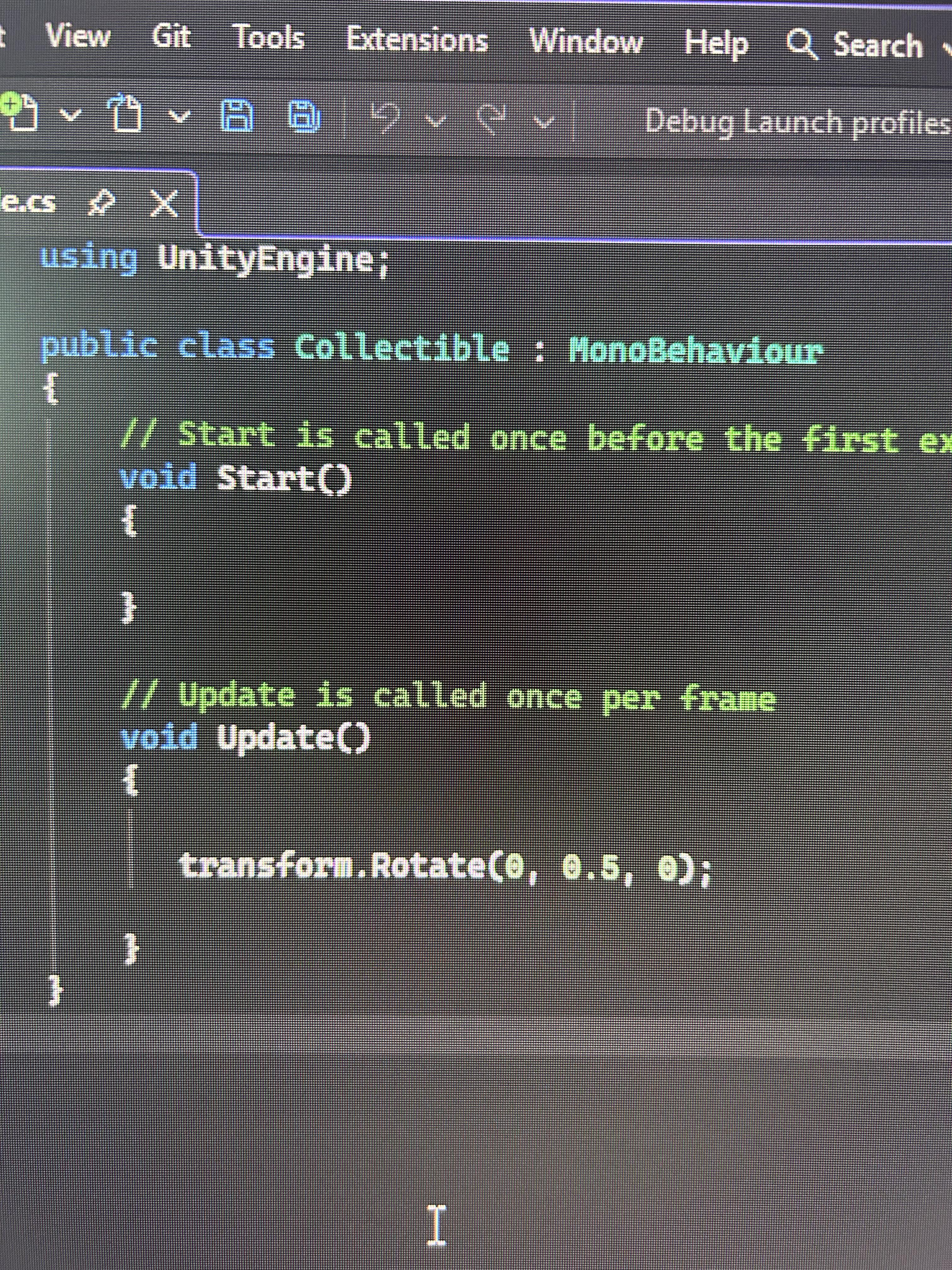
I don’t have a f next to the 0.5 yet it’s not underlining it telling me it’s wrong. I don’t know hot to fix this. I’m using visual studio.
4
Upvotes
1
u/PirateJohn75 Oct 13 '26
It's not an error. C# will be able to implicitly convert the double to a float.
2
u/Imaginary-Cod-3746 Oct 14 '26
Sometimes, simply restarting Visual Studio fixes this.
If you hover over the
Rotate()method, it should tell you the types of parameters it expects.Some methods can accept different parameter types.
Rotate()could accept bothfloat(decimal numbers that end with an 'f') ordouble(decimal numbers that end with a 'd', or the default type when you don't add a letter after a decimal number) types.If
Rotate()accepts bothfloatanddoubletypes, then the code is correct, and Visual Studio is working as intended.This C# video on methods will help you understand them better if you're still having trouble.
1
u/lix3nn53 Oct 14 '26
That usually means Visual Studio opened the script as a loose file, not as part of your project, so it doesn't know about Unity. In Unity go to Edit > Preferences > External Tools, pick Visual Studio as the External Script Editor, press Regenerate project files, then open the script by double-clicking it in Unity.