r/VegasPro • • 18d ago

Announcement Vegas Pro Livestream and Giveaway

12 Upvotes

Join us live for a first look at Vegas Pro 2027! Discover powerful new features and performance improvements designed to speed up your edits.

https://borisfx.com/livestream/

Highlights include: Redesigned color management, AI-powered masking, faster GPU-accelerated encoding, a better compositing workflow, improved Titles & Text options, AI auto-captions, and more.

📆Wednesday, November 4th at 2 pm ET • 11 am PT • 7 pm UTC

🎁Prizes! (3) Vegas Pro Ultimate ($199.95) and (1) Boris FX Suite ($1495).


r/VegasPro • • 27d ago

Announcement Vegas Pro 2027 is out now!

53 Upvotes

Hey everyone!

We’re excited to share Vegas Pro 2027 with you! This release brings new creative tools, more color control, expanded media and export options, and a long list of improvements and fixes across editing, playback, effects, and rendering.

Website and what’s new: https://www.vegascreativesoftware.com/vegas-pro/

Before we get into it, thank you to everyone who shared feedback, reported issues, and helped test the builds. We appreciate the time you put into helping us improve Vegas.

New creative tools and AI improvements

  • AI Quick Mask: Automatically create masks for people and objects and extend them across frames more quickly, powered by Boris FX Mask ML and Matte Assist technology. Remember the old AI Smart Mask tool? This is the new version, and it’s way faster now!
  • GPU-accelerated Speech-to-Text: Whisper-based transcription can now use GPU acceleration for faster processing.
  • ElevenLabs Text-to-Speech: ElevenLabs is now available as an optional online voice provider. You’ll need your own ElevenLabs account and API key; usage credits are not included.
  • More flexible titles and subtitles: Vegas Titles & Text adds individual character controls for text and background colors, right-to-left text support, and improved Unicode character handling. You can also adjust the text and background colors of automatically generated subtitles.
  • Composite FX on individual clips: Compatible OFX plug-ins can now process two image inputs directly in Video Event FX, giving you more compositing options within your event effects workflow.

A redesigned color workflow

The new internal color-management pipeline introduces native Log and HDR support, GPU-accelerated color conversion, and automatic detection and use of embedded camera color metadata for supported devices.

You can also manually control how your footage is interpreted, including color primaries, transfer characteristics, and color range. Those manual overrides are saved with your project.

We also redesigned the Media Properties window to bring these controls together with clearer technical media information that’s easier to read and copy.

More options for your footage and exports

  • Expanded camera support: Native support for Nikon ZR R3D footage, plus Nikon N-RAW and R3D NE support. Updated RED support also reads .RMD sidecar files so the correct decode metadata is applied.
  • GPU rendering improvements: More efficient transfer of frames to hardware encoders reduces memory copying and CPU overhead on supported NVIDIA, AMD, and Intel systems. Hardware-accelerated AVC and HEVC encoding also gains 4:2:2 support on supported platforms.
  • More audio export choices: Expanded PCM/LPCM and AAC options for supported AVC/HEVC workflows in MP4 and MOV. These include 24-bit PCM, sample rates up to 192 kHz, and multichannel PCM output with up to 32 channels. Available combinations depend on the export configuration.
  • Expanded ProRes and AV1 exports: ProRes encoding now supports resolutions up to 8K. AV1 gains additional HDR templates, customizable color formats, and encoding-quality improvements.
  • Better project compatibility: Added Final Cut Pro project import and improved FCPXML import/export compatibility with newer format versions. DeckLink integration has also been updated.

More Improvements…

Alongside the bigger additions, there are plenty of changes to make regular tasks easier:

  • Automatic render filenames: Build filenames using your project name, frame rate, resolution, codec, render preset, date, time, or an incrementing counter.
  • Easier render setup: All render formats are visible by default. You can paste folder paths directly into the output field and use the Tab key to navigate to the Render button.
  • Clearer timeline animation controls: Larger keyframe markers, clearer animation lanes, a new navigation dropdown for keyframe views, and more consistent snapping to frame boundaries.
  • More focused effect controls: Supported OFX plug-ins gain Easy/Expert modes, while new filters let you show only animated or edited parameters. OFX animation envelopes also extend to Project FX and Video Bus FX.
  • Better playback and preview behavior: Playback stops automatically at the end of the timeline, and video boundaries are easier to see when panning and zooming in the Preview window.
  • Easier Storyblocks browsing: Browse video and audio by category and filter video results by HD, 4K, or 8K resolution.
  • A few useful safeguards and preferences: Deleting a custom VFX preset now asks for confirmation, and a new preference lets you turn off tooltips.

Fixes across stability, editing, and rendering

This release also addresses a wide range of issues, including:

  • Crashes and hangs in specific import, audio, effect-animation, render-cancellation, and application-exit workflows.
  • Timeline and keyframe problems, including selection, dragging, snapping, cut operations, and animation-lane display issues.
  • Audio and export problems, including decoding errors in certain AAC renders, truncated MP3 exports, ProRes audio-render failures with certain settings, and black or frozen output in affected AV1 renders.
  • Text and subtitle issues, including spoken-word highlighting, character rendering, and performance while the text-based editing view is open.
  • Media and effects issues, including R3D decode settings not being applied, the camera LUT browser failing to open, and specific problems involving Pan/Crop, AI Upscale, and BCC effects.
  • Workspace annoyances, including docked tabs losing their order, effect windows opening at the wrong size, and preview restoration problems.

Known issues and current limitations

We also want to be clear about the following:

  • The render preview may appear too dark. This particular preview issue does not affect the final rendered output.
  • HLG footage may appear too bright, and Panasonic V-Log/V-Gamut footage may display incorrect colors and brightness.
  • Internal and external video previews may differ in color and brightness.
  • The Color Grading Panel currently clips values above 1.0 in 32-bit floating-point projects.
  • Full GPU export performance is not yet unlocked. Final testing and evaluation are still in progress, with the expectation of activation in the first patch of Vegas Pro 2027.

Tell us what you think!

We’d love to hear what you try first and how it works with your projects. If you run into an issue, sharing your Vegas build, system specs, media details, and steps to reproduce it will help us investigate.

Thanks for being part of the Vegas community!


r/VegasPro • • 5h ago

Vegas Pro 2027 Vegas Pro 2027 Highly Saturated Footage?

2 Upvotes

I currently edit using Vegas Pro 23, but decided to give Vegas Pro 2027 a try through its free trial. So far, I have mixed feelings about it (seriously, why do the color grading sliders still lag??), but my biggest issue has to be how heavily saturated it makes my footage look.

For example, I opened an existing project from Vegas Pro 23 in Vegas Pro 2027. In version 23, the footage looks perfectly normal and the colours look great, even with a LUT applied and additional colour correction filters. However, when I open that exact same project in Vegas Pro 2027, the footage looks drastically different and excessively saturated.

The only way I've found to get rid of the oversaturated look is to remove the LUT and the other filters entirely. But doing that leaves the footage looking bland and completely different from what I originally achieved in Vegas Pro 23.

My question is: Is this intentional? Has Vegas Pro 2027 changed the way it handles colour grading, LUTs, or colour management compared to previous versions? Are we now expected to make significant adjustments to existing projects just to get the same colours and overall look we had in previous versions? Or is this potentially a bug or an issue with the default colour settings? Maybe it's a bug in the free trial only and not in the full version? I don't know but I would doubt that be the case.

I would imagine Boris FX, or any software company for that matter, would want a new version of their software to offer a seamless transition for existing customers. Ideally, you should be able to continue working on projects from previous versions without even noticing that you've upgraded to a newer version of the software. Having to redo colour grading and make significant adjustments just to achieve the same results seems like a pretty major step backwards.

All I can say is, this has not been a good first impression of Vegas Pro 2027 for me. :/


r/VegasPro • • 12h ago

🤔How Do I Do This? How do I edit the text like this?

7 Upvotes

r/VegasPro • • 19h ago

🤔How Do I Do This? Multicam editing: audio not switching automatically

2 Upvotes

I'm using Vegas Pro 20 (pirated) on Windows 11.

I have 2 video tracks that I want to switch between, and each has its own associated audio track which I also want to play along with each video track.

When I use multicam editing, the video part works as expected: if I select camera 1 it will select take 1 for that segment, and if I select camera 2 it will make a new cut with take 2.

However, the associated audio track always remains at take 1/2, even if the video track is at 2/2. At the moment my workaround is to select every single audio segment that's incorrect (thankfully easy to identify because of the red time offset label) and then switch them to take 2 all at once, but this is pretty tedious in longer videos with dozens of cuts.

Here is a screenshot of what I mean in case it's not clear enough in text: https://i.ibb.co/0yFtDH3H/imagen.png

Note how the video segments (top track) with take 2/2 selected automatically through multicam editing, still have take 1/2 selected for the audio (bottom) track, unless I manually change them.

I have "Edit multicamera audio with video" enabled, but it doesn't do what I'm looking for. If I disable it, it just doesn't create cuts in the audio track at all (which begs the question, what is the point of creating cuts if it's not actually gonna change the audio source anyway...)

Is there a way to get Vegas to switch to the 2nd audio track automatically along with the video? Is this some weird bug in this version? It just doesn't seem like intended behavior to me. I googled around for the issue multiple times in different ways but I couldn't really get anywhere, I even found people asking about the opposite issue (they have the behavior I want, but want the behavior I have, lol) but I couldn't find any answers even from that point of view.

Thanks in advance to anyone who can help.

edit: I wonder if it's something like, Vegas doesn't actually know which audio track belongs to each video track (they're grouped, but maybe that's not enough), so for multicam editing it just selects the first audio track it finds as default and doesn't even consider the rest? I mean, it does add the 2nd audio track as an alternate take to the "merged" track, so it does do something.


r/VegasPro • • 23h ago

Magix Vegas Pro 14 - 23 Vegas Built In Audio Plugins Missing?

Post image
2 Upvotes

r/VegasPro • • 3d ago

🐛Bugs Why is the audio glitching to the previous audio?

8 Upvotes

No i didnt add the effect to the other videos


r/VegasPro • • 3d ago

Vegas Pro 2027 VP 2027 Trial - No recompress rendering

3 Upvotes

I can't seem to get XDCAM HD422 1080i material to render without recompression while I'm on a VP2027 trial.

Specs are 1080i MXF IN and OUT. No recompression for this content works fine in VP19.

No recompress rendering is enabled.

I assumed there was a watermark being added and that caused the recompression, but I can't see one.


r/VegasPro • • 4d ago

Vegas Pro 2027 Free Audio Syncing Tool for VEGAS PRO

13 Upvotes

So after several iterations, I think I'm content enough to release my flaghship extension onto github

My other plugins will be find their place there once I'm happy that they can at least perform with the competence I'd expect.

This is TellTale Wavesync, an audio syncing tool which I'm releasing onto Github under an Apache 2.0 license.

The payment model is PWYW. So 0$ or (if you'd like) 5$. Ultimately free.

My website: www.telltale.video
The Repo: https://github.com/mtanarrator/TellTale-Wavesync
Discord: https://discord.com/invite/yCTKnGKBc


r/VegasPro • • 5d ago

Magix Vegas Pro 14 - 23 Keyframe Smoother is Finally Here! 🎉

Post image
41 Upvotes

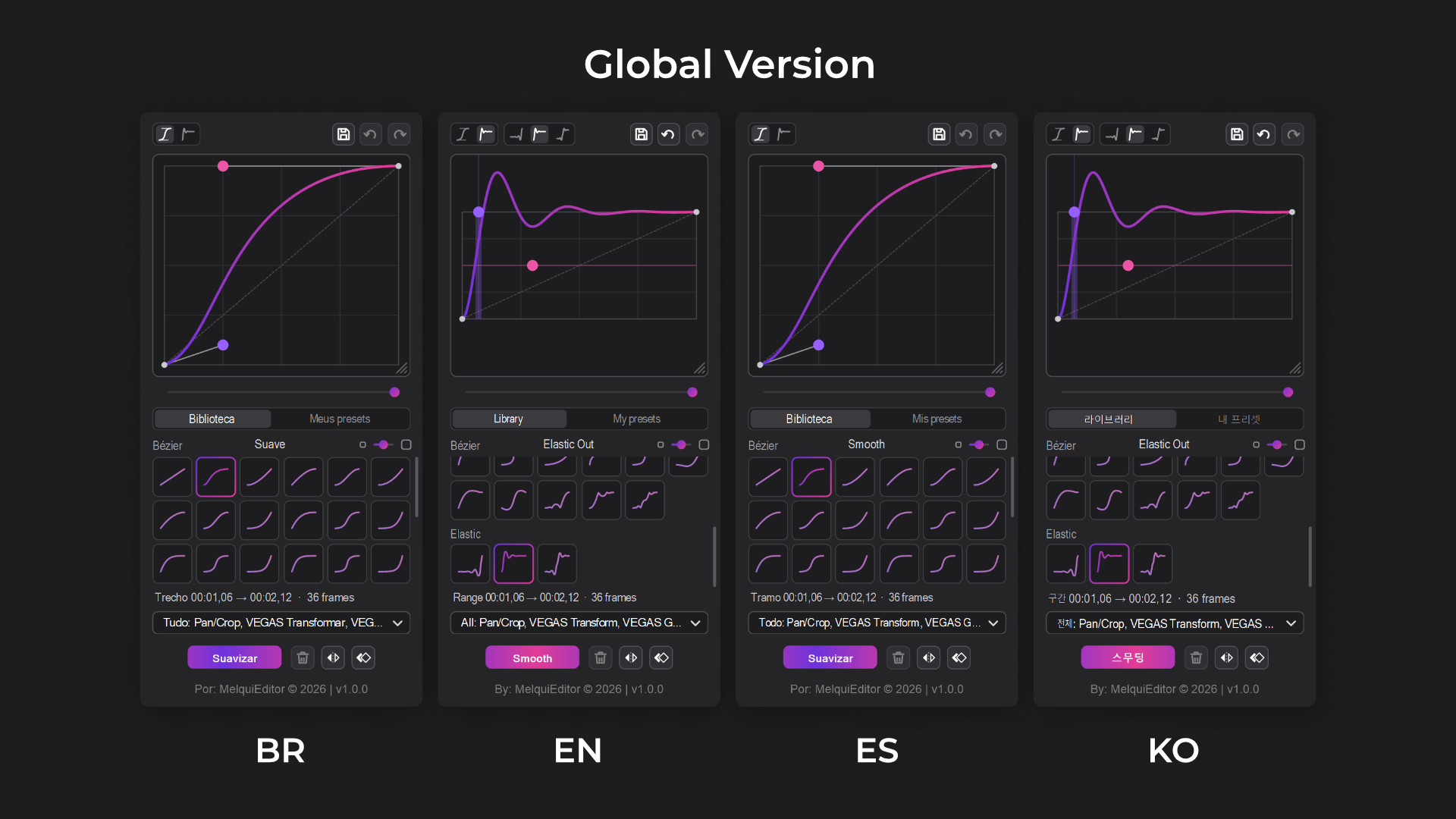
Hey everyone, the Keyframe Smoother is finally here! It's now available in English, Spanish, and Korean!!

Feel free to download it, and I'd love to hear your feedback, especially about the translations... hahahaha

Although the flair says VEGAS up to version 22, it also works up to VEGAS 2027.

Download link: https://ko-fi.com/s/fcd1baf88b


r/VegasPro • • 5d ago

Magix Vegas Pro 14 - 23 (PRO 18) My 4K Video Is entirely GREEN, and I've tried everything to fix it to no avail.

3 Upvotes

Going to the compounds and changing the files to _old didnt help and at some point VEGAS just flat out says it cant load the video.

Altering the internal preferences for HEVC from true to false and back didnt work.

I tried converting the video 4 different times. It's an iPhone 4K 120fps video and I understand that can be trouble but the only way I got it to work was using HandBrake and make it 60fps (its for youtube anyway) and eventually got the file to load in but its JUST a green screen...

I'm at my wits end.
Can anyone tell me just- what codecs or settings do I use in HandBrake for this to work? Its just a video I wanna add music to, no effects or anything. Just music. But I can't get this to work at all...

Im on Windows 10, Vegas Pro 18, intel core i5-8400


r/VegasPro • • 5d ago

Vegas Pro 2027 Vegas Pro sync playback on clicked marker issue

2 Upvotes

Just downloaded the newest Vegas Pro 2027 and can't seem to find the setting to sync my playback around my cursor click like I have in Vegas 22. I'd like it to where after hitting stop it returns back to where it started rather than staying where it paused. Also if the video is playing I like to be able to click to another section of the video and hit play and it starts from there, whereas in default Vegas Pro 2027 it doesn't do that. Anyone know what that setting might be like I demonstrate in the video?


r/VegasPro • • 5d ago

🐛Bugs How can i fix this

Post image
2 Upvotes

i was clearing my PC to make room, i uninstalled Steam from my local disk drive because it was taking up so much space and when i finally moved it, i had to reinstall everything and this popped up when i tried to launch Vegas

i'm so pissed off because that's the second software that i can't run anymore and i don't want to buy another one


r/VegasPro • • 7d ago

I'm not talking about 2026 and newer pov: you sneezed towards it direction

Post image
202 Upvotes

r/VegasPro • • 6d ago

Vegas Pro 2026 how to prevent playlist current view follow marker position?

2 Upvotes

as described


r/VegasPro • • 11d ago

I'm not talking about 2026 and newer pov: you had the audacity to press ctrl+z

Post image
279 Upvotes

r/VegasPro • • 9d ago

🤔How Do I Do This? How do I stop frame freezes permanently? Sony Vegas is very random on whether or not it will render something with not issues.

1 Upvotes

Sony Vegas is very random on whether or not it will render something with not issues. And I hate it so much.

Just earlier I had to render how a short 12 minute soundtrack visualizer of sorts.

The background was the soundtrack cover blurred out with slightly fancy stuff happening just to make it look a little more exciting. I had to render out the two background layers separately AND ALSO in chunks before it put it all together. I had to render these in lower bit rate too just so it would be able to handle this. I eventually got this pattern of 'it freezes then I close the program and start over and then it renders it fine' on repeat.

Just now this week I was gonna render out this 6 hour long video and it was rendering it just fine. It was all the way above 60%. No freezing.

But there was gonna be a 3 hour long electricity stop for the building I live in on Thursday. My laptop was fully charged before hand as it was always charging during the rendering but that wasn't enough. It was gonna run out of battery. I had no idea if the laptop would reset or the rendering would still be up, as running out of battery while rendering has happened a few times before. So I tested out if putting it on sleep mode would circumvent it even resetting itself by testing it on my other laptop. It worked there so I did that on the laptop that was rendering. 2 hours pass and I'm greated with it being reset.

So when I start rendering this thing again it's always stopping at 1% or 0% around the same place. I have now been rendering and turning my laptop on and off to hope that it changes like 8 times now. It's annoying and I hate this so much. Rendering in Vegas has never been this big of an issue before the 2nd half of 2023 for me. Even on a new laptop it still sucks.

This is what set me off to finally make this post. I've tried looking into tutorials and how to fix this but it never works. Sometimes the tutorials are contradictory to each other. It's so weird.

Please I wanna fix this for god sake and not have to do stupid unfun work arounds.


r/VegasPro • • 9d ago

Magix Vegas Pro 14 - 23 Its been years

0 Upvotes

So are we just gonna gatekeep the good things about this app?


r/VegasPro • • 10d ago

Vegas Pro 2027 So is the new Vegas worth coming back to?

7 Upvotes

Long story short. I used to make Machinima like 15+ years ago. I grew up on Sony Vegas. Always ran pretty well on a shitty old pc but this was back when 480p was new and a luxury on YouTube.

I've used it on and off for years until I heard everybody going on about DaVinci. I switched to DaVinci and found my workflow became a lot quicker in some areas but slower in others.

Small examples: Pressing S to split on Vegas is quicker than using the slice/split took on DaVinci. Moving objects is quicker in Vegas as DaVinci relies on X/Y Axis sliders which I find incredibly annoying. I find the text and effect templates simpler on DaVinci but Vegas cross fading is so much simpler. You just mush the two clips inside each other whereas in DaVinci you must open a second track and have two fade effects on each clip.

DaVinci's AI features with automatic subtitling and transcription is great. That was never available on Vegas but I also haven't used Vegas since like Vegas 18 I think.

My question basically is. Is this Boris takeover a good thing? Is Vegas being modernised? Is it time to switch back from DaVinci?


r/VegasPro • • 10d ago

Vegas Pro 2027 Questions about Speech-to-Text and Audio Waveform Visualization in Vegas Pro 2027

4 Upvotes

Captions

I understand that the Speech-to-Text feature (for captions) is part of a subscription. But I noticed in the official tutorial videos that the models are downloaded and run locally on your machine?

Is subscribing the only way to run these, or are there other options?

I have other ways to generate accurate text transcription (outside of Vegas) and would love a way to import that into the editor and sync it up as a timeline event.

Meaning: The model does not need to listen and transcribe the audio. I've already done this, I just need it to line up when imported. YouTube does this on their backend. It will auto-generate a mediocre transcript for you, but if YOU have an accurate transcript from another source, you can dump the text file in and it will auto-sync.

Are there any workflows inside of Vegas that work like this?

I've been banging my head against Headliner for years, but their UI sucks and the output is rendered video that I can't manipulate as well.

Audio Waveform Visualizer

I thought V27 had a native audio waveform visualizer tool, but it seems the way to do this is with Continuum Audio Visualizer?

I'm trying to understand if a tool like this works "natively" within V27 as a plugin that can generate waveform animations (ideally with transparency?) as timeline events that can be manipulated like other video FX.

If so, is there a way to bundle this plugin with V27 when I purchase from Boris?

If not, I'm curious what others use in their workflow to achieve this.

Thanks for any tips!


r/VegasPro • • 10d ago

Magix Vegas Pro 14 - 23 Error code -59 on steam edition?

2 Upvotes

I paid 60 euro for the steam edition of Sony vegas 18 because you don't have to pay a monthly subscription to use the software then. That's the main reason I bought it. All of a sudden one time when I wanted to open the software it kept saying error code -59 that I don't have a license to use the software.

That really pisses me off. Because I paid so much money to not pay for the license and steam promised that I have a free license forever. It's literally on my bill from the payment. I have it in an email.

I have tried everything to get it to work again. There were multiple tutorials on steam but none of them works. It still doesn't wanna boot up.

I can't refund the software because I have used the software for more than 2 hours. I can't contact steam Support because whenever I try to they just redirect me to a steam page for guidance on how to fix the issue and I tried that and it doesn't work.

Did they just pull the license? People online say they fixed it but I can't figure out how to do it. And there are no tutorials on youtube.

What do I do? I am on windows 10 btw.

Does anybody have a fix for this? Please help if you do.

Thank you so much :))


r/VegasPro • • 11d ago

Vegas Pro 2026 Suddenly there are crashes....

3 Upvotes

So just when the new version is released my Vegas 26 works not correct anymore.

When I try to re open a Projekt I can't put a LUT on a whole track.

And it crashes like crazy all the time


r/VegasPro • • 13d ago

Vegas Pro 2027 Vegas Pro 2026 & 2027 Crashes and Bugs! I Need Help!

3 Upvotes

I'm kind of going insane and need help!

I've been using Vegas Pro 20 for over 4 years now for editing, used previous versions of Vegas Pro before that. It's not the best editing software, but it's what I've been used to and worked good enough with pretty fast render speeds.

But my annual license ended two days ago, and when I went to renew it, it wouldn't let me. Turns out, the company that used to own Vegas Pro (MAGIX) sold it to a different company (Boris FX) and this company decided to stop supporting older versions of Vegas Pro, and that means you can't continue to purchase a subscription for any of the older ones.

The only way to purchase one now would be through third-party sources, but I obviously have skepticism over that for a variety of reasons.

Obviously the alternative would be to try using the new versions of Vegas Pro, which currently are Vegas Pro 2026 & Vegas Pro 2027. Those are the only ones you can still buy officially.

I decided to try them out, and unfortunately, as I expected... THEY SUCK!

I've had plenty of technical issues with Vegas Pro 20 in the past, but I was able to get it to a point where there was minimal crashing. But over the past few days of me using Vegas Pro 2026 & 2027, they have both crashed over 20 times on me. It is actually making it impossible for me to do my job.

The reason I didn't even update to Vegas Pro 21, 22, or 23 was because Vegas Pro 20 was actually quite stable for me.

The last choice I'd have is to switch to a completely new editing software like Davinci Resolve or Premiere Pro. And although that is something I would definitely love to do, I obviously can't just switch to a completely new software right now. These editing softwares take MONTHS to learn, and it'll significantly set back my workflow if I have to spend the next few weeks just trying to learn the basics of a whole new UI. I would like to try that eventually but I need a fast method to editing content that I can do right now. A completely new software isn't that.

So basically, this is what I need help with...

  1. I need to figure out how to stop the crashing issues on Vegas Pro 2026 and 2027. Any advice would be great, but keep in mind, I have tried HUNDREDS of troubleshooting steps at this point, so the answer probably won't be the obvious things. I have tried contacting support. They are talking an entire day just to respond with 1 email, so not very helpful.
  2. I would also love to figure out how to get access back to Vegas Pro 20 or hell, even 22 at this point if it works as well as 20.

This is likely not a PC issue, as my PC is *mostly* fine for other things. Like I said, Vegas Pro 20 was working fine for a while (aside from not working with newer NVIDIA updates, but I stopped updating my GPU due to newer updates not working with a lot of softwares like Elgato 4k Capture Utility)