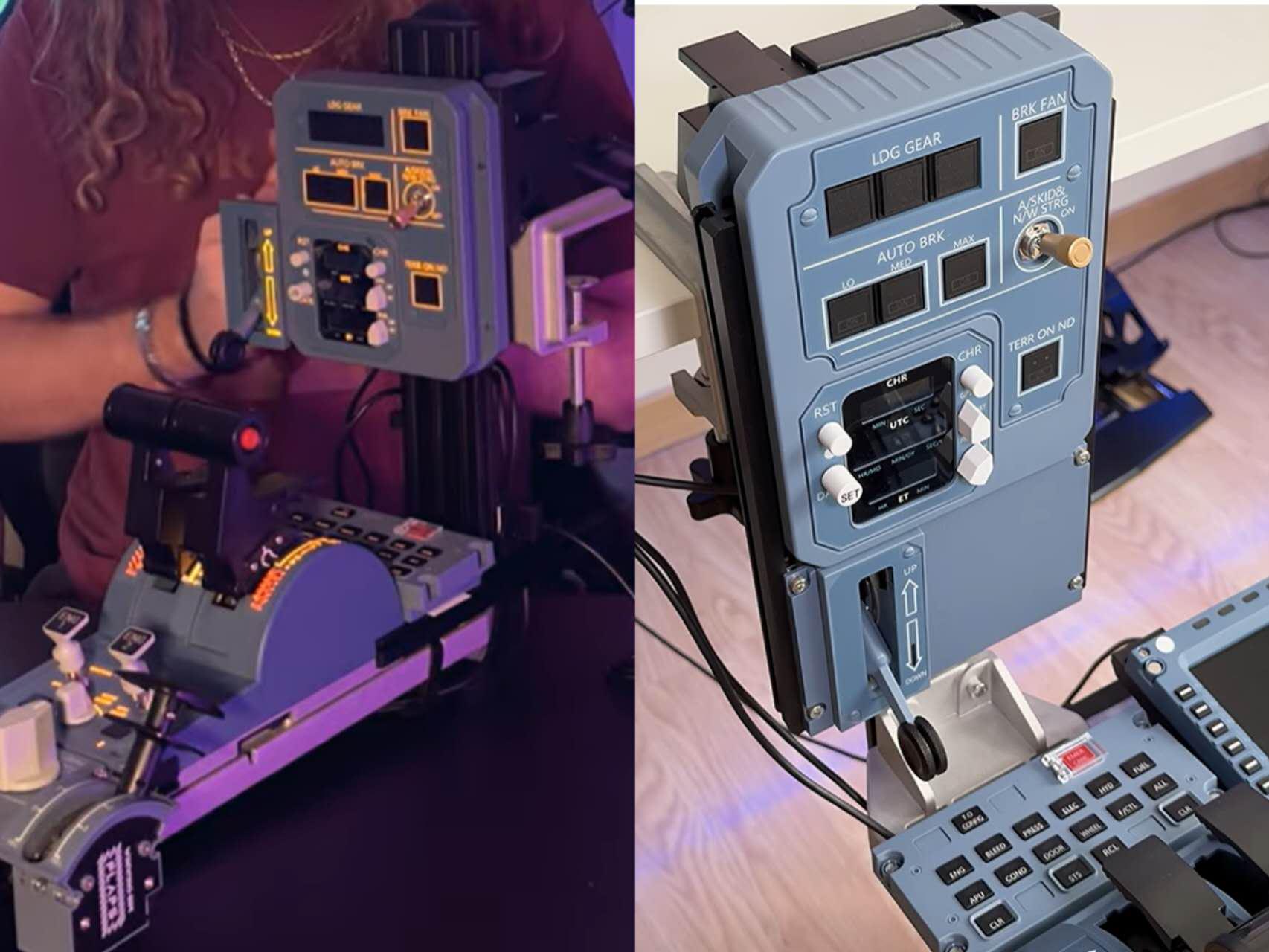
We've seen some questions about how to install the 32 AGP, especially when it comes to mounting it on a desk setup.
In this WINCTRL Setup Tip, we're walking you through both options so you can choose the one that works best for your setup.
1. Direct Desktop Mounting with the Included Profile Rail
Want to mount your 32 AGP directly on your desktop? This is our recommended method for desktop use. You can also mount 32 ECAM on this setup.
What to do:
Install the Landing Gear Module sideways.
Screw in the left and right brackets. Slide the square nuts into the profile slots and screw them in, but don't tighten them yet.
Apply the Nano Double-Sided Adhesive Dots. Adjust the bracket positions up and down until the AGP sits steadily on your desktop.
Tighten the screws until there's no wobbling. Avoid overtightening, as this may damage the product.
Want to add a 32 ECAM as well?
You can mount the 32 ECAM together with the 32 AGP:
Attach the 32 ECAM 1.0 to the guide rail of the 32 AGP Metal 1.0, as shown in the pictures.
Apply adhesive dots (#14) to the bottom of the guide rail.
Clean the dust off your desktop.
Attach the 32 AGP and 32 ECAM together to the desktop surface.
2. Desk-Edge Mounting with Throttle Desk Mount
Prefer a desk-edge mounting solution? Use the WINCTRL Throttle Desk Mount 5 to integrate the 32 AGP into your existing cockpit setup in 2 ways.
Step 1. Prepare the Landing Gear
Install the landing gear panel beside or underneath the main panel.
Connect the Landing Gear Connection Cable (16#) and the corresponding cables.
Make sure all cable connections are secure.
Step 2. Install the Left and Right Mounting Brackets
Turn the AGP panel over to access its back.
Position the left and right brackets (3#, 4#) as shown.
Place one flat washer (9#) onto each screw (6#).
Insert and tighten the four screws, two for each bracket.
Step 3. Insert the Spring Nuts
Find the two vertical slots on the desk mount.
Slide the spring nuts (24#) into the slots from the top.
Make sure the threaded holes face outward.
Leave the nuts loose so their positions can be adjusted later.
Step 3. Attach the AGP Panel
Place the two spacers (27#) between the mounting brackets and desk mount posts.
Align the four mounting holes with the spring nuts (24#).
Fit one spring washer (23#), followed by one flat washer (22#), onto each screw (21#).
Insert and loosely tighten all four screws. Adjust the panel until level, then fully tighten all screws.
Which Method Works Best for Your Setup?
Whether you prefer a direct desktop installation or want to integrate the 32 AGP into your existing WINCTRL mounting system, there's an option for you.
Check out the pictures for each method and let us know which one you're using!
Have another installation question you'd like us to cover? Drop it in the comments.
I am trying to figure out which rudder pedals to get my husband for his bday/Christmas gift. I’m not sure the difference between the Orion and the new Taurus ones coming out. Can anyone point me in a direction to get him? Will the Taurus be worth the extra money?
Note: he pretty much does combat flying and has the Orion 2 setup
Any idea when it will be released? End of year is approaching. Was announced a while ago for August this year and there is a big hole in my setup where this module belong.
I have a basket made in winctrl but I heard that they have bad customer support so I’m wondering if getting it from Amazon would be better I got €800 worth non discounts and with Black Friday it’s €550 just worried about support it it breaks
Hey everyone, I wanted to share my experience with a recent warranty issue regarding my WinWing Ursa Minor 32 Throttle, which I purchased about a year ago. Unfortunately, the ENG2 thrust lever recently broke (photo attached).
While I understand that warranty claims take time, the duration and the communication around the process caught me a bit off guard. After providing all the requested photos and troubleshooting details, the support team initially offered a €20 compensation, which felt a bit insufficient given the severity of the issue. I politely declined the offer and am now proceeding with the full replacement process.
I also took a closer look at the RMA policy and noticed a few clauses that appear to conflict with EU consumer protection laws—specifically requiring customers to pay for return shipping in advance, as well as the mention of a "refurbishment fee," which is generally not permitted under EU/German law for valid warranty claims.
I will be sending my RMA package to Winctrl tomorrow. I have a couple of questions for the community:
What are your general experiences with the RMA turnaround time?
Has anyone actually been charged this refurbishment fee during the process?
Note for the Winctrl Team: Please view this as constructive feedback rather than criticism. I am simply sharing my experience so far and suggesting a review of the RMA policy to better align with EU regulations.
Newb question: why would the rudder trim knob have an auto-centering featuring and not stay put where you trimmed it to? Or does it stay put in the software, and it's not actually represented by the position of the knob at rest? So, assuming you need to trim ailerons to the left, due to an imbalanced missile loadout on the wings, for example, and you twist that knob twice to the right twice (I'm assuming each time you twist it it increases trim in that direction?): once those missiles are fired and you need to restore balance, you'd twist it twice to the left to level it all out?
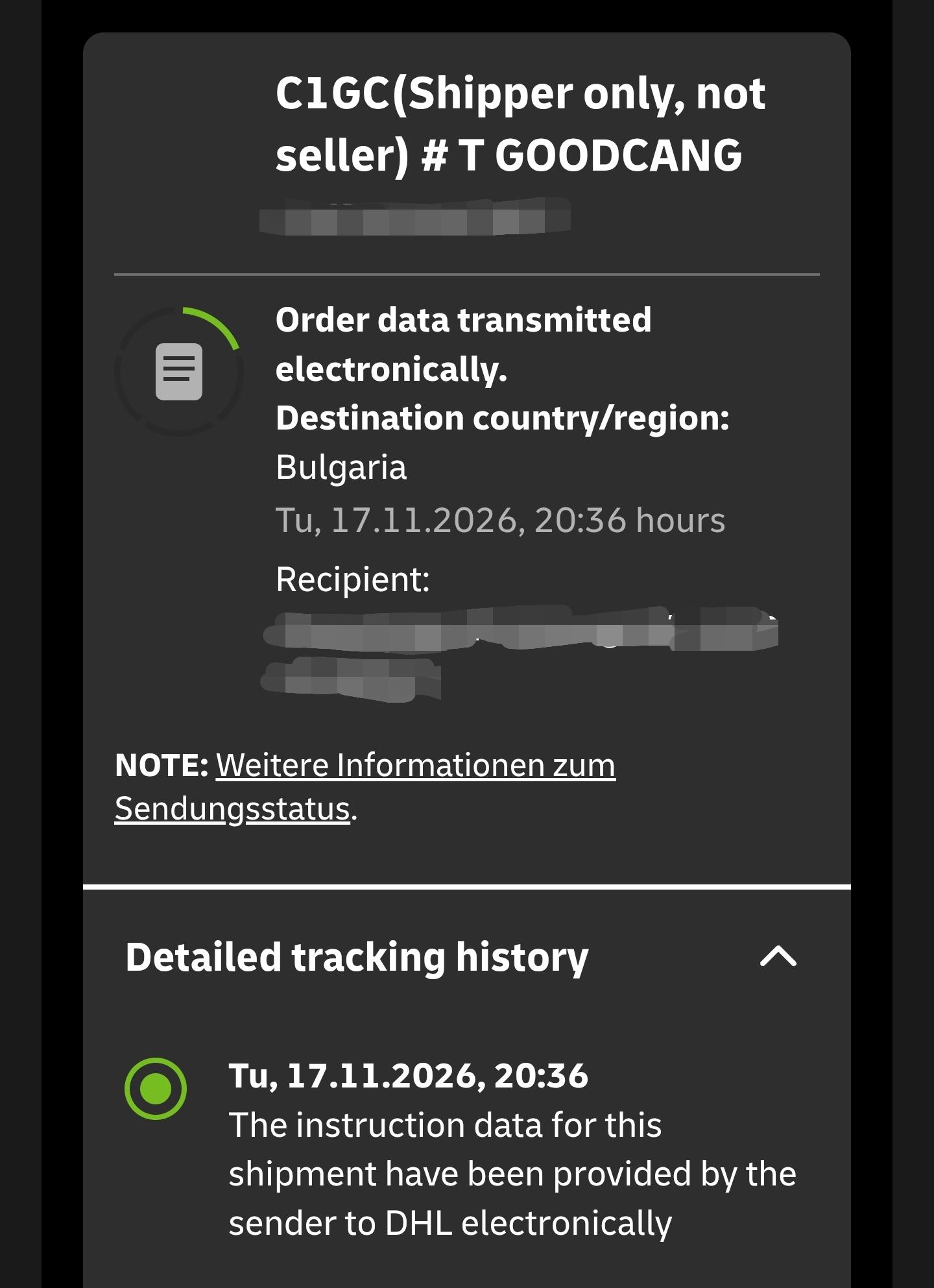
Hi everyone, I live in Bulgaria and recently I bought some gadgets from eu.winctrl for the first time. Winctrl website says my parcels are shipped yesterday but in DHL tracking it is not moved yet. Anyone familiar with how Winctrl shipment process works in EU? Thanks a lot.
I’m having a connection issue that won’t go away. You can see that the sim autopilot and the Winctrl hardware is not synched. What’s weirder is that buttons like the terrain button on the side units work. Even weirder, the power stays on to the hardware when I turn my computer off and I have to click off the power strip to the hardware to get it to turn off…lastly, my Moza fmc does not connect either right now so the sim is clearly not talking correctly to the hardware.
I am not a techy person and really need help or else my cockpit setup is useless. Btw things were working fine for about a week and now this with no obvious fix. Do I need to reinstall my sim or something?
I just took my URSA MINOR accelerator out of the box, installed the SIMAPPRO2 software, and it’s asking me to update the firmware.
I did that, but it gave an error, got stuck halfway through, and now I can’t get the Ursa Minor to work again.
Is there a program to force the installation of an older firmware version?
I’ve tried version 1 of SIMAPPRO and the lightweight version of SIMAPPRO2. I’ve also tried manually downloading older firmware versions from the website and using different USB ports, but the result is the same.
Special offer on airliner products across 7X7 and 3X0 series. Build your dream cockpit with the best-value choice.
Take your combat flight simulation to the next level, with premium Orion2 HOTAS control and authentic fighter cockpit panels.
Order Now Note: Eligible products and discounts may vary by different regional sites. Please switch to your local site and check FAQ on the web page for more details.
First post here, sorry if it's been asked. Is there any way to get a hold of a Winwing/WinCTRL MFSSB Module? I saw on their site they stopped selling seperately and they seem to no longer sell the preinstalled base. I was curious if there is another way to get one or if there is a 3rd party kit to accomplish the same thing. I'm ok with tinkering and modifying, I just want to know if there's any info on how to accomplish this on a Winwing base, since I already have one.
Gen 2 CarrierAce Throttle Grip is now officially available on Global Shipping with preorders open at all regional sites! Starting at $141.06 USD.
Building on the classic HOTAS layout, the new grip adds a push-button thumb wheel and built-in dynamic vibration modules, bringing more customization and immersive feedback to your flight experience.
✅Built-in dynamic vibration modules - Provide tactile feedback for various flight events via SimAppPro 2 ✅Additional push-button thumb wheel - Customize functions such as night vision, helmet visor controls, and view zoom ✅Full-metal aluminum metal body ✅Compatible with WINCTRL Orion 2 Throttle Base
New to building out cockpit hardware and struggling with following the manual for the AGP installation, specifically onto the desk mount 1.0. Are there any other resources such as good videos or does anyone have any advice on how to build this out? I’ve just been sitting on all of the individual pieces since I bought them over a month ago.
So i am thinking of buying from wingctrl a throttle plus sidestick, flaps and speedbrakes levers, fcu and mcdu or a 3d printer (bamboo lab a1 or a1 mini) mcdu and throttle from wingctrl and the other things make myself with the 3d printer whats is better )my budget is 500€)
Hi guys, anybody knows if Winctrl are still planning on adding vibrations to Elite Dangerous? It is listed as supported game on Ursa Minor sell page and my immersion would be a lot better with that little bit of feedback from joystick.