r/WindowsHelp • u/1FNn4 • 2d ago
Windows 11 Creating Windows11 System Image
https://cdn.mos.cms.futurecdn.net/CnTiHULqPDNpWVoCS9T8yR-970-80.png.webp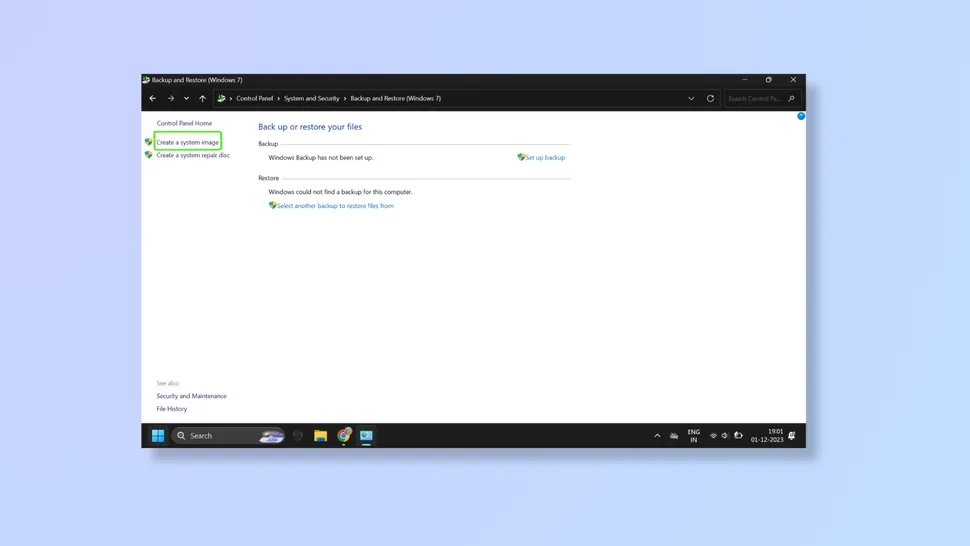
https://cdn.mos.cms.futurecdn.net/CnTiHULqPDNpWVoCS9T8yR-970-80.png.webp I need to replace my SSD. Windows 11 system image still can not move to smaller SSD? I'm also open to suggestion. I do have an external SSD to store the system image.
Windows 11 26h2 system
1
Upvotes
2
u/Froggypwns Windows Insider MVP (I don't work for Microsoft) 2d ago
That function you tried is long deprecated, you should use something else like Macrium Reflect to do what you are trying to do.
1
u/AutoModerator 2d ago
Hi u/1FNn4, thanks for posting to r/WindowsHelp! Your post has been flagged for manual review by a human moderator, please include as much of the following information as possible (in text or in a screenshot) to get your post approved:
Posts must be tech support in nature (such as something is broken and you need help fixing), so general inquiries, software suggestions, and purchasing advice will be removed. As a reminder, we would also like to say that if someone manages to solve your issue, DON'T DELETE YOUR POST! Someone else (in the future) might have the same issue as you, and the received support may also help their case. Good luck, and I hope you have a nice day!
I am a bot, and this action was performed automatically. Please contact the moderators of this subreddit if you have any questions or concerns.
1
u/Edubbs2008 2d ago
Have you tried audit mode inside a Windows VM?