r/WindowsOnDeck • • 1d ago

Windows not installing (partition issues)

1 Upvotes

I have an issue with installing Windows 10 on my 512GB OLED, I followes BaldSealion’s guide to the letter and I am stuck on Windows installer. When I try to install Windows and choose the unallocated space, it throws up a random error (Could not create new partition) and when I try with an NTFS partition it says „Unable to install Windows in this drive, as the system volume is too small” (not exactly what it says but that the best translation from Polish). I’m absolutely dumbfounded, I’ve been trying for like 2 hours now and cant do anything about it. Did anyone else encounter an error like that?

r/WindowsOnDeck • • 4d ago

Tutorial Trying to enable secure boot, this is what i’m getting.

Post image
0 Upvotes

used Decksecureboot, even used balenaEtcher instead of rufus ‘dd’, idk what this means, i just wanna play LoL.


r/WindowsOnDeck • • 4d ago

I remember the time I installed Windows via dual boot on my Steam Deck, only for the Windows partition to be wiped after a few uses. I don't remember what method I used, but is Clover the better option?

0 Upvotes

For context, the old dual boot I was talking about used to let you choose either SteamOS or Windows via a basic text selection, but for some reason SteamOS wiped out the Windows portion after a short while. I don't know why and I'm not asking for a fix on this method.

Since then I found another method called "Clover" which has a nicer GUI for choosing which OS you want to start, but I wonder if it would cause the same problems as before where one OS got wiped.

To clarify, my Steam Deck is an OLED 1TB. I plan on doing the same for the Steam Machine, but mine is 512 GB, the cheapest one I can afford, but I might considering upgrading the SSD at another time.

So, here's a few questions:

Why did the Windows part get wiped, and how can I avoid this?

Is Clover the better option than the method I described above?

Would the 512GB Steam Machine be big enough to dual boot Windows, or should I just install Windows over it instead/use an external SSD?


r/WindowsOnDeck • • 7d ago

Issue booting Steam OS after installing Windows on HDD Partition

Post image
1 Upvotes

Great news windows is up and running really well !

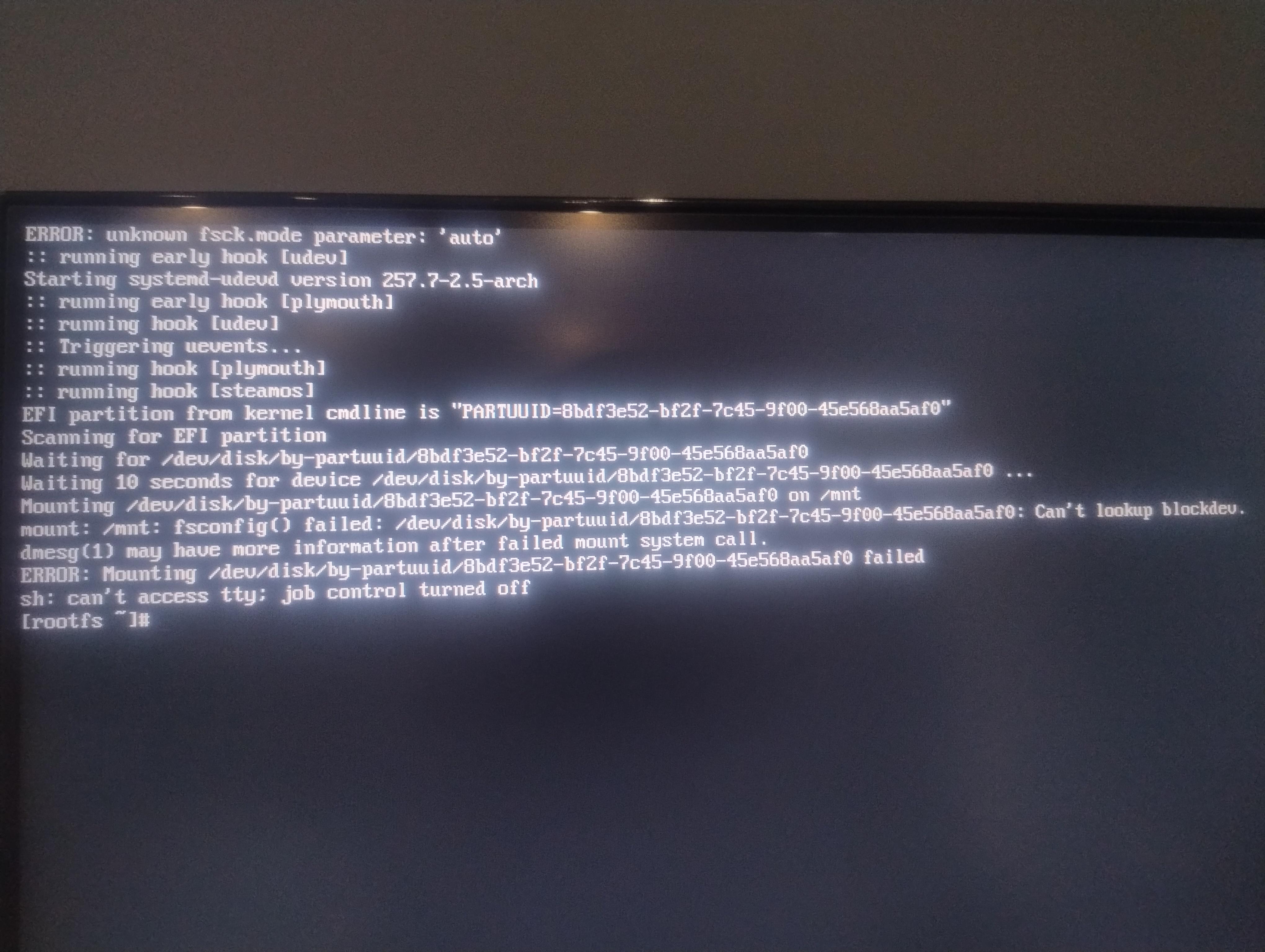
Trying to boot into Steam OS and if I choose Steam OS from boot options, it freezes and if I go through the file explorer I get this (see Picture)

I installed windows onto a partition using Steam OS Recovery and didn't delete anything else.

Has windows deleted a pathway for Steam to find the EFI partition from looking at the text?

Anyone know if this is a straight forward fix or do I just go down the route if using the Steam OS Recovery and reinstalling Steam ( hopefully through a YouTube tutorial 🤣)

Cheers


r/WindowsOnDeck • • 8d ago

Trying to play roblox on steam deck with a ps4 controller (windows 10)

Thumbnail reddit.com
0 Upvotes

r/WindowsOnDeck • • 10d ago

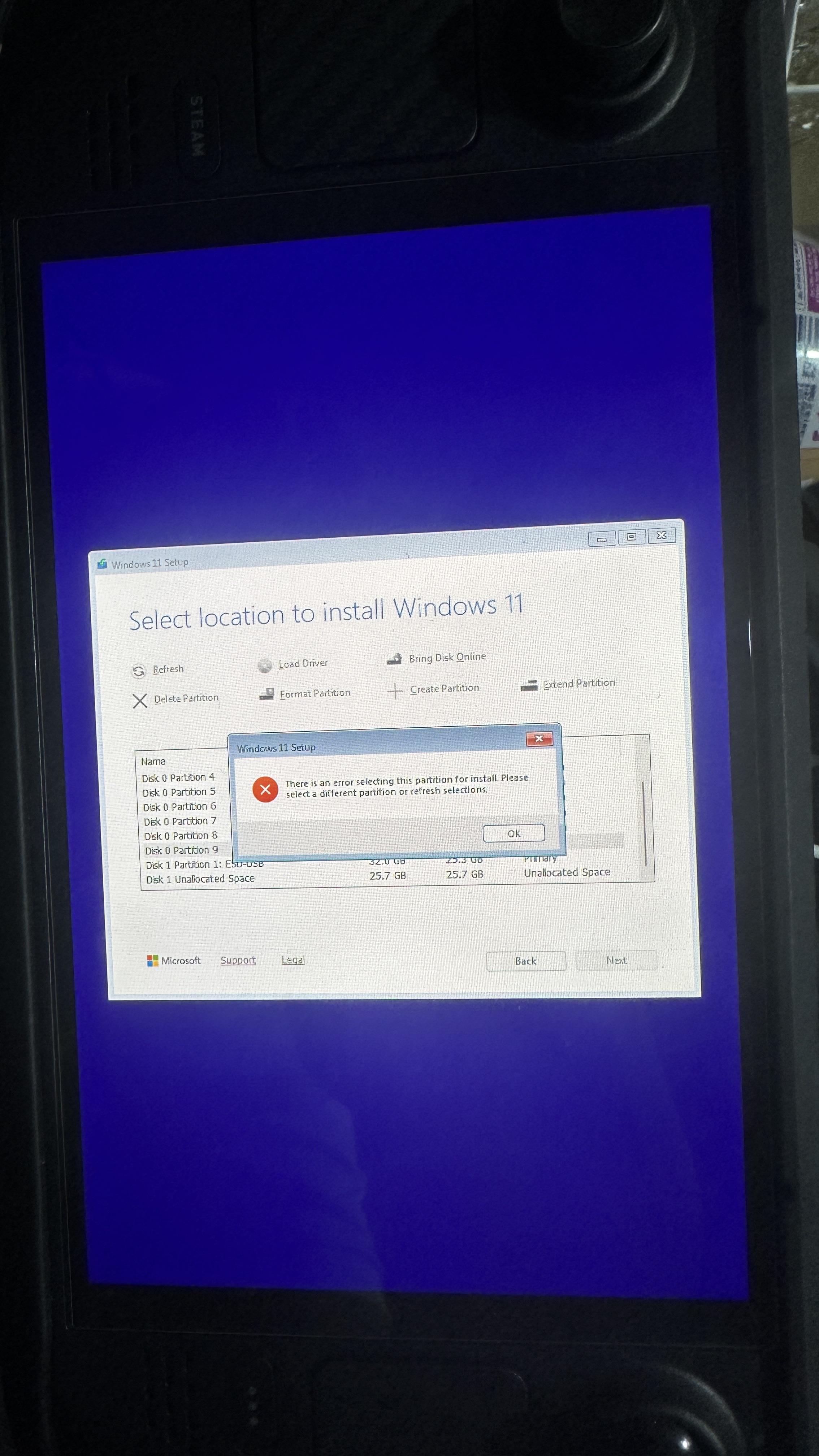
Got this error after select the partition for windows 11

Post image
1 Upvotes

helo im new windows on deck but can anyone help me to fix this error , i follow all instruction but idk, some say i need to delete partition and reselect but idont know where i need to do that , in the windows setup? Or in the kde manager?

Thanks for helping🤍


r/WindowsOnDeck • • 12d ago

Do I have to format deck before harddrive windows install?

2 Upvotes

Just going through some tutorials for dual boot install on SSD but when it comes to partitioning in the recovery boot, the Home ext4 is greyed out - I assumed it would format it all there and then but do I need to factory wipe the deck first, then partition?


r/WindowsOnDeck • • 13d ago

Why does this happen?

4 Upvotes

I tried the donkey kong bananza recomp on the steam deck (windows 10)
But this happens when i launched the game from the DKB.exe

The first cutscene came out then the device restart itself (your device ran into a problem)
Then i changed the page files into 16gb

And the same happens

I already installed all the drivers required for windows on the deck

Before that I tried it on steamOS using proton experimental , it worked and the game running without these issues , but the performance is tooo bad because i used the windows version inside the steamOS that makes a lot of translation , and the gpu,cpu usage was 20-40%

But now on windows 10 this happens
Can you till me where the problem is ?


r/WindowsOnDeck • • 13d ago

Discussion Почему Steam Big-picture не сделают управление Bluetooth, audio и WiFI а Windows 11 через powershell ?

1 Upvotes

Можно же сдать запуск powershell в фоне вместе с steam и забиндить кнопки в настройках steam на отправление команд в powershell. Разве нет ?


r/WindowsOnDeck • • 13d ago

I made a game launcher for PC that you can use entirely with a controller

0 Upvotes

Hey everyone, how’s it going?

A few weeks ago I started building a launcher with the look of Steam Big Picture, with support for Xbox mode.

You might be wondering: why use a Big Picture-style launcher when I can just use Steam itself?

I think some of you have run into problems with Steam when trying to add games from other stores, and adding them manually is no fun at all. That’s where DeckLauncher came from: one place for all your games, built to be played with just a controller.

Here’s what it has today:

  • Steam and Epic together: it shows your installed games and also the ones you own but haven’t installed yet, dimmed. You can start an install right from there. For Epic, you sign in through the official login in a launcher window, and your password never goes through the launcher.
  • Manually added games: emulators, games from other stores, whatever you want, without the pain.
  • Built for controllers: fully controller-navigable, with its own on-screen keyboard (Y opens it, B closes it) and support for Windows 11’s full-screen Xbox mode.
  • Look and feel: 5 home screen styles, full-screen game wallpapers, a Pure Black OLED theme, and covers, wallpapers and logos downloaded automatically.
  • Notification bell: shows what’s downloading or updating, with progress and a button to open the Downloads page.
  • Achievements: a tab on each game’s page showing what you’ve unlocked and what’s left. It works well on Steam; on Epic it’s still experimental.
  • Multiple Steam accounts: it asks who’s playing and switches the profile for you. Saves stay separate.
  • Extras: apps in your library (Discord, browser, etc.), Game Bar captures inside the launcher, sound and network controls, and updates from within the launcher itself.

It’s not official, and it isn’t affiliated with Valve, Epic or Microsoft. It only runs on Windows. There’s still plenty to improve, especially the Epic side.

Download and code: https://github.com/dupreys/DeckLauncher

If you play on PC from your TV or in console mode, tell me what you’re missing or what didn’t work on your setup. Suggestions and criticism are very welcome! 🙌


r/WindowsOnDeck • • 13d ago

Goo Deer 2.0: four players, one shared gas station, and a forest supply run with native Windows and Steam Deck support

Thumbnail
gallery
1 Upvotes

I'm Mickey from VML Studios. These are official Goo Deer screenshots showing our gas station and forest, now playable with up to four people online.

The 2.0 update released on October 31. Everyone shares the shop and wallet, so you can divide the register, restocking, production and hunting between the crew. Players can pass items and ammo and revive one another. Hired staff stay in solo mode.

Solo and co-op have separate saves. The update also added 10 co-op achievements, rebuilt leaderboards and 24 new text languages, bringing the total to 25.

Platforms: Windows PC (native), Linux via Proton, and Steam Deck.

Steam: https://store.steampowered.com/app/4349210/Goo_Deer/


r/WindowsOnDeck • • 14d ago

Trying to play roblox on steam deck with a ps4 controller (windows 10)

0 Upvotes

So I usually play with a keyboard and mouse but when my mouse dies I want to play with my bluetooth controller and i think the Steam deck built in controller interferes with the Ps4 controller because it gets all stuttery and its like I cant move with the Ps4 controller, how do i fix this?


r/WindowsOnDeck • • 14d ago

Ethernet connection being awful

Thumbnail reddit.com
1 Upvotes

r/WindowsOnDeck • • 15d ago

Discussion Z2A driver

3 Upvotes

Has anyone tried to side load the z2A driver or is it locked down by ASUS? The oled driver hasn’t had an update and it’s stuck on win10.


r/WindowsOnDeck • • 15d ago

Dual boot ou MicroSD

Thumbnail reddit.com
0 Upvotes

r/WindowsOnDeck • • 16d ago

Discussion How can i reset windows password?

Thumbnail reddit.com
1 Upvotes

r/WindowsOnDeck • • 17d ago

Keyboard connected but typing is not responding

Thumbnail reddit.com
0 Upvotes

r/WindowsOnDeck • • 18d ago

Discussion Big trouble trying to dual boot

1 Upvotes

hi everyone, im not going to keep this much and you can ask me for any details you need. My problem dual booting is setting up the new partition part of the process, everytime i boot up in recovery mode i make all the right steps multiple times ive tried fixing the internal sdd and to no avail once i go back to the regular SteamOS in desktop mode the new partition made disappears. I'm not too sure what to do from here and all i hope is for real answers and not people telling me to not do it i just want to play some pesky anti cheat blocked games


r/WindowsOnDeck • • 19d ago

Big trouble trying to dual boot

Thumbnail reddit.com
1 Upvotes

r/WindowsOnDeck • • 20d ago

EA FC27 via Windows dual boot

1 Upvotes

Hi all,

planning to dual boot my deck to play eafc 27. will i need to enable secure boot to run it? how to enable secure boot if yes


r/WindowsOnDeck • • 21d ago

Discussion XREAL glasses?

0 Upvotes

Do XREAL glasses work well in windows? Can you use it as a virtual desktop to do things like browse Internet or use LLMs/code?


r/WindowsOnDeck • • 22d ago

[Guide] Lean Windows 11 on Steam Deck OLED: one script builds the ISO, drivers and Steam setup included

Thumbnail
github.com
5 Upvotes

r/WindowsOnDeck • • 22d ago

I built HandheldCord: use Discord with just your controller on Windows handhelds (free & open source)I built HandheldCord: use Discord with just your controller on Windows handhelds (free & open source)

Post image
8 Upvotes

r/WindowsOnDeck • • 22d ago

Discussion SteamDeck+FL Studio

1 Upvotes

Hey guys i want to hear your opinions/advices about FL Studio running on the deck. I have many unfinished projects on my laptop and i want to be able to open FLP(FL Studio Project Files) on the deck and just finish my tracks. I watched so many videos on the socials but im still thinking how i should do it. Most of the people say is the best to running FL on Windows.

Thanks in advance🙏