r/WindowsUpdate • u/DDKPFN_1089 • 1h ago
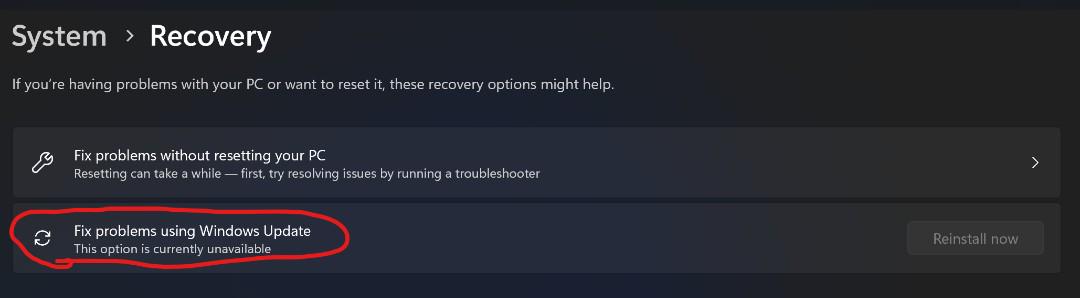
Reintall via window update unavailable
2
Upvotes
Anyone having this issue today?
r/WindowsUpdate • u/DDKPFN_1089 • 1h ago
Anyone having this issue today?
r/WindowsUpdate • u/xiaoxiaoq • 5h ago
Hi everyone,
I'm experiencing a very unusual and frustrating Windows 11 boot failure that started this morning, November 27, 2026, in France (Paris time). I'm wondering whether anyone else has experienced something similar, potentially following a recent Windows update or background security update.
What happened:
Symptoms and error codes:
I cannot access Safe Mode, System Restore, Command Prompt, Uninstall Updates or any of the usual Windows recovery tools.
My hardware:
The secondary SSD contains remnants of an old Windows installation from a previous computer, but it has been used as a data drive for a long time without causing any problems.
What I've already tried:
My BIOS recognizes my drives and all 64 GB of RAM. MemTest86 successfully boots from USB.
Possible Windows update connection:
I've read about the recent November Windows security updates and the ongoing Secure Boot certificate rollout, which can apparently trigger BitLocker recovery and boot-related issues.
However, I've successfully restarted my computer multiple times since the November 10 update. The problem only appeared this morning, after leaving the computer idle overnight.
I haven't yet been able to verify whether Windows installed an update or performed a background security operation last night.
My questions:
I'm planning to try an Ubuntu Live USB to check my SSD and back up my important files.
I would really like to recover my existing Windows installation rather than reinstall everything, as this is my professional workstation with a substantial amount of software, configurations and projects.
I'll attach screenshots of the errors, BIOS and MemTest86.
Any help or similar experiences would be greatly appreciated. Thank you!
r/WindowsUpdate • u/Next_Homework3237 • 15h ago
It started when we deployed Oct patches.
We have 80 percent of Hp elite book g10 devices, we use bitlocker too. we started seeing issues with the device on oct20th. When user get the patches, installation will go fine. Rebooting immediately will be fine and come up without errors. We usually reboot the device daily at 4am/5am. User gets Bluescreen or Black screen with srttrail.txt error. If the user gets blue/black screen we are currently using the below order
Click on Troubleshoot > Troubleshoot again(next page) > Advanced Options > command prompt
Command line one by one
Diskpart
List vol
Select volume N (N is the number that has volume shows fat32 with 500mb approx)
Format fs=fat32 quick
Assign letter=S
Exit
Bcdboot c:\windows /s S: /f UEFI
Wpeutil reboot
Above commands will bring the device login screen
As per my observation the reboot at 4/5 disables the bitlocker and reboots. The next day when users come in they see the blue screen. We don’t understand why we are getting it. It comes only after the patch installation.
Please help me in troubleshooting this issue. Any thoughts are welcome. Above solution is working 99% of time.
If the user can’t go forward from Bluescreen with some kind of error
Boot the device using Windows 11 bootable USB. Once the installation window comes up hit Shift+F10, and the command window opens, give the same commands mentioned above you will be in your device in no time.
Thank you
r/WindowsUpdate • u/Ayeaye25 • 20h ago
Just as the title says, the display scale of my laptop has been shrinking every time it updates or I restart it. For reference I have a Lenovo Legion pro 5 bought about 4-5 months ago. I always have to set it to 150 once it restarts. Anyone have any fixes or reasons for why this is happening?
Thanks in advance :)