REAL3D 60hz FIRMWARE OUT NOW!!

79
Upvotes
r/Xreal • u/Xreal_Tech_Support • 6h ago
Hi XREAL Fam! 👋
Firmware v2.1.0 is now available for the XREAL One Series(One, 1S , One Pro & 1 Pro+) and is rolling out via both the web updater and Beam Pro.
What's New
REAL 3D
Optimized 「REAL 3D」 for real-time 3D conversion at 60 fps, delivering a smoother viewing experience.
Display
Side View
Auto Transparency
Added 「Transparency & Side View」 to 「Auto Transparency」. When enabled, the lenses become more transparent as you turn your head to look around. The screen switches to a small window in 「Follow」 mode while playback continues. Turn back to restore the large screen.
OSD 2.0
Refreshed the OSD menu with a simpler layout. You can now adjust 「Screen Size」 and 「Screen Distance」 directly from the quick panel.
How to Update
📜 Previous Updates
Update your glasses, explore the new features, and let us know what you think, especially about REAL 3D 60fps!
We're always listening to your feedback. Enjoy the update! 🙌
TEAM XREAL 💙
r/Xreal • u/Xreal_Tech_Support • 3h ago
How we brought REAL 3D at 60fps to X1-powered glasses — and why it matters for gaming.
When we first introduced REAL 3D at 30fps, the idea was simple: make 3D easier to access without asking people to hunt for specially produced content, install a dedicated conversion app, or invest in powerful external hardware.
That first version made it possible to turn familiar movies, videos, and other everyday 2D content into stereoscopic 3D directly on the glasses. But users soon started pushing the experience further. They connected gaming consoles and handhelds, tried more dynamic content, and asked what REAL 3D could do at a higher frame rate.
That question helped shape the next step: REAL 3D at 60fps, with the conversion still performed on the glasses themselves. Getting there took more than doubling the number.
3D isn't new. For decades, people have been fascinated by the idea of bringing images to life with depth, from 3D movies in cinemas to 3D televisions, handheld gaming devices, and immersive headsets.
But despite all these developments, 3D has never become quite as accessible as ordinary 2D content.
Looking back at how 3D technology has evolved, it's easier to understand why.
3D Cinemas: An Experience Tied to Specific Content and Locations

Delivered immersive experiences, but required specially produced movies, compatible theaters, and a trip to a specific location.
3D TVs: Bringing 3D Home, but Not Removing the Barriers

Brought 3D into homes, but still required dedicated displays, compatible content, and often additional glasses.
Glasses-Free 3D and Handheld Devices: A Different Set of Trade-offs

Devices like the Nintendo 3DS removed the need for glasses, but introduced viewing-angle limitations and depended on specialized hardware and content.
VR Headsets: Immersive, but Not Always Convenient

Offered immersive virtual environments, but typically required dedicated hardware, compatible applications, and additional setup.
The Common Problem: Too Many Requirements
Each generation of 3D technology brought something new. But for everyday users, enjoying 3D often means meeting several requirements at once:
The problem wasn't necessarily that people stopped wanting 3D.
It was that accessing 3D often required more effort than the experience itself should demand.
And that raises a different question: What if users didn't have to search for 3D content, invest in a separate 3D ecosystem, or change the devices they already use?
What if ordinary 2D content could become 3D whenever they wanted?
That's the idea behind XREAL's approach to REAL 3D.

Human binocular vision works because the left and right eyes see slightly different perspectives. Our brains use this disparity to perceive depth. AR glasses are a natural platform for stereoscopic output because they can present distinct images to each eye.
But delivering two views is only half the challenge. For ordinary 2D content, the system must first infer depth and then generate those two perspectives. The key design decision for XREAL was where that work should happen.
Some 2D-to-3D approaches perform conversion through software running on a phone or computer, introducing requirements around applications, operating systems, or GPU resources. REAL 3D takes a glasses-centered approach: the X1 platform performs the conversion on the glasses, so the connected device does not have to run the AI depth model. Also, there is no need to be concerned about the performance and overheating issues of the connected device.
The difference is not simply that REAL 3D converts 2D into 3D. It is where the conversion happens.
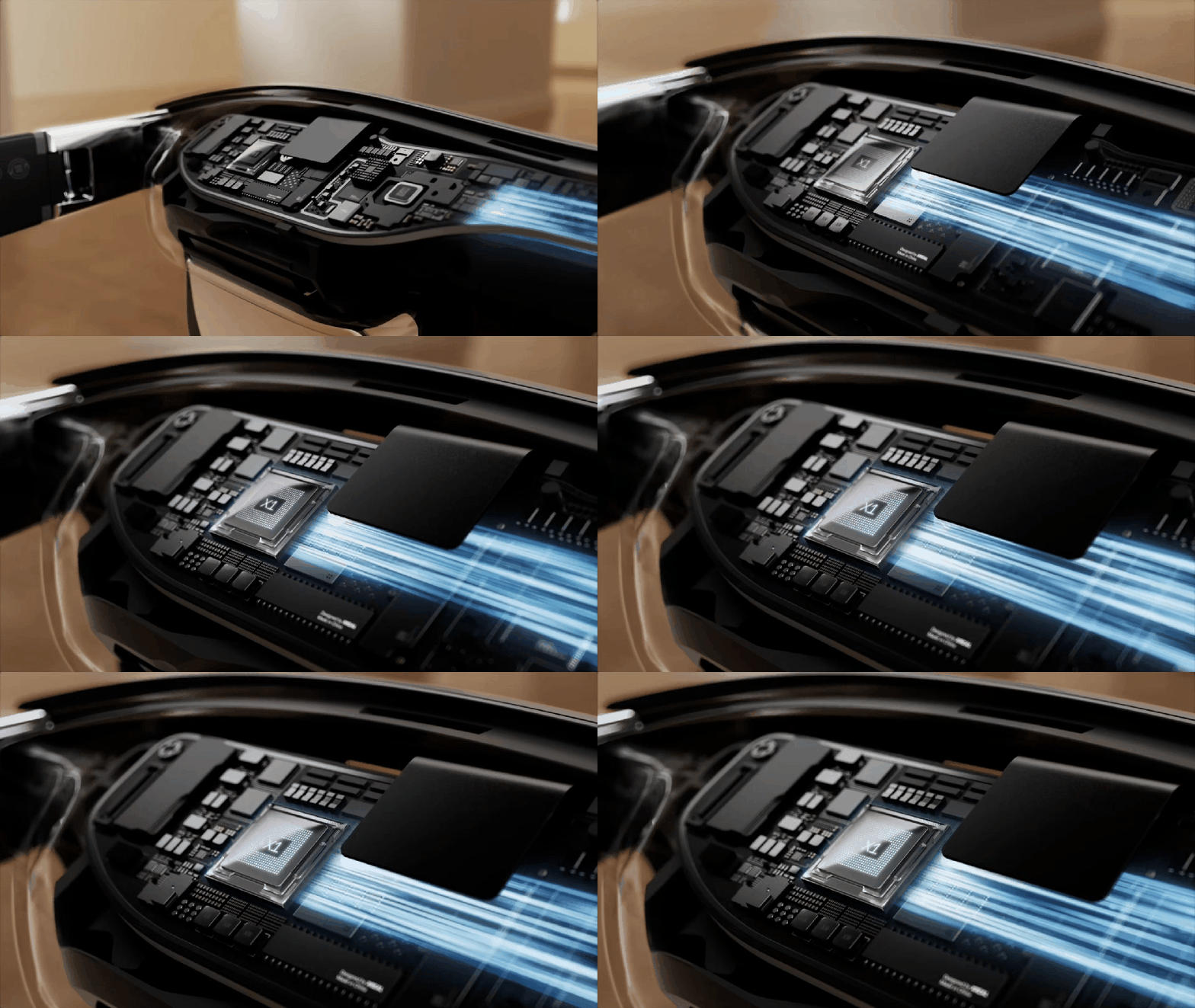
Each incoming video frame goes through a series of stages before it can be displayed in 3D:
Because this processing takes place inside the glasses, REAL 3D does not require users to pre-convert their videos into a stereoscopic format or run a dedicated 3D conversion app on the source device. A compatible phone, computer, handheld, or console can supply the video signal while the glasses carry out the conversion.
This separation is especially important at 60fps: the target 3D output is generated on the glasses rather than relying on a more powerful host GPU. Device connection and video-output compatibility still matter, and the perceived result will vary with the content being viewed.
The original 30fps implementation was a useful starting point for 3D movies, videos, and slower-moving scenes. But once users began experimenting with racing games, third-person adventures, and other interactive content, motion continuity became a bigger part of the experience.
When a camera moves through a scene, objects shift position and depth relationships can change from one frame to the next. Processing more frames every second gives REAL 3D more opportunities to update the stereoscopic output as that movement happens.
Our goal was to expand REAL 3D from something people could watch into something they could also explore through more kinds of games. It was not a claim that every game is better in 3D, or that a 60fps conversion eliminates input latency.
On paper, the move from 30fps to 60fps sounds straightforward: process twice as many frames per second. But each frame has to pass through AI depth estimation and stereo image generation before the next frame arrives. The whole pipeline must run at the higher rate, not just the display.
A desktop solution may be able to add GPU resources to meet that workload. In lightweight AR glasses, there is far less freedom to increase power consumption or heat. The processor sits in a wearable device, close to the face, and the experience needs to remain practical.
The question was not only, “Can we reach 60fps?” It was, “Can we do it on the glasses without a corresponding jump in heat and power?”
An AI model optimized for X1
Depth-estimation models intended for desktop-class processing cannot simply be dropped into a low-power wearable unchanged. Our team developed and optimized an AI model specifically for the X1 platform, with real-time depth inference and the characteristics of common content in mind.
A more efficient end-to-end pipeline
The AI model is only one stage. Once the depth information has been inferred, the rest of the system must generate and deliver the stereoscopic views quickly enough for continuous output. We therefore also optimized the broader system architecture and processing pipeline, improving how the stages work together from input to output.
Managing heat and power
The resulting implementation delivers REAL 3D output at 60fps while keeping power consumption and heat generation close to the earlier 30fps version, based on the current internal qualitative assessment.
Just as importantly, the upgrade does not ask users to add a separate GPU or replace their connected device solely to run the conversion.
The practical payoff is a broader set of dynamic scenes to explore in 3D. Some especially interesting starting points are:
Different content can produce different results. Scenes with clear spatial separation tend to be better demonstrations than flat, text-heavy, or visually ambiguous images. Latency-sensitive competitive and first-person-shooter gameplay is not our recommended showcase for this feature.
The important point is that a higher REAL 3D processing frame rate broadens what can be enjoyable beyond traditional viewing scenarios — without changing where the conversion runs.
The journey toward REAL 3D 60fps began in early 2026, with more than 100 users participating in testing and sharing their experiences along the way.
We've handpicked a few highlights shared by our beta testers. Let's hear about their REAL 3D 60fps experiences in their own words!

We want to take this opportunity to sincerely thank everyone who has been part of the testing process. Your time, patience, and honest feedback have played an important role in helping us improve REAL 3D.
From perceived latency and image quality to stability and visual artifacts, your feedback has helped us identify areas for improvement and refine the experience across different devices and content types.
REAL 3D 60fps is an important step forward, but there's still more we want to improve. We'll continue listening to your feedback and working to make the experience better.
Thank you for helping us bring REAL 3D 60fps to life.
We have always believed that 3D should not force users to reorganize their content or device setup. You should not have to search for a special 3D version of a movie, configure separate conversion software for every platform, or rely on a powerful external computer just to experience ordinary content with depth.
REAL 3D 60fps takes that idea further: from watching familiar content in 3D to exploring more interactive experiences in 3D. You have not changed the source material or replaced the device. You have simply turned on REAL 3D.
The technology behind REAL 3D is complicated. The experience should not be.
And now, we'd love to hear from you!
If you could turn any content into 3D with just one click, what would you want to try? A favorite game, an unforgettable movie scene, or something completely unexpected?
Let your imagination run wild! We're excited to hear what experiences and creative ideas you'd love to explore with REAL 3D 60fps. 🚀
I've heard online that people who have bought from Best buy have already got their tracking information. Is that true? I bought the $199 priority pass and have still yet to receive any information on tracking. Am I the only one who thought "priority" meant getting the product before the general retail public?
r/Xreal • u/Low-Lynx7791 • 59m ago
When is xreal just going to open the flood gates & let the shipping start? Im convinced they are doing this on purpose! Founders got their's just ship the rest alrdy!
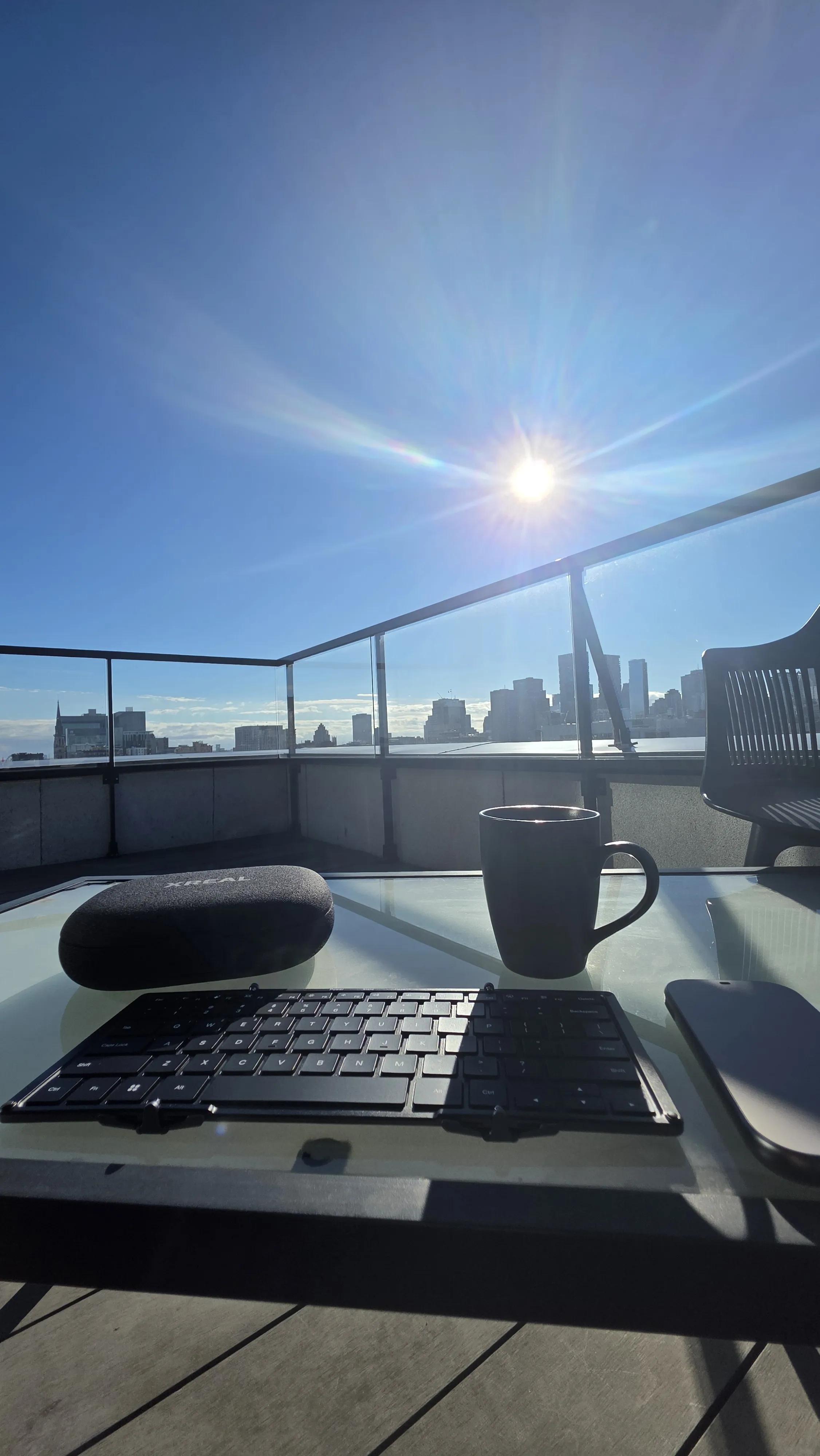
I'll post more when I have time. Got some good use cases and fun shots to share, including screenshots & vids of what I actually see in the Aura glasses. More to come...
r/Xreal • u/Grish_tad • 3h ago
Hey everyone!
Excited to share that ARLOOPA is now available on XREAL Aura!
We've also added XREAL Aura support to ARLOOPA Studio, our no-code platform for creating AR experiences.
This means you can create your own AR experiences using ARLOOPA Studio, without writing any code, and run them directly on XREAL Aura.
ARLOOPA Studio: https://studio.arloopa.com
r/Xreal • u/thelastgreatmustard • 2h ago
So I have been experimenting with my Auras since I got them. Playing different setups and what not.
I love Virtual Desktop but requires wifi. If you can get it, great, if not you are in a tough spot. I can hotspot my systems together in a pinch so that is awesome.
For wired set up I was a little worried about only having one monitor. This morning it hit me, sure, I have one PC monitor, but I can also open Android Apps to float next to my PC virtual monitor.
From there I can interact with my Android apps and use talk to text in the window.... OR because I use a proarc bluetooth keyboard, that has 3 devices it can pair with, I can switch between keyboard controlling my PC or my Xreal.
Just thought I would share.
r/Xreal • u/fragmonk3y • 43m ago
So for I am running Virtual Desktop, Emby, Plex, Claude. What apps do y'all recommend for AR, Passthrough and 3d?
r/Xreal • u/RadiantPen3526 • 2h ago
I checked UPS this morning and I have a new label which is signature required. So the shipping process has started.
Coincidentally, my prescription lenses arrive today.
Any update on nebula on beam pro? Is a version 3.0 planned that fixes some of the current bugs, or revamps the system? Thanks
r/Xreal • u/XREAL_Lab • 6h ago
Roll for initiative on your coffee table. Demeo from Resolution Games turns your living room into a dungeon, with the board anchored right where you set it on XREAL AURA.
Grab your party.
r/Xreal • u/Forsaken-Ad923 • 10h ago
Got the Aura a few days ago and wanted to share my perspective as a current Vision Pro and Viture Beast owner and a former Xreal One Pro ownerS.
There’s a lot to like about the Aura, especially the richer experience Android XR offers. But the things that determine whether I’ll keep reaching for a device after the novelty wears off are where the Aura fell short for me.
Display color: The colors were disappointing next to the VITURE Beast, and I didn’t see a noticeable improvement over the XREAL One Pro. That was especially disappointing because Android XR gives you more to look at and interact with. Better panels would have made that richer experience more compelling.
Puck controls: Touch input on the compute puck was inconsistent. Sometimes it worked, and sometimes it didn’t respond at all. That made basic navigation more frustrating than it should be, especially when I was relying on the puck instead of hand tracking.
Hand tracking while lying down: The cameras’ tracking area felt narrow. I had to raise my hands close to the glasses to get gestures to register. When I was lying down with my hands at my sides, hand tracking was practically unusable.
Moving windows in the dark: In low light, the glasses often couldn’t see my hands. There’s no eye tracking to fall back on, and I couldn’t find an equivalent way to use the puck as a motion controller to reposition windows in 3D space. So one of the things that makes Android XR appealing became hard to use in exactly the setting where I wanted to use it.
I’d be curious whether other Aura owners found a reliable way to move windows in the dark, or had a different experience with the colors side by side.
r/Xreal • u/Subject-Back-5145 • 10h ago
the hardware seems to be getting a lot of love but i keep seeing small software complaints, follow mode, missing streaming apps, setup glitches
if you could get one fix in the next update what would it be?
r/Xreal • u/leoferrari_1 • 6h ago
So we all know that Meta is going to have light blockers with their VR. The point here really is not Meta but that that light blockers are needed for immersion - then why does XREAL not provide/sell them?
Why do we have to consider buying third party ones, which are over priced and poor quality.
I don’t get how XREAL wants to win over their customers. Small things matter.
Can the xbx a01 picture in picture with YouTube?
I would like to use it while walking.
From my research it seems there's no built-in function for it , but are there 3rd party apps that does pip or the ability to make the screen smaller and tucked away at a corner so my view doesn't get obstructed

Sorry for the long form on this one - it brought back alot of memories! :)
r/Xreal • u/No-Relative-9398 • 2h ago
So I have an Inair pod, Xreal beam original and pro, the Lemorele firestick gadget and of course a mouse and remote control. Not forgetting the hot spot box. Looking for a nice box to fit all preferably alone with the Xreal one pro. Any ideas?

He's using Virtual Desktop with MS Flight Simulator - in VR mode streaming.
V frustrating especially as I want to switch between Real 3D and Side View etc with the new patch.
Have tried numerous factory resets and also trying to connect to different devices.
Has anyone else had this happen to them and can suggest a fix? Any help really appreciated.

Hey all! My Founders Edition AURA was delivered last week, and the first thing I did was adapt my light blockers for it. Check below for the exclusive Xreal Sub Deal.
These are the Xreal AURA XR Glasses Light Blockers, printed in flexible 83A TPU rubber. They have full cutouts for the AURA's cameras, so hand tracking and 6DoF tracking work just like the blockers aren't even there, and they're fully compatible with the RX lens inserts.
Full Blockers - $29.99
Open Front - $29.99
Set (one of each) - $49.99
Pimp My Xreal AURA Kit (both blockers, Sound Boosters, and a Cable Clip) - $64.99
Reddit launch deal: use code REDDITAURAPIMPKIT for $20 OFF the Pimp My Xreal AURA Kit, so the whole kit is $44.99 instead of $64.99 (OR CLICK HERE). The code is only for the kit, runs through Cyber Monday!
Let me know if you have any questions!
r/Xreal • u/Knighthonor • 5h ago
Hey Xreal, in next gen Aura Puck, can you add wireless charging and magnetic ring for accessories? This way we can stick a powerbank for more charge or even a magnetic fan for additional cooling of the puck. Just an idea
r/Xreal • u/Sea-Inspection-9425 • 7h ago
What are the best apps I can add to the beam pro or 1s to get full enjoyment out of these ?
Had my 1s for 2 months and couldn’t be happier with them but now want to really take them to their full extent
I don’t have nor want pocket tv or inair pod
(Spent enough already on this experience not spending hundreds more (hence why I didn’t choose to wait for aura )..- beam pro didn’t really need but it’s ok )…
r/Xreal • u/VirtualParzival • 16h ago
Hey everyone, I’m struggling trying to set up my Xbox, PC and Aura glasses together.
What I’m trying to accomplish -
Xbox + PC -> 4 port HDMI Box -> HDMI to USB-C converter -> Aura Puck -> HDMI Wired Window in Aura
What is going wrong -
No image readable on Aura puck.
What I’ve tried -
Full setup - no image or change
Xbox to HDMI Converter to puck - puck recognizes that an image is trying, but will not switch. Errors out.
Xbox to HDMI Converter direct to glasses - Aura, will not wake glasses up. Xreal One, works exactly as intended.
PC HDMI to converter - no image or detection
PC USB-C direct to puck - works as intended.
My theory -
Seems as though something is different about the way Aura and the puck detect images in? I’m not sure what can work, because I’ve narrowed down all the variables trying many different setups with no success. The ONLY way I’ve been able to get it to work on the Aura is direct USB-C from my PC.