r/androidroot • • 15d ago

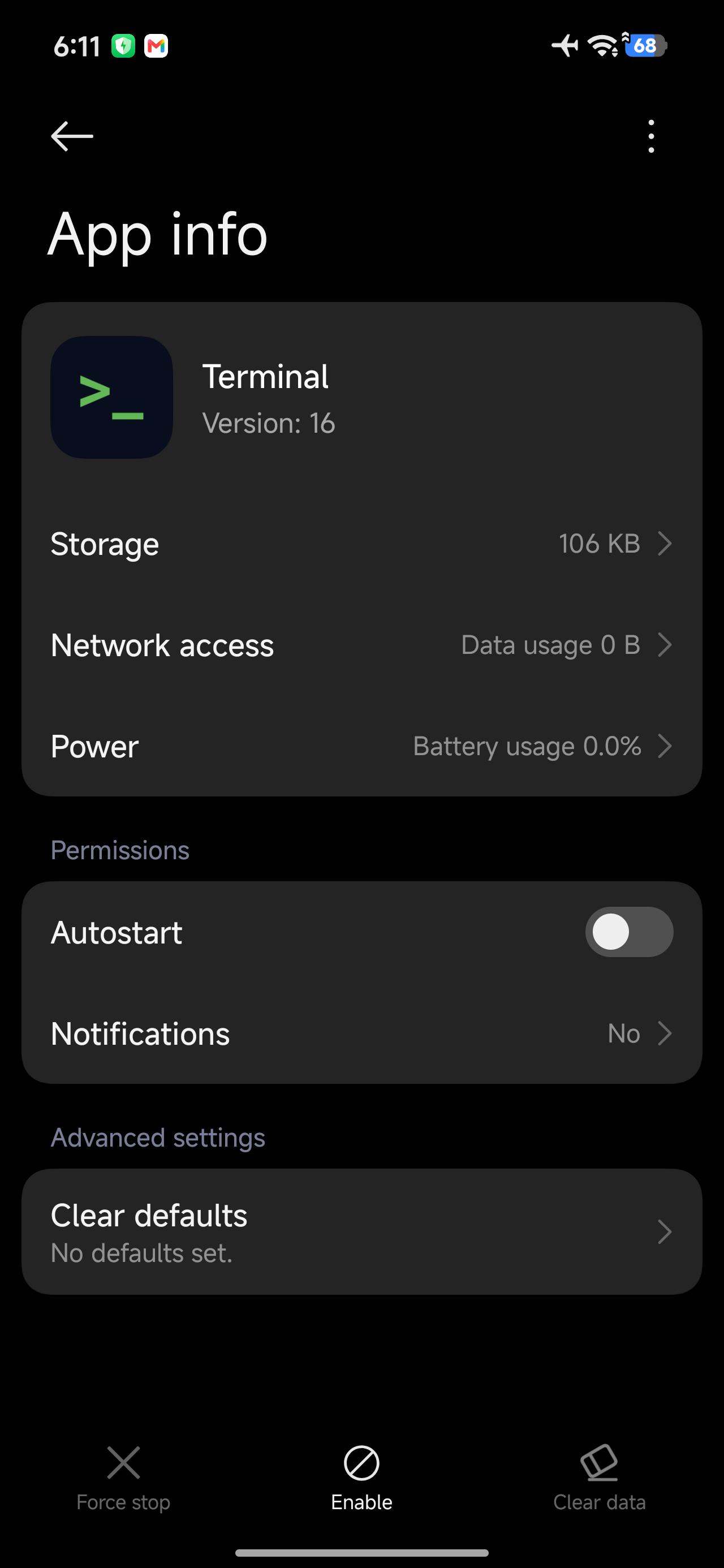
Discussion how do i enable this
Post image

disabled by default on HyperOS clicking the enable button does nothing

3 Upvotes

17 comments sorted by

4

u/Ante0 <Device>, <ROM> 15d ago

3

u/Icee_666 15d ago edited 15d ago

thanks that worked it was hidden in devloper options and only shows up if you use search inside the settings app

0

u/serpal999 15d ago

If it's hidden then it's probably not supported. Which Android version do you have, which phone and which SoC?

1

u/Icee_666 15d ago

Android 16, REDMI Turbo 4 Pro, SOC: 8s GEN 4 after i enabled the toggle the terminal app showed up on my homescreen and asked for 550MB of download i haven't downloaded it yet but will let you know if it works

1

u/Ante0 <Device>, <ROM> 15d ago

It will work, just needs to download the distro 👍

0

u/serpal999 15d ago

if it asked if you wanted to download it, then it probably means it works

0

u/serpal999 15d ago

which is surprising for REDMI of all companies to do this.

1

u/Zolxyk06 13d ago

Ooo which custom rom u using?

1

u/Ante0 <Device>, <ROM> 13d ago

It's stock A17

1

u/serpal999 15d ago

if Android detects no KVM it won't let you enable it either.

2

u/Ricccc2k12 15d ago

I cant see it how do i enable kvm

1

u/serpal999 15d ago

If you don't see that Android option, either your android version is too old or virtualization wasn't built into the ROM. Either way, KVM is not something you enable: on MediaTek devices, if the kernel is booted at EL2 (uncommon on newer chipsets), then you rebuild the kernel with KVM support and hope that it works. On Qualcomm chipsets, EL2 virtualization is only available for Snapdragon 8 Gen 4+ (if I remember correctly), and (most of the time) only as Gunyah, which won't work with this Android feature, unless the vendor specifically added Gunyah support to the ROM, then the option to enable it will not be grayed out.

Either way, if your device has /dev/kvm (KVM device) or Gunyah but doesn't have that Android setting/it's grayed out, then with Root and Termux you can still run QEMU virtual machines at almost full speed, but most times it actually runs a bit slower, but faster than software emulation. If you device has both KVM/Gunyah support and that Android setting is not gray, you get Android-supported Debian VM via the Terminal app as shown by OP.

1

u/Ricccc2k12 15d ago

Galaxy s25 edge oneui 9

1

u/serpal999 15d ago

Samsung is known to not support this feature, as it conflicts with Knox and they specifically omit AVF (Android Virtualization Framework) in their ROMs.

1

u/BedNo5011 15d ago

it is not true, recent samsung devices natively ship Linux Terminal because they support pKVM at EL1 instead of Gunyah. It's a Qualcomm issue that uses an older hypervisor that doesn't allow for unprotected VMs. Mediatek ships Geniezone and Exynos a similar one which offers support for unprotected VMs

1

u/serpal999 15d ago

Huh, didn't know that. I knew about Geniezone for Mediatek and Gunyah for Qualcomm, but I didn't know that pKVM ran at EL1 (I assumed it was Gunyah). I also didn't know about the Exynos variant of those 2.

2

u/ItsDenji777 15d ago

Jus use Termux