r/androidterminal • • 2d ago

General chsh

1 Upvotes

chsh basically doesn't work. I installed and changed it to /usr/bin/fish but every start it's still bash, I have to add a /usr/bin/fish entry at the end of .bashrc but it makes it need two exit command to work.


r/androidterminal • • 2d ago

General UML bionic updated to kernel 7.3.1

Thumbnail
gallery
7 Upvotes

I compiled a newer version of UML for Android, based on kernel 7.3.1 and using NDK version r30. I added support for btrfs, zram, AppArmor, SELinux, FUSE, and cryptsetup. While I’m not sure how graphical user interface (GUI) programs will run, it’s clear that I’ll need to use something like VNC. UML does not have hardware acceleration as if it could be had in AVF. What do you think?


r/androidterminal • • 3d ago

Hardware Vivo X200 Pro (Dimensity 9400) terminal.. seems to be working?

Post image
21 Upvotes

Out of curiosity, I decided to try to enable terminal after updating to Origin OS7.
The steps are very briefly:

  1. enable developers options
  2. enable USB debugging and Wi-Fi debugging
  3. install shizuku from Play Market, connect it (or you can run ADB commands from PC)
  4. install aShell (or some other compatible terminal) to run ADB commands
  5. adb shell pm enable com.android.virtualization.terminal
    if you use aShell, just type
    pm enable com.android.virtualization.terminal
  6. terminal is now in the list of apps, it asks to download 600 Mb of data before running, and that's it

I'm not sure its the correct one though, is the Linux kernel the same as others see? or is it just a local android


r/androidterminal • • 4d ago

Tips I was able to run the terminal on POCO X7 Pro

Post image
5 Upvotes

So, actually, I had a problem with launching it, but I actually found a solution.

Correct the file vm_config.json On the way /data/data/com.android.virtualization.terminal/files/linux/

Why? For some unknown reason, the MTK hypervisor on the 8/256 model doesn't allow more than 3 GB of RAM, Good job, xiaomi


r/androidterminal • • 4d ago

Hardware Terminal not installing on Poco x8 pro

Post image
4 Upvotes

Im on a Poco x8 pro with a dimensity 8500 ultra and 8gb of ram, I saw someone do it on a Poco x8 pro max which has a dimensity 9500s, does my device not support it?


r/androidterminal • • 12d ago

Question Is the GoogleBookOS Terminal app exactly the same?

5 Upvotes

I found out that you can download and manually install the GoogleBookOS version of Chrome which gives you some extra features, and is particularly very handy for Android Desktop Mode.

And that made me think, what if we can get the apk of the Terminal from GoogleBookOS and install it on a regular phone in order to get a better experience?

Questions:

- Does the GoogleBookOS Terminal have any extra features or better UI?

- Where to get the APK in order to try it out?


r/androidterminal • • 14d ago

News Podroid v1.3.0 new UML backend !

24 Upvotes

User-Mode Linux. The guest kernel runs as a normal Android process, so code runs natively instead of being emulated by QEMU. No root, no adb grant, any arm64 phone on Android 8+.

Measured on a Nothing Phone (1), QEMU vs UML:

- Boot: 33-41 s vs 13-18 s

- npm install express: 49.5 s vs 24.8 s

- Node CPU loop: 18.8 s vs 4.7 s

- Starting a container: no gain (7.6 s vs 8.2 s)

It is opt-in (Settings > Show advanced > Backend), has no USB passthrough, and is not a security sandbox. If your phone has AVF, that is still about 10x faster, so stay on it.

Also new: the active backend shows on the home screen, live charts on the Status screen, and the user guide ships inside the VM.

It has only been tested on two phones, so reports are very welcome, working or not.

GitHub: Podroid

Release: APK


r/androidterminal • • 16d ago

News Qualcomm's latest Snapdragon chips are compatible with Android's Linux Terminal app

Thumbnail androidauthority.com
25 Upvotes

r/androidterminal • • 17d ago

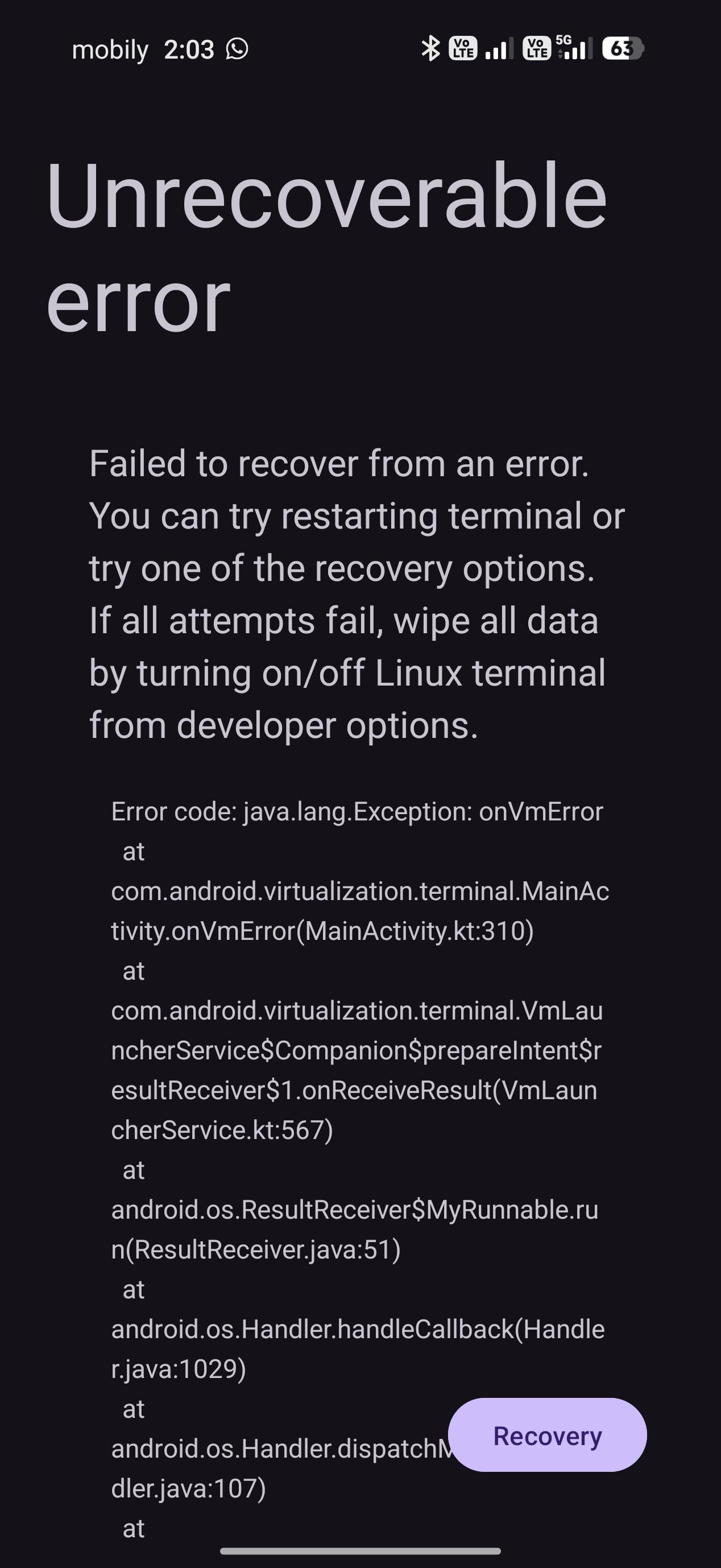
Question My Android Terminal not working?? Why

Post image
5 Upvotes

I don't know why I've tried to recover several times but I still can't get to the point.

Is it possible that someone has experienced the same thing?


r/androidterminal • • 19d ago

Question How to actually use hardware GPU acceleration? (Pixel 8A)

3 Upvotes

Pixel 8A Graphene OS, how to actually use hardware accelerated graphics (gfxstream pipeline as far as I understand)? I tried opening the terminal app, installing firefox, opening it and playing a youtube video but it is very laggy and certainly not near-native performance and there are some clues in the terminal it isn't enabled (things about lavapipe etc).

If I go into settings there is just Port Control, Advanced and Recovery and in Advanced there is nothing about acceleration.


r/androidterminal • • 19d ago

News The first Snapdragon phone with Android Linux Terminal support is here [Redmagic 12 Pro, 8 Elite Extreme Gen 6]

Thumbnail
9to5google.com
38 Upvotes

r/androidterminal • • 20d ago

Show and Tell I'm building a VSCode-like IDE for Android [Vibe Coded]

Thumbnail
gallery
28 Upvotes

For context: I'm a Data Scientist and as of now I don't own a notebook, just a desktop and a Tab S11 Ultra with the keyboard cover. The tablet was always close to fulfilling every need that I have on the go, except for this specific point. Should I need or want to work on something I would have to either: wait to get home, use a web-based alternative (that would cost some money) or just use the AVF to serve a code server.

The web based alternatives are not that interesting because they can't handle some keyboard shortcuts, so this is the first let down. So I started by building a wrapper to simply intercept keyboard input and pass them on to the UI. It worked on that regard, but then: memory. The Terminal, while very enabling, is quick to crash the whole OS once it runs out of RAM. So restarts were so frequent I could not really rely on it to do any level of important work. Even idling it would sometimes restart.

So... I thought about building a new daemon that would communicate with a native front-end, managing FS, terminal relay, language servers, AI completion and so on. I've been at it for a few weeks and I can say it is surprisingly usable! I will attach some screenshots, but the RAM footprint is as low as it can be, I have not seen any crash since I switched for the native approach and made the daemon act on memory management by killing idle tools or processes that the IDE may spawn. It even has jupyter notebooks support with native views for tables, widgets, images etc. I also added support for other languages, but my main need is Python.

The daemon can run on the AVF itself or any Linux machine, really, but in that case we could stay with the wrapper.

This is for personal use, but I may share the app.


r/androidterminal • • 20d ago

News Qualcomm Snapdragon chips will support Android's Linux terminal

32 Upvotes

I was catching up on old news last week, and came across a Google blog post that seems to have fallen under the radar.

MediaTek recently announced support of the pKVM-backed On-device AI seal on MediaTek Dimensity 9600 Pro, and Qualcomm’s Snapdragon chipsets will also support our architecture via AVF as we expand across the broader silicon ecosystem.

For context, the Linux development environment on Android allows you to run Debian in a non-protected virtual machine on supported hardware (Tensor, select Exynos, and select Mediatek chips). Snapdragon chips don't support running non-protected VMs because the Gunyah hypervisor currently lacks support . Switching the hypervisor to pKVM means that Snapdragon chips will support running non-protected VMs, allowing for the Linux VM to work.

The Snapdragon X Elite Dell and HP Googlebooks also serve as real-life examples of this. All Googlebooks support a pKVM hypervisor, and the Linux terminal app is present and functional on the aforementioned laptops. Additionally, we can verify support for pKVM and non-protected VMs using adb. Here's the output from a Dell Googlebook:

adb shell /apex/com.android.virt/bin/vm info
Both protected and non-protected VMs are supported.
Hypervisor version: 0.0.1
/dev/kvm exists.
/dev/vfio/vfio exists.
VFIO-platform is supported.
Assignable devices: []
Available OS list: ["microdroid"]
Debug policy: Ok(DebugPolicy { log: false, ramdump: false, adb: false })
Updatable VM is supported.

The only question left is whether devices with the latest Snapdragon 8 Elite Extreme Gen 6 and 8 Elite Gen 6 chips support the Linux terminal app. If you have one of those devices, feel free to test it and report back in the comments.

Lastly, in related news, I was able to test and confirm the Samsung Galaxy A08 4G (Mediatek Helio G99) supports running non-protected VMs. Unfortunately, the Linux terminal app is unable to connect to the VM just like the Galaxy Tab S12 series. To my knowledge, it's the first Helio G99 device to support it. Notably, other devices with the Helio G99 don't support it, including older Samsung devices on Android 16 like the A07 4G, and A17 4G.

Also, I was also able to test and confirm the S26 FE supports the Linux terminal. There weren't any doubts about the Exynos 2500 having support, but it hasn't been tested and confirmed until now.


r/androidterminal • • 25d ago

News MagicDesk: systemd, Docker/Podman and Linux GUI apps on Android without root or AVF

Post image
7 Upvotes

Hi! I'm the developer of MagicDesk, a free, open-source Android workspace.

Its Linux runtime, Shroot, runs ARM64 Linux programs on Android's existing kernel through Shizuku or Shevery. It doesn't require Android root, an unlocked bootloader, AVF, Termux or PRoot. It's a userspace compatibility layer, not a separate Linux kernel or a PRoot wrapper.

The screenshot shows Ubuntu with Xfce and Firefox, plus an Alpine container started with Podman.

The current release is 2.2.0.1. Tested workflows include:

- Booting distributions with systemd, OpenRC or runit.

- Docker Engine, Podman, LXC and systemd-nspawn, including container networking and published ports.

- Desktop browsers, VS Code, and selected Flatpak/Snap applications.

- Individual Linux applications in Android windows, or a complete Linux desktop through embedded X11 and Wayland.

- Optional Turnip/Zink graphics acceleration on supported Adreno devices, plus Android audio and gamepad integration.

The interactive installer includes Debian, Ubuntu, Alpine, Fedora, Arch Linux ARM, NixOS and other distributions. Linux applications work independently of MagicDesk's optional Android desktop mode.

Performance

Shroot automatically accelerates eligible system calls through lazy SVC rewriting in memory, without modifying installed program files.

Here are measurements from Alpine ARM64 on one phone. These are relative elapsed times, with chroot = 1; lower is better:

chroot / PRoot / Shroot:

- stat: 1.00 / 62.89 / 5.11

- Open/close files: 1.00 / 47.91 / 7.29

- Create/close/rename/delete files: 1.00 / 11.79 / 3.30

- fork/exec/wait: 1.00 / 5.47 / 8.37

- Build SQLite: 1.00 / 1.00 / 1.05

File operations benefit substantially, but fork/exec/wait is still slower than PRoot. These are not AVF comparisons.

Integration and automation

MagicDesk also provides terminals with history and retained sessions, clipboard/file exchange, and file or camera attachments accessible from the Linux console.

For automation, its optional MCP server exposes Android controls, Linux application interfaces through AT-SPI2, D-Bus access and guest consoles.

Requirements: ARM64 Android 14+, Linux kernel 5.15+ with the required capabilities, and shell access through Shizuku/Shevery. GPU support depends on the device. Shroot is not a VM-grade security boundary: use trusted images and programs.

Source, screenshots and benchmarks:

https://github.com/mekhontsev/magicdesk

Latest APK:

https://github.com/mekhontsev/magicdesk/releases/latest

Linux setup:

https://github.com/mekhontsev/magicdesk/blob/main/docs/shroot.md

I'd be interested in the workflows you'd try, especially on devices where Android's Linux Terminal isn't available.


r/androidterminal • • 25d ago

Show and Tell Pixel Fold 11 in desktop mode

Post image
84 Upvotes

I'm really enjoying my Fold hooked to a dock and external keyboard/mouse, working on a project in Claude Code. I just wish the Android Terminal app wouldn't crap out, as it does occasionally.


r/androidterminal • • Oct 24 '26

General UMLinux and the Linux terminal on Android

Post image
19 Upvotes

For a few weeks now, several developers have been compiling UMLinux for Android, but only one has published his work and provided recent updates. I would say that, to some extent, it serves as a solution for those who do not have root access or whose Android device is not compatible with a Linux terminal. However, my own experience with UMLinux has shown me that a native Linux terminal performs better—though, admittedly, UMLinux can be used on a wider range of Android phones. Debian Trixie in UMLinux


r/androidterminal • • Oct 15 '26

Question I can't start gui

Thumbnail
gallery
3 Upvotes

How can I start gui in terminal? When I click the top icon it just shows a blank screen. Device Google pixel 10a Android 17


r/androidterminal • • Oct 14 '26

Linux instead of Android

11 Upvotes

I was wondering if there's a way to ditch Android and switch to Linux on my Samsung Galaxy S25 Ultra, because I want to use a base distribution, code, and customize it to best fit my needs. I know I'm not asking enough questions; I was just wondering if it is possible.


r/androidterminal • • Oct 13 '26

News Introducing the Googlebook Linux Terminal Preview: A VM-Backed Environment for AI and Development

Thumbnail
android-developers.googleblog.com
17 Upvotes

r/androidterminal • • Oct 12 '26

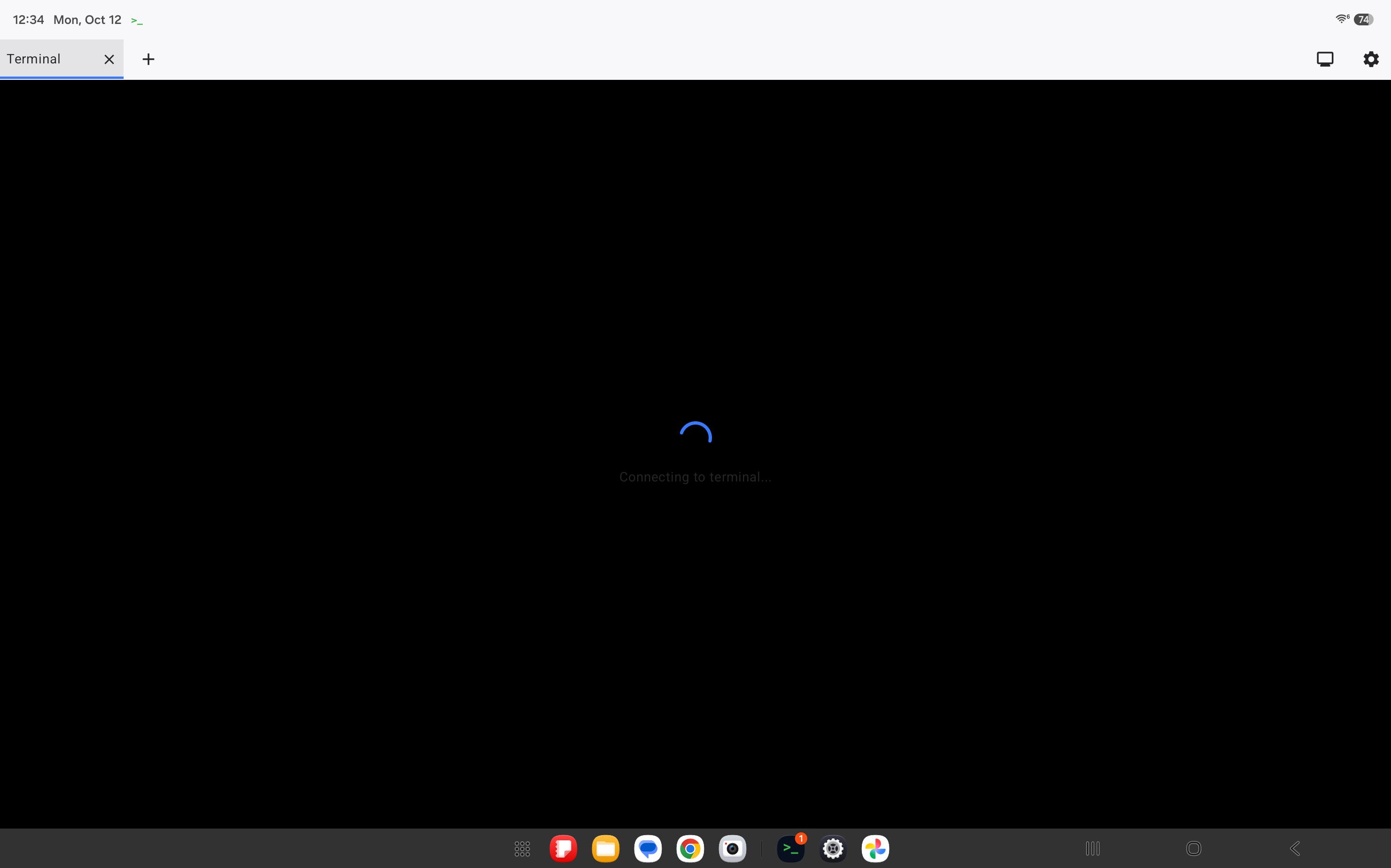
The Linux terminal on the Samsung Galaxy Tab S12 series is currently broken

Post image
9 Upvotes

The OS image downloads and installs fine, but fails to connect to the virtual machine afterwards. I haven't been able to figure out why yet, but will update if I find out. The hardware (Dimensity 9500+) supports it, so it's definitely a software issue. It works fine on an S26 Exynos model on One UI 9, so it's also not because of One UI 9.

For reference, the Linux terminal is currently only supported on the S26/S26+ Exynos models (Exynos 2600), Flip7 (Exynos 2500), Tab S11/S11 Ultra (Dimensity 9400+), Tab S10 FE/FE+ (Exynos 1580), A57 (Exynos 1680), and A56 (Exynos 1580). The S26 FE (Exynos 2500) probably also supports it, but I haven't been able to test it, and haven't seen any mention online.

Disclosure: This was discovered on a Samsung Galaxy Tab S12 Ultra on loan from Samsung.


r/androidterminal • • Oct 07 '26

Host your own AI model

Thumbnail
gallery
2 Upvotes

My first project in a lunix terminal & it was my favorite way to code had no clue you could create servers & host a webpage for a program you code on your android phone & be able to set up Qwen & make an AI that can function offline on the device independently & even without opening terminal because you can set it the project to save as a service and leave the AI/Si as always on.


r/androidterminal • • Oct 02 '26

Followup to "Firefox faster than native Chrome" post

Thumbnail
gallery
13 Upvotes

Previously I posted about how Firefox and Chrome running in Android Terminal were significantly faster than native Android Chrome on a benchmark that uses a lot of wasm. Well, it turns out that there's a slow-me-down switch in native Android Chrome. It's called Advanced Protection. There is a way to turn it off, or you can disable it for specific sites. With that disabled, the Mandelbrot benchmark is just as fast on native Android Chrome as on the Android Terminal Firefox and Chrome.

Original post: https://www.reddit.com/r/androidterminal/s/39BuQoCh6f


r/androidterminal • • Sep 27 '26

Show and Tell Firefox in Terminal faster than native Chrome

Thumbnail
gallery
21 Upvotes

On my Pixel 10 Pro XL, I installed Firefox in Android Terminal and ran a Mandelbrot benchmark using 8 cores (JS workers). Firefox was almost 3 times faster on this benchmark, rendering 61.3 rows/sec to Chrome's 22.5.

To try it yourself browse to Mandelbrot benchmark and set Image Size to 800x600.

Very odd result!

See followup post here which explains it: https://www.reddit.com/r/androidterminal/s/Bn2CMW4pJX


r/androidterminal • • Sep 21 '26

Question I've never had the chance to use an Android terminal. How is its performance?

6 Upvotes

Example: is have differences for performance with Termux Proot?


r/androidterminal • • Sep 21 '26

Question Хороший ли способ запускать MATE Desktop Environment в Linux Terminal Android 16?

Thumbnail
gallery
2 Upvotes

Много экспериментировал с LXQt, XFCE, KDE и другими окружениями рабочего стола в Linux Terminal Android 16. Более-менее нормально у меня заработали только XFCE и MATE, причём MATE был заметно стабильнее.

Сейчас делаю так (всё от sudo):

  1. Обновляю систему
apt update && sudo apt full-upgrade -y
  1. Устанавливаю полный MATE через task-пакет
apt install task-mate-desktop

Можно, конечно, всё по отдельности установить, но у меня выходило много проблем, так что решил воспользоваться таким методом. В этом случае явно устанавливается много лишнего, но вроде особо не мешает + сильно упрощает установку.

  1. Отключаю автоматический запуск Weston, чтобы использовать LightDM и MATE
sed -i '/systemctl --user start weston/s/^/# /' /usr/local/bin/enable_display
sed -i '/systemctl --user start weston/s/^/# /' /usr/local/bin/enable_gfxstream

Без этого у меня были конфликты с графическими сессиями, либо в самой оболочке было много багов

  1. Устанавливаю пароль для пользователя droid:
passwd droid

Без пароля я не смог нормально пройти авторизацию через LightDM.

  1. Перезагружаю систему:
sudo reboot

После перезапуска достаточно открыть Linux Terminal и нажать на иконку графического режима справа сверху. После этого MATE запускается нормально.

И вот теперь к вопросам:

  • Насколько вообще нормальный такой способ запуска MATE?
  • Есть ли более правильный способ отключить автоматический запуск Weston, чем редактирование enable_display и enable_gfxstream?
  • Есть ли смысл после установки заменить task-mate-desktop на более минимальный набор пакетов?
  • Какие компоненты MATE можно безопасно отключить, чтобы снизить потребление RAM и CPU?

Тестировал на Samsung Galaxy Tab S11 Ultra (MediaTek Dimensity 9400+)