r/arma • u/stefanzo501 • 4d ago
HELP Help Retexturing

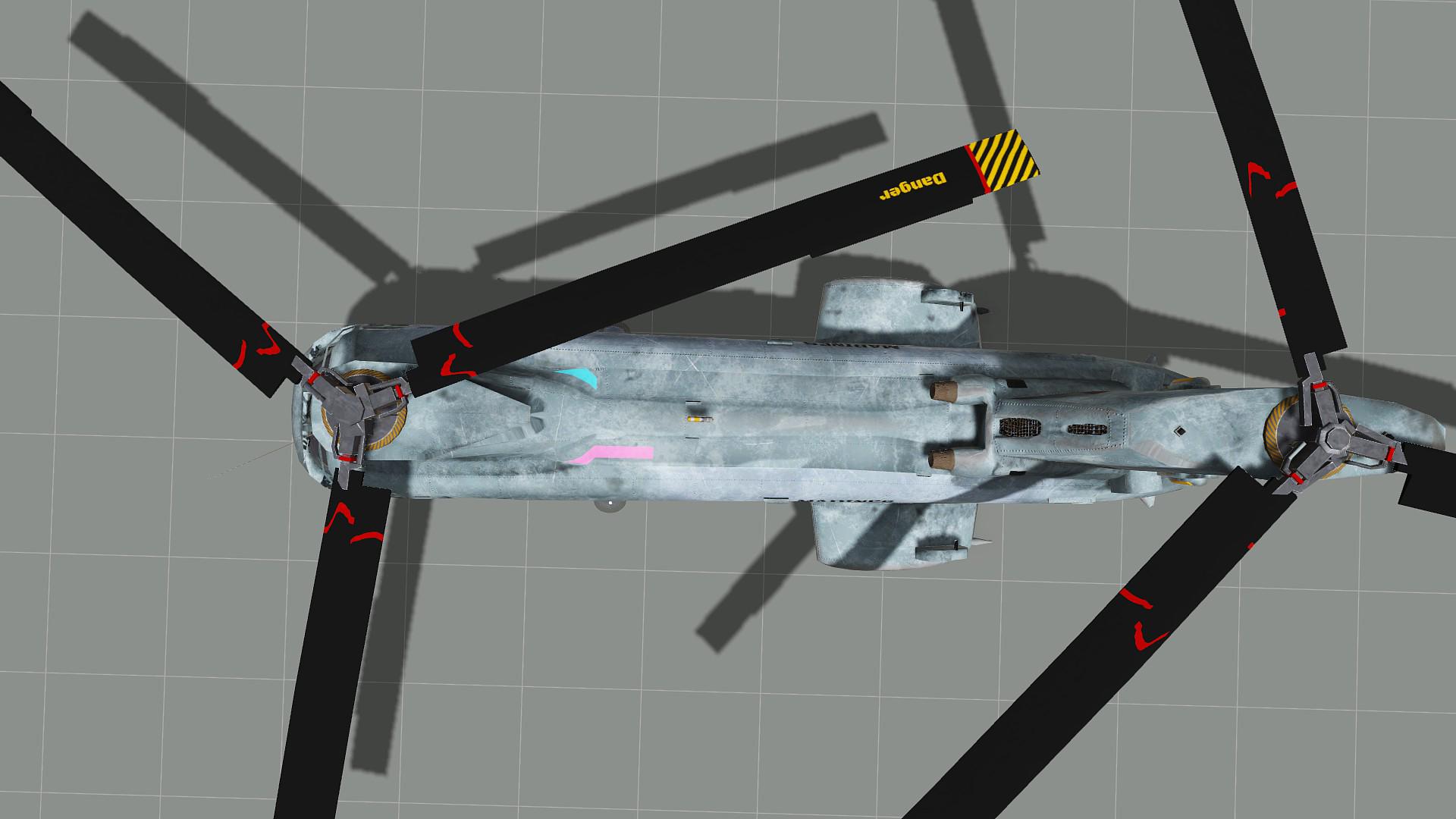


Hello All, Im trying to retexture TeTeTe3's CH-46 Sea Knight, Im trying to give the phrog an uplift to a 2000s grey blue scheme. Im however absolutly a novice and stumbling through this blindly and curious if anyone here knows of any tools or of people who can do retexture for commissions? This UV map is kicking my ass as I try to map it out.
21
Upvotes
4
u/Zman6258 3d ago
One of the easiest "brute-force" methods of UV repainting is to slap a texture map like the one found here over the top of the texture. Load in game, see how the UV grid looks on the finished model, get a sense for how everything is positioned.
5
u/LungHeadZ 3d ago
Use a procedural texture, they're fairly easy to make using geo nodes and means you don't have to commit to a specific placement by baking too early.
Please don't rely on ai, learn it for yourself. It's a very useful tool that requires no manual unwrapping. Should work for this texture type.
Then you can bake it as normal when happy.
Edit: should clarify, I have blender experience but not so much arma modding. Tried bringing a model into the game once and whilst it was an object in the game, it was invisible. Never bothered further. The workflow should be fine though
13
u/idk_idc_about_a_user 3d ago
As far as tools go, Photoshop or standard MS paint is enough to edit the texture. If you have the model as well you could use Adobe Substance painter.
5
u/SrluigiG 4d ago
I wish there was a mod to make easier to retexture vehicles/weapons or even clothes and accessories like the new mod for cyberpunk
2
u/HipsterFoxxx 3d ago
Substance Painter or PawPaint
1
u/evilhomer1987 3d ago
Not everyones favourite... But use AI. After that you can allways manually alter it.
1
u/Comprehensive-Hat-60 2d ago
It might take time, but if I were you, I’d just paste like the nose of the design you want somewhere on the map, then load it and see where it lands. Adjust accordingly until you get it right. Once you get a grip of where the front is, you might have better luck placing the rest.
1
u/Whompner 1d ago
I cant help with retexturing but if youre going to post something to the workshop id greatly appreciate the BV-107-II paint schemes, feel free to dm me for any images
-2
u/Disastrous-River-366 3d ago
Just ask the AI