r/audacity • • 7d ago

news The Audacity team wants to know: how do you use macros?

Thumbnail
forum.audacityteam.org
8 Upvotes

r/audacity • • 6h ago

help Total newbie to audio editing - what is going wrong here?

4 Upvotes

Kia ora from Aotearoa New Zealand

I do voiceover work, but I typically get hired to go into a studio with a director and sound engineer and they do all the magical bits. I wanted to try and branch out and see if I could do some stuff independently, but the learning curve is steeeeeeeep, friends.

I have a Rode NT1 5th generation mic plugged directly into my PC via USB-C, with a desk-mounted boom arm, and I recorded directly into Audacity, with whatever the default settings are. I also tried recording into my phone, and the issue didn't seem to replicate when I played it back, but the exported file was too quiet for the client to hear. They were fine with what I ended up sending, but I'm not happy with it myself - I'd love to fix my issue and send them an updated version.

I have googled my little heart out, trying to describe the problem, with variations on the theme: 'volume fading in and out on individual words'. I've read chunks of the Audacity manual that have been thrown up from these searches, tried running it through Levelator, but as a total newbie to any kind of sound engineering, I'm befuddled and overwhelmed by information, and nothing I've tried so far seems to work.

I would be eternally grateful if someone could take a listen to a very short snippet of the material and let me know if they can identify the issue and where I should actually begin my wild goose chase!

My initial post was auto-removed by Reddit's filters, so I'll try to link in the comments, or can send by DM if it still won't let me post it!
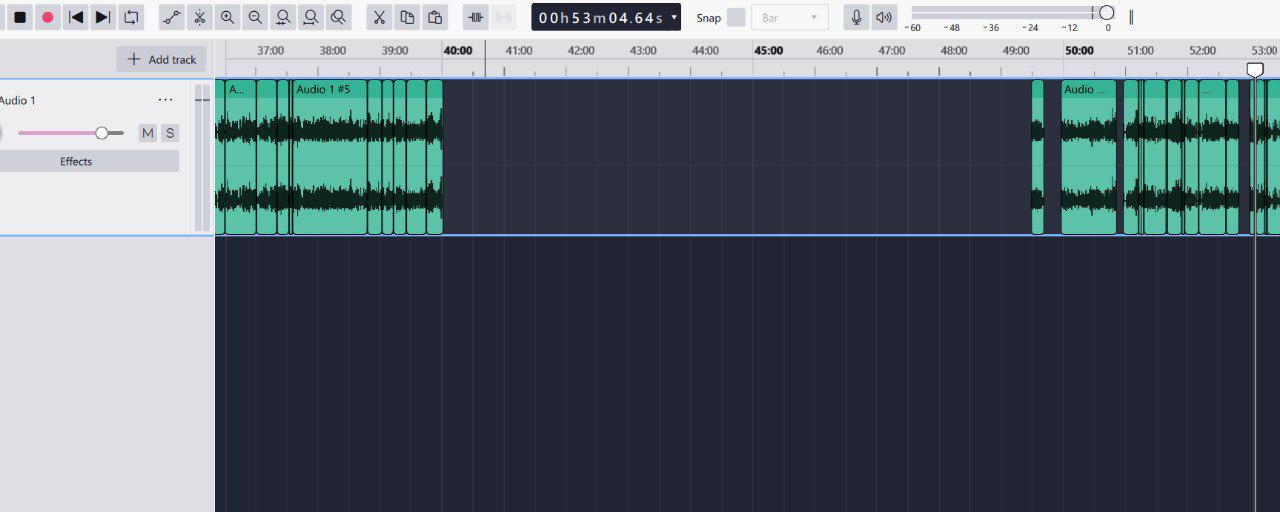

r/audacity • • 9h ago

help Static

1 Upvotes

Still hearing static on my voice track even after applying noise gate. The pauses are completely silent but the part with my voice has slight static behind it. Is there a way to adjust my Scarlett audio interface to fix this? Why is noise gate only removing noise from pauses and not from behind the voice itself?


r/audacity • • 1d ago

Can the splash screen be reverted to old Audacity?

0 Upvotes

I really appreciate Audacity. It's what I turned to after Sonic Foundry Sound Forge. Yeah been using it a minute. The splash screen is a wait I don't want. Is there a way to change it? Thank you.


r/audacity • • 2d ago

What on earth have they done to one of my favorite apps?

50 Upvotes

Audacity 4.0. It totally and absolutely sucks. They took one of the most useful and intuitive audio editing apps and turned it into an unusable crock of crap. What's all this project view nonsense? Then I get project windows stuck on one of my monitors and can't move it to the other monitor. It's just awful.


r/audacity • • 3d ago

question When you speed up an audio file to 2x–3x, is all the original sound still physically there, or does some of it get lost?

5 Upvotes

When you speed up an audio file to 2x–3x, is all the original sound still physically there being played, or does some of it get lost?

If I speed up a 10-second audio clip so it plays in 3 to 5 seconds (roughly 2x to 3x speed), is all of the original audio content still preserved in the sound coming out of the speakers, just compressed in time? Or do audio players actually skip or drop parts of the sound to make it play faster?

Basically, I'm curious whether all the information is still actually there even though it's way too fast for my brain to understand, or if some of it is genuinely lost in the process? Thanks.


r/audacity • • 5d ago

Importing audio tracks into a TEMPLATE

2 Upvotes

So I have created a template in Audacity for creating a podcast with 2 audio tracks, a labels track (both to create a divider for moving the 2 voice tracks separate of the other tracks, and to have episode start and end markers...) and then intro and outro tracks for music.

But how do I get the audio I choose to import onto the chosen tracks? When I import, Audacity just seems to create a new track below the music tracks (and therefore below the labels track)...and when I move them up (just using right click "move track up) it does not recognize the episode start marker in the labels track.

Am I doing something wrong? What's the point of having a template if the importing doesn't recognize the template? I'd love some help because I can't figure it out!


r/audacity • • 5d ago

question what’s the equalizer setup for professional sounding voice?

1 Upvotes

i’ve been trying a low pass filter to filter out the highest frequencies but it just doesn’t sound right


r/audacity • • 5d ago

A4: Select tracks for export

2 Upvotes

I have 10 tracks. I have chosen two adjacent tracks that I want to export as a mix. I don't see a way to select only those two. The other 8 tracks are muted, but when I export, all 10 tracks are exported. The muted tracks don't have sound, but they change the length of the final mix.

How do I select only 2 of the 10 for export?


r/audacity • • 5d ago

meta New mod team

26 Upvotes

Eyo! I have recently taken over this subreddit and added my old friends and colleagues from the Audacity team as mods. I don't know how much the Audacityteam folks will show up here on a regular basis (they're busy enough working on Audacity 4.1 as it is), but they know of y'all now :)


r/audacity • • 6d ago

Audacity loopback on Zoom calls

2 Upvotes

Hello everybody! Maybe you can help me on this... I record Zoom calls in Audacity using the my headset loopback (WASAPI). The other attendees get recorded, but my voice doesn't. Sidetone is on in the headset and I can hear myself... so why doesn't the loopback pick it up? any easiest way to record both sides? thanks!


r/audacity • • 7d ago

meta Could someone mention me when Audacity 5 is relevant?

0 Upvotes

I might wanna get back into audacity around audacity 5 because they'll upgrade the backend I think and then depending on how it effects plugins I think it might make that scene pop off more? I kinda migrated to Reaper even though I have the most exp in Audacity historically, I feel like when the UI updates are completely implemented (based on reading stuff here I think they could've waited a few months realistically before releasing) but I might wanna check stuff out when that happens?

Also, if I'm not cool with the direction of Audacity I can use a fork built of 5 cause 5 is gonna be where the backend is updated without the legacy baggage and might have features of modern DAW's.

Like just be like u/thetruekingofwaffles and I'll show up ngl


r/audacity • • 8d ago

question Is it really possible to produce professional level audio with Audacity?

8 Upvotes

Suppose I grabbed decent audios with my decent mic (Sennheiser MKE 400), Can I process it to sound like a professional for YouTube videos? I'm new to this. Which tools should I start learning in this software? I'm aiming for documentary styled videos. Thank you.


r/audacity • • 9d ago

how to Max Peak Gone?

2 Upvotes

I'm recording using the new version of Audacity (v4), but the max peak is now gone from the recording meter, which only appears on the left side of each track. The old version had the max peak, as described here: https://manual.audacityteam.org/man/meter_toolbar.html

According to the documentation for the new version, "Each bar shows the current peak level with an RMS reading drawn over it, plus a marker holding the highest peak reached." But I don't see that. I only see the "current" peak, which is only over the last few seconds.

Is the documentation correct, and I'm just missing it? Or is the documentation wrong, and I need to file a bug (if that's possible)?


r/audacity • • 9d ago

help New to this program, how do I connect these clips together without dragging them one by one?

Post image
1 Upvotes

r/audacity • • 10d ago

Mods, please pin "Audacity v4" is not ready for public use yet!" to the top of this sub. It's boring reading all the doesn't work posts. V4 should not have been released yet.

51 Upvotes

r/audacity • • 10d ago

New Interface in Ver 4.X

4 Upvotes

Is it me or is anyone else having issues with the new interface? I had so much trouble finding things I deleted and went back to the last version of 3.xx.

I use it each week for a specific personal need and I just did not have time to re-learn things.


r/audacity • • 10d ago

help Podcast cohost audio bleeding into host track

1 Upvotes

Hello y’all, I am brand new to using Audacity and am still figuring out how to use the software and I’m needing help 🙏
I recently recorded using two xlr røde podmics, connected to the focusrite scarlet 2i2, connected via usb to my laptop to record into Audacity. As I’m listening back to the recording to make edits I am noticing that the cohost voice is slightly bleeding into my host track. I removed a selection of his audio track but you can still just barely hear his voice, is there a way this can be fixed?

Appreciate any help and if I need to explain more please ask, thanks everyone 😬


r/audacity • • 11d ago

help Mic not picking up sounds after update

1 Upvotes

Just updated to the newest version and now the only sounds my mic will pick up are when I tap on the mic. Doesn't pick up voice or anything else. Any suggestions within the settings that might fix this? Operating on Windows 10 and had no issues until I updated Audacity a couple of days ago. Mic also works fine (just a basic headset with standard jack plugin).

Edit: tried a different mic and still not getting anything, so it's not a hardware issue.


r/audacity • • 11d ago

general Am I the only one who hates the changes made to speeding up and slowing down?

6 Upvotes

It was much easier before. Now, it seems impossible to get it in the exact speed and pitch you want. I hate all these new sliding stretch. What was wrong with "Change Speed and Pitch" at the same time? I wish they would change it back.

I went back to last year's version because of these ridiculous and unnecessary changes.


r/audacity • • 11d ago

Spectrogram view by default option gone

2 Upvotes

So I'm in the preferences and I don't see the option to have newly imported audio be displayed in the spectral view by default. The only thing I see is a section for spectral display options. Is the default view option actually gone?


r/audacity • • 11d ago

help Trouble with clipping and ACX standards

2 Upvotes

I’ve recently started recording with Audacity for ACX audiobooks. I am using the ACX plugin to check the levels comply with their standards, but I’m having some issues.

Once I have edited the clips (EQ’d, compressed, set the RMS level and limited the whole thing), I’m having issues with clipping. I have a fairly even vocal volume so I don’t think variance is the issue. I have tried everything I can think of to prevent the clipping, but I find it is either to quiet to meet ACX standards (-23 to -18Db) or it clips like crazy.

Any idea on what I can do to fix it?


r/audacity • • 12d ago

I remember when Tantacrul put out that video saying he and the team wanted to turn Audacity into a proper DAW. How'd that turn out?

17 Upvotes

Not only did they not implement a way to change tempo, and therefore the snap grid, partway through a project, but they also outright REMOVED even the OPTION to set the record shortcut to record on new track by default. The simple, frictionless act of just hitting a single key without having to manually make a new track or enter a dropdown menu is like, THE number-one priority for a user-friendly DAW and you can't even do that now! Such piss!


r/audacity • • 12d ago

choppy, fuzzy sound and then...nothing

2 Upvotes

I am very new to Audacity and have previously used it to blend some field recordings together into one track. I just updated the program, and opened an mp3 to practice since I got a sampler and want to play with it. When I open the mp3 in audacity, it's choppy and fuzzy, and then the sound cuts altogether.

What I know:

--I checked the sample rates, nothing amiss there

--the mp3 plays fine in Quicktime/iTunes

--I am running MacOS Sonoma on a Mac laptop from 2017

--I've checked input/outputs, volume levels, mac audio settings

--I can only use airpods/headphones because the speakers on my mac don't work consistently

--The green playback level bars are still fluttering as if there's sound

Is this just because I have an ancient laptop? Has anyone else had this issue?


r/audacity • • 12d ago

How do I install VST3 plugins in Audacity 4?

1 Upvotes

Exactly what it says on the tin. I've tried setting up the folder location and rescanning plugins like the tutorial on MuseHub said, but no matter what my plugin WILL NOT show up in the plugin manager after I rescan. I've tried setting up the folder in multiple locations, including the default folder it opens when you browse to find a folder (C:Program Files/Audacity 4/bin) and nothing has worked.

The plugin I'm trying to set up is BC Free Amp, btw.

I never had this many problems installing VSTs in old versions of Audacity. I've been using BC Free Amp in Audacity 3.6.2 for over a year with no issues.