MAIN FEEDS
Do you want to continue?
https://www.reddit.com/r/badcode/comments/117huv7/count_the_kludges/
r/badcode • u/[deleted] • Feb 20 '23
4 comments sorted by
15
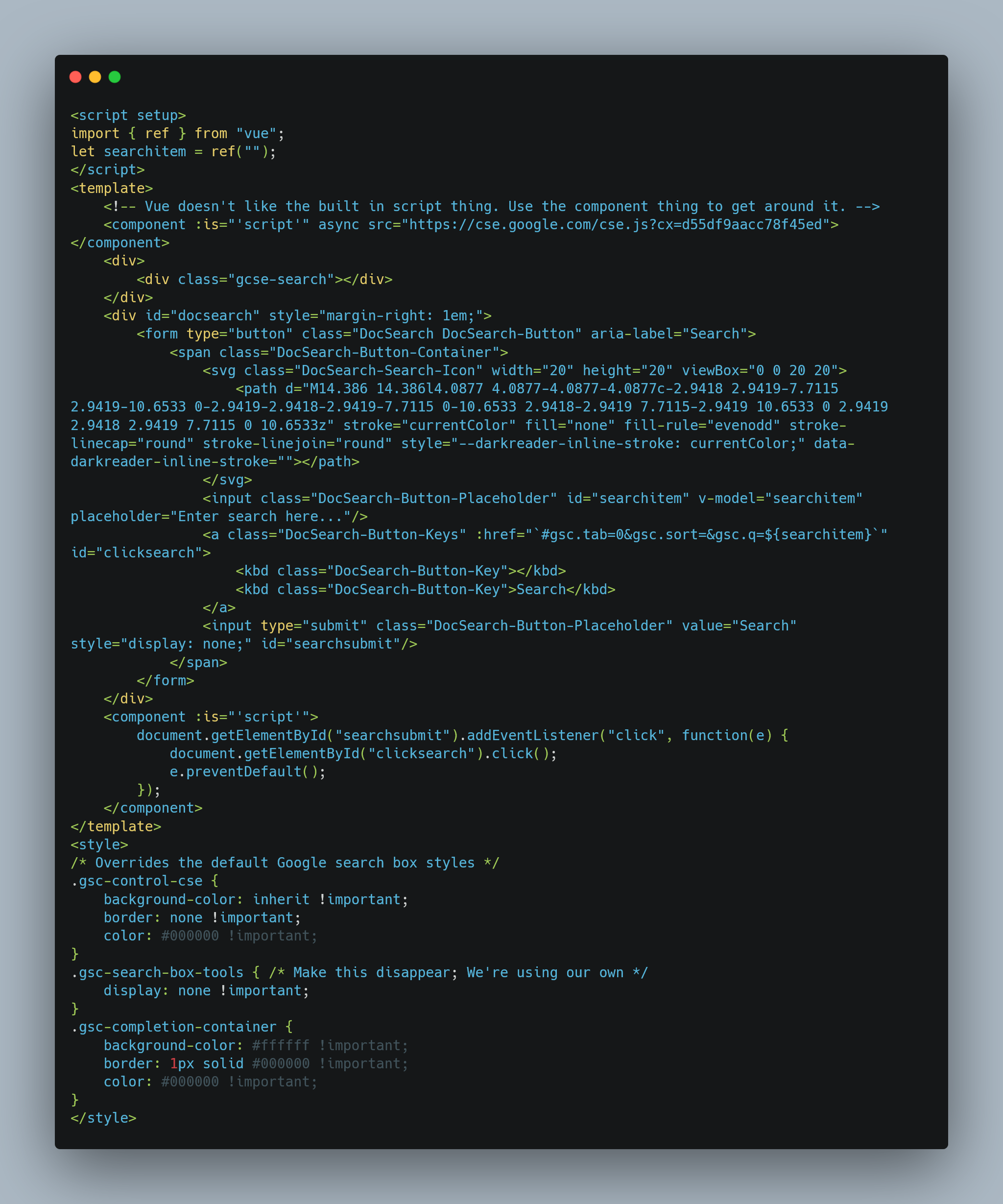
I’m not a vue developer… is <form type=“button”…/> a thing in vue?
<form type=“button”…/>
That breaks my mental model… in HTML, a <form> is a container, for a set of related form elements… and <button> could be part of a form, or just a standalone element…
10 u/iQuickGaming Feb 21 '23 im a vue dev and i have never seen that in my life 2 u/paulstelian97 Feb 21 '23 Eventually a div that is a button. But a form?
10
im a vue dev and i have never seen that in my life
2
Eventually a div that is a button. But a form?
13
Image Transcription: Code
<script setup>
import { ref } from "vue";
let searchitem = ref("");
</script>
<template>
    <!-- Vue doesn't like the built in script thing. Use the component thing to get around it. -->
    <component :is="'script'" async src="[ Link to a Google Programmable Search Engine page ]">
</component>
    <div>
        <div class="gsce-search"></div>
    </div>
    <div id="docsearch" style="margin-right: 1em;">
        <form type="button" class="DocSearch DocSearch-Button" aria-label="Search">
            <span class="DocSearch-Button-Container">
                <svg class="DocSearch-Search-Icon" width="20" height="20" viewBox="0 0 20 20">
                    <path d="M14.386 14.386l4.0877 4.0877-4.0877-4.0877c-2.9418 2.9419-7.7115
2.9419-10.6533 0-2.9419-2.9418-2.9419-7.7115 0-10.6533 2.9418-2.9419 7.7115-2.9419 10.6533 0 2.9419
2.9418 2.9419 7.7115 0 10.6533z" stroke="currentColor" fill="none" fill-rule="evenodd" stroke-
linecap="round" stroke-linejoin="round" style="--darkreader-inline-stroke: currentColor;" data-
darkreader-inline-stroke=""></path>
                </svg>
                <input class="DocSearch-Button-Placeholder" id="searchitem" v-model="searchitem"
placeholder="Enter search here..."/>
                <a class="DocSearch-Button-Keys" :href="`#gsc.tab=0&gsc.sort=&gsc.q=${searchitem}`"
id="clicksearch">
                    <kbd class="DocSearch-Button-Key"></kbd>
                    <kbd class="DocSearch-Button-Key">Search</kbd>
                </a>
                <input type="submit" class="DocSearch-Button-Placeholder" value="Search"
style="display: none;" id="searchsubmit"/>
            </span>
        </form>
    </div>
    <component :is="'script'">
        document.getElementById("searchsubmit").addEventListener("click", function(e) {
            document.getElementById("clicksearch").click();
            e.preventDefault();
        });
    </component>
</template>
<style>
/* Overrides the default Google search box styles */
.gsc-control-cse {
    background-color: inherit !important;
    border: none !important;
    color: #000000 !important;
}
.gsc-search-box-tools { /* Make this disappear; We're using our own */
    display: none !important;
}
.gsc-competion-container {
    background-color: #ffffff !important;
    border: 1px solid #000000 !important;
    color: #000000 !important;
}
</style>
I'm a human volunteer content transcriber and you could be too! If you'd like more information on what we do and why we do it, click here!
15
u/scunliffe Feb 21 '23
I’m not a vue developer… is
<form type=“button”…/>a thing in vue?That breaks my mental model… in HTML, a <form> is a container, for a set of related form elements… and <button> could be part of a form, or just a standalone element…
13
u/MurdoMaclachlan public boolean isInt(int i) { return true; } Feb 21 '23
Image Transcription: Code
I'm a human volunteer content transcriber and you could be too! If you'd like more information on what we do and why we do it, click here!