r/blenderhelp • • 3d ago

Unsolved Need help in texture mapping
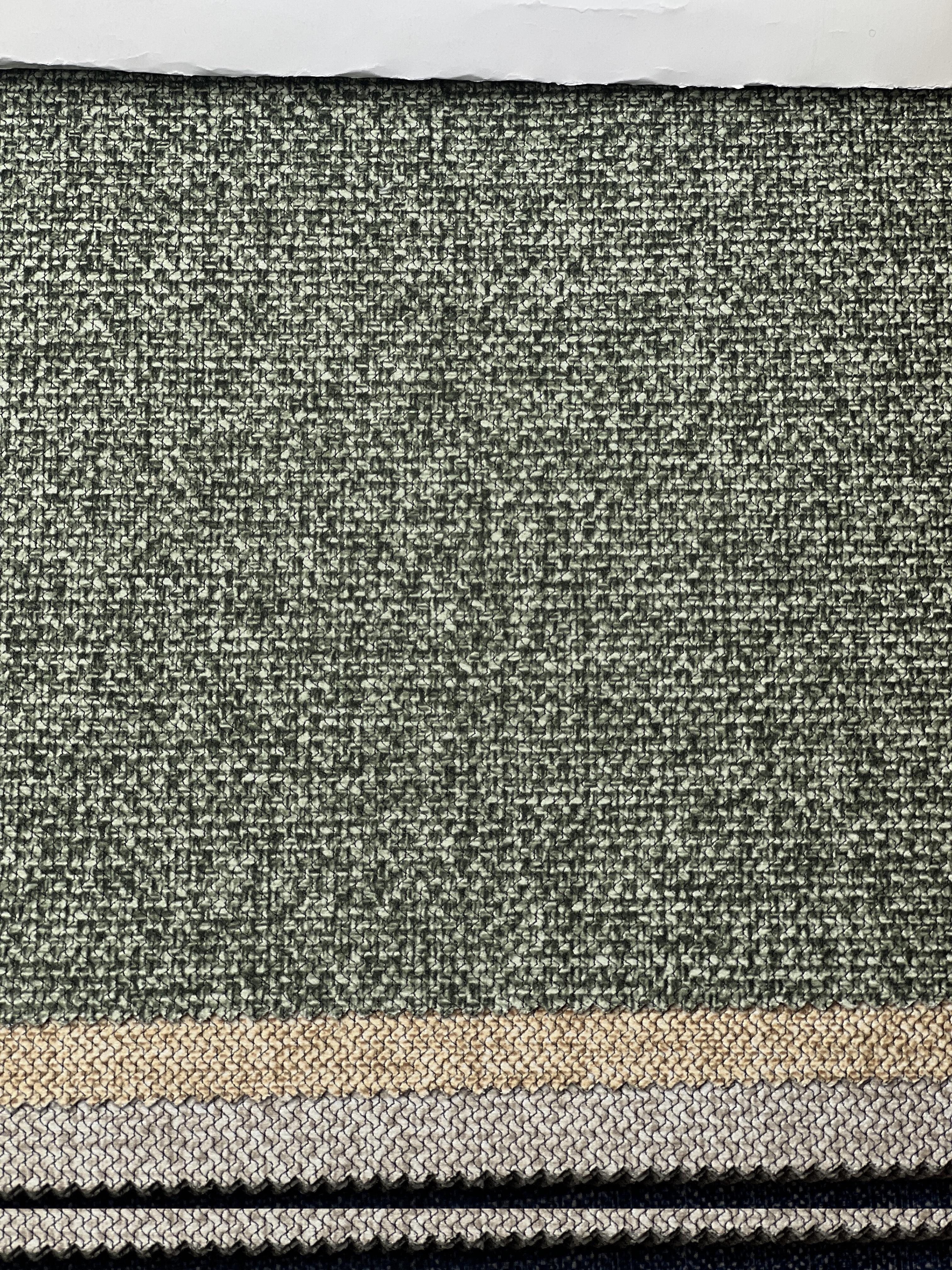
I m facing issues in placing texture of a fabric from an image to a model of a sofa. the fabric just looks really weird from the image that i have. I m open for suggestions coz i dont understand what i m doing wrong. Is there something wrong with my node setup or any other suggestions you may have.i have uploaded the render,my node setup on the fabric swatch.

1 Upvotes

7 comments sorted by

•

u/AutoModerator 3d ago

Welcome to r/blenderhelp, Altruistic-Toe-6595! Please make sure you followed the rules below, so we can help you efficiently (This message is just a reminder, your submission has NOT been deleted):

  • Post full screenshots of your Blender window (more information available for helpers), not cropped, no phone photos (In Blender click Window > Save Screenshot, use Snipping Tool in Windows or Command+Shift+4 on mac).
  • Give background info: Showing the problem is good, but we need to know what you did to get there. Additional information, follow-up questions and screenshots/videos can be added in comments. Keep in mind that nobody knows your project except for yourself.
  • Don't forget to change the flair to "Solved" by including "!Solved" in a comment when your question was answered.

Thank you for your submission and happy blendering!

I am a bot, and this action was performed automatically. Please contact the moderators of this subreddit if you have any questions or concerns.

1

u/Pleasant_Line_5356 3d ago

The UVS need to be fixed

1

u/Altruistic-Toe-6595 2d ago

How do i do that? I struggle alot with UVs

0

u/Pleasant_Line_5356 2d ago

Honestly I recommend rizomUV. It’s super easy and makes learning uv maps a lot easier as well. You get a free trial if I’m not mistaken

1

u/Altruistic-Toe-6595 2d ago

Is it a tool?

1

u/Party-Dimension-3571 2d ago

A few things in that setup are working against you:

  1. The photo isn't a texture yet. It has the white paper at the top, the yellow/grey strips at the bottom and a light gradient across it, and when it tiles 20+ times all of that repeats and shows up as streaks. Crop it to only the green part, then make it seamless (the Anti-Seam panel you already have, or any image editor with an offset/wrap tool). A straight-on photo with even light helps a lot.
  2. Your Mapping scale is 21.8 x 12. Non-uniform scale stretches the weave in one direction, which is why it looks like long scratchy lines along the cushions. Keep X and Y the same (or matched to the image's aspect ratio) and use one number to control the size.
  3. UVs: put a checker/UV grid image on it temporarily. If the squares are stretched or different sizes between the tubes and the end caps, unwrap again (mark seams on the tubes and caps, U > Unwrap, then UV > Average Islands Scale so every part gets the same texel density).

Quick test without touching UVs: in the Texture Coordinate node use Object instead of UV, and on the Image Texture node switch Flat to Box with Blend around 0.2. For a noisy fabric like this that often looks fine on its own.

1

u/Altruistic-Toe-6595 2d ago edited 2d ago
  1. I m using a cropped version of that pic. Its quite well lit so when i crop it ,its seemless .

2 . the model has some weird stretched vertices ,so i have to use a very uneven scale ratio

3. I face alot of issue while using Uv so i havent been able to do that successfully

Tried that uv thing with box-It didnt work. all the curves get really weird