r/btrfs • • 20h ago

It's just a question but could AI 'help' find a solution for btrfs raid 5/6 ?

0 Upvotes

Not looking for a bunch of "cute" answers.

I'm just curious if it might be possible a new or overlooked approach might show up.


r/btrfs • • 3d ago

Is there a way to move data from a partially corrupted drive without going into ro mode?

6 Upvotes

Hey!

I have this 2 tb drive that is dying. But it holds some 200 gb of backups. I'd like to extract as much as possible before it refuses to do anything. However, each time it goes into a ro mode and refuses to operate.

Is there a way to ignore bad sectors and just proceed with what I have?


r/btrfs • • 5d ago

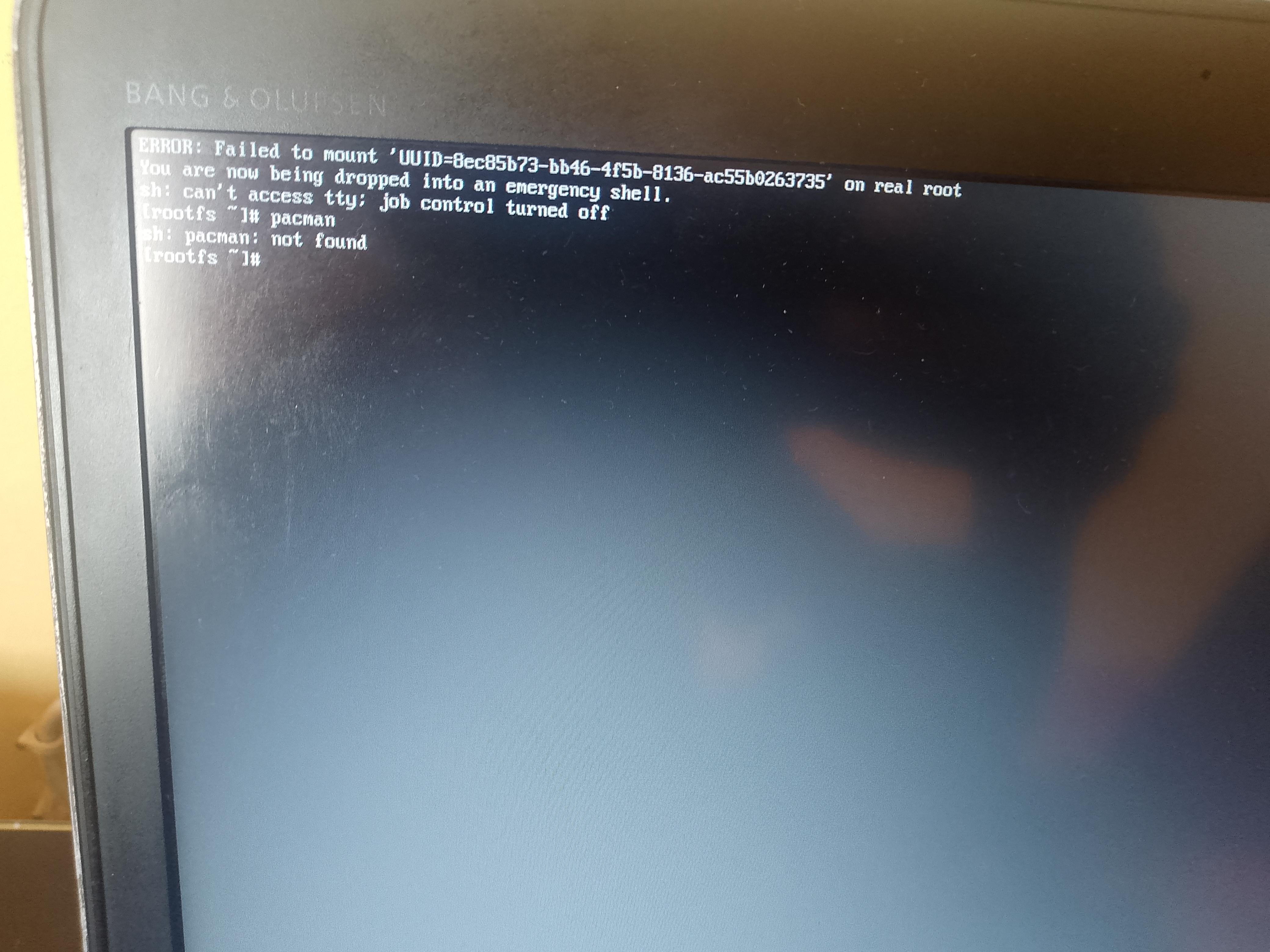
BTRFS corrupt

Post image
26 Upvotes

r/btrfs • • 8d ago

[btrbk] I'm really sorry, but I still don't understand how to use *_preserve_min and *_preserve in btrbk. What values should I use to only make backups and snapshots whenever I manually run it?

5 Upvotes

I found this other thread where someone else asks this question, but I still don't get it. They say:

snapshot_preserve_min 6h means “keep all snapshots younger than 6 hours”, no matter what.
snapshot_preserve 24h 3d means “keep the latest hourly snapshot for 24 hours, and the latest daily snapshot for 3 days”

From what I understood from that example: if you run btrbk at 07:00, then all snapshots taken between 01:00 and 07:00 are preserved, while those taken between 00:00 and 01:00 are deleted. Then lets asume that the last hourly snapshot was at 23:00. Does that mean that that snapshot in specific will be deleted the next day the next time btrbk is run after 23:00? Is that correct?

Now, about my other question: I very rarely run btrbk, around less than once a month. So I want to only make backups and snapshots whenever I manually run it. For example, if I run it 10 times a year, I only wan to see 10 backups and snapshots. Right now with the current settings I have, it automatically created a new snapshot per day, even though I didn't execute it those days. What values for *_preserve_min and *_preserve do I need to use so I can delete all those old snapshots? And after that only preserve the ones that get created when I manually run it?


r/btrfs • • 14d ago

Enable automatic Timeshift snapshots for automatic software updates

8 Upvotes

What do you think about this feature (request), does it improve some thing?
*https://github.com/orgs/linuxmint/discussions/1742


r/btrfs • • 14d ago

btrfs Read-only

5 Upvotes

Crossposting from r/NobaraProject, did not happend since writing this three days ago(yet)

tl;dr
Please help me identify if i do have an unfixable hardware defect, so i can make use of the sellers warranty. need more proof than "its not working" :P

somewhat context:

https://www.reddit.com/r/NobaraProject/comments/1xnpgrs/my_nobara_linux_has_made_my_file_path_as_read/

I'm new to Nobara and somewhat new to Linux in general and im facing

BTRFS readonly error

Hardware: Refurbished! (bought off of alternate.de, trustworthy german retailer)
HP Probook 440 G7 with Intel i5 10210U (Laptop)
2x8 GB 2667 Dual-Channel Unknown Manufacturer Ram
Culprit:
256GB OEM Version of a SK hynix BC511 (smart follow up down)

Software:
+Nobara 44 7.3.1-202 KDE PLASMA
(mostly default installation settings, except i switch to German with a german KB Layout)
+Nobara bundled stuff
-removed Brave(and/or Helium?), OBS, RGB and Videoediting stuff

added via dnf app center
+Firefox 158 (EG please update to 159 please ><)
+Faugus 2.5.7
+Gwenview 1:26.08.1
/ Solaar and Piper currently not installed

added via extern:
+Deadband + dependencies via dnf app center; like systemd-devel and some python stuff
https://github.com/broroeror/gamesir-linux-tools

installed via "Welcome to Nobara"
Bazaar
added via Flatpak exclusively via Bazaar:
flatseal
+Thunderbird
+Telegram
+Nuclear
+Discord

added via external Flatpaks:
+Boosteroid via "Boosteroid.flatpak"
https://boosteroid.com/downloads/

+GeForce NOW via

flatpak remote-add --user --if-not-exists GeForceNOW https://international.download.nvidia.com/GFNLinux/flatpak/geforcenow.flatpakrepo

flatpak install --user GeForceNOW com.nvidia.geforcenow

flatpak run com.nvidia.geforcenow

https://www.nvidia.com/de-de/geforce-now/download/
respective
https://www.nvidia.com/en-gb/geforce-now/download/

changed System stuff:

sudo mkdir -p /etc/systemd/resolved.conf.d
kate /etc/systemd/resolved.conf.d/dns_over_tls.conf

[Resolve]
DNS=my dns
FallbackDNS=my fallback dns
DNSOverTLS=true
DNSSEC=true

sudo systemctl restart systemd-resolved

added KDE Plasma Miniprogs:
+Netspeed Widget
+Thermal Monitor

Thats all tinkering i did

Now when i install something via Steam, dnf app center, Bazaar or Cloudgame via Boosteroid/GFN my system somethimes goes into a readonly mode.

Its not 100% reproduceable, sometimes it does, sometimes it does not.
Sometimes its happening after standby. i dont make use of hibernation.
After a restart the system isn't in readonly anymore, and is working "flawlessly", as far as i am able to tell.

Maybe the nvme is having a defect?

sudo smartctl -a /dev/nvme0n1

https://pastebin.com/HZuFXvDP

df -h

Dateisystem    Größe Benutzt Verf. Verw% Eingehängt auf
/dev/nvme0n1p3  220G    120G   98G   56% /
devtmpfs        7,6G       0  7,6G    0% /dev
tmpfs           7,7G    103M  7,6G    2% /dev/shm
efivarfs        150K     86K   60K   59% /sys/firmware/efi/efivars
tmpfs           3,1G    2,1M  3,1G    1% /run
none            1,0M       0  1,0M    0% /run/credentials/systemd-journald.service
none            1,0M       0  1,0M    0% /run/credentials/systemd-resolved.service
/dev/nvme0n1p3  220G    120G   98G   56% /home
tmpfs           7,7G    6,5M  7,7G    1% /tmp
/dev/nvme0n1p2  2,0G    523M  1,3G   29% /boot
/dev/nvme0n1p1  599M     21M  579M    4% /boot/efi

sudo btrfs scrub start -B /

Starting scrub on devid 1
scrub done for 25007ba8-0773-4637-88b3-ac51595ae75d
Scrub started:    Sat Nov  7 15:14:43 2026
Status:           finished
Duration:         0:01:20
Total to scrub:   119.45GiB
Rate:             1.49GiB/s
Error summary:    csum=1
  Corrected:      0
  Uncorrectable:  1
  Unverified:     0
ERROR: there are 1 device(s) with uncorrectable errors

sudo dmesg | grep -E "checksum error|btrfs.*err"

[16159.315458] BTRFS warning (device nvme0n1p3): scrub: checksum error at logical 1591427072 on dev /dev/nvme0n1p3, physical 2673557504 root 257 inode 44414 offset 1601536 length 4096 links 2 (path: zonk/.local/share/flatpak/repo/objects/d1/62306444979bb214914c997b54c5b3c02e1add713ea27fb731f0efb0f42d3a.file)

[16159.315463] BTRFS warning (device nvme0n1p3): scrub: checksum error at logical 1591427072 on dev /dev/nvme0n1p3, physical 2673557504 root 257 inode 44414 offset 1601536 length 4096 links 2 (path: zonk/.local/share/flatpak/runtime/org.gnome.Platform/x86_64/51/36d7e84ff76b57bc8dd4ccf702bd154e3d15dcad2059d353d69edd10a6f3e3a3/files/lib/x86_64-linux-gnu/libheif.so.1.23.1)

the first two installation went also into readonly which id tried to fix via gemini which resulted, well, into a full reinstall, but both brtfs readonly stuff were related to ~.local/share/flatpak/repo/objects"

Thats all information i got so far.


r/btrfs • • 16d ago

How many distros poorly implement BTRFS ?

14 Upvotes

Mostly, I mean dumb things like not use subvolumes when installing, but back in the day OpenSUSE made a huge nested and complex btrfs setup. It was a mess.

I just installed Fedora 45 to a VM and they did't use subvolumes**. Neither did Ubuntu the last time I installed it.

EDIT: Turns out Fedora 45 does use subvolumes but for a reason unkown the first time I installed it, it did not. I re-installed it to see if I could figure out why my install was without subvolumes while others report that Fedora does use subvolumes, I created new VMs 6-7 times and did nothing different. Each time I used the same default entries varying only the disk size and BIOS vs. UEFI and I selected "use full disk" everytime. Everytime except my initial install, subvolumes were created. Still scratching my head over this one...

I ended up writing a how-to about how to convert a non-subvolume install to subvolumes. It's not trivial but not super hard either.

I'm curious if subvolume installations are not the primary way to install to btrfs for most distros**.**


r/btrfs • • 16d ago

BTRFS slower than mdraid ?

6 Upvotes

I was running mdraid and using btrfs as the filesystem (raid1), which ofcourse kind of defeats part of the purpose (because it then can't detect/fix bitrot), so i switched it over to btrfs (raid1) today.

now i notice that the drives seem slower (while uploading something to the machine, if i open another folder at the same time, it will take a second or 2-3 to load instead of being instant.)

i use sshfs over my network (i know, not the fastest to begin with, though i do disable things like encryption on the connection etc), and i'm wondering...
is it because it is harder on the machine than mdraid? or is it because it's not really good at more activity? (the machine also runs frigate, but frigate has it's own drive)

or is there more power draw with btrfs which in turn might stretch the limit of my powersuppy (i cheaped out on it powerbudget-wise, i know, not smart)

or maybe i'm just missing something that needs to be optimized?


r/btrfs • • 16d ago

Quale filesystem funziona meglio come storage di supporto per bootc/composefs di Fedora?

Thumbnail reddit.com
1 Upvotes

r/btrfs • • 18d ago

Just converted my desktop storage to BTRFS, GRUB is unreliable

8 Upvotes

I just converted my Debian Testing system over to use BTRFS across five 1TB drives of various technology. After converting to RAID10 data and RAID1C4 metadata, GRUB very often fails to load or load correctly. It seems very random and I suspect that GRUB is not spending enough time probing each drive to have the full array detected. I was led to believe that GRUB supported RAID10.

BTRFS spans each drive as partitionless and GRUB and the ESP is installed to a sixth drive that is GPT partitioned. I think if this is truly broken still then I will need to use a separate /boot directory on another partition on that separate drive just to get around this.

Does anyone know if this is a supported configuration or am I going to have to have a separate /boot?


r/btrfs • • 19d ago

What's your favorite use for btrfs other than typical things like snapshots and send|receive, etc.?

22 Upvotes

Mine is using it to boot several installs from a single file system. I currently have 4 separate installs bootable all sharing a single file system. I've had up to 7 in the past.

I use custom grub entries to let me select which install is booted. This allows me to test against my hardware (vs. a VM) or check out a new distro and I can add or remove installs at will. The "primary" install is a dedicated grub install - it is the initially booted installation. Then it's custom grub menu lets me select which other install to boot to.


r/btrfs • • 19d ago

BTRFS - Snapshot folder, 330Gb

Thumbnail reddit.com
6 Upvotes

r/btrfs • • 20d ago

Adding more storage to my root volume

11 Upvotes

Well, since my root volume was small (512 gb) and I started using a couple of docker instances that were writing to it, I needed to add more storage. Most of my data is on spinning HDs, but my phone photo backup was eating space on /.
I just want to say it was just wonderful to adjust the boot volume with one command (two including a balance). Happy customer!


r/btrfs • • 24d ago

BTRFS Errors

Thumbnail reddit.com
2 Upvotes

r/btrfs • • 28d ago

Btrfs files on CachyOS using an SSD

9 Upvotes

Hello everyone, I accidentally deleted some files and only noticed today. I think they were deleted around a week and a half ago.

I tried checking the Btrfs subvolumes and available snapshots using btrfs subvolume list, and I also checked the Snapper configuration using snapper list-configs. I found that Snapper is configured only for the root filesystem, and the available snapshots are for the system, not /home. The backup I found also doesn't contain the /home files.

Is there any way or any tools that could help recover deleted files from Btrfs on an SSD?

Thanks in advance for any help!


r/btrfs • • 29d ago

I made a DSM 7 app to see the btrbk backups your Synology receives

Thumbnail reddit.com
1 Upvotes

r/btrfs • • 29d ago

Questiona bitrot hdds 2.5"

Thumbnail reddit.com
0 Upvotes

I connect my 2.5" external HDD to my PC once a year to prevent bit rot (data corruption). Is it important and necessary to run a full surface scan (using some software)—a process that takes several hours? Does a full surface scan re-magnetize the files on the platter and prevent bit rot (corrupt data)?

if external hdd 2.5" copy files for hdd in 2023 for 2026 no execute full surface scan in years develop bitrot?


r/btrfs • • 29d ago

Why is BTRFS the default in some distros if just a visit to this subreddit shows how unreliable it is?

0 Upvotes

Just, hot damn. Even the first page in this subreddit is chock full of questions about critical issues: not booting, data loss etc. And it’s not a one-time occasion: I’ve checked it a while back and it was just as dire.

I really cannot see how people can claim BTRFS is ready and stable for production use when it’s obviously so broken. EXT4 just works and doesn’t lose data, and I haven’t needed snapshots ever (I’ve been running Arch for years). But this Btrfs thing - I would never trust my /home to it.

I know Red Hat tried making Btrfs the default in RHEL but undid this change. Apparently enterprise clients don’t believe in its reliability. But some distros like OpenSUSE actually do install Btrfs by default and this boggles my mind. Not that it’s a broken file system, but that people insist that other people use it as if it wasn’t broken.

What’s the deal here?


r/btrfs • • Oct 22 '26

is this hdd dead?

3 Upvotes

This is unrelated to my other on r/jellyfin. Simply another drive. And probably another corrupted drive.

I got this old 2TB of ebay for 25 euro and haven't done much with it. Around two weeks ago I formatted it and saved some backups there. However, when mounting the drive today and moving some big 150gb archive there I got btrfs going into read-only mode.

The weird thing is that I a lot of rw errors but no corrupt.

dmesg shows around this much.

[73333.942675] sd 2:0:0:0: [sdc] tag#7 FAILED Result: hostbyte=DID_OK driverbyte=DRIVER_OK cmd_age=9s
[73333.942701] sd 2:0:0:0: [sdc] tag#7 Sense Key : Medium Error [current]
[73333.942708] sd 2:0:0:0: [sdc] tag#7 Add. Sense: Unrecovered read error
[73333.942714] sd 2:0:0:0: [sdc] tag#7 CDB: Read(10) 28 00 00 04 80 80 00 01 40 00
[73333.942719] critical medium error, dev sdc, sector 295040 op 0x0:(READ) flags 0x80700 phys_seg 40 prio class 2
[73336.566738] sd 2:0:0:0: [sdc] tag#2 FAILED Result: hostbyte=DID_OK driverbyte=DRIVER_OK cmd_age=2s
[73336.566761] sd 2:0:0:0: [sdc] tag#2 Sense Key : Medium Error [current]
[73336.566767] sd 2:0:0:0: [sdc] tag#2 Add. Sense: Unrecovered read error
[73336.566773] sd 2:0:0:0: [sdc] tag#2 CDB: Read(10) 28 00 00 04 c8 00 00 04 00 00
[73336.566778] critical medium error, dev sdc, sector 313344 op 0x0:(READ) flags 0x80700 phys_seg 128 prio class 2
[73338.965926] sd 2:0:0:0: [sdc] tag#1 FAILED Result: hostbyte=DID_OK driverbyte=DRIVER_OK cmd_age=2s
[73338.965955] sd 2:0:0:0: [sdc] tag#1 Sense Key : Medium Error [current]
[73338.965963] sd 2:0:0:0: [sdc] tag#1 Add. Sense: Unrecovered read error
[73338.965971] sd 2:0:0:0: [sdc] tag#1 CDB: Read(10) 28 00 00 04 c8 00 00 01 38 00
[73338.965977] critical medium error, dev sdc, sector 313344 op 0x0:(READ) flags 0x0 phys_seg 39 prio class 2
[73338.966003] Buffer I/O error on dev dm-1, logical block 34816, async page read
[73338.966013] Buffer I/O error on dev dm-1, logical block 34817, async page read
[73338.966020] Buffer I/O error on dev dm-1, logical block 34818, async page read
[73338.966027] Buffer I/O error on dev dm-1, logical block 34819, async page read
[73338.966034] Buffer I/O error on dev dm-1, logical block 34820, async page read
[73338.966040] Buffer I/O error on dev dm-1, logical block 34821, async page read
[73338.966047] Buffer I/O error on dev dm-1, logical block 34822, async page read
[73338.966054] Buffer I/O error on dev dm-1, logical block 34823, async page read
[73338.966061] Buffer I/O error on dev dm-1, logical block 34824, async page read
[73338.966067] Buffer I/O error on dev dm-1, logical block 34825, async page read
[73341.404439] sd 2:0:0:0: [sdc] tag#14 FAILED Result: hostbyte=DID_OK driverbyte=DRIVER_OK cmd_age=2s
[73341.404459] sd 2:0:0:0: [sdc] tag#14 Sense Key : Medium Error [current]
[73341.404466] sd 2:0:0:0: [sdc] tag#14 Add. Sense: Unrecovered read error
[73341.404472] sd 2:0:0:0: [sdc] tag#14 CDB: Read(10) 28 00 00 04 c8 80 00 00 08 00
[73341.404476] critical medium error, dev sdc, sector 313472 op 0x0:(READ) flags 0x0 phys_seg 1 prio class 2
[73355.690151] sd 2:0:0:0: [sdc] tag#2 FAILED Result: hostbyte=DID_ERROR driverbyte=DRIVER_OK cmd_age=14s
[73355.690167] sd 2:0:0:0: [sdc] tag#2 Sense Key : Medium Error [current]
[73355.690172] sd 2:0:0:0: [sdc] tag#2 Add. Sense: Unrecovered read error
[73355.690177] sd 2:0:0:0: [sdc] tag#2 CDB: Read(10) 28 00 00 04 c8 88 00 00 08 00
[73355.690181] I/O error, dev sdc, sector 313480 op 0x0:(READ) flags 0x0 phys_seg 1 prio class 2
[73355.690196] buffer_io_error: 30 callbacks suppressed
[73355.690201] Buffer I/O error on dev dm-1, logical block 34833, async page read
[73358.072425] sd 2:0:0:0: [sdc] tag#1 FAILED Result: hostbyte=DID_OK driverbyte=DRIVER_OK cmd_age=2s
[73358.072444] sd 2:0:0:0: [sdc] tag#1 Sense Key : Medium Error [current]
[73358.072449] sd 2:0:0:0: [sdc] tag#1 Add. Sense: Unrecovered read error
[73358.072454] sd 2:0:0:0: [sdc] tag#1 CDB: Read(10) 28 00 00 04 c8 80 00 00 08 00
[73358.072458] critical medium error, dev sdc, sector 313472 op 0x0:(READ) flags 0x0 phys_seg 1 prio class 2
[73358.072475] Buffer I/O error on dev dm-1, logical block 34832, async page read
[73372.325093] sd 2:0:0:0: [sdc] tag#6 FAILED Result: hostbyte=DID_ERROR driverbyte=DRIVER_OK cmd_age=16s
[73372.325106] sd 2:0:0:0: [sdc] tag#6 Sense Key : Medium Error [current]
[73372.325111] sd 2:0:0:0: [sdc] tag#6 Add. Sense: Unrecovered read error
[73372.325115] sd 2:0:0:0: [sdc] tag#6 CDB: Read(10) 28 00 00 04 c8 88 00 00 08 00
[73372.325119] I/O error, dev sdc, sector 313480 op 0x0:(READ) flags 0x0 phys_seg 1 prio class 2
[73372.325138] Buffer I/O error on dev dm-1, logical block 34833, async page read
[73374.698683] sd 2:0:0:0: [sdc] tag#5 FAILED Result: hostbyte=DID_OK driverbyte=DRIVER_OK cmd_age=2s
[73374.698711] sd 2:0:0:0: [sdc] tag#5 Sense Key : Medium Error [current]
[73374.698717] sd 2:0:0:0: [sdc] tag#5 Add. Sense: Unrecovered read error
[73374.698722] sd 2:0:0:0: [sdc] tag#5 CDB: Read(10) 28 00 00 04 c8 80 00 00 10 00
[73374.698727] critical medium error, dev sdc, sector 313472 op 0x0:(READ) flags 0x0 phys_seg 2 prio class 2
[73374.698746] Buffer I/O error on dev dm-1, logical block 34832, async page read
[73374.698754] Buffer I/O error on dev dm-1, logical block 34833, async page read
[73375.422814] usb 3-5: USB disconnect, device number 4
[73375.457146] sd 0:0:0:0: [sda] Synchronizing SCSI cache
[73375.619535] sd 0:0:0:0: [sda] Synchronize Cache(10) failed: Result: hostbyte=DID_ERROR driverbyte=DRIVER_OK
[73377.064301] sd 2:0:0:0: [sdc] tag#7 FAILED Result: hostbyte=DID_OK driverbyte=DRIVER_OK cmd_age=2s
[73377.064316] sd 2:0:0:0: [sdc] tag#7 Sense Key : Medium Error [current]
[73377.064320] sd 2:0:0:0: [sdc] tag#7 Add. Sense: Unrecovered read error
[73377.064325] sd 2:0:0:0: [sdc] tag#7 CDB: Read(10) 28 00 00 04 c8 80 00 00 10 00
[73377.064328] critical medium error, dev sdc, sector 313472 op 0x0:(READ) flags 0x0 phys_seg 2 prio class 2
[73377.064347] Buffer I/O error on dev dm-1, logical block 34832, async page read
[73377.064355] Buffer I/O error on dev dm-1, logical block 34833, async page read
[73379.429892] sd 2:0:0:0: [sdc] tag#4 FAILED Result: hostbyte=DID_OK driverbyte=DRIVER_OK cmd_age=2s
[73379.429939] sd 2:0:0:0: [sdc] tag#4 Sense Key : Medium Error [current]
[73379.429948] sd 2:0:0:0: [sdc] tag#4 Add. Sense: Unrecovered read error
[73379.429956] sd 2:0:0:0: [sdc] tag#4 CDB: Read(10) 28 00 00 04 c8 80 00 00 08 00
[73379.429962] critical medium error, dev sdc, sector 313472 op 0x0:(READ) flags 0x0 phys_seg 1 prio class 2
[73379.430028] Buffer I/O error on dev dm-1, logical block 34832, async page read
[73393.682545] sd 2:0:0:0: [sdc] tag#2 FAILED Result: hostbyte=DID_ERROR driverbyte=DRIVER_OK cmd_age=16s
[73393.682568] sd 2:0:0:0: [sdc] tag#2 Sense Key : Medium Error [current]
[73393.682574] sd 2:0:0:0: [sdc] tag#2 Add. Sense: Unrecovered read error
[73393.682580] sd 2:0:0:0: [sdc] tag#2 CDB: Read(10) 28 00 00 04 c8 88 00 00 08 00
[73393.682584] I/O error, dev sdc, sector 313480 op 0x0:(READ) flags 0x0 phys_seg 1 prio class 2
[73393.682603] Buffer I/O error on dev dm-1, logical block 34833, async page read
[73396.056194] sd 2:0:0:0: [sdc] tag#3 FAILED Result: hostbyte=DID_OK driverbyte=DRIVER_OK cmd_age=2s
[73396.056207] sd 2:0:0:0: [sdc] tag#3 Sense Key : Medium Error [current]
[73396.056212] sd 2:0:0:0: [sdc] tag#3 Add. Sense: Unrecovered read error
[73396.056216] sd 2:0:0:0: [sdc] tag#3 CDB: Read(10) 28 00 00 04 c8 80 00 00 10 00
[73396.056219] critical medium error, dev sdc, sector 313472 op 0x0:(READ) flags 0x0 phys_seg 2 prio class 2
[73396.056237] Buffer I/O error on dev dm-1, logical block 34832, async page read
[73396.056248] Buffer I/O error on dev dm-1, logical block 34833, async page read
[73398.421806] sd 2:0:0:0: [sdc] tag#0 FAILED Result: hostbyte=DID_OK driverbyte=DRIVER_OK cmd_age=2s
[73398.421830] sd 2:0:0:0: [sdc] tag#0 Sense Key : Medium Error [current]
[73398.421836] sd 2:0:0:0: [sdc] tag#0 Add. Sense: Unrecovered read error
[73398.421842] sd 2:0:0:0: [sdc] tag#0 CDB: Read(10) 28 00 00 04 c8 80 00 00 08 00
[73398.421847] critical medium error, dev sdc, sector 313472 op 0x0:(READ) flags 0x0 phys_seg 1 prio class 2
[73398.421867] Buffer I/O error on dev dm-1, logical block 34832, async page read
[73412.724049] sd 2:0:0:0: [sdc] tag#7 FAILED Result: hostbyte=DID_ERROR driverbyte=DRIVER_OK cmd_age=16s
[73412.724068] sd 2:0:0:0: [sdc] tag#7 Sense Key : Medium Error [current]
[73412.724074] sd 2:0:0:0: [sdc] tag#7 Add. Sense: Unrecovered read error
[73412.724080] sd 2:0:0:0: [sdc] tag#7 CDB: Read(10) 28 00 00 04 c8 88 00 00 08 00
[73412.724084] I/O error, dev sdc, sector 313480 op 0x0:(READ) flags 0x0 phys_seg 1 prio class 2
[73412.724102] Buffer I/O error on dev dm-1, logical block 34833, async page read
[73416.988774] sd 2:0:0:0: [sdc] tag#4 FAILED Result: hostbyte=DID_OK driverbyte=DRIVER_OK cmd_age=4s
[73416.988781] sd 2:0:0:0: [sdc] tag#4 Sense Key : Medium Error [current]
[73416.988783] sd 2:0:0:0: [sdc] tag#4 Add. Sense: Unrecovered read error
[73416.988784] sd 2:0:0:0: [sdc] tag#4 CDB: Read(10) 28 00 00 04 c8 80 00 00 10 00
[73416.988785] critical medium error, dev sdc, sector 313472 op 0x0:(READ) flags 0x0 phys_seg 2 prio class 2
[73416.988792] Buffer I/O error on dev dm-1, logical block 34832, async page read
[73416.988794] Buffer I/O error on dev dm-1, logical block 34833, async page read
[73419.795551] sd 2:0:0:0: [sdc] tag#2 FAILED Result: hostbyte=DID_OK driverbyte=DRIVER_OK cmd_age=2s
[73419.795559] sd 2:0:0:0: [sdc] tag#2 Sense Key : Medium Error [current]
[73419.795562] sd 2:0:0:0: [sdc] tag#2 Add. Sense: Unrecovered read error
[73419.795565] sd 2:0:0:0: [sdc] tag#2 CDB: Read(10) 28 00 00 03 20 30 00 00 08 00
[73419.795567] critical medium error, dev sdc, sector 204848 op 0x0:(READ) flags 0x80700 phys_seg 1 prio class 2
[73422.202812] sd 2:0:0:0: [sdc] tag#3 FAILED Result: hostbyte=DID_OK driverbyte=DRIVER_OK cmd_age=2s
[73422.202822] sd 2:0:0:0: [sdc] tag#3 Sense Key : Medium Error [current]
[73422.202826] sd 2:0:0:0: [sdc] tag#3 Add. Sense: Unrecovered read error
[73422.202830] sd 2:0:0:0: [sdc] tag#3 CDB: Read(10) 28 00 00 03 20 30 00 00 08 00
[73422.202833] critical medium error, dev sdc, sector 204848 op 0x0:(READ) flags 0x0 phys_seg 1 prio class 2
[73422.202846] Buffer I/O error on dev dm-1, logical block 21254, async page read
[73424.602188] sd 2:0:0:0: [sdc] tag#0 FAILED Result: hostbyte=DID_OK driverbyte=DRIVER_OK cmd_age=2s
[73424.602218] sd 2:0:0:0: [sdc] tag#0 Sense Key : Medium Error [current]
[73424.602219] sd 2:0:0:0: [sdc] tag#0 Add. Sense: Unrecovered read error
[73424.602220] sd 2:0:0:0: [sdc] tag#0 CDB: Read(10) 28 00 00 04 c8 80 00 00 10 00
[73424.602221] critical medium error, dev sdc, sector 313472 op 0x0:(READ) flags 0x0 phys_seg 2 prio class 2
[73424.602227] Buffer I/O error on dev dm-1, logical block 34832, async page read
[73424.602229] Buffer I/O error on dev dm-1, logical block 34833, async page read
[73426.992797] sd 2:0:0:0: [sdc] tag#1 FAILED Result: hostbyte=DID_OK driverbyte=DRIVER_OK cmd_age=2s
[73426.992815] sd 2:0:0:0: [sdc] tag#1 Sense Key : Medium Error [current]
[73426.992821] sd 2:0:0:0: [sdc] tag#1 Add. Sense: Unrecovered read error
[73426.992826] sd 2:0:0:0: [sdc] tag#1 CDB: Read(10) 28 00 00 04 c8 80 00 00 10 00
[73426.992830] critical medium error, dev sdc, sector 313472 op 0x0:(READ) flags 0x0 phys_seg 2 prio class 2
[73426.992850] Buffer I/O error on dev dm-1, logical block 34832, async page read
[73426.992858] Buffer I/O error on dev dm-1, logical block 34833, async page read
[73429.383414] sd 2:0:0:0: [sdc] tag#2 FAILED Result: hostbyte=DID_OK driverbyte=DRIVER_OK cmd_age=2s
[73429.383427] sd 2:0:0:0: [sdc] tag#2 Sense Key : Medium Error [current]
[73429.383433] sd 2:0:0:0: [sdc] tag#2 Add. Sense: Unrecovered read error
[73429.383437] sd 2:0:0:0: [sdc] tag#2 CDB: Read(10) 28 00 00 04 c8 80 00 00 10 00
[73429.383447] critical medium error, dev sdc, sector 313472 op 0x0:(READ) flags 0x0 phys_seg 2 prio class 2
[73429.383464] Buffer I/O error on dev dm-1, logical block 34832, async page read
[73429.383470] Buffer I/O error on dev dm-1, logical block 34833, async page read
[73431.765665] sd 2:0:0:0: [sdc] tag#3 FAILED Result: hostbyte=DID_OK driverbyte=DRIVER_OK cmd_age=2s
[73431.765684] sd 2:0:0:0: [sdc] tag#3 Sense Key : Medium Error [current]
[73431.765691] sd 2:0:0:0: [sdc] tag#3 Add. Sense: Unrecovered read error
[73431.765698] sd 2:0:0:0: [sdc] tag#3 CDB: Read(10) 28 00 00 04 c8 80 00 00 10 00
[73431.765703] critical medium error, dev sdc, sector 313472 op 0x0:(READ) flags 0x0 phys_seg 2 prio class 2
[73431.765723] Buffer I/O error on dev dm-1, logical block 34832, async page read
[73431.765733] Buffer I/O error on dev dm-1, logical block 34833, async page read

the btrfs check showed a lot of errors during check but at the end nothing.

btrfs check -p /dev/mapper/crypt-btrfs-5b2a
Opening filesystem to check...
Checking filesystem on /dev/mapper/crypt-btrfs-5b2a
UUID: fa486571-6f99-4175-bd4c-65315863db76
[1/8] checking log skipped (none written)
Error reading 134217728, -1                    (0:00:15 elapsed, 19258 items checked)
Error reading 134234112, -1                    (0:00:31 elapsed, 19466 items checked))
Error reading 134250496, -1                    (0:00:48 elapsed, 19674 items checked)
Error reading 134266880, -1                    (0:00:50 elapsed, 19882 items checked)
Error reading 134283264, -1                    (0:00:53 elapsed, 20090 items checked)
Error reading 134299648, -1                    (0:01:09 elapsed, 20298 items checked)
Error reading 134316032, -1                    (0:01:12 elapsed, 20506 items checked)
Error reading 134332416, -1                    (0:01:28 elapsed, 20714 items checked)
Error reading 134348800, -1                    (0:01:33 elapsed, 20922 items checked)
Short read for 78659584, read 8192, read_len 1638401:38 elapsed, 36588 items checked)
Error reading 134414336, -1                    (0:01:40 elapsed, 39855 items checked)
Error reading 134430720, -1                    (0:01:43 elapsed, 39960 items checked)
Error reading 134447104, -1                    (0:01:45 elapsed, 40168 items checked)
Error reading 134463488, -1                    (0:01:47 elapsed, 40376 items checked)
Error reading 134479872, -1                    (0:01:50 elapsed, 40584 items checked)
Error reading 134496256, -1                    (0:01:52 elapsed, 40792 items checked)
Error reading 134512640, -1                    (0:01:55 elapsed, 41000 items checked)
Error reading 134529024, -1                    (0:01:57 elapsed, 41208 items checked)
Error reading 134545408, -1                    (0:01:59 elapsed, 41416 items checked)
Error reading 134561792, -1                    (0:02:02 elapsed, 41624 items checked)
Error reading 134578176, -1                    (0:02:04 elapsed, 41832 items checked)
Error reading 134594560, -1                    (0:02:07 elapsed, 42040 items checked)
Short read for 60096512, read 12288, read_len 163842:11 elapsed, 45837 items checked)
Short read for 208388096, read 12288, read_len 16384:16 elapsed, 59257 items checked)
[1/7] checking root items                      (0:02:17 elapsed, 70807 items checked)
Short read for 30965760, read 12288, read_len 163840:32 elapsed, 381 items checked)
Short read for 32292864, read 4096, read_len 1638400:34 elapsed, 435 items checked)
Error reading 33619968, -1                     (0:00:37 elapsed, 481 items checked)
Short read for 36257792, read 4096, read_len 1638400:39 elapsed, 548 items checked)
Error reading 44253184, -1                     (0:00:42 elapsed, 734 items checked)
Short read for 45563904, read 8192, read_len 1638400:44 elapsed, 797 items checked)
Short read for 50855936, read 4096, read_len 1638400:47 elapsed, 890 items checked)
Error reading 66715648, -1                     (0:01:01 elapsed, 1118 items checked)
Short read for 85262336, read 12288, read_len 163841:03 elapsed, 1339 items checked)
Short read for 86589440, read 4096, read_len 1638401:06 elapsed, 1343 items checked)
Short read for 89227264, read 8192, read_len 1638401:08 elapsed, 1389 items checked)
Short read for 90554368, read 4096, read_len 1638401:59 elapsed, 1408 items checked)
Short read for 114393088, read 12288, read_len 16384:13 elapsed, 1619 items checked)
Error reading 117047296, -1                    (0:02:15 elapsed, 1660 items checked)
Short read for 119685120, read 4096, read_len 163842:26 elapsed, 1735 items checked)
Short read for 122322944, read 8192, read_len 163842:28 elapsed, 1850 items checked)
Short read for 123650048, read 4096, read_len 163842:42 elapsed, 1924 items checked)
Error reading 124960768, -1                    (0:02:52 elapsed, 1976 items checked)
Short read for 128925696, read 12288, read_len 16384:55 elapsed, 2068 items checked)
Error reading 142213120, -1                    (0:03:05 elapsed, 2170 items checked)
Short read for 144850944, read 4096, read_len 163843:15 elapsed, 2216 items checked)
Error reading 163414016, -1                    (0:04:02 elapsed, 2442 items checked)
Short read for 168689664, read 12288, read_len 16384:01 elapsed, 2488 items checked)
Short read for 170016768, read 4096, read_len 163845:04 elapsed, 2560 items checked)
Error reading 189841408, -1                    (0:05:06 elapsed, 2705 items checked)
Short read for 191152128, read 8192, read_len 163845:09 elapsed, 2713 items checked)
Short read for 193855488, read 12288, read_len 16384:11 elapsed, 2738 items checked)
Short read for 197820416, read 8192, read_len 163845:14 elapsed, 2806 items checked)
Error reading 225640448, -1                    (0:05:16 elapsed, 3201 items checked)
Short read for 34930688, read 12288, read_len 163846:01 elapsed, 3277 items checked)
Error reading 37584896, -1                     (0:06:03 elapsed, 3370 items checked)
Short read for 38895616, read 8192, read_len 1638406:06 elapsed, 3411 items checked)
Short read for 41598976, read 12288, read_len 163846:08 elapsed, 3514 items checked)
Short read for 42926080, read 4096, read_len 1638406:10 elapsed, 3557 items checked)
Error reading 48218112, -1                     (0:06:25 elapsed, 3661 items checked)
Short read for 53493760, read 8192, read_len 1638406:27 elapsed, 3826 items checked)
Short read for 57458688, read 8192, read_len 1638406:41 elapsed, 3939 items checked)
Error reading 58785792, -1                     (0:06:44 elapsed, 3981 items checked)
Short read for 61423616, read 4096, read_len 1638406:46 elapsed, 4046 items checked)
Error reading 62750720, -1                     (0:06:48 elapsed, 4099 items checked)
Short read for 64061440, read 8192, read_len 1638406:51 elapsed, 4159 items checked)
Short read for 68026368, read 8192, read_len 1638407:20 elapsed, 4266 items checked)
Short read for 76021760, read 4096, read_len 1638407:23 elapsed, 4433 items checked)
Short read for 79986688, read 4096, read_len 1638407:37 elapsed, 4507 items checked)
Short read for 81297408, read 12288, read_len 163847:40 elapsed, 4547 items checked)
Short read for 93192192, read 8192, read_len 1638407:42 elapsed, 4864 items checked)
Short read for 99794944, read 12288, read_len 163847:44 elapsed, 5000 items checked)
Short read for 105152512, read 4096, read_len 163847:47 elapsed, 5089 items checked)
Short read for 118358016, read 8192, read_len 163847:49 elapsed, 5181 items checked)
Short read for 120995840, read 12288, read_len 16384:51 elapsed, 5195 items checked)
Short read for 126287872, read 8192, read_len 163847:54 elapsed, 5247 items checked)
Short read for 135593984, read 12288, read_len 16384:37 elapsed, 5370 items checked)
Short read for 140886016, read 4096, read_len 163848:39 elapsed, 5443 items checked)
Error reading 152780800, -1                    (0:08:49 elapsed, 5664 items checked)
Error reading 171343872, -1                    (0:08:51 elapsed, 5862 items checked)
Short read for 172654592, read 8192, read_len 163848:54 elapsed, 5899 items checked)
Short read for 173981696, read 4096, read_len 163848:56 elapsed, 5961 items checked)
Short read for 176619520, read 8192, read_len 163849:06 elapsed, 6016 items checked)
Short read for 177946624, read 4096, read_len 163849:20 elapsed, 6066 items checked)
Short read for 188514304, read 4096, read_len 163849:23 elapsed, 6234 items checked)
Short read for 199147520, read 4096, read_len 163849:41 elapsed, 6315 items checked)
Error reading 200474624, -1                    (0:09:55 elapsed, 6318 items checked)
Short read for 204423168, read 12288, read_len 16384:57 elapsed, 6366 items checked)
Error reading 207077376, -1                    (0:10:00 elapsed, 6390 items checked)
Short read for 209715200, read 8192, read_len 163840:14 elapsed, 6428 items checked)
Error reading 211042304, -1                    (0:10:16 elapsed, 6452 items checked)
[2/7] checking extents                         (0:10:17 elapsed, 6841 items checked)
[3/7] checking free space tree                 (0:00:00 elapsed, 58 items checked)
[4/7] checking fs roots                        (0:00:00 elapsed, 2860 items checked)
[5/7] checking csums (without verifying data)  (0:00:00 elapsed, 15989 items checked)
[6/7] checking root refs                       (0:00:00 elapsed, 3 items checked)
[8/8] checking quota groups skipped (not enabled on this FS)
found 56073367552 bytes used, no error found
total csum bytes: 54649852
total tree bytes: 111919104
total fs tree bytes: 46989312
total extent tree bytes: 5767168
btree space waste bytes: 12165835
file data blocks allocated: 55961448448
 referenced 55961448448

I just hope I didn't lose a drive. If it's not the harder related error then I will also have to figure out how to fix a really slow reading speed but whatver.

Not sure what other logs to post.


r/btrfs • • Oct 21 '26

Question regarding "free min" calculation in usage

5 Upvotes

The free estimated calculation does (data allocated - data used + unallocated).
From the source code, free min appears to do (data allocated - data used + [unallocated/max_data_ratio]) where i assume the intent of this was to assume the worst case scenario of all the unallocated space being spent on the highest ratio data profile incase of multiple profiles like having another data profile of ratio 2.

but this max_data_ratio from what i can tell, appears to take the max ratio across everything metadata included. which causes (imo) weird behaviour like the free min value reducing when a balancing occurs such as in my case where the only data ratio is 1 and metadata ratio is 2.

In the below case, the free estimated is 456.94-437.45 + 15= 34.49 while the free min is calculated as 456.94-437.45 + 15/2=26.99 where it is inconsistent
to include a potential metadata usage in this figure if this is to be seen as overall free space because the allocated free metadata space was never included if I assume that is what the intent is.
And also inconsistent if I assume the intent was to have the worst case data profile allocation as mentioned above due to the max_data_ratio not being the max data ratio and somehow using the metadata ratio of 2.

Looking for an explanation for this behaviour.

Overall:
    Device size: 476.00GiB
    Device allocated: 461.00GiB
    Device unallocated:  15.00GiB
    Device missing:     0.00B
    Device slack:   3.50KiB
    Used: 440.33GiB
    Free (estimated):  34.49GiB(min: 26.99GiB)
    Free (statfs, df):  34.49GiB
    Data ratio:      1.00
    Metadata ratio:      2.00
    Global reserve: 512.00MiB(used: 0.00B)
    Multiple profiles:        no

Data,single: Size:456.94GiB, Used:437.45GiB (95.74%)
   /dev/nvme0n1p2 456.94GiB

Metadata,DUP: Size:2.00GiB, Used:1.44GiB (72.15%)
   /dev/nvme0n1p2   4.00GiB

System,DUP: Size:32.00MiB, Used:80.00KiB (0.24%)
   /dev/nvme0n1p2  64.00MiB

Unallocated:
   /dev/nvme0n1p2  15.00GiB

r/btrfs • • Oct 21 '26

ACL permissions for a 'subvolume on root' setup

8 Upvotes

Hello,

When working with a 'root on subvolume' type setup, the subvolumes are mounted to independent directories. If special permissions are required for one of the directories, should they be added before or after the subvolume is mounted to it? This would occur during the system installation process.

For example, the subvolume @GroupProjects is created, and mounted to the directory 'GroupProjects', which requires chmod g+s permissions. Should these permissions be applied to the directory before or after the subvolume is mounted?

Sequence of steps on a fresh disk:

# mount /dev/mapper/root /
# btrfs subvolume create /@
# btrfs subvolume create /@GroupProjects
# umount /
# mount -o compress=zstd,subvol=@ /dev/mapper/root /
# mkdir -p /GroupProjects
// Add permissions to the directory now?
# mount -o compress=zstd,subvol=@GroupProjects /dev/mapper/root /GroupProjects
// Or add the permissions after the subvolume is mounted?

r/btrfs • • Oct 20 '26

Question for a possible bug ind send/receive

9 Upvotes

I have a small backupsystem for my NAS, where backups of my VM's are stored. In the last night a problem appeared there where the incremental backups got different checksums. After some digging with an AI, I think I found a bug there. I dont have enough knowledge there so my question is, if anyone with more knowledge then me could maybe look into it and maybe look, if this is just a random problem of a real bug and if the text is good enough to send it to the BTRFS Mailinglist.

Hi,

an incremental "btrfs send -p" silently omits a hole when the tail of a file extent item is punched away, the item is the last item of its leaf, and the following leaf is unchanged between parent and send snapshot. The receiver keeps the old data in the punched range, so the received file differs from the source without any error. Full sends are correct.

Seen on 7.2.9 and 7.2.11 (Fedora 7.2.11-200.fc44.x86_64), btrfs-progs 7.1, no-holes enabled (mkfs default). A self-contained reproducer is included below; on a fresh 2 GiB loop filesystem it gives:

leaf-last extents trimmed: 7 7 of 7 trimmed extents differ on the receiver whole file: DIFFERS

How it was found

A nightly backup sends read-only snapshots of a VM disk image (qcow2, qemu with discard='unmap') incrementally to a second btrfs filesystem and compares checksums afterwards. After the guest ran fstrim, qemu punched a hole at the end of an existing extent. From then on the received copy differed: 8 MiB at offset 12463964160 were a hole in the source snapshot but still contained the parent's data on the receiver.

"btrfs send -p PARENT SNAP | btrfs receive --dump" contains no command at all touching that range (79480 write and 311 clone commands in total, none overlapping it).

File extent items of that inode (dump-tree of the snapshot roots):

parent snapshot: leaf 935723008 items 174 free space 2711 generation 41670 owner 257 item 172 key (257 EXTENT_DATA 12454526976) itemoff 7114 itemsize 53 generation 18 type 1 (regular) extent data disk byte 26447552512 nr 67174400 extent data offset 73728 nr 5242880 ram 67174400 item 173 key (257 EXTENT_DATA 12461342720) itemoff 7061 itemsize 53 generation 18 type 1 (regular) extent data disk byte 26447552512 nr 67174400 extent data offset 6889472 nr 11010048 ram 67174400 leaf 350879744 items 208 free space 59 generation 41657 owner 257 item 0 key (257 EXTENT_DATA 12473139200) itemoff 16230 itemsize 53 generation 18 type 1 (regular) extent data disk byte 26447552512 nr 67174400 extent data offset 18685952 nr 720896 ram 67174400

send snapshot: leaf 126293196800 items 173 free space 2789 generation 49841 owner 257 item 171 key (257 EXTENT_DATA 12454526976) itemoff 7167 itemsize 53 ... item 172 key (257 EXTENT_DATA 12461342720) itemoff 7114 itemsize 53 generation 18 type 1 (regular) extent data disk byte 26447552512 nr 67174400 extent data offset 6889472 nr 2621440 ram 67174400 leaf 350879744 items 208 free space 59 generation 41657 owner 257 (same leaf as in the parent)

So the item at 12461342720 shrank from 11010048 to 2621440 bytes (same disk extent, same offset); [12463964160, 12472352768) became a hole. The item stays the last one of its leaf, and the next leaf (350879744) is shared, so the tree comparison never reports the following extent item.

What does not trigger it

All of these were received correctly on the same kernels:

  • punching a hole in the middle of an extent
  • FALLOC_FL_ZERO_RANGE (prealloc extent)
  • trimming the tail of an extent followed by an existing hole, small file
  • the same with 5000 extents, every extent trimmed (all leaves changed)
  • trimming a tail, 2000 unchanged extents, then a changed extent later
  • trimming the tail of an extent in the middle of a leaf

In a variant that trimmed leaf-last extents of 14 consecutive leaves (plus one mid-leaf extent each), exactly one was received wrong: the one whose following leaf was the only unchanged one.

My guess, without having read send.c closely: the hole behind a changed extent item is only detected when the next extent item (or the end of the inode) is processed; when the next item lives in a leaf that the tree comparison skips as shared, nothing ever checks the range between the shortened extent's new end and the next item.

Reproducer

Needs root, python3, btrfs-progs. Creates a 2 GiB image in a temporary directory (default /var/tmp), loop-mounts it, cleans up afterwards.

#!/bin/bash
# Reproducer: incremental btrfs send omits a hole created by trimming the tail
# of a file extent item that is the LAST item of its leaf, when the following
# leaf is unchanged (shared between parent and send snapshot).
# The receiver keeps the old data in that range.
#
# Runs on a fresh loop-mounted btrfs (default mkfs features, i.e. no-holes).
# Usage: sudo ./btrfs-send-trimmed-extent-repro.sh [workdir]
set -euo pipefail
[[ $EUID -eq 0 ]] || { echo "run as root" >&2; exit 1; }
W=$(mktemp -d "${1:-/var/tmp}/send-repro.XXXXXX")
IMG=$W/fs.img MNT=$W/mnt PY=$W/helper.py
cleanup() { umount "$MNT" 2>/dev/null || true; [[ -n ${LOOP:-} ]] && losetup -d "$LOOP" 2>/dev/null || true; rm -rf "$W"; }
trap cleanup EXIT

cat > "$PY" <<'PYEOF'
import ctypes, os, re, sys
K = 1024
STEP, DATA, CUT = 128 * K, 64 * K, 16 * K
cmd = sys.argv[1]
if cmd == "create":                 # n extents of 64 KiB data, 64 KiB hole after each
    fd = os.open(sys.argv[2], os.O_WRONLY | os.O_CREAT | os.O_TRUNC, 0o644)
    for i in range(int(sys.argv[3])):
        os.pwrite(fd, os.urandom(DATA), i * STEP)
    os.fsync(fd); os.close(fd)
elif cmd == "pick":                 # last EXTENT_DATA key of every other leaf that has a successor leaf
    ino = int(sys.argv[2]); leaves, cur = [], None
    key = re.compile(r"^\titem \d+ key \((\d+) EXTENT_DATA (\d+)\)")
    for line in sys.stdin:
        if line.startswith("leaf ") and " items " in line:
            cur = []; leaves.append(cur); continue
        m = key.match(line)
        if m and cur is not None and int(m.group(1)) == ino:
            cur.append(int(m.group(2)))
    leaves = [l for l in leaves if l]
    for i in range(0, len(leaves) - 1, 2):
        print(leaves[i][-1])
elif cmd == "trim":                 # punch the last 16 KiB of the extent at each offset
    libc = ctypes.CDLL(None, use_errno=True)
    libc.fallocate.argtypes = [ctypes.c_int, ctypes.c_int, ctypes.c_longlong, ctypes.c_longlong]
    fd = os.open(sys.argv[2], os.O_RDWR)
    for off in map(int, sys.argv[3:]):
        if libc.fallocate(fd, 3, off + DATA - CUT, CUT):   # KEEP_SIZE | PUNCH_HOLE
            raise OSError(ctypes.get_errno(), "fallocate")
    os.fsync(fd); os.close(fd)
elif cmd == "compare":              # count trimmed extents whose 64 KiB differ
    a, b = open(sys.argv[2], "rb"), open(sys.argv[3], "rb"); bad = 0
    offs = list(map(int, sys.argv[4:]))
    for off in offs:
        a.seek(off); b.seek(off)
        bad += a.read(DATA) != b.read(DATA)
    print(f"{bad} of {len(offs)} trimmed extents differ on the receiver")
PYEOF

truncate -s 2G "$IMG"
mkfs.btrfs -q "$IMG"
LOOP=$(losetup -f --show "$IMG")
mkdir "$MNT"; mount "$LOOP" "$MNT"
btrfs subvolume create "$MNT/src" >/dev/null
mkdir "$MNT/dst"

python3 -I "$PY" create "$MNT/src/f" 3000
btrfs subvolume snapshot -r "$MNT/src" "$MNT/s1" >/dev/null
btrfs filesystem sync "$MNT"
ino=$(stat -c %i "$MNT/s1/f")
offs=$(btrfs inspect-internal dump-tree -t "$(btrfs inspect-internal rootid "$MNT/s1")" "$LOOP" | python3 -I "$PY" pick "$ino")
echo "leaf-last extents trimmed: $(wc -w <<< "$offs")"
# shellcheck disable=SC2086
python3 -I "$PY" trim "$MNT/src/f" $offs
btrfs subvolume snapshot -r "$MNT/src" "$MNT/s2" >/dev/null

btrfs send -q "$MNT/s1" | btrfs receive "$MNT/dst" >/dev/null 2>&1
btrfs send -q -p "$MNT/s1" "$MNT/s2" | btrfs receive "$MNT/dst" >/dev/null 2>&1
# shellcheck disable=SC2086
python3 -I "$PY" compare "$MNT/s2/f" "$MNT/dst/s2/f" $offs
cmp -s "$MNT/s2/f" "$MNT/dst/s2/f" && echo "whole file: identical" || echo "whole file: DIFFERS"
echo "kernel $(uname -r), $(btrfs --version)"

r/btrfs • • Oct 19 '26

Balance and defragment for single disk?

10 Upvotes

I have a single disk used for downloads of media files and as NFS storage, it's usually between 70%-90% full. I heard balance is still useful for single disks because it defragments free space (not sure how that is difference from defragmenting from a practical standpoint. I do not use snapshots.

Can someone recommend balance and defragment workflow when the disk have periods of downtime and/or there's relative more free space to keep it in decent health? Caching the files for seeking is noticeably slower when the disk is nearing full (it's not surprising and I know it's not recommended for the disk to be full but ultimately the data on it is not too important as it gets backed up and are always retrievable).

For example, I'm not sure if defragment is always resumable or if it "starts over" due to the complicated nature of a filesystem like Btrfs. Also not sure if balance should be run before or after a defragment and with what `-dusage` level as well as frequency of such commands (or ways to know when the disk would benefit from balance or defragment, like examining certain metrics).

I already know ultimately performance issue comes from the disk being so full.


r/btrfs • • Oct 18 '26

Btrfs root won't mount: "parent transid verify failed" after unclean shutdown, @ and u/home unreadable (zero-log, rescue=all, restore, check --repair on image all failed)

Post image
9 Upvotes