r/canva • • Sep 30 '26

Mod Post Here’s what you need to know about Canva World Tour this year. 🌎

Thumbnail
gallery
3 Upvotes

r/canva • • Sep 16 '26

News Where the skills are big and the lessons are bite-sized. That’s the #CanvaWorldTour 🌏

Post image
3 Upvotes

r/canva • • 3h ago

Discussion AI Everything

12 Upvotes

Has anyone else noticed the egregious amount of AI graphics on Canva? It's so frustrating; like, why am I paying for a Canva Pro subscription when every other Pro graphic is just AI generated? It's to the point where when I'm searching for something, it's more so just me sorting through which ones are and aren't AI generated.

Is there a way to avoid the AI ones?

r/canva • • 1h ago

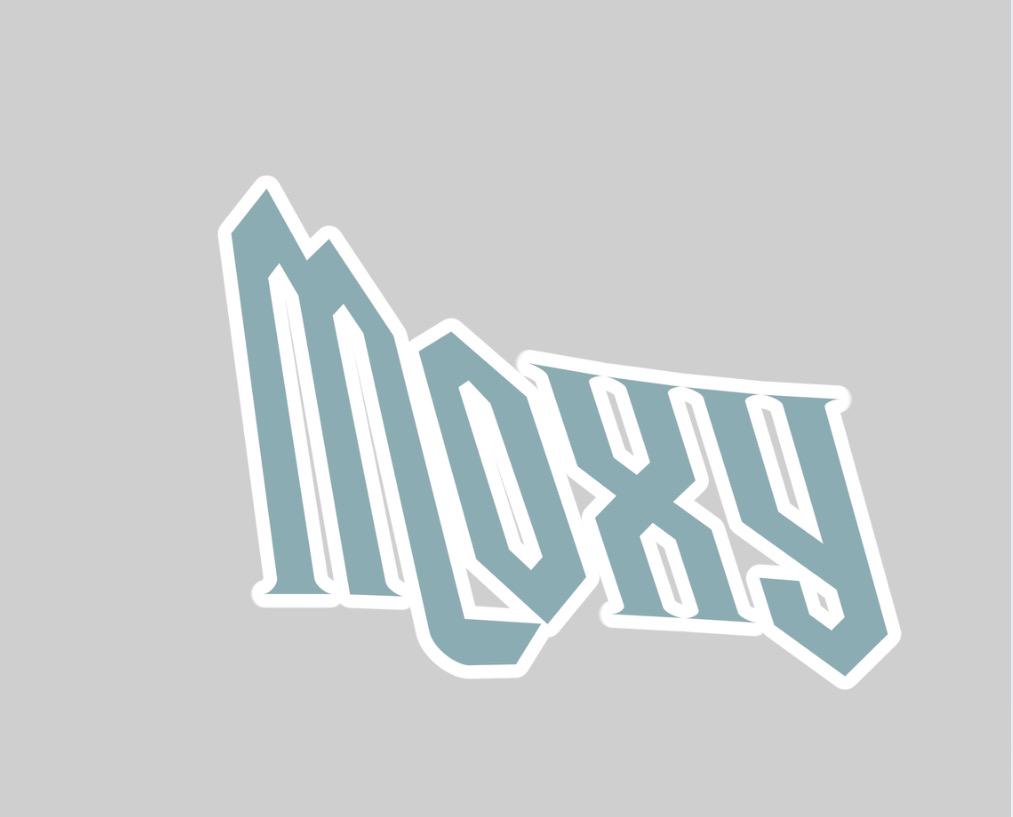
Canva Question Help identifying a font

Post image
2 Upvotes

I have a project I’m working on for school and I need to know the name of the font I used and I can’t find it anywhere

I warped it so I could have the shape and it apparently turned into a picture somewhere along the line when I went to add the outline

thank you for any help you have to offer


r/canva • • 4h ago

Canva Question Can't find magic layer

1 Upvotes

I entered a new team and i don't see magic layers tool

Does anyone know how to fix this?


r/canva • • 7h ago

Discussion EVERY CANVA USER EDIT THIS PRESENTATION TO UR DISERE

Thumbnail
canva.link
1 Upvotes

NO RULLLLLEEEEZZZZZ in the presentation


r/canva • • 7h ago

Help Looking for a Canva alternative for worksheet desingn

0 Upvotes

Hello people,

I've been using Canva as a student to make my worksheets for presentations. I really like the drag and drop images but I am adamantly anti ai so I wanted to ask whether any of you knew similar applications without integrated AI, but similar assembly kind of workflow for "designing" my worksheets.

Hope this is the right place to ask.


r/canva • • 12h ago

Discussion Canva pro

0 Upvotes

Hey guys, I need the version history version urgently for a presentation. Can someone invite me to their pro team, please?


r/canva • • 15h ago

Help About the video editor

1 Upvotes

I'm a Pro+ subscriber, and I keep running into a problem in the video editor that makes it hard to rely on for real work: the preview doesn't match the timeline.

What happens: at a given timestamp (for example 0:42), the preview sometimes shows something different from what I placed there. A clip, text, or animation appears at the wrong moment, or is missing when it should be on screen.

I expected it to show part of the split that canva tells that covers that second, instead the preview shows parts of the next video...

Please fix this shitty editor for god sake, or if someone knows a fix, I'd be very thankful if you could share.


r/canva • • 1d ago

Canva Question Any 2026 Black Friday Deals for Canva?

3 Upvotes

Please let me know if you find any BF deals for Canva. I am no longer an educator, and it hurts to have to pay for Canva. I don't use it that often, but it is nice to have access to it. I googled, but didn't find anything. Thanks!


r/canva • • 19h ago

Help Size comes out wrong

1 Upvotes

I've selected 12cm to be the width, but when printed it comes out as 11cm. Is this an issue with canva, or me? And how do I fix it?


r/canva • • 20h ago

Canva Question canva pro

0 Upvotes

hello guys i need a canva pro invitation plsss


r/canva • • 22h ago

Give Me Feedback PIXELATED BORDER ARTIFACTS

Thumbnail
gallery
1 Upvotes

Why, in all that is holy, do I constantly yet randomly get these pixelated artifacts when I export designs and upload to Instagram?

Sometimes it's a white line.

Sometimes it's black.

Sometimes it's a mix.

Context:

Photos as base. Uncropped and extending past the page border.

Text over images.

Exported as png at highest quality at correct Instagram post ratio.

...

I used to be able to fix it by cropping in another app, but for some reason even that isn't working anymore.

This is 100% a CANVA issue, because I've been able to correct this in the past by making the image the background. Since the previous update, the Cropping function to do this, has been messed up. Shocking.

I'm going to throw my phone through the wall soon.

PLEASE. HELP.


r/canva • • 1d ago

Discussion I wish Canva showed one boring example in every template preview

7 Upvotes

Show me the café menu with the long sandwich name. Show me the event flyer with a venue address that wraps. The sample text always fits beautifully, which makes sense, but I’d love to see what the layout looks like once real information goes in.

Even one extra preview with longer text would make it easier to spot the templates that’ll still look good after editing.


r/canva • • 1d ago

Discussion I like picking a Canva template after I’ve written the text

4 Upvotes

Starting with a template makes it really tempting to write to fit whatever boxes are already there. If the sample has a three-word headline, suddenly I’m trying to squeeze “Saturday pottery class for beginners” into three words. The time and location end up tiny because the sample had room for one line at the bottom.

It’s easier to drop the actual text onto a blank page first. Once I can see how much space the important stuff takes up, I have a better idea of which templates will actually work. Sometimes the plain version already looks pretty good.


r/canva • • 1d ago

Give Me Feedback Papee types-wedding invitations

1 Upvotes

Would it be possible to see samples of paper types for wedding invitations (could you send photos)? I’m undecided between the available paper options.


r/canva • • 1d ago

Help My projects dissapeared

0 Upvotes

For some reason, my projects are completely vanished. I was using a gmail account and today, after 1 month, i relog and nothing was there. I came to the history, browse the link of the canva project itself and now it require access. What?????????? im using the same gmail

i tried to contact with some1 in the website but it is impossible with that ***** ai agent. What can i do right now?


r/canva • • 1d ago

Give Me Feedback A special treat for #Thanksgiving!

Post image
0 Upvotes

I thought that it would be so very wonderful to share this with you-an artwork made with Canva complete with a digital Zen doodle background and tied to the theme of #Thanksgiving; what do you think of this? Leave a comment below!-JW #Artwork


r/canva • • 1d ago

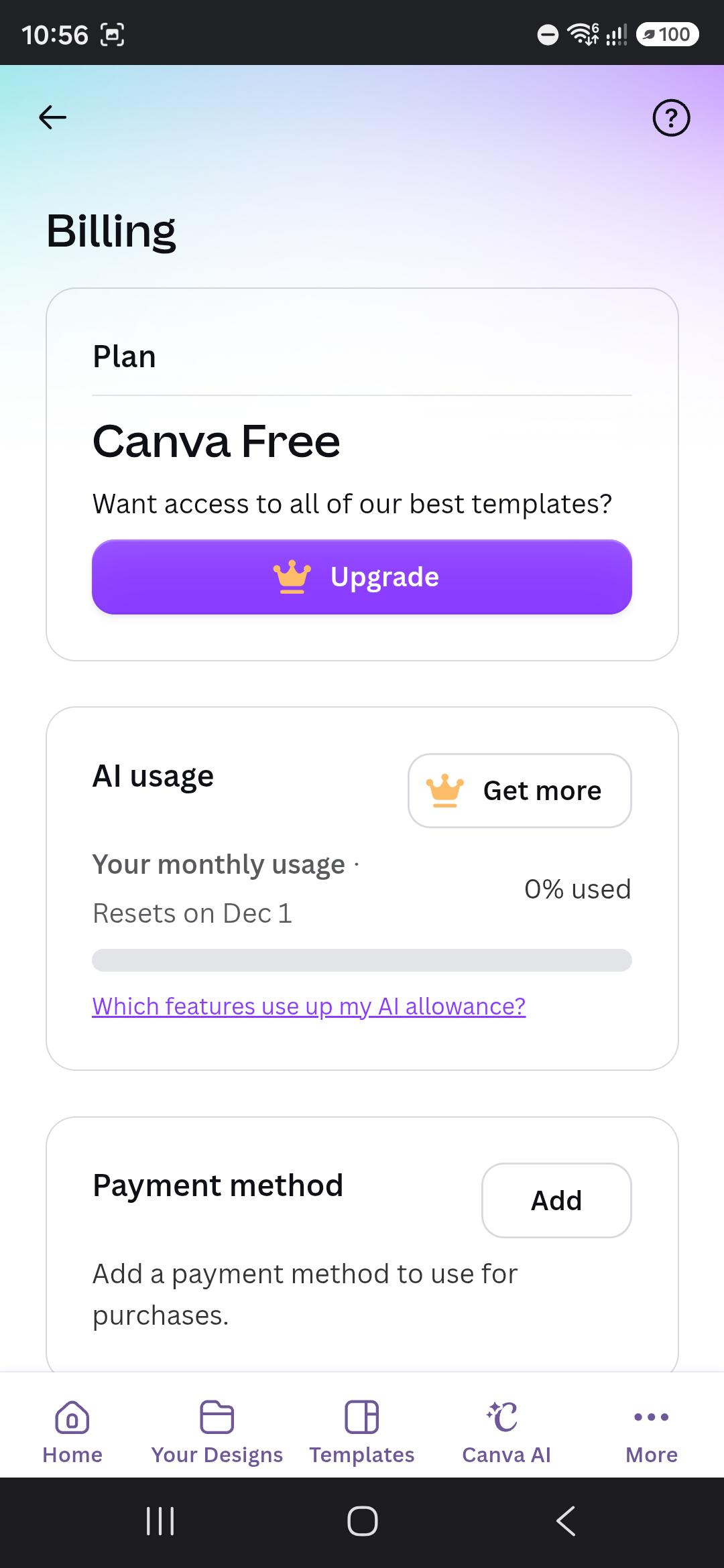
Canva Question I had a free trial and want to cancel but i cant find any xancel free trial online. Am i missing something?

Post image
2 Upvotes

Hi i subscribed to canva for free trial but can't find the cancel. I don't wanna be charged. Im confused cos its not in the billing option as described on the guides i found.


r/canva • • 1d ago

Canva Question Help with Canva pro

1 Upvotes

Is there anyone with Canva pro who can retrieve history for previous presentation ,my classmate went and did another presentation on top of the old one without saving it now it's lost


r/canva • • 1d ago

Discussion Free 3-month Canva Pro trial.

1 Upvotes

Code : WZT5ADA73T

It expires Tues, Nov 24th, 4:59am ET

Please tell me if it works canva.com/redeem


r/canva • • 2d ago

Tips & Tutorials Resize without cropping

2 Upvotes

Somebody please tell me if there is a solution.

I had made designs in the size of pinterest pins which is different from the post Size of insta.

So now I need an app or any other solution to resize the same design in 2:3 without cropping anything from the image.

The image should not be cropped at all. Any canva tips?


r/canva • • 2d ago

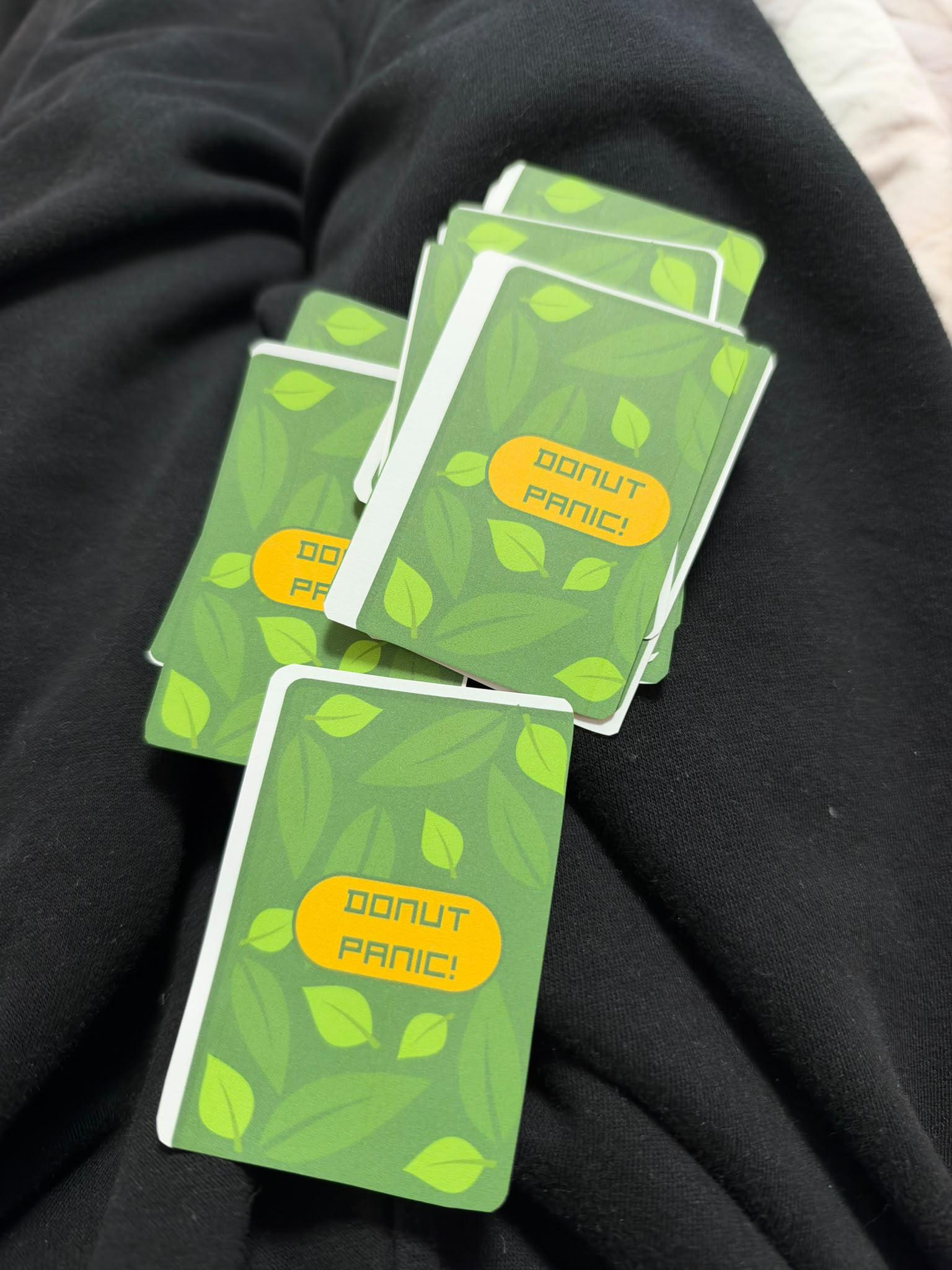
Canva Question How do I align the front and back of playing cards for double-sided printing?

Post image
5 Upvotes

Hi

I'm making a game for school and i wanted to make some playingcards. My problem is that i dont know how to make the backside of the card to match up with the front side. Everytime i print it its just wrong.

Is there some easy way to do that on canva?


r/canva • • 2d ago

Tips & Tutorials How to add a play button for your own music on a Canva website

Thumbnail
youtu.be
1 Upvotes

If your music plays in the Canva editor but your published website is silent, try embedding a music player. I tested the MP4 and YouTube workarounds and wanted something simpler for an invitation site: one button guests can tap to play the song.

Here’s the setup I used:

  1. Upload an MP3 you have permission to share to an embeddable music player. I used Fugte, the Canva app I built.
  2. Add the player to your Canva website design and put the play button somewhere easy to spot.
  3. Publish the site, then open the public link on your phone and tap Play. Testing the published link is the part I’d double-check before sending it to guests.

The 3-minute video shows the setup and what happens after you publish.