r/coolgithubprojects • u/Angelsomething • 2d ago
Tally v5: now a desktop app too (macOS/Windows/Linux), still self-hostable


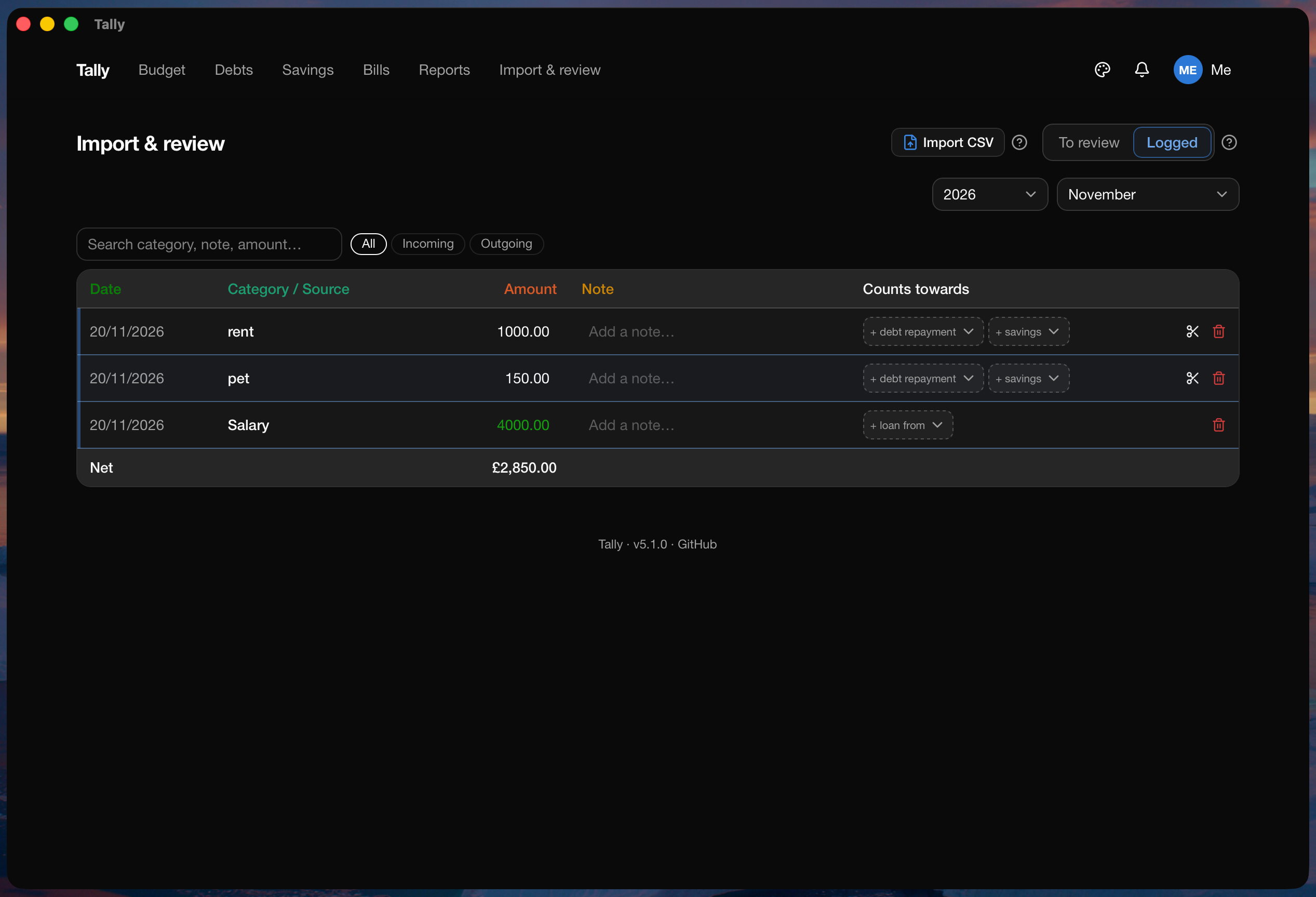


Posted Tally here a few weeks ago as a self-hosted budget app. A few people I showed this to said they liked the idea but didn't want to or could run a server, nor did they know how set up OIDC just to budget. Fair. So v5 is also a desktop app.
As before, this is a personal project I've guided Claude Code to build. I use it daily, so I'll keep maintaining it.
What's new:
- Desktop app for macOS, Windows and Linux. Install it and open it. No server, no login, no account.
- Your data stays on your machine, in an encrypted file. The key sits in your OS keychain, so you never type a password.
- Self-hosting is unchanged. Same code, same Docker image, still multi-user with OIDC.
- v5.1 adds ? help icons next to the confusing numbers (Budgeted, Available, Left to spend), a Help page, and a short first-run tour.
What it isn't, on purpose:
- The desktop app is single user. No household sharing. That needs the self-hosted version.
- Not a business/accounting tool. Personal and household budgeting only.
- The installers aren't signed with an Apple/Microsoft certificate yet, so expect a Gatekeeper/SmartScreen warning on first run. Updates inside the app are signature-checked.
Please note: I've tested macOS properly but I mainly use the server hosted version. Windows and Linux builds pass CI, but I haven't yet had a chance to them much. Bugs there are likely so please raise an issue on GH or leave a comment :)
Downloads are on the releases page, and the Docker steps are in the README.
Feedback welcome, especially from Windows and Linux users.