r/datarecovery • • 2h ago

Request for Service My A52 Mobile Factory Reset By Accident 😭

3 Upvotes

I gave someone to fix a WiFi issue in my A52 mobile, that idiot flashed the mobile and did the factory reset through a shopkeeper.
Now I’m doomed and asking here how I can recover my 100GB data.

Please tell me, how I can recover it and any service in the world can do it


r/datarecovery • • 6h ago

Help! My Dog hurt my flash drive

Thumbnail
gallery
3 Upvotes

My dog got a hold of my USB/USB C thumb drive. Literally the only damage was to the plugs, I took the casing off myself. A company quoted me for $1950 to fix and recover the data...is there anything I can do? The only damage is to the plugs

Also, my computer reads that something is there and power goes to it, but it wont read as a drive


r/datarecovery • • 9h ago

I Partitioned an external HDD to make room for a clone of a failing drive, and now my computer says the partitioned drive is RAW.

3 Upvotes

I have a ST1000LM024 drive that was failing. Following advice, I was imaging the drive to work with the copy. I partitioned another HDD (a seagate), and made the image using DMDE. It was working fine this morning, but when I plugged the rescue drive back in, the computer said it was RAW and unreadable.

So now I've lost the data from both drives.

Is there anything I can do at this point?

Because it's starting to feel like the more data I try to save, the more data I lose.


r/datarecovery • • 9h ago

IDE drive data recovery

3 Upvotes

I have an old 40GB Maxtor DiamondMax IDE drive from an industrial control computer that will no longer spin up, and buzzes when powered on. The computer and drive have not been powered on in many years.

Does anyone have any recommendations for data recovery companies that have experience with old IDE drives?


r/datarecovery • • 5h ago

SSD Need help recovering data

1 Upvotes

My hp laptop recently got water damaged and I as im inexperienced tried turning it on which damaged a lot of components. I need help retrieving the data on my ssd drive. When I took it to a technician they said its unable to be read when he put it in another laptop which was an Acer. Do I have any hope of recovering my data?


r/datarecovery • • 16h ago

Educational Sony camera left a .RSV file after the battery died or the card was pulled: what it is, what to try for free, and a Windows tool I built (disclosure inside)

2 Upvotes

Posted with the mods' OK. Disclosure: I run Aphex Coding and the tool mentioned below is our product. Most of its code was written with AI coding tools under my direction. The rest of this post applies whatever you use.

Sony cameras that record XAVC S or XAVC HS write a clip into a working .RSV file and only turn it into an .MP4 (by adding the index) when you press stop. If power is cut or the card is removed first, you get a large .RSV in PRIVATE/M4ROOT/CLIP that nothing will play. The data is normally there; the index isn't.

The usual data recovery rules apply:

  • Stop using the card. Copy the whole PRIVATE folder to another drive and work only on the copy. If the card throws read errors or keeps disconnecting, don't run anything else on it: if the footage is irreplaceable, go to a professional lab now; otherwise image it first (ddrescue or similar) and work only from the image.
  • Check the .RSV size. Gigabytes for a few minutes of 4K: the footage was written. 0 KB or a few KB: there's nothing to rebuild.
  • If the .RSV is gone (deleted, card formatted), that's a recovery job first, PhotoRec and similar. Rebuilding the index comes after you have the file back. If finished XAVC S / XAVC HS MP4 clips went with it, iCube's free Sony XAVC Recovery is built for deleted or formatted Sony cards and works from a full image of the card.
  • Free first, once your copy is safe and only if the card reads without errors: put the card back into the same camera with a charged battery (some models repair the clip themselves), or try a reference-clip method such as untrunc on the copy, which needs a healthy clip from the same camera with identical settings.
  • If it's irreplaceable client footage, a professional lab is the safer bet than any DIY route, including ours.

The tool: Lazaclip is a Windows 10/11 program that rebuilds the index locally. It opens the .RSV read-only, uploads nothing, copies picture and sound without re-encoding, and won't save results onto the source card. Cameras like the A7S III keep the codec settings inside the recording, so no reference clip is needed there; for older ones like the original a7S it picks a matching healthy clip from the same card and checks it first.

Honest limits: tested on A7S III (XAVC S, XAVC S-I, XAVC HS) and the original a7S only; other XAVC S / XAVC HS cameras share the format but are untested. The last second or so before the cut is lost. MXF, X-OCN and other brands aren't covered.

It's free to use until 1 December 2026 (launch period, no license key). After that the scan and a 10-second preview stay free and saving needs a license.

VirusTotal for the current download (0.1.3), last scanned 21 November 2026: one engine flags each file (Bkav Pro on the zip and on Lazaclip.exe, Zillya on lazaclip-cli.exe); Microsoft, Kaspersky, ESET and Bitdefender report all three clean. It's an unsigned app packaged with PyInstaller; we believe these are false positives and have reported them to Bkav and Zillya. Zip report: https://www.virustotal.com/gui/file/fed0c67c3fb51f95847c59295212727cc9a373d02bcb4a9b30bb13e9b1310cf4

https://rsv.aphexcoding.tech/

Not affiliated with Sony.


r/datarecovery • • 13h ago

Cannot access external hard disk | cyclic redundancy check error | no letter | disk spins normally with no led light

1 Upvotes

Errors began while using FreeFileSync on two identical Seagate Backup Plus Slim (2TB) disks to check and update the state between the two disks and mirror the exact data on each. At some point the program encountered an error and aborted operation. One of them turned off and from that point the disk is inaccessible. As of now ..

Disk is:

  • mechanically spinning normally - no clicks or speed ramping up and down - LED light is off
  • visible in Device Management
  • visible on eject media icon as "BUP Slim" with no letter
  • visible as Disk 2 in Disk Management (cannot be initialized)
  • visible and marked "Online" as "Disk 2" in diskpart

Disk can be:

  • ejected with "safe to remove" notification - yet it still spins
  • cleaned with diskpart successfully - yet nothing changes

Disk cannot be:

  • initialized in Disk Management - neither with GPT nor MBR (CRC error)

---------------------------------------------

Also I can't run sfc scannow or chkdsk because the disk has no letter.
Tried a few disk partition and recovery software, TestDisk seemed promising, but no luck.

Let me know how I can access and format this disk. Thank you!


r/datarecovery • • 16h ago

i guess im having a really bad luck

1 Upvotes

i got a 2 tb toshiba external ssd. i know it's not the best, but it is what i've had for the past 2 years. formatted as ntfs i use it in kde linux, windows and macos and a few hours ago it didnt work on dolphin (kde's file manager) but it did when mounting it from the partitions manager. idek what i did but to make the long story short now windows doesnt even recognize it since, after doing some disks checks on linux it tells me to do a chkdsk on windows and when i do it it says "unable to determine volume version and state". so it is basically useless. i REALLY know i should do backups and the 3-2-1 backup method but i cant afford it, especially know with the how much the prices have gone up. i cant even copy it to another drive to see if i can recover anything hopefully because i dont even have any other drivers to copy to.

edit: extra info, crystaldiskinfo says its in good state (idk man...) and windows partition manager recognises it as a raw partition, i get what's happening but i don't know how to proceed. also another 2 tb drive is like 300 € .....


r/datarecovery • • 16h ago

Android Need help for sd card photos recovery

1 Upvotes

My phone got factory reset when its was stuck in bootloop so i had prevously formatted a sd card with it so now what do i do?


r/datarecovery • • 19h ago

Can I Recover Data from a Lexar Blue Plus 32GB microSD Card After Full Formatting in a Sony A7S II?

1 Upvotes

Hi everyone,

I accidentally formatted my Lexar Blue Plus 32GB microSD card using my Sony A7S II camera.

The card contained some very important photos, and I don't have a backup.

I would like to know if there is still any possibility of recovering the photos and videos from this card.

Would software such as PhotoRec, Disk Drill, or R-Studio be able to recover the data, or is professional data recovery my only option?

Has anyone experienced a similar situation with a Lexar microSD card or a Sony A7S II?

Any advice, recommendations, or personal experiences would be greatly appreciated.

Thank you so much!


r/datarecovery • • 1d ago

SSD Wish me luck boys

2 Upvotes

I have a Samsung 870 EVO 1TB SSD that failed suddenly (firmware version SVT01B6Q). Evidently this drive has issues, as I learned recently.

Windows doesn't realize it's NTFS, so it shows up as RAW in the disk manager. I'm currently creating an image of the drive with DMDE.

The drive was mostly video editing project files and associated videos. Not the end of the world, but it would suck to lose all that history.

Every time the Bad Sectors counter ticks up I die a little bit inside. Praying to the data recovery gods for a bountiful recovery, but I don't really know what to expect.


r/datarecovery • • 1d ago

Question SD Card says needs to be formatted, Recovery Options?

Thumbnail
gallery
1 Upvotes

SD Card in my Dads phone, put some photos on it. He said hes had a notification for a few weeks now, where it says it needs to be formatted before you can use it. He says he hasnt clicked it or formatted it. Plugged it into my PC, and I get the same message, along with a "does not contain a recegnized file system" message. I used DMDE, and recovered 3 variations of a logo that I dont think I transferred to the SD Card originally, but I'm not sure.

First image is what comes up after a full scan. Second is what's in EXFAT 0. Other than those 3 random logos in JPEG, I cant make heads or tails of whats there. Tried recuva, but just got the same filesystem error.
Hoping someone can help me with making sense of DMDE, or other methods of recovering those photos. TIA

Edit: Disk Management says it has a 58.26GB healthy partition (primary), but its RAW. Has no info on used or free space.


r/datarecovery • • 1d ago

Windows Recover data from hdd

3 Upvotes

An Acacis HDD enclosure that I was using for media and immich has decided to make the two HDDs unrecognizable by Windows. They were appearing as they would be needing formatting.

I have used test disk and I'm able to create an image for the drives, but now I need some advice on how to continue.

I tried using DMDE and it seems to be working ok, the problem is with the limitations of the free version. Given that I can only extract one folder at a time it will take me weeks to save all my photos...

I will also look at the easeus recovery, but I want to keep it as a last resort since that will mess up the names and folders structure.

Are there any other tools that I could look into? Or maybe there is a way to rebuild the filesystem? At least that's what test disk is telling me it's messed up.


r/datarecovery • • 1d ago

Seagate HDD

Thumbnail
gallery
9 Upvotes

A couple of days ago, I went to open my 1TB Seagate external drive at home to sort through my files. It initially asked to run Windows repair, which worked—all my files were still there. The next morning, though, my PC wouldn't even recognize the drive. After following some online guides and running a scan in DiskGenius, I got the result shown in the screenshot. Do you think my data is still recoverable?🥺🥺🥺


r/datarecovery • • 1d ago

16GB microSD died mid-shoot, unreadable everywhere, recovery software finds nothing. Any options before paying a lab?I was shooting with my Canon [model] and the card stopped working in the middle of the shoot. I need these photos. A new card works fine in the camera, so the camera seems OK.

1 Upvotes

Card: 16GB microSDHC, U1, Walgreens store brand 

What I've tried:

  • Camera: "Card cannot be accessed. Reinsert/change the card or format card with camera"
  • Mac: "The disk you attached was not readable by this computer" (Eject / Initialize / Ignore). I clicked Ignore. It doesn't show up in Disk Utility.
  • 2 different card readers on 2 different phones: nothing
  • EaseUS and Disk Drill: neither finds anything
  • I have NOT formatted or initialized it anywhere

One lab quoted $429 (physical non-invasive). That's a lot for me.

Questions:

  1. Is there anything else I can try myself, or is this definitely a dead controller?
  2. Can anyone recommend a reputable lab that does monolith microSD recovery for less?
  3. Is $429 a normal price for this?

Thanks for any help.


r/datarecovery • • 1d ago

Extended my mom's disk so that she can have more storage space

2 Upvotes

Hi, its my first time ever hopping on here but i really need some help. My mom has been wanting to free up space in her laptop because her local disk c is absolutely filled, she wanted me to free up some space for her so i did. Her laptop is an old Asus(edit* her laptop is Acer im dumb), like the small one with windows 10. Im not entirely a tech savvy, so i searched and googled around which was a mistake, when i extended the local disk c to the local disk d her files dissapeared as it probably got overwritten. Right now, im trying every possible way to recover her files since I didn't get the chance to back it all up which was my own mistake. I thought that by simply merging local disc c and d, there would be a much bigger storage space. But boy was i so wrong. So right now, ive tried the DMDE and currently trying Recuva (DMDE was a bit of a fail). I really need help :')


r/datarecovery • • 1d ago

​512MB Industrial SD card works normally in its device, but isn't detected at all on PC or Mac — how can I access it?

2 Upvotes

​Hi everyone,

​I have a 512 MB ATP Industrial Grade SD card that works completely fine inside the device it came with, so I know the card is healthy and not broken.

​However, when I try to connect it to a computer to access the files on it, it doesn't show up at all:

​Tried using a USB-C card reader on both Windows 11 and macOS

​Tried the built-in SD card slot on an older laptop

​Windows File Explorer gives an I/O device error

​Windows Disk Management shows No Media

​HxD (run as Administrator) doesn't list the card under Physical Disks at all

​The physical lock switch on the side of the card is in the unlocked position

​Why would a working SD card be completely invisible to Windows, macOS, and raw disk tools, and how can I get a computer to read it without losing the data on it?

​Thanks in advance for any help!


r/datarecovery • • 1d ago

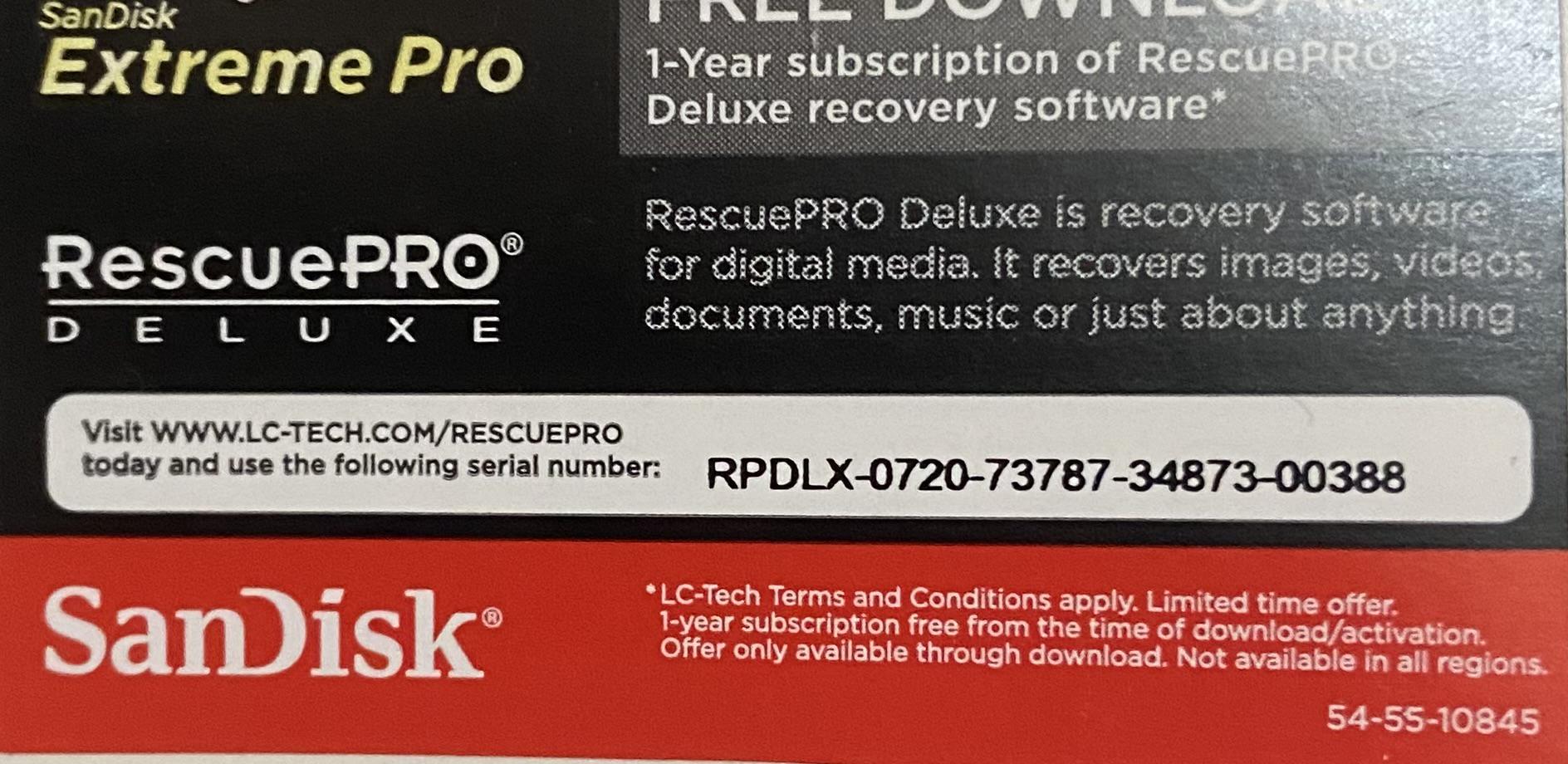
SanDisk RescuePRO deluxe software code giveaway :)

Post image
0 Upvotes

Kindly find the code in the image, feel free to use the same !


r/datarecovery • • 1d ago

SSD Is it dead?

Thumbnail
gallery
2 Upvotes

I found this SSD in a 2005 desktop that was left untouched since 2014, after the first power up it worked just fine, I saved files, erased it, ecc.. but the day after (it was empty) it just stopped being seen from the system.

Is a Samsung SDD 840 EVO with 120GB of storage


r/datarecovery • • 2d ago

micro sd card became unreadable after my photocamera got "frozen"

Thumbnail
gallery
11 Upvotes

today i was just taking pictures as always, and when i took a photo my camera suddenly froze. it was frozen for few minutes, i thought that its just bc of cold, so i decided to turn it off by taking batteries out. but after that my sd card suddenly became unreadable by EVERYTHING. my camera, my phone, my computer, even my nokia phone just ignore its existence. i have more then 2k photos there, they are very valuable to me and i want to get them back, at least some of them. i have no idea what to do

(probably) important - when i turned off my camera it maybe was in process of taking the photo ? so maybe thats the issue

sd card and camera on photos


r/datarecovery • • 2d ago

Data Recovery from Reformatted microSD

3 Upvotes

My son (7) accidentally reformatted the memory card in his camera and lost all his pictures. What app would you recommend I use to try and recover them?


r/datarecovery • • 2d ago

Formatted the SD Card accidently, please help!

1 Upvotes

Yesterday, I took around 1,200 photos with my Nikon Zf and tried transferring all of them to my Samsung Galaxy Z Fold using a USB-C cable.

I thought the transfer had gone smoothly, but when I checked my phone's gallery, I realized that about 95% of my photos were missing. Only around 20 out of 1,200 photos had actually made it to my phone.

Unfortunately, I had already formatted both my SD card and microSD card in the camera before checking my phone gallery.

As soon as I realized what had happened, I immediately removed the SD card from my camera to prevent any new data from overwriting the deleted photos.

Since then, I've only been taking pictures using my microSD card, so the original SD card hasn't been used at all since it was formatted.

I'd really appreciate any advice, software recommendations, or recovery methods that might help.

Thanks so much in advance for any help!


r/datarecovery • • 2d ago

Question WD My Passport HDD is making sounds (R/W-head issue?)

3 Upvotes

Hey there,

a colleague from work asked me, if I could have a look at his WD My Passport HDDas it's not showing up + making sounds. I never opened up a HDD but from various videos I think I can tell that there is a problem with the read/write-head. There are some refurbished HDDs on Ebay for around 75-90€ which my colleague is absolutely happy to pay.

My question now is - what do you guys say after hearing the sound the HDD is making? Is it probably the head? Could it be something else? If you need some more info - please let me know! :)

Thank you in advance!

Aaron


r/datarecovery • • 2d ago

SD card recovery

Thumbnail
gallery
3 Upvotes

Hello everyone, I’m a photographer and I damaged my sd card in an accident. The camera says the card isn’t formatted and doesn’t detect the photos. Do you think it’s fatal or would recovery be possible?