r/elitebook • • 3d ago

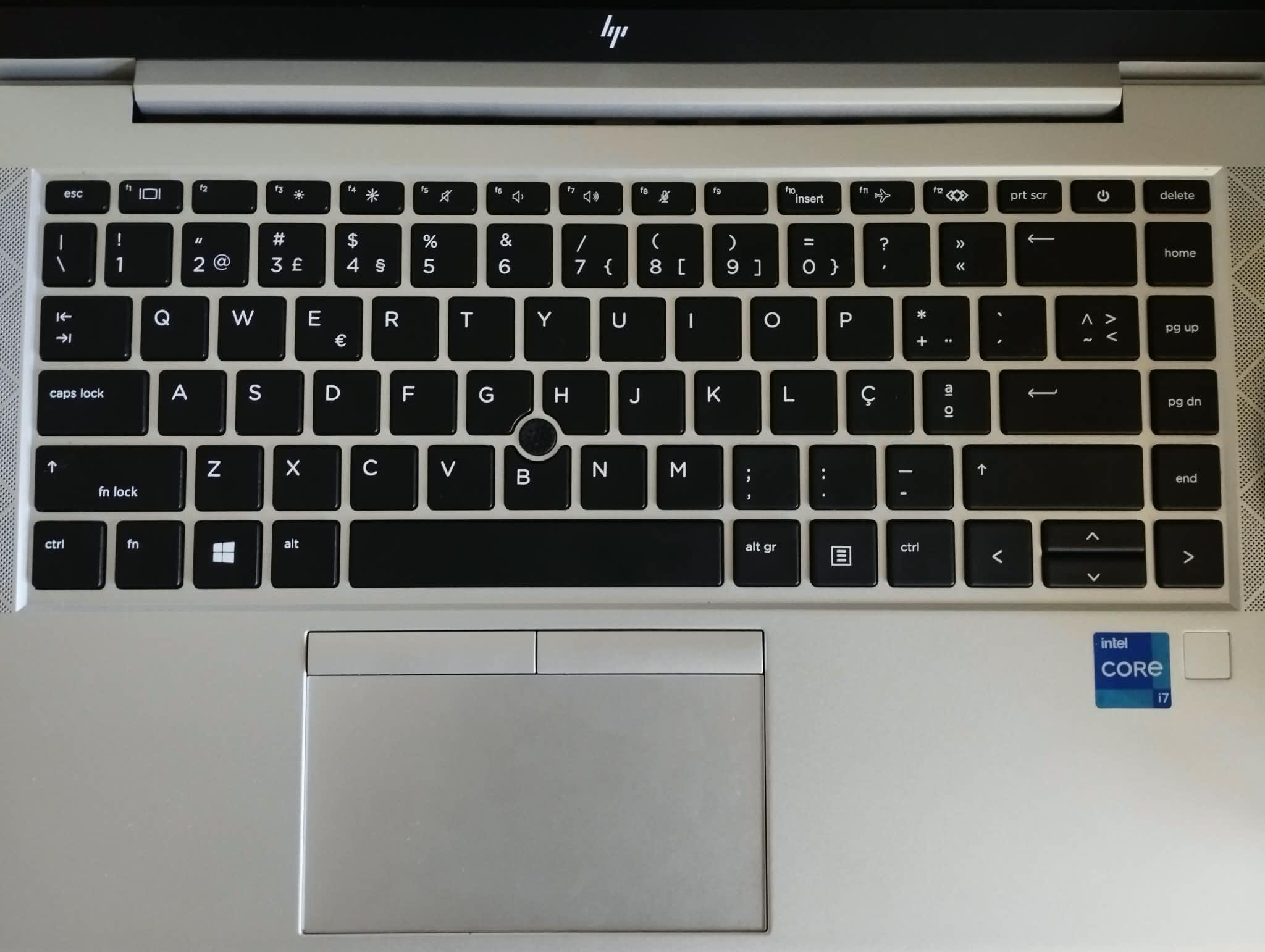
Help Elitebook 840 G3 keyboard issue

1 Upvotes

I got an elitebook 840 G3 from a free class at my local library, i actually love the laptop its very reliable for my needs and the speeds are very responsive for file tranfers and web surfing.

I mostly use it for OMV and monitoring my Home server like adding containers through docker so i use this laptop every single day for 4+ hours sometimes and my main issue is that when i turn it on my keyboard wont type at all and ill restart it and the keyboard will work fine and no issues once i restart.

I want to know if there's any way to fix this issue without replacing the keyboard or taking it apart. if i have to i will because i'm not ready to part ways with this laptop just yet.

any suggestions, or remedies that have worked for you, or should i just replace the keyboard?

if so i plan to use ifixit and just do it myself.

thank you, kindly!


r/elitebook • • 7d ago

Change display 845 G10 from 250 nits to 400 nits

3 Upvotes

Hi,

I just bought a refurbished Elitebook 845 G10 which obviously has a 250 nits display thouhg partsurfer says it should have a sureview display. The sureview key is available but does not work.

HWinfo says it has a ChiMei CMN1433 display with 250 nits and partsurfer says there should be a PNL 14 FHD AG WUXGA bent Privacy4+,IVO

Do you have any ideas how this come?

The professional refurbisher has no clue and has not replaced the display. Can I built in any other 400 or 1000 nits display without additional changes of the beezel or any other parts?


r/elitebook • • 10d ago

Hard freeze on HP EliteBook 840 G10 (CachyOS, Linux Mint & Windows 11) – Triggered after cold boot when unplugging USB, Magic SysRq dead, logs cut off instantly

1 Upvotes

Hi everyone,

I’ve been chasing an extremely persistent hard freeze on my HP EliteBook 840 14 inch G10 that happens across completely different operating systems (Linux Mint, CachyOS, and Windows 11). I’ve narrowed down the exact trigger and ruled out almost every common software/hardware culprit, so I’m looking for deeper insights into Intel Raptor Lake PCH / xHCI / HP Embedded Controller behavior.

The Symptoms

  • The entire system freezes instantaneously—display image locks up, mouse and keyboard become completely unresponsive.
  • Interestingly, the screen backlight and hardware brightness/privacy hotkeys still respond while the OS is frozen.
  • After 1–2 minutes of being frozen, the cooling fan ramps up to high speed and the laptop abruptly powers off (likely a hardware watchdog or thermal/EC safety cut).
  • Once rebooted, the machine runs fine.

The Specific Trigger Isolated

  • The freeze seems to occur only after a cold boot (laptop powered off for a while) when a specific USB 2.0 flash drive is already plugged in at power-on, and I then unplug it after ~30–60 minutes of normal usage.
  • If I cold-boot the laptop without the drive attached, and then plug/unplug that exact same flash drive while the system is already running (tested on both USB-A and Thunderbolt/USB-C ports, with manual mount/unmount), it never freezes.

Why It Looks Like an Instant Bus/Hardware Stall (Not a Kernel Panic)

  • Zero errors in logs: journalctl, dmesg, and pstore show normal activity right up to the exact second of the freeze, then logs abruptly stop with no Powering off or panic trace—meaning the CPU/bus locks up before anything can be flushed to the NVMe drive.
  • Magic SysRq is dead during the freeze: I enabled full SysRq (kernel.sysrq = 1 and sysrq_always_enabled=1) and verified that Alt+SysRq+h prints sysrq: HELP in dmesg during normal operation. However, when the freeze happens, Alt+SysRq+REISUB does nothing at all (not even b for immediate reboot), and the Caps Lock LED does not blink.
  • The only minor USB anomaly seen in dmesg during normal use is an occasional usb 3-7: reset full-speed USB device (the internal ELAN fingerprint sensor 04f3:0c82, which shares xHCI Bus 3 with the USB-A ports) when fprintd wakes up.

System Specifications

  • Host: HP EliteBook 840 14 inch G10 Notebook PC
  • CPU: 13th Gen Intel Core i5-1335U (Raptor Lake-P)
  • GPU: Intel Raptor Lake-P UHD Graphics (8086:a721)
  • RAM: 16 GB (plenty of free RAM at freeze time, ~11 GB available)
  • BIOS: V70 family (recently updated to 01.13.01 Rev.A, which updated Embedded Controller to 51.47.00 and Realtek USB-C PD firmware to 4.1.0 — I suspect the issue may have started after this update)

Everything I Have Already Tried (Without Resolving It)

  • Full SSD Wipe & OS/Bootloader Switch: Completely wiped the NVMe SSD and clean-installed Windows 11 + CachyOS using Limine instead of GRUB (previously happened on Linux Mint 22.3 with GRUB). The exact same freeze still occurs.
  • Kernels Tested: 7.0.0-42-generic, 6.14.0-37-generic (Mint), and current CachyOS kernel.
  • Kernel Parameters Tested: pcie_aspm=off, usbcore.autosuspend=-1, iommu=pt, i915.enable_psr=0, i915.enable_dc=0, i915.enable_guc=0, intel_idle.max_cstate=1.
  • BIOS Tweaks: Disabled Thunderbolt Type-C Ports in BIOS (though lsusb -t shows the USB-A ports are on Bus 003 / Intel PCH xHCI, separate from Thunderbolt).
  • Hardware Diagnostics & Physical Inspection:

    • ~8 hours of MemTest (0 errors).
    • Full HP UEFI Diagnostics + HP Windows Hardware Diagnostics (all passed).
    • Medicat USB hardware tests (no issues found).
    • Opened the bottom cover: fan and heatsink are clean, battery is healthy with no swelling.

Questions

  1. Could a cheap/faulty USB flash drive (346d:5678) cause an electrical transient or brief 5V VBUS short upon physical removal—specifically after sitting idle in a cold-booted state—that instantaneously locks up the Intel PCH xHCI controller or HP Embedded Controller?
  2. Has anyone experienced similar PCH/USB hard locks on HP EliteBook G10 units with recent V70 BIOS updates (01.13.01), and would downgrading the BIOS (e.g., to 01.12.01 or 01.09.00) make sense here?
  3. Are there any other ACPI, EC, or xHCI power-management quirks on Raptor Lake EliteBooks I should look into?

Any insights would be hugely appreciated!


r/elitebook • • 11d ago

Help HP EliteBook 8760w lid not working

1 Upvotes

My HP EliteBook 8760w, lid not working. Close and Open Lid not have action, in some weeks after lid working. Use Debian 13 (Trixie) and Dual-Boot with Windows 11, I test in both systems, but not have result.

I search solution in web but not have respond for my problem. Need of lid for hibernate and suspend automatic.


r/elitebook • • 19d ago

840 G11 vs 8G1i

2 Upvotes

Hi! Is there any benefit to having the AI-chip in the EliteBook 8G1i compared to the 840 G11?


r/elitebook • • 23d ago

Hp 1040 elitebook

Thumbnail
gallery
1 Upvotes

Top of the line unique model

Touch screen , Finger print and back light key paid

4k display, Slim smart strong Machine

Good fit for students, office work and online work

8GB Ram , 256 GB Nvme M2

Battery 5-6 Hours office work

O3O3-O8482O2

Location: DHA 2 sector A Islamabad

Urgent selling bcz relocate to Australia


r/elitebook • • 24d ago

Help Looking for 14" hp 2in1 laptop

1 Upvotes

Hey everyone,

I am looking for an HP 14-inch 360° touchscreen (2-in-1) laptop with these specs:

Screen: 14" 360° Touchscreen

CPU: Intel Core i5 (12th or 13th Gen) OR AMD Ryzen 5 (6000 or 7000 Series)

RAM: 16GB DDR

Storage: 256GB SSD

GPU: Integrated Graphics

Can anyone who owns or knows about these HP models tell me what exact model numbers have this config, how reliable they are, and what a fair price is for them right now?

Thanks in advance!


r/elitebook • • 25d ago

Help Broken screen on 840 g8

1 Upvotes

I need a replacement screen for my house elitebook 840 g8. Im not sure what model to get, my old one was water damaged and was super dim. I am currently using my backup elitebook 840 g5 with broken w key :*(


r/elitebook • • 26d ago

HP 820 G1 Touchpad Problem

1 Upvotes

HP EliteBook 820 G1, Windows 11. Touchpad is Synaptics (hardware ID ACPI\SYN3008).

PROBLEM: The cursor and clicks work, but there are no gestures (no two-finger scroll) and the Synaptics tab in main.cpl is missing. Sometimes after a sleep/wake cycle, full gestures work and the tab appears, but it's random and not every sleep. Sometimes the cursor also freezes until I sleep the laptop again. HISTORY: Gestures worked originally. The problem started around the time I ran a hackintosh (OpenCore only, no BIOS flashing). The same problem showed up on macOS, with no scrolling or gestures. I've since moved to a new SSD with a fresh Windows install.

WHAT I'VE ALREADY TRIED

  • Replaced the touchpad (good, reliable part) and the keyboard. The replacement keyboard has no TouchStyk, but the original had one. I no longer have the original.
  • Updated and reflashed the BIOS, reset to defaults, drained power, removed the CMOS battery
  • Chipset driver, fast startup off, clean Synaptics reinstall, tried older Synaptics drivers, tried other compatible drivers
  • No errors in Event Viewer. Device Manager shows everything OK in both states, with identical driver versions and services running

WHAT I FOUND

  • Ubuntu live USB: the touchpad shows up as "PS/2 Generic Mouse," never as Synaptics, even after rescanning the serio device or suspending and waking many times
  • In Windows the Synaptics SMBus driver is present and healthy even in the bad state
  • In the bad state the Synaptics tray menu is greyed out ("Tap to Click" unavailable), Windows touchpad settings page is empty, and the Synaptics COM interface (SynCtrl) returns almost no properties
  • Two-finger tap = right click works with no software at all, but two-finger sliding sends no scroll events (AutoHotkey sees nothing)
  • Removing the Synaptics driver used to give erratic keyboard-like input, but now it just becomes a generic PS/2 mouse. The result is the same either way.
  • HP support (WhatsApp) said to buy a new keyboard. I can't afford one right now, so I'm looking for any free fix or anyone who recognizes this.

QUESTIONS

  1. Does the touchpad's gesture mode depend on the TouchStyk keyboard on this model?
  2. Has anyone seen a Synaptics pad that only enters full mode after random sleeps?
  3. Is there any free way to force the pad into full mode at startup? Happy to run any test you suggest.

r/elitebook • • 29d ago

hp elitebook 640 g9 14" audio issues on win 11 iot enterprise ltsc

1 Upvotes

ive recently bought a used elitebook 640 g9 14" with an i7 1255u 32gb ddr4 512gb ssd off ebay, and have installed win 11 iot enterprise ltsc 24h2 on it, but for the life of me i cant get audio to output via the laptops inbuilt speakers, ive tried the drivers from the Microsoft update, ive tried the drivers hp's website "https://support.hp.com/ca-en/drivers/hp-elitebook-640-14-inch-g9-notebook-pc/2101000544", what's strange is that it shows up in the audio volume adjust as there being built in speakers, and it tries to output audio via them, but nothing is coming out of the speakers, i have tried the aux jack and some headphones and this works fine, i have also made sure that the speakers are enabled it the bios, i have also made sure to install the hp app and the hp audio control app, which both have done nothing to help, has anyone got any ideas on why this might be and how to fix it?


r/elitebook • • Oct 22 '26

HP EliteBook 840 G8 (i5-1145G7, 8GB RAM) for trading and studying. Is it a good deal?

Thumbnail gallery
4 Upvotes

r/elitebook • • Oct 20 '26

Os upgrade questions

Thumbnail reddit.com
1 Upvotes

r/elitebook • • Oct 20 '26

Help Is hp elitebook 8770w laptops good ?

1 Upvotes

What do you think of the laptop guys.

I really wanna get one


r/elitebook • • Oct 15 '26

Help Looking for equivalents to hp active pen g3 stylus pen

Thumbnail reddit.com
2 Upvotes

r/elitebook • • Oct 15 '26

Help Screw sizes

1 Upvotes

Whats the size of the screws on the 360x 1040 am trying to order screws online and dont know which will fit


r/elitebook • • Oct 14 '26

Do the 845 G9 run hot/loud under load?

0 Upvotes

Am looking at maybe getting one for a Christmas present and wondering if they blow out a lot of hot exhaust & have loud fan noise?

It would be used sitting on a book or similar while in bed so heat & sound is a factor to consider.

How is it when just general web browsing and also while gaming?

Would you recommend buying this laptop used? I like the repairability but have read some comments regarding keyboard issues which seems like one of the more difficult parts to replace.

Also considering the G10 if find a good deal on it.


r/elitebook • • Oct 14 '26

Keys: F7, 8, I, K, (comma) acting strangely.

Thumbnail reddit.com
1 Upvotes

r/elitebook • • Oct 13 '26

I can't use these symbols (<>) on my HP EliteBook 840 G8 Notebook.

Post image
2 Upvotes

r/elitebook • • Oct 12 '26

Help HP ELITEBOOK 640 G9 is it worth buying in 2026

3 Upvotes

Hello everyone, I’m looking to buy a laptop for my web design, light programming and digital marketing work.

What do you think about this laptop:

HP ELITEBOOK 640 G9
With these specs:

i5 - 12™H Gen | 32 GB RAM
512 GB NVME | 14" Display Size

Is it worth buying in 2026? It’s probably a used / refurbished one.


r/elitebook • • Oct 12 '26

HP EliteBook 6930p completely dead after sitting unused for 1–2 months — no LEDs, no power

Thumbnail reddit.com
1 Upvotes

r/elitebook • • Oct 11 '26

HP Elitebook Issue

Thumbnail reddit.com
0 Upvotes

r/elitebook • • Oct 11 '26

Have I been scammed?

Post image
1 Upvotes

r/elitebook • • Oct 11 '26

elitedesk 800 g4 orange light not turning on

Thumbnail reddit.com
1 Upvotes

r/elitebook • • Oct 10 '26

Help Intermittent key failure on HP EliteBook 840 G7 (Left/Right arrows and "=" key)

1 Upvotes

Hey everyone, I’m having a strange issue on my HP EliteBook 840 G7.

My Left Arrow, Right Arrow, and "=" keys regularly stop working. Out of nowhere, all three will randomly start working again at the exact same time for about 10 to 20 minutes, and then die again. Yesterday, the "E" key also stopped responding for a second.

Has anyone experienced this random intermittent behavior on this model? Is it a dying matrix membrane, a loose ZIF connector/ribbon cable, or a thermal/heat issue? Thanks for your help!