r/ender3v2 • • 5d ago

First layer issues

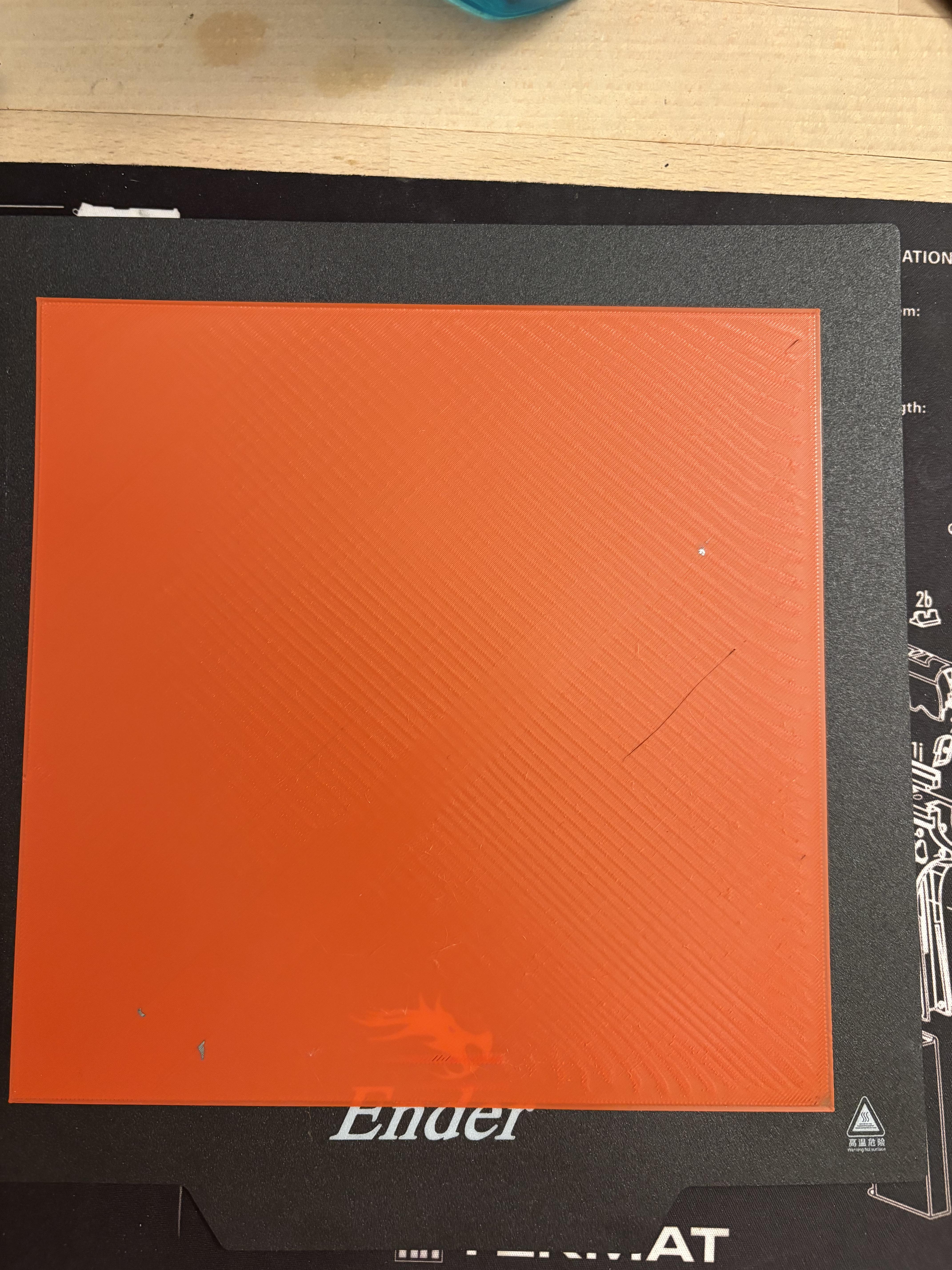
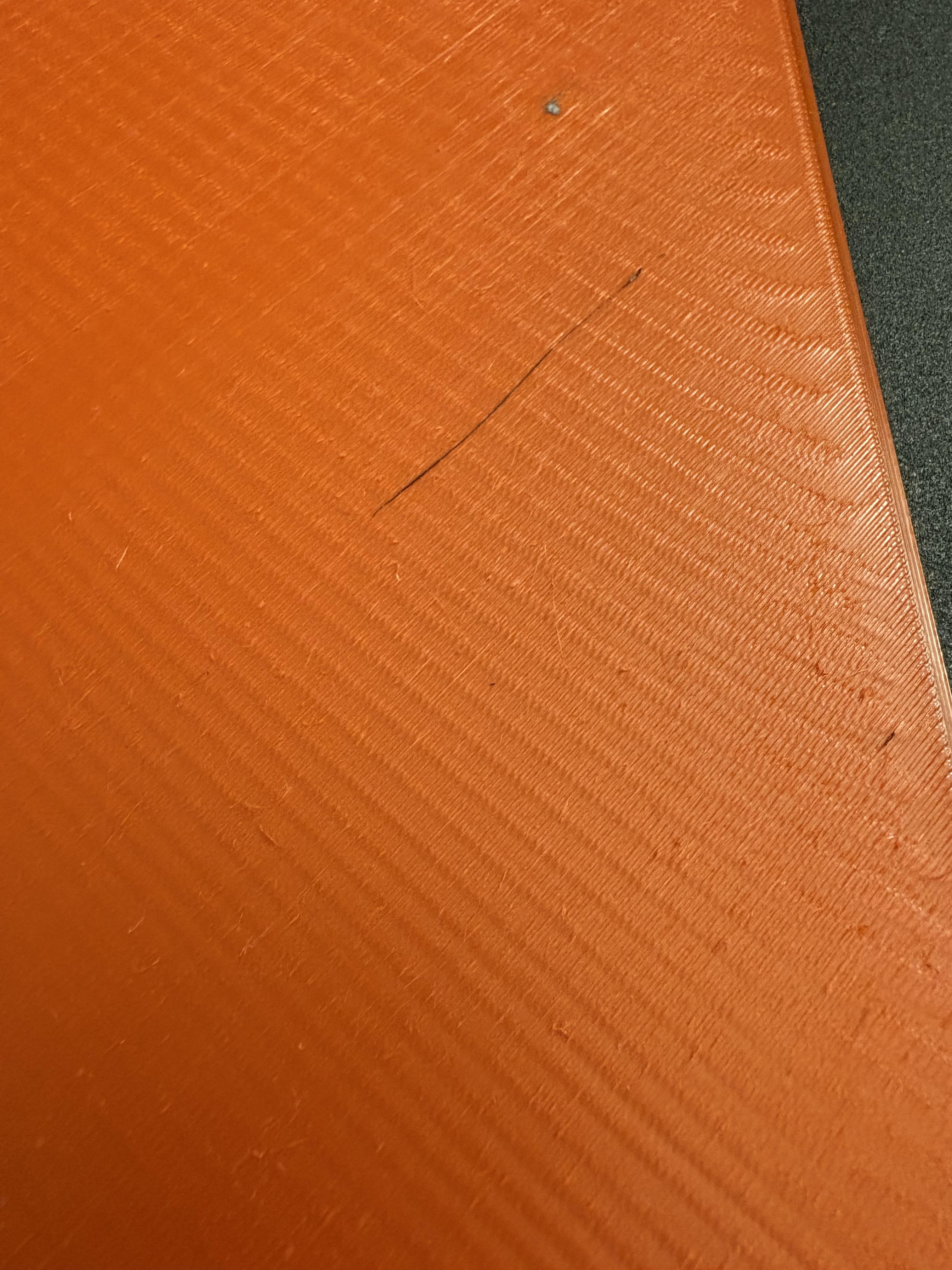
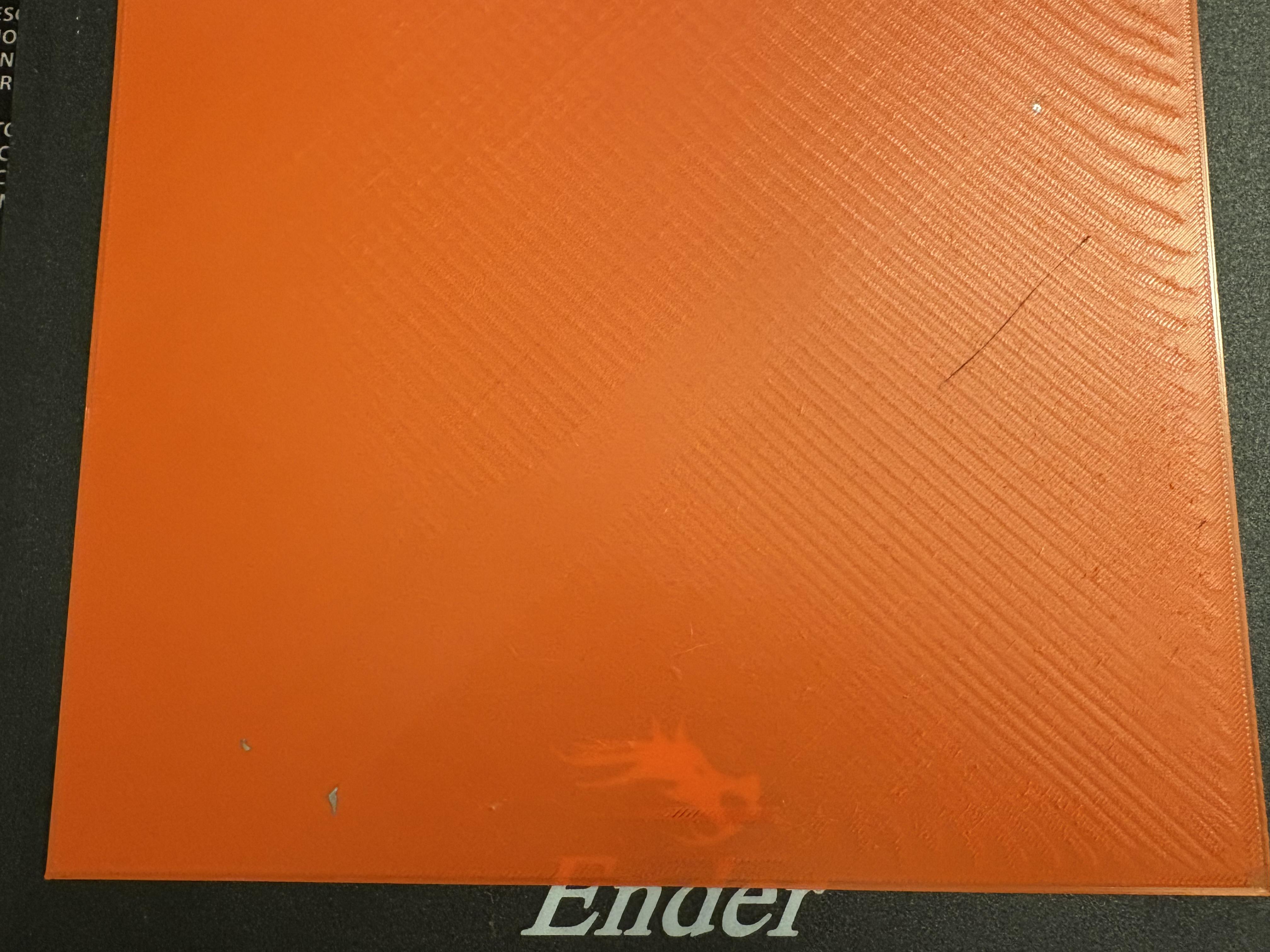
I am trying to figure out whats the issue here.
E3v2 has Sprite extruder using Mriscoc firmware. Bed is manually trammed( leveled) 5x5 mesh performed before each print. Glass plate is cleaned with dawn soap.
No binding in Z rod and nothing seems loose. I just can’t seem to get a nice smooth first layer. Front left is smooth. The rest of it is rippled.

1 Upvotes

9 comments sorted by

1

u/fadingenigma6 5d ago

This is usually caused by your z offset being a touch to low. what's happening is the nozzle is bulldozing the previous passes plastic out of the way. You can also see that it starts from the top right and slowly fades as it goes to the bottom left indicating that your bed is slightly higher on the top right corner.

1

u/Awkward-Outcome1153 5d ago

Ok , I will try. This is my mesh after the last print. I have the start G code set up so it probes each time before it prints.

Edit. But shouldn’t G29 code compensate for any unevenness?

1

u/egosumumbravir 5d ago edited 4d ago

But shouldn’t G29 code compensate for any unevenness?

On it's own, not any more. Modern Marlin needs to be specifically told what to do.

My old Orca Slicer startup code (my Klipper startup macro isn't much different).

G90 ; use absolute coordinates

M117 Preheating Bed & Nozzle
M190 R[bed_temperature_initial_layer] ; WAIT for bed temp to stabilise
M104 S140 ; DONT WAIT temporary nozzle prewarming with minimal oozing for meshing

M117 UBL Probing Bed
G29 P1 ; Home automatically and run mesh levelling for however many points set in firmware
C108 ; Close the mesh viewer (optional)
G29 A ; ACTIVATE UBL levelling with previously probed mesh

M117 Heating Nozzle to Print Temperature
M190 R[bed_temperature_initial_layer] ; WAIT for bed temp to stabilise
M109 S[nozzle_temperature_initial_layer] ; WAIT for nozzle temp to stabilise

M117 Purge Line Printing
G1 Z2.0 F3000 ; Move Z Axis up little to prevent scratching of Heat Bed

1

u/Awkward-Outcome1153 5d ago

This is my start code

1

u/egosumumbravir 5d ago

I see the problem - G29 A needs to be the very last command before printing.

G29 L1 loads a mesh from slot 1 which disables the mesh compensation you turned on in the previous line.

Swap the A & L and test again.

1

u/Awkward-Outcome1153 5d ago

Ok I will try that tomorrow. Thanks

1

u/Due-Entrepreneur-487 5d ago

What BL touch u using? Dang u got them so perfect

1

u/Awkward-Outcome1153 5d ago

Creality CR touch

1

u/Horror_Discussion607 4d ago

Oh hell nah s flatter than cast aluminum