r/haikuOS • u/Wise-Appointment-881 • 3d ago
Help Kernel Panic
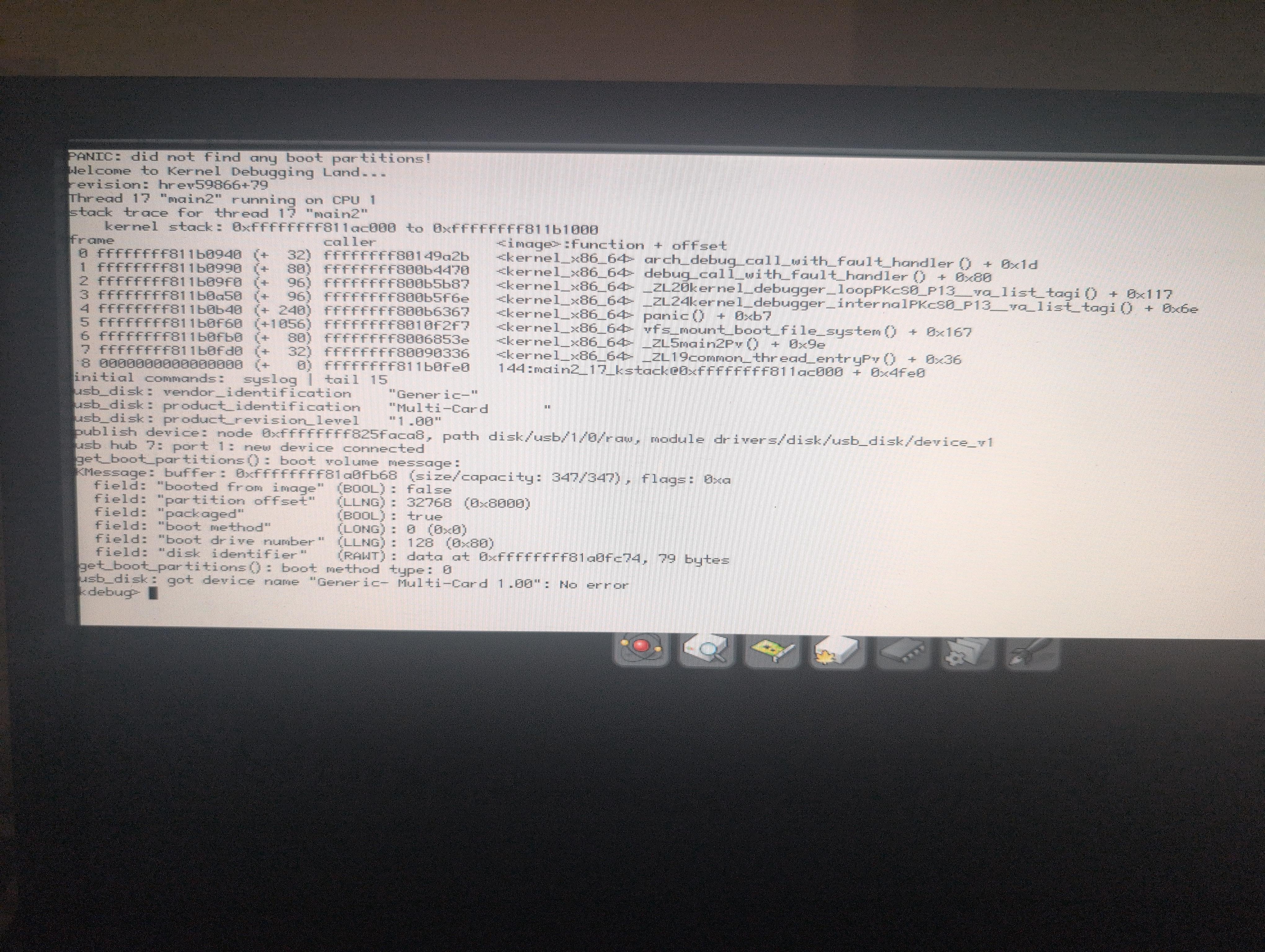

I followed the installation instructions exactly, and I also installed BootManager at the end via the Tools menu. Both BootManager and the bootloader see everything fine, so it seems the kernel is losing sight of my hard drive once it takes over.
I figured I'd give Haiku a try since it seems like a lot of fun. I might end up switching this machine over to NetBSD though.
14
Upvotes
6
u/Ok_Bluebird6937 3d ago
The bootloader is clearly working, since the kernel has already been loaded and started. The panic happens when Haiku tries to locate and mount its boot partition. The kernel reports detecting a “Generic Multi-Card” USB device, which is probably your card reader, not your actual hard drive, so the SATA controller or the HDD itself probably isn’t being properly detected.
A few things I’d try:
Check the SATA controller mode in BIOS. Is it set to AHCI, IDE/Legacy, or RAID? If RAID is enabled, AHCI might help.
Check the full kernel log. At the kdebug> prompt, try syslog and look for messages mentioning ahci, ata, or partition detection to see if the kernel actuall detects your HDD.
Try “Disable IDE DMA” in Haiku’s bootloader safe mode options if you use legacy IDE mode in BIOS.
There’s actually a very similar discussion on the Haiku forum where one of the developers explains this exact panic: https://discuss.haiku-os.org/t/did-not-find-any-boot-partitions/14226
2
u/Plane_Neighborhood32 2d ago
What medium are you running Haiku from?
2
u/waddlesplash Haiku developer / HaikuPorts lead 20h ago
What medium is your boot device, is it a hard disk or a USB drive?
Is this R1/beta6? There were a bunch of boot-related fixes on the nightlies, you might try one of them and see if anything's different.