r/iOSProgramming • • 2d ago

App Saturday I built Rockxy, a native macOS HTTP/HTTPS debugger for iOS simulator and device traffic
Hi r/iOSProgramming, I'm Stephen, and I built Rockxy.

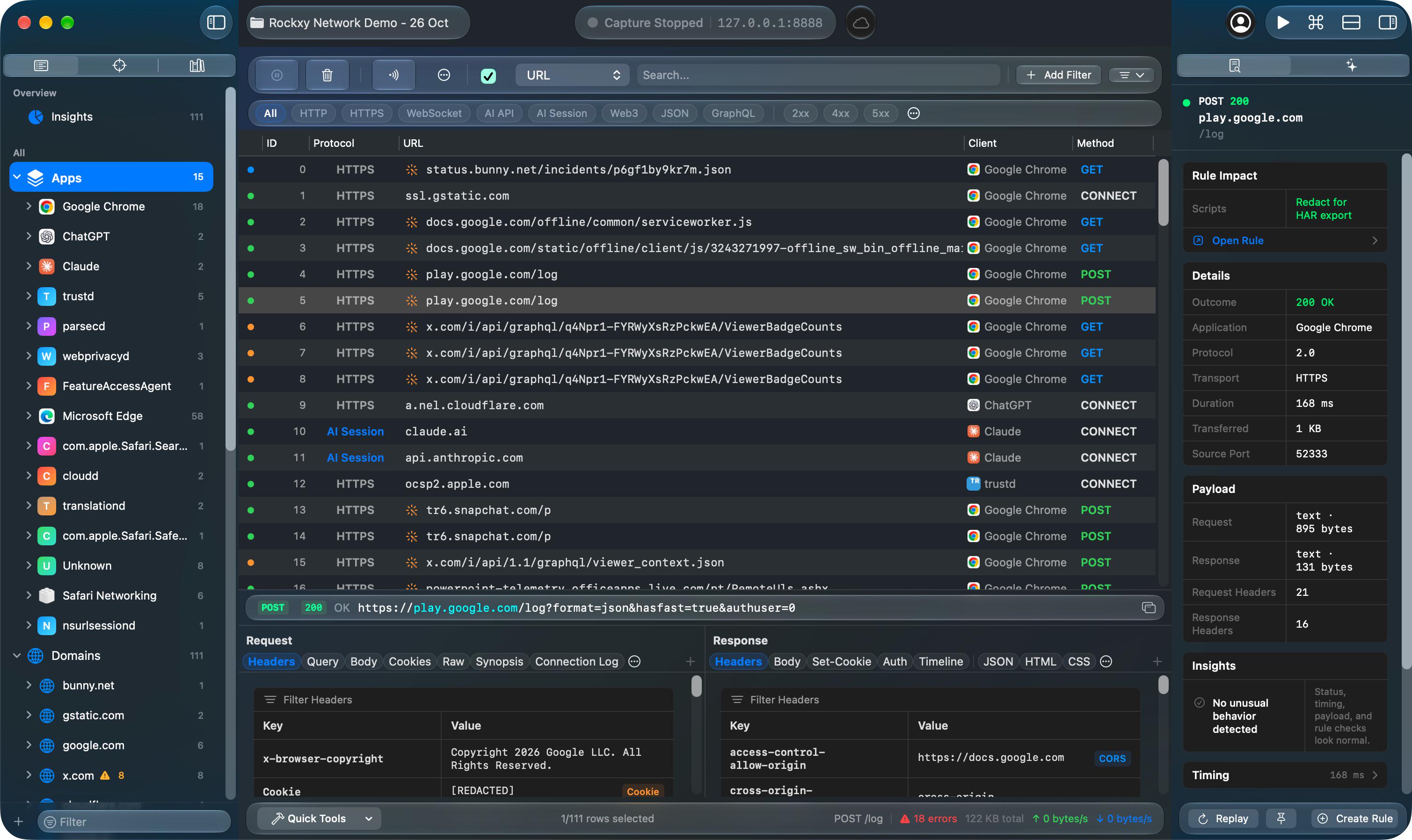
The problem I kept hitting was a failing request from a Mac app, a CLI, or an iPhone. I was jumping between a proxy, terminal logs, and browser DevTools just to see what actually went over the wire. I wanted one native macOS workspace where I could capture the traffic, find the request, change one thing, replay it, and diff the result.

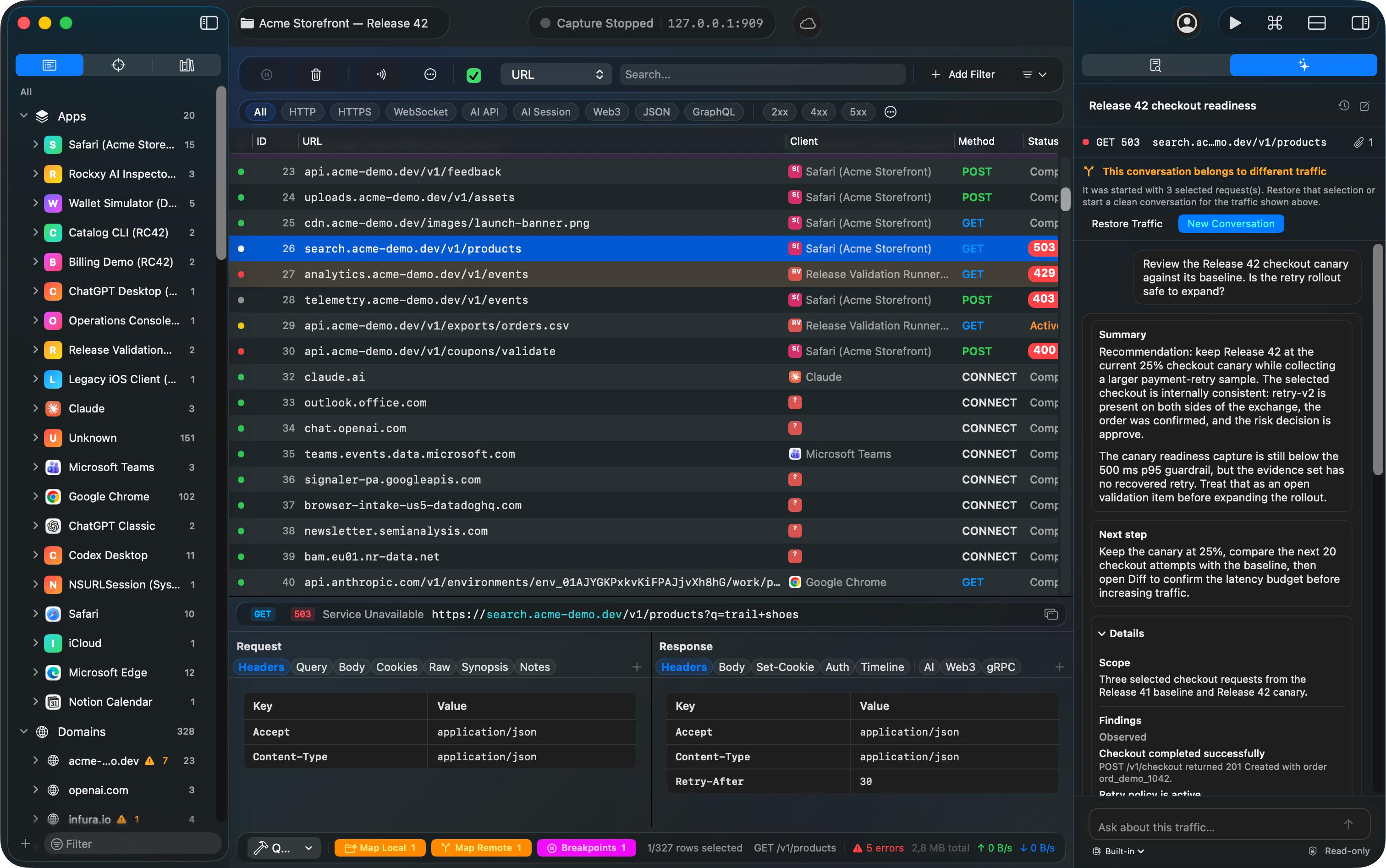
That's what Rockxy does. It captures HTTP/HTTPS, WebSocket, GraphQL, AI model calls (SSE/NDJSON), and Web3 RPC from Mac apps, CLIs, the iOS Simulator, and physical devices. You can inspect headers and bodies, edit a request, replay it, and compare the response. Replay and diff work on HTTP today; WebSocket replay and RPC method-level filtering are coming soon.

Tech Stack
- Swift, 100% native macOS using Swift + SwiftUI + AppKit
- Security framework and macOS Keychain for the local root CA and private key
- Notarized, signed build distributed via Apple Notarized, Homebrew Cask; macOS 14+

Development Challenge
The hardest part was HTTPS interception that stays safe by default. Rockxy generates a local root CA, keeps its private key in Keychain so it never leaves the Mac, and only decrypts hosts you explicitly add to the SSL Proxying List; everything else stays encrypted. The second problem was certificate-pinned apps, which break when intercepted. I solved that by detecting the failed handshake and letting pinned traffic pass through automatically, so the app keeps working and you still see the connection.

AI Disclosure
AI-assisted: I wrote and designed a feature flow, suggest an algorithm for the app myself and used AI tools for parts of the code and documentation.

The Community source is available under AGPL-3.0:
brew install --cask rockxy

Repo: https://github.com/RockxyApp/Rockxy
Website: https://rockxy.io

I'd love feedback, and happy to answer questions.

21 Upvotes

21 comments sorted by

22

u/DandyRandysMandy 2d ago

Benefits of this over Proxyman?

-2

u/locnguyen305 1d ago

Proxyman is a great tool, and if it already covers your workflow, that's completely fair. Here's where Rockxy differs today:
- The Community source is public under AGPL-3.0, and you can build it yourself with Xcode.
- It's built for AI and Web3 traffic: model API streams (SSE/NDJSON) with stream timing, Web3 JSON-RPC calls, gRPC-Web status and metadata, and GraphQL response errors, all next to the normal request/response view.
- It has an in-app AI assistant plus a built-in local MCP server. The MCP tools are read-only by default, redaction is on by default.
- Scripting runs in sandboxed JavaScriptCore with an execution timeout.
- It's native SwiftUI + AppKit + SwiftNIO. No Electron.

Proxyman is more mature and already ships on Windows and Linux. Rockxy for Windows and Linux is coming soon.

6

u/ThanhDongNguyen 2d ago

Nice that it's native, Proxyman is probably what most people here will compare it to.

For the simulator part, do you install the root CA automatically? xcrun simctl keychain booted add-root-cert can do it without the user dragging the cert into Safari, and that step is where most people get stuck. Same for a real device: a small guide that points to Settings > General > About > Certificate Trust Settings would save a lot of "why is HTTPS not decrypted" issues.

Also +1 to marking pinned hosts in the list, otherwise it looks like the app just missed the request.

-2

u/locnguyen305 1d ago

Thanks, these are helpful suggestions.
- Simulator: Yes. In Developer Setup, Install in Booted Simulators**…** installs Rockxy’s root CA using simctl keychain add-root-cert after asking for confirmation. It also checks whether the certificate is trusted afterward. I’ll make this option easier to discover.
- Real devices: Developer Setup already walks through sharing and installing the certificate, including the required Settings → General → About → Certificate Trust Settings step. I’ll make that guidance more prominent in the docs.
- Pinned hosts: Rockxy lets traffic continue when HTTPS interception fails. I agree that showing the affected host clearly in the request list would make the behavior much easier to understand, and I’ll look into it.

17

u/Tex-Twil 2d ago

My eyes are bleeding AI-slop tears.

The website is a masterclass in manufactured social proof. Slap on logos from OpenAI, Anthropic, Google, Stripe and a dozen other tech companies without providing any evidence that they actually use your product.

Throw in some random Twitter reactions to promotional videos and present them as customer testimonials. Add a conveniently unverifiable "8,000+ developers trust us" metric.

And the cherry on top? An "open-source" HTTPS interception tool whose official binary isn't built from the publicly available source tree.

Maybe the actual software is decent, but this desperate attempt to manufacture credibility achieves precisely the opposite.

4

u/jameboth992 1d ago

if you check out his very first version, it's a ai-slop cloner 1:1 of Proxyman (exact every buttons and labels, and features), TAKE entire credit from our team. When people realize it's a cheap 1:1 cloner, they added a lot of unused features to make looks difference

3

u/SchmidhuberDidIt 1d ago

Holy shit that website lol

3

u/franzbroetchenlover 1d ago

Just keep scrolling just keep scrolling

2

u/valleyman86 1d ago

Omg... I took this as keep scrolling past this on reddit. No you meant the website. Wtf haha

1

u/bramantec 2d ago

+1 to marking the pinned hosts in the list. One question from the Flutter side: Flutter apps use Dart's own HTTP client, which ignores the system proxy by default. Debuggers like this usually see nothing from them until the app is told to use the proxy. Does Rockxy have a way around that? Otherwise Flutter devs would need to set the proxy in code for debug builds.

1

u/locnguyen305 1d ago

Yep, that’s the tricky part with Flutter. Rockxy can’t automatically make Dart’s HttpClient use the Mac’s system proxy, so Flutter apps currently need to point the client at Rockxy in debug builds.

I’ve added Flutter setup to Developer Setup, with copyable examples for HttpClient, package:http, Dio, and WebSockets. It picks the right proxy address for an iOS Simulator, Android Emulator, or real device, and walks through the HTTPS certificate steps too.

I’d like to make this less manual. When you say “a way around that” are you thinking of a setup that needs no changes to the Flutter app, or would a small debug-only integration be useful?

1

u/bramantec 1d ago

Thanks for adding the setup page, that was quick. A zero change setup would be ideal, but I doubt it's possible with how Dart handles the proxy. From my side a small debug only package would be the next best thing. I build in FlutterFlow, where touching main.dart is awkward. Something I could call once from a custom action at startup, which does nothing in release builds, would be easy to add and easy to forget about.

2

u/SnooRegrets4647 2d ago

It’s too consuming?

0

u/jorshhh 2d ago

My company pays for Fiddler Everywhere for another dev and me but this seems like an amazing replacement that is not limited to just the two of us using it because of budget constraints. I will try it, thanks for making this.

0

u/locnguyen305 1d ago

Thanks for giving it a try! I'd love to hear how it compares to Fiddler Everywhere for your team, especially anything you'd miss. That feedback directly shapes what I build next.

0

u/SnooRegrets4647 2d ago

Does it do copy as curl? All my backend calls are plain URLSession to a REST API, so that's what I'd use most.

1

u/locnguyen305 1d ago

Yes, any captured request can be copied as cURL (or JSON), and you can redact auth headers, cookies, and bearer tokens before sharing.

-1

u/dawedev 2d ago

Letting pinned traffic pass through automatically is a good default, a pinned app that just stops loading is one of the most confusing moments with any intercepting proxy. I'd still make it visible in the request list, something like a marked row saying the host was passed through because of pinning, so people don't assume capture is broken. For the simulator, do you set the proxy per simulator or rely on the Mac system proxy? That's usually where setup gets confusing when a VPN is also running.

-1

u/locnguyen305 1d ago

Good questions. Rockxy doesn’t set a proxy separately for each iOS Simulator. The usual path is the Mac’s system proxy, which simulator apps can use. You can choose whether Rockxy sets it automatically when capture starts, only when you use the system proxy control, or never. Apps configured to connect directly to Rockxy can still be captured.

A VPN can interfere with that path. If simulator traffic is missing, I’d check whether the app’s requests are reaching Rockxy. For apps that support their own proxy setting, pointing them directly at Rockxy is another option.

Rockxy can automatically tunnel a subsequent connection after a client rejects its interception certificate, keeping the app’s traffic flowing. That rejection can be caused by pinning, but it doesn’t prove pinning on its own. I agree the request list should make the automatic pass-through visible.

1

u/dawedev 6h ago

Giving people all three options for the system proxy makes sense, especially "never", since some people already run a VPN or another proxy they don't want touched. Fair point on pinning too. I'd word that row as something like "client rejected the certificate, tunneled" instead of calling it pinning, so it doesn't claim more than it actually knows.