r/iOSProgramming • • 2h ago

Article Development Lessons: App for Duo

6 Upvotes

A lot of newer indie and solo developers, including vibecoders, probably want an app that works on the Duo but, due to cost, may not have one. So here are some lessons from developing ahead of the Duo launch, with no device in hand.

We started development of Millpond which is a side-project of a more intentionally health-domain app that we have currently in-development. There were some features and approaches that we could do in a water tracker that I wouldn't want to test in a more health-data/sensitive app.

So in late Summer, about 6 weeks before the iPhone Duo shipped we forked and dedicated some time to it. Given it was going to be cross-platform it is largely a common Expo core, with native elements for Apple services, widgets, watch and notifications. We had 2 app revisions prior to launch, 1 to check branding on Apple services (Location, Health) and 1 because Duo screenshots had black bars to fill the size due to errors in the beta version of xCode for Duo - but that was at build 340 and with several non-dev test flight users.

One of the reviews took over a week just pre-launch of Duo. And ended up withdrawing that ourselves and resubmitted and got through 2 days later. We missed the Duo launch due to the delay, but went live shortly afterwards.

Summary: We logged 19 layout mistakes by folding and unfolding the simulator. The worst: the main screen collapsed to zero height because of a single number. The code looked fine, which is why it took a while to find. AI coding tools often don't flag that kind of bug for the same reason.

The device

The folded outer display is 466 x 678 pt. Unfolded, the inner display is 951 x 669 landscape: about (but not exactly!) twice the width at the same height. Your app has to survive the switch mid-session, with the user watching.

Our lessons: what you'll see, and what to do (or tell your coding agent to do)

You'll seeBecausePaste this
The main screen is squashed or empty on the folded displayThe tab bar became a side pill, and its height now reads as the whole screen (678 pt). Your bottom padding is a screen tall"Never use the tab bar's height as padding."
A grid stays one column after folding backPercentage widths go stale on resize"No percentage widths on anything that resizes. Use fixed point values."
Sheets open full-height with most of it blankThey were sized for a tall phone. We had 508 pt of nothing"Sheets must fit their content on a 466 x 678 window."
Buttons are hard to hitThe tap area stuck out past the parent, and iOS ignores it there"Every tap target is at least 44 pt tall."
Cancel draws under the status barSafeAreaView inside a Modal reports zero insets"Read safe-area insets outside the Modal and pass them in."
The app runs in a box with bars around itIt was built with an old SDK"Build with the iOS 27.1 SDK or later."

Also tell it to size layouts from the current window size, never the phone model or orientation.

It's not just a wider screen

Stretching everything is the easy plan. We skipped it, because the second screen is a different job. Apple's rule is the same state and the same functions on both displays, with the inner one allowed to add one level of hierarchy. Same app, one more layer.

Then we asked who's holding it:

How it's heldWhat the person wantsWhat we did
Outer display turned sideways, in hand or a mountGlance, log a drink, leaveDisplay on top, tap targets in one row below
Same window, standing as a tent on a deskRead it from about 1 m for hours. A tap near the top tips it overSoftware can't tell this from the row above, so we designed for the harder one: the top half is look-only, with one number readable from across the desk
Unfolded, or half open in an LWatch the top, touch the bottomContent above the crease, controls below, so folding to the L moves nothing

We also drew an ambient tent mode (chrome fades after 20 s of stillness). It's behind a flag, off.

What that looked like per screen:

  • Pacing (Home). Collapsed behind a toggle on a compact window, open by default with room.
  • Drink buttons. Where they sit is a per-display setting, and only a folding phone sees both.
  • Logbook. Unfolded, it's one full-width list. Open an entry and the window splits at the hinge, list left and editor right. Close it and the list goes back to full width. We tried an always-on split and rejected it.
  • Insights. Folded, the pond hero is the top of the scrolling list. Unfolded, it gets its own pane on the left and the history scrolls on the right.
  • Settings. One column folded, two unfolded. Our first split was by card role, and the right column gave up halfway down, leaving about half the width empty. Now cards are placed by measured height, with Subscription pinned top-right.

All of it keys off window size: three layouts, no pose detection. The poses only decided what each layout is for.

The native tab bar is great for the Duo, and only the Duo

We used the native tab bar, with an icon on every tab. On the Duo the system moves it to a side pill on the outer display and in inner landscape. No code. Enjoy it while it lasts.

Then a regular iPhone went landscape. It keeps its bottom bar, and there isn't enough height left for a bar plus your content. Landscape on a regular iPhone is work you do yourself, if you want it at all.

First, we locked non-fold phones to portrait. We wanted to launch fast for the Duo, so a folding phone can rotate and others can't. Millpond is still in this state and probably will stay that way, because the use case is quick logging.

For user testing we built a custom rail anyway. When the window is wider than tall, we hide the native bar and draw our own where the Duo's pill sits. The Duo's shortest landscape window is 466 pt tall, so 450 pt is our cutoff. The rail sits behind the portrait lock, ready if we ever want it. We've only checked it on one simulator, in one landscape direction.

The trigger is window size, not model, so it should hold up on future phones.

Don't skip the regular iPhone

Building Duo-first makes it easy to forget the phone most of your users hold. Every visible change now gets a pass on a regular iPhone in portrait (about 400 pt wide, one column) as well as the Duo.

A turned regular iPhone and the turned Duo outer display land in the same short, wide layout. Design it once, and check it at large text.

The test that finds most of it

You don't need hardware to fold the phone. Xcode's simulator has fold and rotate buttons in its toolbar, with folded, half-open and unfolded states. There's no command-line switch, so a human presses them.

Fold, unfold and fold again, with a screenshot at each step (your tool can take those). The last screenshot should match the first. If it doesn't, you've found a bug. We ran a full audit before fixing anything: 42 screenshots, a scored critique, then 12 high-priority fixes in a day.

What the simulator can't do: drive Split View, or register automated taps on the side tab pill. Keep a list of what you haven't seen on hardware. Ours is longer than we'd like.

The app is Millpond Water Tracker, a small hydration tracker.


r/iOSProgramming • • 8h ago

Question Anyone use Supabase as a backend? How did it go?

12 Upvotes

r/iOSProgramming • • 7m ago

Tutorial Everything I know about App Store Optimization(ASO) after making $3k passively with apps

0 Upvotes

Hey guys, I decided to create a little guide on ASO, hope you enjoy it!

A little bit about me: my name is Dan, I've been developing apps for iOS for a bit over a year now. In that time I've managed to make $3k almost passively with my apps by focusing on ASO and optimizing it, some of them made more, others made less but at the end of the day all of them contributed to earnings.

Anyway, let's talk about the main tips that helped me to get there:

Before building the app research the keywords first

This step is the most important because the entire ASO strategy relies on finding keywords with relatively low competition, but with high popularity and search intent. Don't rush this process, take your time. I usually spend a whole day or two doing keyword research.
For keyword research, firstly you have to come up with a few ideas for an app on your own(don't be afraid to copy other apps a bit), after this you should think with which keywords(search queries) users will search for your app. Then you put these keywords that you came up with into a keyword search tool of your choice and look at the popularity and difficulty scores. I use Astro ASO to view the popularity and difficulty of keywords, but in the beginning I was using SensorTower for this(it's free, unlike the first option). As a rule of thumb, popularity always has to be >20 and difficulty <50. Also make sure that the majority of the keywords that you have chosen have high search intent. For example, for an app that teaches Spanish, keywords with high search intent would be "learn spanish", "spanish lessons", "spanish grammar", while keywords with low search intent are "dictionary", "teacher", "learning" etc.

The keyword order matters

After the previous step you should have about 10 keywords that fit the criteria of popularity and difficulty. You should filter these keywords into more important(very high popularity and low difficulty) and less important(not that high popularity and medium to high difficulty). You put your more important keywords in the title and subtitle and less important keywords in the keywords field(the one that is located under the description field). The order of importance of keyword placement is as follows: Title -> Subtitle -> Keywords field -> Decription. That means that App Store values the keywords in the title the most. Don't put the same keyword in multiple placements, the only exception for this would be description field because as far as I know Apple doesn't really evaluate the keywords in this field, but it doesn't hurt to integrate them organically in the description too. Another important thing is that if you only rely on organic downloads(meaning that you don't run ads or social media for your app) you should put the keyword before the brand name in the title. For example, if we take the Spanish learning app from the previous step as an example and let's say that its brand name is "Fluentio", its title should be something like this: Learn Spanish - Fluentio. Here "Learn Spanish" is the main keyword and it receives the most attention from App Stroe if we put it like that in the beginning of the title

Screenshots are more important than you think

The problem that I see with many developers and that I had myself when I started publishing apps is that they focus just on developing the app and when it comes to creating screenshots for the app they just put default screenshots with some vague text on them listing the features of the app. This is wrong because you are competing with other apps that have the same features and most users don't care about the features, they care about the results that the app can bring to them. Again, taking the Spanish app from the previous steps as an example, a good text for its screenshot would be something like "Reach basic fluency in 60 days" and a bad vague text would be "60 unique lessons". Make sure that the text on screenshots stands out, it should be bold, some of the words are underlined or another size to draw users attention to the most important things. Also the visuals themselves should not be boring, make them pop out of the screen template to accentuate attention on your main features.

Optimize your paywall

This is more about the money-making aspect of apps rather than ASO but still. Your paywall should be optimized so that the work you put in the previous steps does not go to drain. In some way optimizing a paywall is similar to optimizing screenshots, your paywall should list results that the user will get by using your app, it should not be just another feature list. For the apps that rely entirely on ASO for getting downloads I found that the most effective paywall strategy is showing it once after the onboarding with an option to close it and then showing it after the user used the main feature a certain amount of times. By the way, your app making money is also a factor in ASO. It has been shown that the more your app makes per install the higher it will be in search results, this is logical I guess because obviously Apple wants to make as much money as possible so it pushes the most profitable apps.

Don't sleep on reviews

The amount of the ratings and reviews that you have greatly influences ASO and it doesn't matter what is the average rating(though it matters for converting users). Apple is tightening up the mechanisms of asking users for a rating, so you should be ready that they reject your app if they think that the review prompt that you have in the app is placed inappropriately. But you still should always have a review prompt in your app, don't expect users to go themselves to the App Store to give you a rating, it rarely happens. For my apps the most effective rating-asking placements are often after the user used a feature for the first time or after multiple times of using a feature. Make sure to keep you average rating at least as close to 4.5 as possible because at this average rating the percent of view to install is the highest.

Summing all of this up, I would say that another tip I can give you is that you should build the app in 1 or 2 weeks(focus on building simple apps with 1 or 2 features) while keeping it at high quality. Because of the widespread use of AI in the development process, the good keyword that you found may be polluted with other apps a few weeks later because not only you found it, so you have to develop fast. Also please don't use AI for ASO because it will give mediocre results, it is one of those things that it can't do because it lacks a real world perspective on which keywords are good which are bad so if you develop this skill it will be your edge against competitors.

By the way, I also do individual ASO audits for apps, so if you're interested in something like that hmu ;)


r/iOSProgramming • • 21h ago

Question China mainland app requirements

Post image
3 Upvotes

I see this missing information for my app. But the app is unavailable in Mainland China. Does anyone else see this issue?


r/iOSProgramming • • 1d ago

Article I am creating animated widgets.

Thumbnail
gallery
7 Upvotes

Hey all!

I’m building Jubs, an app with animated iPhone widgets.
I want them to feel alive, and a big part of that is getting the little details right.

I draw everything by hand first, then write simulations to figure out how it should move.
For this snow globe, that meant working out how snow falls and how the curved glass bends what you see through it.

Let me know your thoughts, please.

Thank you


r/iOSProgramming • • 1d ago

Question Measuring paid iOS installs with no SDK or MMP — is anyone actually doing this?

4 Upvotes

Solo dev here. I'm about to run my first small paid test (Apple Ads, YouTube, maybe Reddit) for a document app, and I've committed to no attribution SDKs, no MMP, no pixels, nothing user-level.

From what I can tell:

  • Apple Ads reports installs in its own console with nothing in the app.
  • Google's iOS App campaigns want an install event from Firebase or an attribution partner, so it's Demand Gen to App Store links instead.
  • Reddit reports SKAN installs but says it doesn't optimise on them without an MMP.

My fallback is App Store Connect campaign links, custom product pages and offer codes per channel. Has anyone made this work well enough to judge which channel is paying off? Or did you end up caving and adding an SDK?


r/iOSProgramming • • 2d ago

Discussion Attic find: old dev program swag

Post image
85 Upvotes

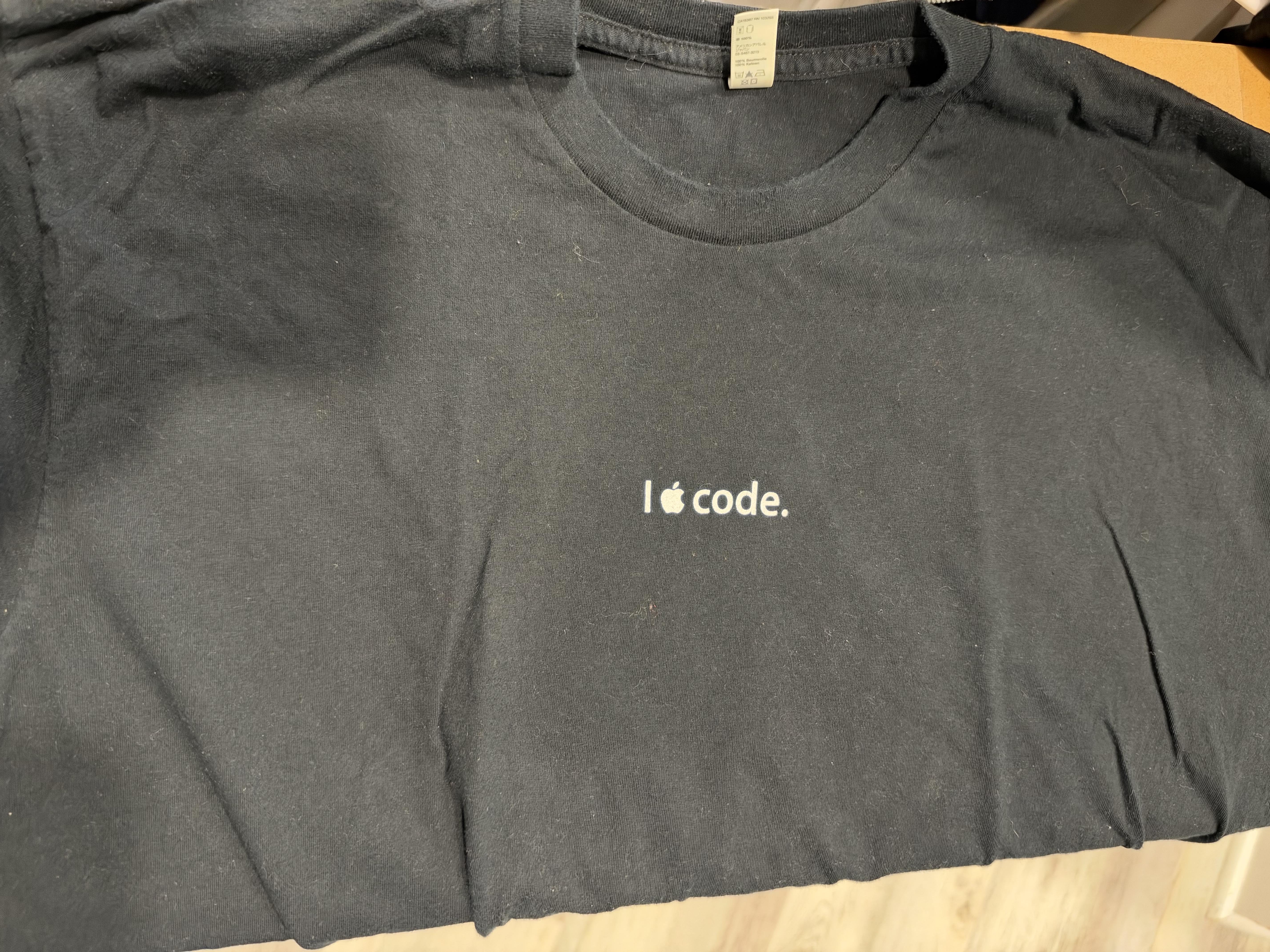
This probably will sound strange to all the new developers, but once upon a time, when you became an Apple developer, it wasn’t just an account. You received a welcome package in the mail. It had DVDs with developer tools, the latest copy of macOS X, other swag, including this T-shirt. I loved this shirt, but I had to stop wearing it because people kept thinking I worked at the Apple Store and then ask me for a discount. I got tired of telling people, no, I made iPhone apps.


r/iOSProgramming • • 1d ago

Discussion Expedited App Review really works! (and yes, I know I might be ruining it for everyone)

0 Upvotes

Partly a PSA, partly because I'm still a bit surprised.

I recently submitted a big update for an app that was delisted from the App Store over two years ago. I brought it back, reworked a lot, and this time it also came with an in-app purchase.

My other apps have recently been reviewed in anywhere from a few hours to half a day. This one? "Waiting for Review" for over a week. Not "In Review". Not rejected. Just... waiting. My guess is that a returning app plus a brand-new IAP landed it in some slower queue, but that's pure speculation.

I hadn't requested an expedited review in years. Back then my takeaway was that it changed little, if anything. So I didn't have high hopes, but after a week of refreshing App Store Connect, I had nothing to lose.

A few hours later: Rejected.

Not quite the outcome I was hoping for, but honestly, the reviewer had a point. The note was fair. I fixed the issue, sent a new build, and a few hours later it was approved. After a week of silence, the whole reject → fix → approve cycle took less than a day. Wow.

Takeaways:

  • If your submission is stuck way longer than usual, try expedited review. It seems to actually do something now.
  • It speeds up the review, not the outcome. "Expedited" doesn't mean "approved", it means "you'll find out faster". For me, that was exactly what I needed.
  • Apple says it's meant for urgent cases, so please don't burn it on typo fixes. I'm fully aware that posting this might lead to everyone smashing the expedite button, and in six months we'll all be back in the slow lane. So let's keep this between the few hundred thousand of us, ok? 🤫

Has anyone else had a similar experience recently? I'm curious whether the week-long wait was IAP-related or just bad luck.


r/iOSProgramming • • 1d ago

Discussion I migrated my app from UIKit to SwiftUI and brought it to Android using Skip. Here's what I learned.

Thumbnail budget-flow.app
11 Upvotes

r/iOSProgramming • • 2d ago

Question MatchedTransition effect

Post image
5 Upvotes

I’m working on an app for my Jellyfin library and I’ve noticed that Apple Music’s opening animation for albums actually feels like the square artwork simply floats to the center. Whereas mine enlarges the square artwork and another copy spawns in the middle then (see also screenshot).

Does Apple use a different thing cause I’m using the regular MatchedTranitionSource effect thing.

Here’s the comparison videos (Mine is the same album as in the screenshot): https://imgur.com/a/sqz4E3D


r/iOSProgramming • • 2d ago

Question Unable to Enroll into the Apple adeveloper Program

Thumbnail
gallery
6 Upvotes

Hey! I've been publishing apps on the PlayStore for a while, so I thought to give AppleStore a chance, but whenever I try to sign up to the program, it fails.

I've written to support twice, but it's been a month, and there has been no response. What am I doing wrong?


r/iOSProgramming • • 2d ago

Discussion Apple removed my open-source app from European App Stores after 9 years. Support has been silent for weeks.

37 Upvotes

I'm the solo developer behind FSNotes, an open-source note-taking app for macOS and iOS.

After 9 years of development, my app was removed from European App Stores. I've submitted my business registration documents and opened two support cases, but Apple hasn't responded since November 5.

Meanwhile, years of App Store rankings and visibility are disappearing.

I've shared the full story on GitHub:

https://github.com/glushchenko/fsnotes/discussions/2056

I'd appreciate any advice, visibility, or help getting this in front of the App Store team.


r/iOSProgramming • • 3d ago

Tutorial iOS 27.1: UIArrangementViewController

Thumbnail
antongubarenko.substack.com
11 Upvotes

r/iOSProgramming • • 3d ago

Discussion iOS dev (Swift/SwiftUI) moving to macOS: what are your do's and don'ts?

8 Upvotes

Hey all,

I've shipped a few iOS apps with Swift and SwiftUI, and I'm now planning my first Mac app: a small, lightweight menu bar utility.

I know the basics carry over, but I suspect macOS has its own traps that iOS devs don't see coming. For those of you who've made the jump:
What do you wish you'd known before your first Mac app?

What are the common mistakes iOS devs make on macOS (windowing, menu bar behavior, sandboxing, permissions)?

Any SwiftUI vs AppKit advice for menu bar apps? Is MenuBarExtra solid enough now, or do you still drop to NSPanel/NSStatusItem?

Distribution: App Store vs direct download? How painful is signing and notarization?
Pricing: do one-time purchases still work best for Mac utilities?

I'm aiming for a small, focused MVP rather than a feature-heavy app, so any "don't overbuild" lessons are welcome too.
Thanks!


r/iOSProgramming • • 3d ago

3rd Party Service We timed DuckDuckGo's iOS build on GitHub's largest macOS runner and on M5 Pro: 523 s vs 147 s

6 Upvotes

Disclosure: I work at Bitrise, and the M5 Pro and M6 runners below are ours.

We ran the same xcodebuild build-for-testing on DuckDuckGo’s open-source iOS app (https://github.com/duckduckgo/apple-browsers) with Xcode 27.0 on each machine:

RunnerHardwareTime
GitHub’s XLarge macOS runner (their largest)M2, 5 vCPU, 14GB523.3 s
Build Hub M6 X-LargeM6, 12 vCPU, 28GB169.6 s
Build Hub M5 Pro X-LargeM5 Pro, 18 vCPU, 54GB147.1 s

GitHub’s runner took about 3.6 times as long as M5 Pro, which is close to the difference in vCPU count. So most of that gap is probably the extra cores. The M6 number says more about the chips. It has two thirds of the cores and was only about 15% slower than M5 Pro.

If your app is small, GitHub’s runner is still the easy option. There’s nothing to set up, and a few extra minutes may not bother anyone.

It’s one app, and I don’t know how much of this carries over to yours. Our numbers come from 3 runs per runner. Per-run data and results for other open-source apps are at https://benchmarks.bitrise.io

The full setup is in the write-up: https://bitrise.io/blog/post/m5-pro-runners-live-github-actions


r/iOSProgramming • • 3d ago

News I built a GitHub Actions workflow where Claude Code agents beta-test mobile apps, each on its own emulator

Post image
2 Upvotes

I built this with Claude Code. Each tester is a Claude Code agent run headless (claude -p) with its own Android emulator or iOS Simulator and a persona: a retired teacher using large text, a student who skips every text, someone reading Arabic right to left. It uses the app like a new user and writes a bug report with numbered screenshots.

How Claude Code helped: it wrote most of the scripts with me, like the build step for each framework (Flutter, React Native, Expo, native Kotlin and Swift...), the encryption of the reports since a public repo's logs are public, and tests that fake flutter and gh so CI runs offline. I reviewed every change and ran real sessions on LocalSend and AnkiDroid to find what broke.

Free to try: it's MIT and runs on GitHub's free runners from a public repo. You need the gh CLI and a Claude subscription or API key. Create a repo from the template, run ./setup.sh, then start the workflow. On the demo app, 4 testers found 9 of the 11 planted bugs for $0.87 of model usage.

It went from 57 to about 1,270 stars in two days after a share on X, and a few people already run it on their own apps. What would you want it to check on yours?

https://github.com/pierridotite/mobile-agent-testers


r/iOSProgramming • • 3d ago

Discussion First time wedging myself like this

2 Upvotes

I introduced a bug into onboarding so I'd like to get a bug fix out pretty quickly. The problem is that I also have two new subscription prices currently in review. So apparently I'm no longer able to place new items, in this case the build with the bug fix, in review because I'm maxed out on review items (TIL). Also... I don't think there's a way to take a subscription item out of review.

(Not a vibe coder, I care about my code. I just made a human mistake. I'm just posting so others can learn from my mistake .. which is how we used to do it before AI <- My disclaimer for the hateful vibes that seem to have taken over this sub)


r/iOSProgramming • • 3d ago

Question "Your Apple Developer Program expires in X days" but cannot add a debit/credit card to my account

1 Upvotes

What's going to happen? I now have like 2 days until this program expires. I'm so upset because I tried sending Apple Support a message about not being able to add a credit/debit card to my account. I tried with a VPN, different addresses to make sure the card details are right, etc., and every time I try to add a card to my account, I get this completely useless error. I cannot find any information about it online and searching the usual sources just come up with random posts about other problems. (It's so vague, I don't even know how to research a solution to this.)

I also have a PayPal connected. Would that be used for the automatic payment?

Is my account going to be unlisted and my game going to be deleted from the App Store?


r/iOSProgramming • • 3d ago

Question Game I spent the past year on was rejected for "Design - Spam"

Thumbnail
gallery
6 Upvotes

I've spent a good portion of this year creating a sequel to my game "Dungeon Knights" on IOS.

I created the original game 10 years ago and it's still on the app store which may be the reason for the rejection but Apple said that my new app "Dungeon Knights: Eternal" was too similar to apps submitted by other developers.

I feel like this game shows a good amount of effort and originality from others. Even the original from 10 years ago it shares very little with. Every piece of art and music was remade and updated. Even the game engine is different. The only thing it shares is an icon for gold, a background for the "classic" gamemode, and a few sound effects.

The only other reason I can think of for the rejection is the use of some music from the Unity Asset store but I feel like that would be a much more widely talked about issue.

I sent in an appeal but am very worried it will remain rejected,
Game Trailer: https://www.youtube.com/watch?v=XDIFu92jOAY

  • Could the reason for the rejection be the original game? If so, would I need to remove the original from the app store in that case?
  • If it is based on other developers, I'm curious as to what that could possibly be - is the concept of a "runner" game just not allowed due to oversaturation?

r/iOSProgramming • • 3d ago

Discussion I built Cromel Music - a free, customizable Apple Music client for iOS!

Thumbnail
gallery
0 Upvotes

Hey everyone! 👋

I'm an independent developer, and after spending a lot of time designing and building my own app, I'm excited to introduce Cromel Music, a third-party Apple Music client for iOS!

I started this project because I wanted to experience Apple Music in a different way — with more freedom to customize the interface and make it feel truly personal.

Instead of creating another music streaming service, I wanted to build an alternative way to enjoy the Apple Music library you already love.

✨ What makes Cromel Music different?

🎨 Fully customizable colors Choose your favorite colors and watch the app's interface adapt to your personal style.

🔤 4 typography styles Switch between four predefined fonts to give your music experience a completely different look.

📱 Landscape mode Enjoy Cromel Music in both portrait and landscape orientations, with an interface adapted to each layout.

☁️ Account synchronization Your account information and settings stay synchronized for a consistent experience.

🎵 A fresh Apple Music experience A modern interface designed to make listening to your favorite music more personal and enjoyable.

📌 PCP — Problem, Comparison & Pricing

🔹 Problem

Apple Music is a great streaming platform, but its official app offers limited options for customizing the interface.

I wanted to give users more control over how their music player looks and feels.

🔹 Comparison

Unlike the official Apple Music app, Cromel Music focuses on visual personalization, including customizable colors and four different typography styles.

Compared with other third-party Apple Music clients, Cromel Music aims to offer a simple, modern, and highly customizable interface.

My goal isn't to replace Apple's music service, but to give subscribers another way to enjoy it.

🔹 Pricing

💚 Cromel Music will be 100% FREE!

✅ App price: $0

✅ No additional monthly fees.

✅ No paid subscriptions within Cromel Music.

✅ No premium tiers required for customization.

Note: An active Apple Music subscription is required to stream music. Cromel Music is an alternative client, not a separate music streaming service.

📱 App Store: Coming soon! The app is complete, and I'm preparing its official release.

🚀 What's next?

I'm currently getting everything ready for the App Store launch, and I'd love to hear what the Apple Music community thinks before releasing it.

I'm sharing some screenshots of the app, including its different themes, typography options, and landscape mode.

I'd love your feedback!

What do you think of the design?

Would you try an alternative Apple Music client with more customization?

What features would you like to see in future updates?

❤️ Follow the development!

I'll be sharing more previews, improvements, and the official release announcement on X.

🎵 Cromel Music on X: https://x.com/cromelmusic

Thanks for checking out my project and supporting independent development! 🚀🎶


r/iOSProgramming • • 5d ago

3rd Party Service Build Xcode projects on Linux with SweetPad

Thumbnail
sweetpad.hyzyla.dev
17 Upvotes

Hello! I would like to share my CLI that allow to build native iOS applications on Linux. It works with Xcode projects with zero changes and make possible to build native ios applications without macOS at all


r/iOSProgramming • • 4d ago

App Saturday Dojo 80+ dev tools in one free, open source Mac app

Post image
8 Upvotes

Most of my day is Xcode, plus a browser tab for every small job around it: pretty-print a JSON response, decode a JWT from a failing request, check a cron expression, turn one image into an app icon set. I wanted all of those offline in one window, so over the last five weeks I made Dojo, a free and open source Mac app with 80+ of these tools.

https://github.com/onmyway133/Dojo

Everything runs locally. The only tool that goes online is Public IP.

Tech Stack

- Tauri 2 with Rust for the app shell and the heavy work: hashing, bcrypt, image convert and compress, app icon sets, RSA keys, GZIP, X.509 certificates

- React 19 with TypeScript and Tailwind for the UI

- fastlane for signing, notarizing and the release, same as my Swift apps

- AGPL-3.0

Development Challenge

Many of these tools started in Codeline, an app of mine written in Swift. I designed a new architecture and ported them to Rust for performance, with each tool as a typed command the UI calls, so large images or files get processed in Rust while the UI stays responsive.

The other challenge was making a Tauri app feel like a Mac app. The window's title bar ate clicks on my toolbar, and the fix was narrowing the native title bar area down to just the traffic lights. I also added a real macOS menu bar with Settings, Open Tool and Search, so keyboard shortcuts work like any other Mac app, and native file read and write commands so drag and drop and Save dialogs behave properly.

AI Disclosure

AI-assisted: I designed the architecture and the port from Swift to Rust myself, and used AI tools for parts of the code and documentation.

For those of you shipping Swift apps: which small tool do you still open a website for during a normal day of iOS work?


r/iOSProgramming • • 5d ago

App Saturday I built Rockxy, a native macOS HTTP/HTTPS debugger for iOS simulator and device traffic

Thumbnail
gallery
23 Upvotes

Hi r/iOSProgramming, I'm Stephen, and I built Rockxy.

The problem I kept hitting was a failing request from a Mac app, a CLI, or an iPhone. I was jumping between a proxy, terminal logs, and browser DevTools just to see what actually went over the wire. I wanted one native macOS workspace where I could capture the traffic, find the request, change one thing, replay it, and diff the result.

That's what Rockxy does. It captures HTTP/HTTPS, WebSocket, GraphQL, AI model calls (SSE/NDJSON), and Web3 RPC from Mac apps, CLIs, the iOS Simulator, and physical devices. You can inspect headers and bodies, edit a request, replay it, and compare the response. Replay and diff work on HTTP today; WebSocket replay and RPC method-level filtering are coming soon.

Tech Stack
- Swift, 100% native macOS using Swift + SwiftUI + AppKit
- Security framework and macOS Keychain for the local root CA and private key
- Notarized, signed build distributed via Apple Notarized, Homebrew Cask; macOS 14+

Development Challenge
The hardest part was HTTPS interception that stays safe by default. Rockxy generates a local root CA, keeps its private key in Keychain so it never leaves the Mac, and only decrypts hosts you explicitly add to the SSL Proxying List; everything else stays encrypted. The second problem was certificate-pinned apps, which break when intercepted. I solved that by detecting the failed handshake and letting pinned traffic pass through automatically, so the app keeps working and you still see the connection.

AI Disclosure
AI-assisted: I wrote and designed a feature flow, suggest an algorithm for the app myself and used AI tools for parts of the code and documentation.

The Community source is available under AGPL-3.0:
brew install --cask rockxy

Repo: https://github.com/RockxyApp/Rockxy
Website: https://rockxy.io

I'd love feedback, and happy to answer questions.


r/iOSProgramming • • 5d ago

Discussion Should I use server sent events or websockets for a chat app?

4 Upvotes

I don't need typing indicators. I heard that websockets apparently can overheat a phone? Is this true?