r/linuxmint • u/Crafty_Pea_4513 • 24d ago
Support Request Does anyone know why is my Linux mint doing this after every boot?

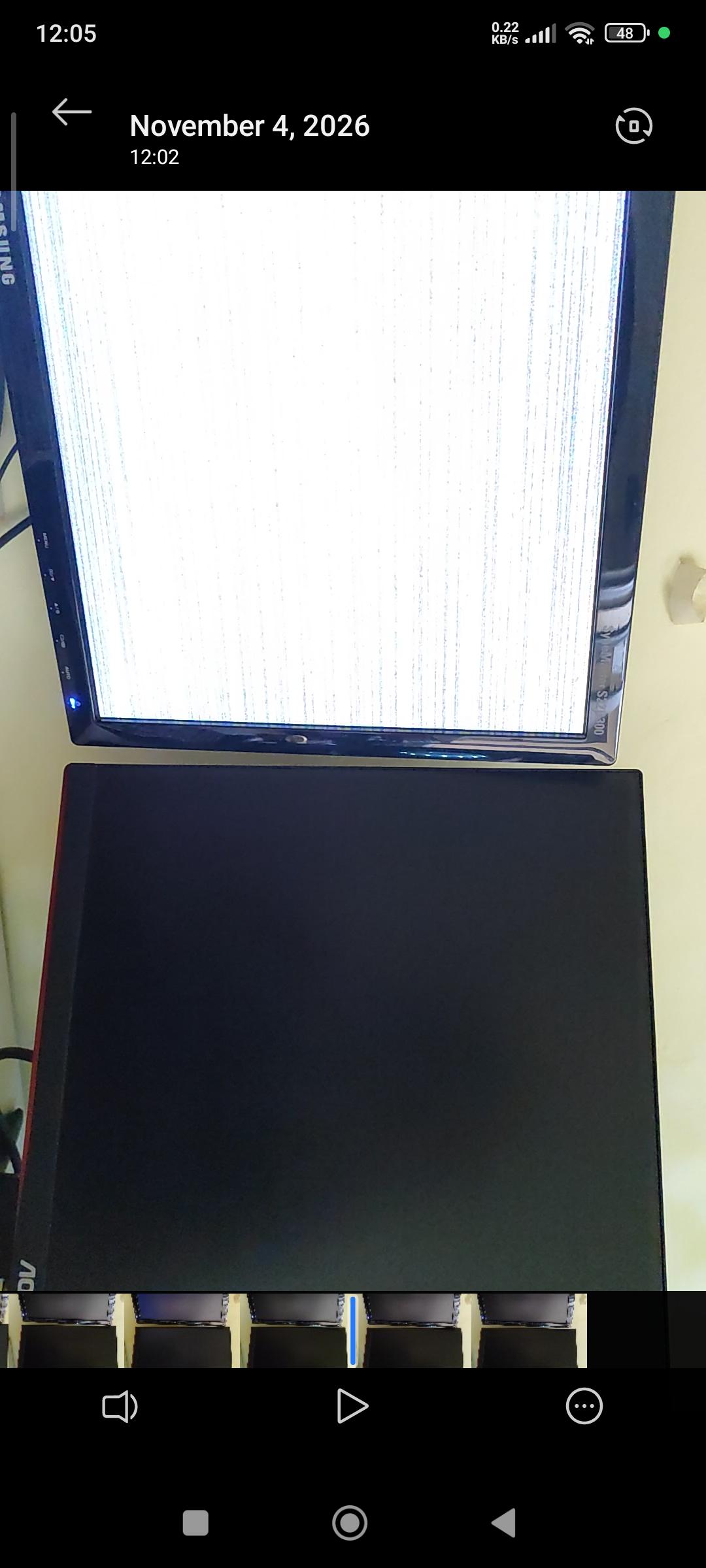
[TLDR] My pc is freezing when I leave videos paused in YouTube, and when I try to reboot it, the monitors show an interference image before instantly booting normally.
Good afternoon!
I installed mint in my pc a week ago and I've been using it normally since. I really don't know what could have happened, but yesterday I left the pc with a paused video on YouTube, and when I returned a few moments later, it froze, not even the mouse cursor would show. I used Alt+SysRq+b to restart it, and when it restarted it showed exactly these interference images on my monitors while booting. And since then, sometimes it just randomly freezes, I do the same procedure and it shows the same images while booting.
I noticed it happens when I leave videos paused on YouTube, though I'm not sure it is related.
I use a Wacom CTL4100 drawing tablet and I did have to set it up because the wacon driver was glitching with some other driver I was using (also for the drawing tablet), that was the only change regarding graphics design I did on my pc, although I don't think it would interfere in the Linux system, I did run these commands to fix the drawing tablet:
echo "blacklist wacom" | sudo tee /etc/modprobe.d/blacklist-wacom.conf
sudo update-initramfs -u (this is said to update the boot image)
these commands as well as this driver issue is on the driver documentation, so again I don't really think that's causing the problem but it's the only change I remember doing regarding graphics and etc
I use a NVIDIA GTX 1059 Ti, I installed the driver NVIDIA 580 while setting it up a week ago. The problem really just started yesterday.
I'm sorry I'm really new to this tech stuff, I'm sorry if the post is lacking info. Thank you all for your attention!
•
u/AutoModerator 24d ago
Please Re-Flair your post if a solution is found. How to Flair a post? This allows other users to search for common issues with the SOLVED flair as a filter, leading to those issues being resolved very fast.
I am a bot, and this action was performed automatically. Please contact the moderators of this subreddit if you have any questions or concerns.
2
u/Greedy-Opposite-9133 20d ago
Hmm, interesting one.
The stripes on the screens: my guess is it's leftover data in the graphics card's memory. Alt+SysRq+B restarts the PC without fully powering the card off, so it may show whatever was left in there until the driver starts up again. If that's what it is, it should be harmless on its own and the freeze is the real problem.
It's worth ruling out if it's the card. If the stripes ever show up after a full power-off (shut down, switch off at the wall for 30 seconds, then start), or on the BIOS screen, that would point more towards the card/hardware.
The freeze: a full freeze with the mouse stuck often points at the graphics driver hanging, but there are other possible causes, so it would help to get the logs first. Next time it freezes, try Alt+SysRq+S, then U, then B (a couple of seconds apart) instead of just B. S and U should write everything to disk first, so the log from the freeze has a better chance of surviving. Then run:
If you get lines with
NVRMorXid, that would suggest the NVIDIA driver crashed. Worth posting whatever it shows either way.A few things that might be worth trying in the meantime:
If it's easily reproducable then try send through some info per above