r/linuxmint • u/Awesome_sauce222 • 23d ago
SOLVED Weird issue after update
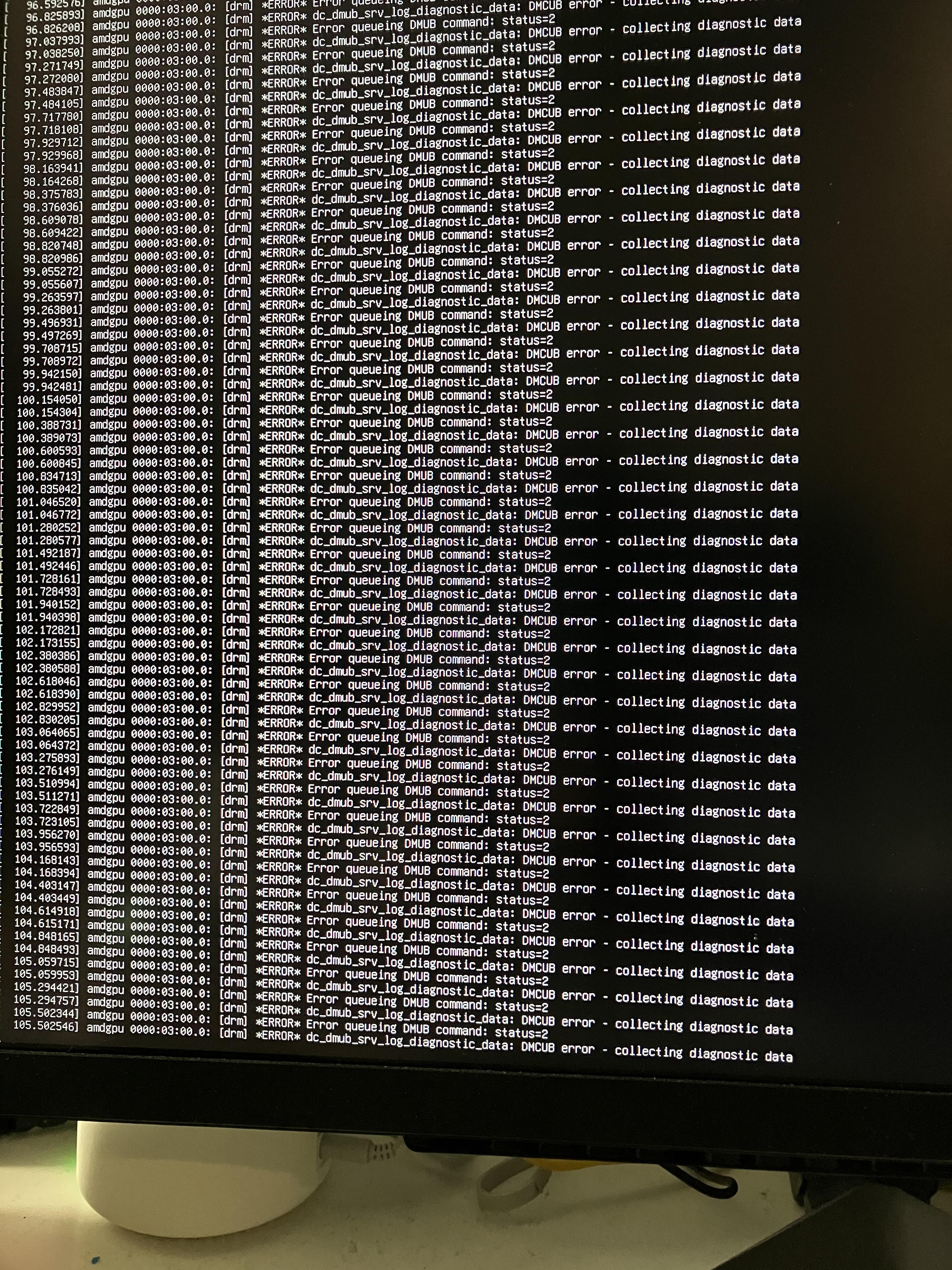
Hi. I updated everything in update manager, then shortly after it asked me to restart. After restarting it would force this i guess "kernel panic" and repeat the same 2 commands. I didn't make any changes like stuff behind grub but gemini said i should
30
Upvotes
•
u/AutoModerator 23d ago
Please Re-Flair your post if a solution is found. How to Flair a post? This allows other users to search for common issues with the SOLVED flair as a filter, leading to those issues being resolved very fast.
I am a bot, and this action was performed automatically. Please contact the moderators of this subreddit if you have any questions or concerns.
15
u/Due-Result7928 23d ago
Linked to amd gpu error. While at the grub menu type e (for edit) to the kernel line
Users report success by adding
amdgpu.dcdebugmask=0x10to kernel parameters to the kernel command line (after to grub default.) to suppress the error and prevent hangs.You can select the previous kernel as well selecting advanced options.
What is your amd graphic card ? There was a report and a fix in the linuxmint reddit group yesterday for some amd gpu card RTX90....). Search reddit linuxmint.
3
u/purpletonberry 23d ago
OP check out this thread, you're being affected by a broken package released yesterday
https://www.reddit.com/r/linuxmint/comments/1xo6jg2/for_those_affected_by_the_very_recent_update_from/
You can get back to the desktop by booting with the "nomodeset" grub option detailed in this post. From there you can either follow the rest of the post or simply use timeshift to go back to before you updated everything.
1
u/ScouringtheUniverse Linux Tech 23d ago
Yea, as an Installer Tech, I remember those in the past, but I've not seen that in awhile. No need to "panic" as I don't restart; I just power it off, then remove the ISO source, then turn it back on.
2
u/Evening-Landscape763 23d ago
https://www.reddit.com/r/Ubuntu/comments/1xofmol/for_those_affected_by_the_very_recent_update_from/
1
u/GodGangstersGuineas Linux Mint 22.3 Zena | Cinnamon 23d ago
See recent post ob firmware problem on this subreddit
1
u/EpoTheSpaniard 22d ago
Too many of these issues recently; I had similar issues with my RX 6950 XT months ago. Some things are not getting vetted properly, and it is disappointing.
1
u/WhimsicalSnails 21d ago
I reverted my AMD driver to one step down and then put a hold on future updates until it gets ironed out
0
u/C0rn3j 23d ago
Does it work fine on Fedora KDE live boot?
Mint is using software out of date by years, and the kernel specifically is EOL, and the kernel is responsible for that driver.
0
u/MrMcRolan 23d ago
Your display controller has gotten stuck causing the kernel to endlessly print that error message.
While you have that screen open (the screen with the flooded terminal messages) press Ctrl+Alt+F2 (or F3-F6 depending on your setup). This will give you a text login screen where you sign in with your computer's username and password, the ones you picked when you installed the OS. Note that the password field will look empty as you type, but your input is being registered (this is a safety feature in most distros). Once inside, silence the error messages by typing sudo dmesg -n 1 in your bash terminal, and then update your system. The update command is different for different distros:
Ubuntu: sudo apt update && sudo apt full-upgrade
Fedora: sudo dnf upgrade --refresh
Arch: sudo pacman -Syu
(Best to google "How do I update <insert your distro here>" to get the right command for you).
And lastly do a reboot of the system by using sudo reboot.
Try that, hopefully the update will fix it for you.
-10
u/[deleted] 23d ago
[removed] — view removed comment