r/linuxmint • u/Practical-Hair-7408 • 1h ago
Guide Pls help me fix my panel😭🙏

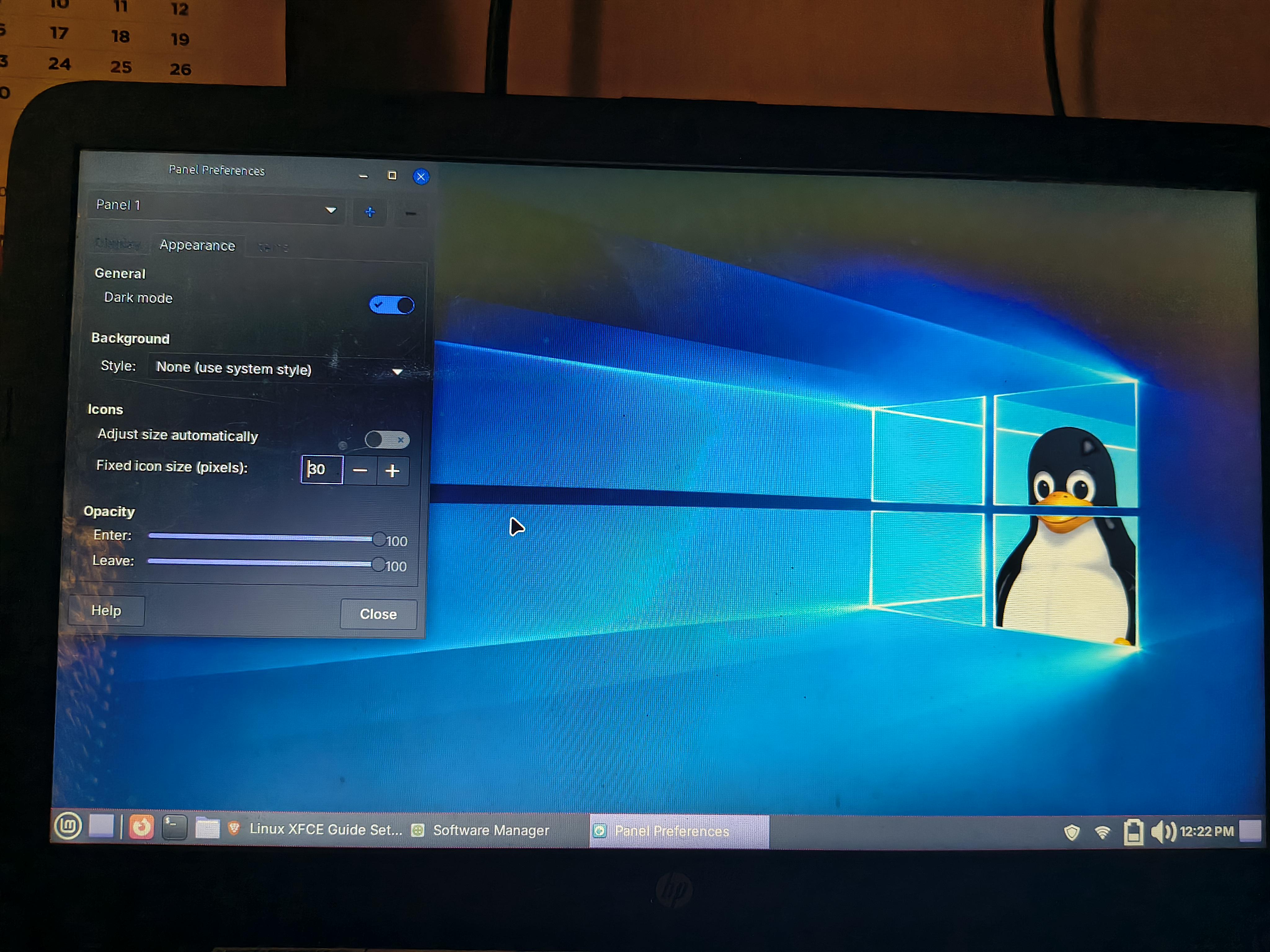
I'm using Linux mint xfce and I've been trying to fix my panel since yesterday but I couldn't do it. Icons on the bottom left are so small but the icons on the right bottom are perfect. I want to increase the size of the left icons. But when I do that, the right side battery and speaker icons get bigger too. Idk what to dooo. Also I don't know anything about coding I'm just copy pasting commands from Mr. GPT. Even he can't help me ;(
7
Upvotes
2
u/djphazer 1h ago
idk about xfce... Cinnamon lets you adjust the icon size for 3 independent regions on its Panel.
1
u/Significant_Fox_7653 11m ago
How about delete that panel and make a new default panel
1
u/chuggerguy Linux Mint 22.3 Zena | MATÉ 3m ago
I think I had an icon with too much space around it so it looked too small in the panel. I don't remember what it was. Whatever it was, I cropped out some of the dead space surrounding the actual image.
The "launchers" on the bottom left, if like my MATE launcher icons, can be changed with a right-click.
I shrank my Firefox icon a bit to make this video. (Actually the png is the same size, it's just the image in the center is smaller with more dead space surrounding it)
I keep several icons in my personal bin folder that I use with custom launchers. (I only had them on my desktop to make the video)
If you can't find an easier way, something like that might work?
Good luck.
0
u/EnvironmentNo5224 53m ago
im also new to linux mint but on cinnamon it was easy to adjust those. try asking gemini 4 hydrogen in google ai studio it's really super helpful with this stuff.