r/MacStack • u/ItsThatKovy • 4d ago
TabSwipe (for MacOS) - use the 3 finger swipe to move between tabs on your browser

0
Upvotes
r/MacStack • u/ItsThatKovy • 4d ago
r/MacStack • u/Latter-Recording-976 • 4d ago
Hey I’m Syed, the developer of TuckTabs. I kept rebuilding the same workspace every time I switched tasks. My draft was in Notes, my references were in Safari, and my files were in Finder. Now I can put those three windows in one tab stack, keep Mail beside it, and bring the layout back with a shortcut.
Problem: When a task spans several Mac apps, arranging windows, finding the right one, and rebuilding the same layout takes time away from the work itself.
What TuckTabs does
- Tabs across apps. Drag a window onto another to give them a shared tab bar. Reorder tabs, pull one out, or view two side by side.
- Tiling on demand. Arrange windows in columns, rows, a grid, or a main-and-side layout. Drag to resize or swap tiles. Windows stay put by default, and automatic tiling is optional.
- Notch Snap and Snap Assist. Drag a window to the top of the screen to choose from seven layouts, even on Macs without a notch. Pick another window to fill the remaining space.
- Dock previews and ⌥Tab. Hover over a Dock icon to see its windows, or use ⌥Tab to switch between individual windows across apps.
- Saved setups and multiple displays. Restore a workspace with a shortcut, give each monitor its own layout, and choose which apps should tile, float, or be ignored.
- Focus and customization. Fill the screen with the active window, dim distractions with No Peek, or clear desktop clutter with Clean Space. Customize shortcuts, borders, themes, and animations.
Comparison:
- Rectangle is a better fit if you mainly want free keyboard snapping. TuckTabs adds cross-app tab stacks and saved setups for workflows you return to.
- Swish is a better fit if you prefer trackpad gestures for moving and resizing. TuckTabs gives you a shared tab bar for related windows and Dock previews to jump to a specific window.
Pricing: $6 USD once for one Mac. Updates included, no subscription. You can try stacking two windows right in your browser. https://tucktabs.work/
r/MacStack • u/Personal_Citron9609 • 4d ago
I'm a software engineer and grad student, and I built OpenShelf because I kept bouncing files between four different apps just to change a format or trim a clip. It's a free, open-source menu bar app. You start dragging a file, tap a key, and a wheel of options opens right under the pointer. Drop the file on a wedge and the result lands next to the original, which is never overwritten.
Repo: https://github.com/Manan-Santoki/OpenShelf Site: https://openshelf.space
I made this, so I'm biased. If there's a conversion or quick action you reach for constantly that the wheel is missing, I'd like to hear it.
r/MacStack • u/Savings-Arrival-7817 • 4d ago
Nova is worth trying if you regularly tweak small static websites and want the page beside your code. Start with one local project during the trial, rather than moving your whole development setup.
The current download is Nova 14.1 and requires macOS 15.6 or later. It supports Apple silicon and Intel Macs.
Use a copy of a simple site folder containing an HTML page and its linked CSS file. In Nova's Launcher, choose Add Project > Add Existing Project and select that folder. Nova stores project settings in a hidden .nova folder, which is another reason to start with a copy.
Open the HTML file. Click the Preview icon at the right of the editor's path bar and choose a split view to the right. Nova's built-in HTTP server can serve static HTML, CSS and JavaScript without a separate development server.
Change a heading in the HTML and save. Then open the linked CSS file, change a visible style and save again. Nova documents automatic preview reloads for changes to linked files. The preview stays attached to the original page by default, so opening the stylesheet doesn't replace the page you're checking.
Keep this example inside a local project. Opening a loose HTML file outside a project doesn't give you the same built-in-server features. A PHP application or another site that needs a server runtime needs its own server setup; the static preview doesn't replace that.
The embedded preview uses WebKit. Check the result in the other browsers your site supports before calling the change finished.
For an occasional edit, TextEdit in plain-text mode and Safari may be enough. If a free editor such as VS Code already gives you a comfortable edit-and-preview setup, keep it. Paying to recreate a workflow that already works is hard to justify.
Nova costs US$99 plus tax, with a full-featured 30-day trial. The purchase includes a year of updates. You can keep using the last eligible version indefinitely; renewal for further major updates is optional at US$49 per year, and minor updates to your eligible major version remain available.
Try the same page-and-stylesheet job a few times before buying. Nova makes sense if keeping that work together in a native Mac editor feels easier to you. Skip it if your current setup is already comfortable or you only need to change one file occasionally.
r/MacStack • u/Pickletickle_ • 4d ago
Hey MacStack!
I'm excited to finally launch Jot! Clipboard for Mac! It originally started as a Windows app, and I've spent a lot of time bringing the full experience to macOS.
Jot! is more than just a clipboard manager. It's a collection of everyday productivity tools designed to make copying, finding, organizing, and reusing information easier.
Here's what's included:
Everything is local-first, works offline, and doesn't require a subscription.
Pricing (one-time lifetime licenses):
Mac Launch Deal: 40% OFF for the first 50 users!
Mac launch price: $4.79 lifetime
Discount code: REDDIT40
There's a full demo attached showing Jot! running on macOS!
I'd love to hear what everyone thinks, especially which tools you'd find most useful. Thanks for checking it out!
r/MacStack • u/UnluckyDuckyDuck • 4d ago
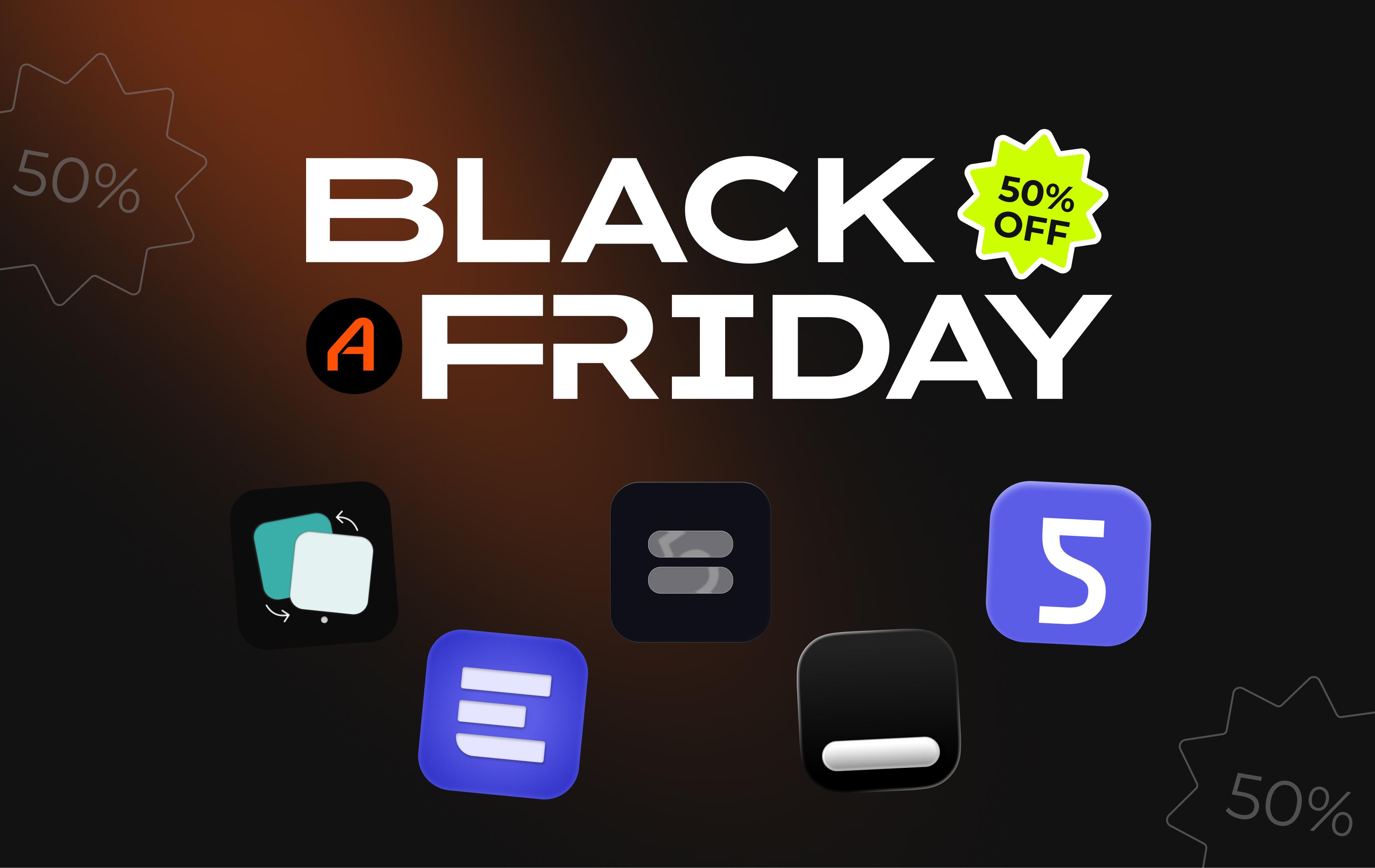
Hi everyone,
I am one of the developers in Appit Studio. All our apps are on Black Friday 50% sale until December 1st. Black Friday is the biggest discount of the year.
DockFlow - Save and switch between setups instantly.
ExtraDock - Put a dock on every screen, ExtraDock lets you show your dock on all your screens.
ExtraBar - Create a customized command center with personalized actions for your apps.
Shiori Bookmarks - Cross platform bookmark manager, that lives in your menu bar.
CoolDock - A second dock alongside your default dock with 170+ widgets and 150+ wallpapers built in.
r/MacStack • u/Alternative-Exit-450 • 4d ago
As a teacher and one who oversees a department of science and math teachers I have a large amount of content for teaching, administrative duties, and more in addition to my own personal digital storage.
I'm trying to find the most reliable, safe, centralized, yet accessible means of digital storage for everything I have. Optimally, I would like something similar to a NAS so that I can set and share access to specific files to specific people. For instance, I'd like to store all of my own and my wife's files so that only her and I can access them but also store my teaching content in a manner that I retain owner access but can share specific files with other individuals.
Hardware:
macbook pro M3
iphone SE(2nd Gen)
Looking for:
Probably a NAS or any similar physical means of digital storage that allows me to store all of my digital files, docs, etc in one central place where I can access it via wi-fi on my laptop/phone/desktop.
I'm interested in the most efficient, yet easy to use, software or system that will allow me to determine who and what is accessible to others.
Questions:
Does each NAS manufacturer/model operate using my own file organization software(ie finder)? Does it require it's own internal storage software? If so, do I get to choose or is it predetermined by the manufacturer?
Is one manufacturer better suited for mac?
Is a subscription typically required?
Can I lose data if/when a NAS model becomes outdated?
Any info would be sincerely appreciated.
r/MacStack • u/Alternative-Exit-450 • 4d ago
r/MacStack • u/Pretend-Ad9855 • 4d ago
I missed Total Commander on the Mac, so I built my own: Tandem, a keyboard-driven file manager with two panes.
What it can do:
It's written in C# on Avalonia and compiled with Native AOT. The download is a 27 MB zip, and you don't need .NET installed. The interface is in English and Russian.
Download: https://github.com/tdav/tandem/releases/latest
Source (MIT): https://github.com/tdav/tandem
Two catches: it's Apple Silicon only (macOS 14+), and it isn't notarized. Before the first launch, run this once:xattr -dr com.apple.quarantine /Applications/Tandem.app
Feedback and bug reports are very welcome. What would make you switch from Finder?
r/MacStack • u/NotMeThenWhoSnaps • 4d ago
hi everyone!
I kept copying something, copying one more thing, and losing the first one forever. Links, addresses, a code from my phone I needed on my Mac. macOS now keeps clipboard history in Spotlight, but only for a few hours and only on one Mac. So I built Clipboard AI: it remembers everything you copy, on your Mac and your iPhone.
Try it free: clipboardai.app/mac
The free plan keeps your last 10 clips. Pro costs a dollar and fifty cents a month with the yearly plan, and one purchase covers your Mac, iPhone and iPad.
Black Friday: Lifetime is 30% off with code BLACKFRIDAY until 30 November: clipboardai.app/black-friday
Would love to hear your feedback on how we can improve it even further.
Never lose anything you copy ever again!
r/MacStack • u/Cashidnara • 4d ago

I used Musixmatch a lot. Over time I wanted something I could leave open on my Mac while I listened to songs in languages I don’t speak, so I started building Echune.
The translation is the part I care most about. The original lyrics and the translation stay on screen together as the song plays. If someone has already shared a translation that’s been approved, the next listener can use it too.
The Mac app follows Apple Music or Spotify. The GIF is from its fullscreen modes, which pull their colors from the album cover. Timing depends on what’s available for the song. The Mac build is free to download for Apple silicon, and there are previews for Windows, Android and iOS (TestFlight).
I’m still working on it. If you try it, I’d love to know which fullscreen mode you’d actually keep open and whether the translation is easy to read while the words are moving.
r/MacStack • u/Thick_Replacement876 • 5d ago
Hi everyone! 👋🏻
Unfold is a native macOS app that extends Quick Look so you can preview 300+ file types.
Supported Formats:
- Videos
- 3D models
- Folders & Archives
- Markdown & Jupyter
- Source code
- Comics & ebooks
- LaTeX & BibTeX
- App bundles (.app)
- Subtitles
- Web Archives
→ Full list available here
Pricing: $10 lifetime, up to 5 Macs. 7-day free trial, no card needed.
→ unfold.tools
→ Discord Server
→ Purchase on the Mac App Store
r/MacStack • u/Alternative-Hall1719 • 4d ago

What it does: When I build an app with AI, the agent draws each screen in AgentDesign before it writes code. I comment on the exact spot I want changed, approve it, and then it builds. Every version of every screen is kept in order, so I can put v1 next to v3, see what changed, and plan the next release.
Why I made it: After a year of building with AI, my old designs were HTML files scattered across folders. Design system, components and tokens were again somewhere in my Mac. When I had the agent draw in design tools like Figma or Pencil, it overwrote screens or added new pages with no structure, and I kept re-sorting them. Also the MCP calls are limited and was turning out to be a real bottle neck. I lost track of where the app came from.
Who it helps: Solo founders and developers who build apps with a coding agent and have no designer.
Now: I'm using the same tool I build to build and improve the tool 😂.
Pricing: The free demo has every feature for one project, with no account. A licence is $49 once, not a subscription.
Updates: I ship improvements every week.
Limitations:
- Apple silicon Macs only, macOS 13 or later. Windows and Linkx being planned
- You need a coding agent: Claude Code, Codex or Cursor.
- You don't draw in it yourself; the agent draws.
- It checks built apps from simulators, emulators and local web builds.
getagentdesign.com. Happy to answer anything.
Use code BETHEFIRST to get 50% off
r/MacStack • u/mnemosinee21 • 5d ago
Hi r/MacStack!
Some of you might remember DockDuck from when I first posted it here.
A few people tried it and gave me some pretty honest feedback. There were issues with window sizing, keyboard navigation, scrolling, and a few other things. I've been working on those, along with a lot of new functionality, ever since.
DockDuck is now at v1.1.12, with 13 updates since that first post.
I'm a software developer, and I use DockDuck every day for my own projects. That's actually a big part of why I built it.
I wanted a file manager that could handle the more demanding things I do at work, but without turning simple tasks into something complicated. I also wanted someone who just needs to organize photos, documents, or downloads to feel comfortable using it right away.
Problem:
Managing files on a Mac can become unnecessarily tedious when you're constantly switching folders, moving things between windows, organizing downloads, or trying to find where a file went.
My goal with DockDuck is to make those everyday tasks easier without sacrificing the tools you might need later.
Everyday file management
DockDuck has a familiar Mac interface with tabs, four browsing views, Quick Look, fast search, favorites, and tags.
You can browse inside compressed archives without extracting everything, import photos from your iPhone or iPad, and see what's taking up space on your Mac.
Organize without the repetitive work
The Shelf lets you collect files from different folders and move or copy them together.
The Drawer gives you access to your files while you're working in another application, so you can drag what you need without constantly switching windows.
Folder Rules can organize your files automatically, with a preview before making changes. Supported rules can even continue working when DockDuck is closed.
Know what happened to your files
Activity keeps a history of operations performed through DockDuck.
You can see what was moved, copied, or renamed, find failed transfers, retry supported operations, and undo many changes even after restarting the app.
I wanted file operations to feel predictable, with a clear way to understand what happened when something doesn't go as expected.
More power when you need it
DockDuck supports up to six panes, saved Workspaces, folder comparison, batch renaming, remote servers, and an integrated terminal with Git information.
There's also optional Claude integration for working with your files through natural language.
And with Send as Link, paid users can share supported files up to 2 GB through encrypted links, without requiring the recipient to install DockDuck.
You don't need to configure or even use these advanced features to get started. They're there when you need them.
Comparison:
Different file managers take different approaches. Some prioritize extensive configuration and specialized workflows, while others focus on keeping everyday interactions as simple as possible.
With DockDuck, I'm trying to bring those qualities together.
I want someone opening it for the first time to immediately understand how to navigate and organize their files, while still giving experienced users the tools to handle much more demanding work.
That balance between simplicity and capability has guided nearly every design decision I've made.
Pricing:
Trust: Website
I'm the independent developer behind DockDuck, under Heylel Labs.
DockDuck is built natively with Swift, SwiftUI, and AppKit. It's signed and notarized by Apple.
LinkedIn: https://www.linkedin.com/in/martin-ochoa-9a521291
Privacy Policy: https://dockduck.app/privacy
Changelog: https://dockduck.app/changelog
I've included a video showing how DockDuck works today, from simple everyday tasks to more advanced workflows.
I appreciate everyone who took the time to try the early version, especially those who pointed out what wasn't working.
I'm still improving it, and I genuinely enjoy seeing how people use it.
If you tried DockDuck before, I'd love to hear what you think of the current version. And if this is your first time seeing it, I'd be interested in knowing what matters most to you in a Mac file manager.
r/MacStack • u/Savings-Arrival-7817 • 5d ago
If a text file opens with broken accented letters, CotEditor is worth considering for one specific reason: it separates reading the file with a different encoding from converting it for saving. Those are different jobs.
An encoding is the rule an app uses to turn a file's bytes into characters. Choosing the wrong rule can make readable text look garbled. Converting that garbled text doesn't establish what the original was supposed to say.
CotEditor is a free, native Mac plain-text editor. Its features are free; the optional in-app purchases support the project. Syntax highlighting and an outline view also make it useful for a quick Markdown or code edit beside your usual development tools.
Duplicate the original file in Finder and work on the duplicate. CotEditor supports Auto Save, so don't use your only copy as an experiment.
Suppose a fictional supplier sends a text file that should contain café, and confirms that its export uses UTF-8. The known word and confirmed encoding give you something to check against. A file that merely looks plausible isn't proof you've chosen correctly.
Convert is for the next decision: the text already reads correctly, but another app requires a different encoding. Choose the destination through Format > Text Encoding, then choose Convert. CotEditor keeps the current text and changes the encoding used for saving.
If CotEditor warns that characters won't fit the destination encoding, don't ignore it. View > Inspector > Warnings lists incompatible characters. Keep the original and resolve those characters or choose a suitable destination before saving.
TextEdit already lets you select an encoding when opening a plain-text file. For an occasional file, that's a reasonable place to start. CotEditor earns the extra install when you regularly need its encoding controls, character warnings and syntax-aware editing together.
The current CotEditor release, 7.1.3, requires macOS 26 or later. Older compatible releases are available, but the project doesn't support them. Check that before installing on an older Mac.
Use CotEditor for small, deliberate text jobs like this. If TextEdit meets the need, or your existing code editor already handles these checks comfortably, there's no need to add it.
r/MacStack • u/mnemosinee21 • 5d ago
Hi
Some of you might remember DockDuck from when I first posted it here.
A few people tried it and gave me some pretty honest feedback. There were issues with window sizing, keyboard navigation, scrolling, and a few other things. I've been working on those, along with a lot of new functionality, ever since.
DockDuck is now at v1.1.12, with 13 updates since that first post.
I'm a software developer, and I use DockDuck every day for my own projects. That's actually a big part of why I built it.
I wanted a file manager that could handle the more demanding things I do at work, but without turning simple tasks into something complicated. I also wanted someone who just needs to organize photos, documents, or downloads to feel comfortable using it right away.
Problem:
Managing files on a Mac can become unnecessarily tedious when you're constantly switching folders, moving things between windows, organizing downloads, or trying to find where a file went.
My goal with DockDuck is to make those everyday tasks easier without sacrificing the tools you might need later.
Everyday file management
DockDuck has a familiar Mac interface with tabs, four browsing views, Quick Look, fast search, favorites, and tags.
You can browse inside compressed archives without extracting everything, import photos from your iPhone or iPad, and see what's taking up space on your Mac.
Organize without the repetitive work
The Shelf lets you collect files from different folders and move or copy them together.
The Drawer gives you access to your files while you're working in another application, so you can drag what you need without constantly switching windows.
Folder Rules can organize your files automatically, with a preview before making changes. Supported rules can even continue working when DockDuck is closed.
Know what happened to your files
Activity keeps a history of operations performed through DockDuck.
You can see what was moved, copied, or renamed, find failed transfers, retry supported operations, and undo many changes even after restarting the app.
I wanted file operations to feel predictable, with a clear way to understand what happened when something doesn't go as expected.
More power when you need it
DockDuck supports up to six panes, saved Workspaces, folder comparison, batch renaming, remote servers, and an integrated terminal with Git information.
There's also optional Claude integration for working with your files through natural language.
And with Send as Link, paid users can share supported files up to 2 GB through encrypted links, without requiring the recipient to install DockDuck.
You don't need to configure or even use these advanced features to get started. They're there when you need them.
Comparison:
Different file managers take different approaches. Some prioritize extensive configuration and specialized workflows, while others focus on keeping everyday interactions as simple as possible.
With DockDuck, I'm trying to bring those qualities together.
I want someone opening it for the first time to immediately understand how to navigate and organize their files, while still giving experienced users the tools to handle much more demanding work.
That balance between simplicity and capability has guided nearly every design decision I've made.
Pricing:
Trust: Website
I'm the independent developer behind DockDuck, under Heylel Labs.
DockDuck is built natively with Swift, SwiftUI, and AppKit. It's signed and notarized by Apple.
LinkedIn: https://www.linkedin.com/in/martin-ochoa-9a521291
Privacy Policy: https://dockduck.app/privacy
Changelog: https://dockduck.app/changelog
I've included a video showing how DockDuck works today, from simple everyday tasks to more advanced workflows.
I appreciate everyone who took the time to try the early version, especially those who pointed out what wasn't working.
I'm still improving it, and I genuinely enjoy seeing how people use it.
If you tried DockDuck before, I'd love to hear what you think of the current version. And if this is your first time seeing it, I'd be interested in knowing what matters most to you in a Mac file manager.
r/MacStack
•
u/maliroq
•
6d ago

I've been building LibreReplace, a free, open-source Mac app that helps you replace expensive software with combinations of free tools.
After a couple weeks of major development and great community feedback, LibreReplace v0.3 is officially out!
The biggest addition is FreeStack Composer, and I think it's especially relevant to this community.
Instead of finding one free alternative, LibreReplace can build entire Mac app stacks around the features you actually need.
For example, suppose you want to replace CleanShot X. You need screenshot capture and OCR.
LibreReplace can suggest Snapzy + LibreReplace Image OCR, giving you a combination of two tools that covers both requirements.
Here's what the new version includes:
I've also redesigned the entire interface to make everything feel connected and natural on macOS.
45 commercial Mac apps and 70 free-alternative comparisons, with more to come.
Completely free and open source. No accounts, subscriptions, ads, or telemetry.
GitHub + screenshots:
https://github.com/maliroq/librereplace
Download v0.3:
https://github.com/maliroq/librereplace/releases/tag/v0.3.0-preview.1
I'm really excited to share this version!
What's the best combination of free Mac apps you've discovered? I'd love to turn some of your favorite setups into Community recipes.
r/MacStack • u/Sevi339 • 5d ago

r/MacStack • u/Square-Historian1458 • 5d ago
I built a Mac app that turns the menu bar into living light, with a 3D cat that lives up there
The menu bar is the one strip of the screen I look at all day, and it's always flat gray. So I built Brimlight: it draws animated themes under your menus, and every menu and icon stays readable and clickable.
What it does
• 41 animated themes: gradients, pixel-art sunsets, a night city, light waves, a sky that follows the real sun where you live.
• A 3D cat lives in the empty part of the bar. It hunts your cursor, chases a ball of yarn and naps when you step away.
• Music mode: play anything and the bar becomes an equalizer, and the cat dances.
• Edge decorations: neon, garlands, fairy lights, sakura, icicles. On notched MacBooks they hug the notch.
• Peek into the notch: see what's playing, pause or skip, pet the cat, switch themes.
The hardest parts
• Keeping menus readable over any theme and any wallpaper.
• Making it light: about 4–5% CPU on a 2019 Intel MacBook Pro, fewer frames on battery, pauses in Low Power Mode.
• No Screen Recording permission, no account, no ads.
Pricing: free forever with the cat, 6 themes and music mode. Pro is a one-time $6.99 (no subscription).
I'd love honest feedback: what would make you keep it running every day? And which theme or pet should come next?
r/MacStack • u/Pickletickle_ • 5d ago
ClingSpace is a lightweight project organizer that brings scattered files, folders, links, and quick notes into one workspace without moving or duplicating your original files.
The idea is simple: your files might be organized, but everything related to a project is often scattered across different folders, browser tabs, and notes.
ClingSpace brings it all together in dedicated project Spaces.
Here's what it does:
UPDATE - Users who downloaded and want to update. Settings > Check for updates > Install. Tasks are live.!
It's local-first, works offline, and doesn't require an account.
Available for both Mac and Windows, with a fully unlocked 5-day free trial. No credit card required!
Black Friday Deal: 60% OFF! Ends 11/28
Regular price: $19.99
Sale price: $8 one-time lifetime license
Discount code: BLACKFRIDAY8
I'd love to hear what fellow Mac users think or what features you'd like to see next!
r/MacStack • u/Quiet_Sandwich_8130 • 5d ago
Hey r/MacStack,
Meet Pingoo, a penguin that lives on your mac.
He wanders around your screen and does penguin things. He goes fishing, throws snowballs, smashes ice, does magic tricks and attempts to fly.
There’s also a Christmas mode where Santa’s sleigh flies across the screen. He’s a native Swift app, so it’s light, and he stays out of your way while you work.
What he does:
Download: Klipnok Pingoo
Grab one for yourself or a pack to gift your friends and family this Christmas :)
Have Fun!
r/MacStack • u/DockDoorFart • 6d ago
Hi r/MacStack, DockDoor dev here. I am the developer of DockDoor, which is a free and open source app that adds window previews to the Dock, along with alt-tab, cmd-tab previews, music and calendar widgets, and a multitude of other options. It has been around since June 2024 and it is and always will be free and open source forever.
I also make DockDoor Pro, which is a full replacement for the Dock. I wanted to share what it can do, since I think it is the most extensive dock app out there at this point.
What it focuses on:
- A different Dock on every desktop. Assign a dock profile to each Mission Control desktop and it switches on its own when you change Spaces. Each profile has its own apps, folders, files, widgets and look.
- A different Dock on every display. Every display gets its own dock, and each one can run its own profile with its own apps and widgets.
- Automatic switching. Profiles can also follow the app you are using, so the dock changes with your work without you touching it.
- See every window. Hover or long press an app to get previews of all its windows, including minimized ones, and click to jump straight to one.
- Minimize into the app icon. Windows genie into their app's icon in the dock instead of piling up as separate tiles, and you bring them back from the previews. As far as I know this is a first for a Mac dock app.
- Your music, live in the Dock. A Now Playing widget with artwork and controls sits in the dock, alongside widget stacks for weather, clocks and more, plus a widget marketplace you can try widgets from before installing.
- Actually replaces the native Dock. It hides the native Dock for you, including in Mission Control and App Exposé (macOS 27+), so you never see two docks.
Also: 120hz magnification that looks and feels like the native dock, Liquid Glass, live app icons (Calendar shows today's date, Clock shows the time), hiding running apps, app folders, and a file tray you can AirDrop from.
Almost every visible part of the entire app can be customized.
2,779 people have bought DockDoor Pro so far. There is a free trial with every feature unlocked for 48 hours if you want to try it out and suggest features.
DockDoor (free and open source): https://dockdoor.net
DockDoor Pro: https://pro.dockdoor.net
For Reddit, use code DINGDONG at checkout for 35% off.
r/MacStack • u/FriendshipOk6399 • 5d ago
i'm the dev, so take this with that in mind.
what it does: Season Jar puts the weather on your desktop. snow falls behind your windows and piles up on top of them and along the Dock. you can swipe it off with your cursor, shake a window to knock it off, or grab a little shovel. there are fairy lights under the menu bar, and Santa can fly past in December. type your city and it follows your real weather (MET Norway data), or pick one yourself: snow, rain, storms, petals, fireflies, leaves and a few more. ⌃⌥W turns it all on and off.
who it's for: anyone who likes a cozy desk setup and wants their Mac to feel like the season outside.
pricing: $9 one time for 1 Mac, or $15 for up to 5 Macs ($12 this week, until sun 29 nov). no subscription, no account.
limits: macOS 14 or later. it's not on the App Store, it's a direct download (notarized by Apple). it never reads what's in your windows, and live weather only sends a rounded location to MET Norway.
seasonjar.com, happy to answer questions.
r/MacStack • u/gimalay • 5d ago
iWe is a free macOS app for notes and knowledge bases. Your notes are a folder of ordinary markdown files on your own disk. There's no account, no sync service and no proprietary format, so you can open the same files in any editor or move them anywhere.
The app shows that folder as a connected graph you can navigate with the keyboard. It has quick-open, search, a graph view and a version timeline. If you want an AI assistant, it works with Claude Code or Codex on your own plan. Its edits appear live in the document, and you can undo a whole run in one step.
The video is an introduction. It's built on the open-source IWE engine (CLI and LSP), and the app itself is a free signed download from GitHub. Feedback is welcome, especially from anyone who has moved off cloud note apps.
Download here: https://iwe.md
