r/mitcad • • Oct 26 '26

Welcome to r/Mitcad

6 Upvotes

MitCad is just getting started, but the members of this group are wanting to see it grow. We discuss this fledgling software and help expand awareness.

Dive in!


r/mitcad • • 7h ago

Info I finally managed to successfully post a MitCad video

13 Upvotes

It was a bit of a pain, but I finally managed it.

It's a short video with a quickie intro to MitCad.

I plan to expand on this with several other videos going into various parts of MitCad.

For now, this is what I have done:

https://youtu.be/thz6yLda3Ik

This is my first ever posted video, so don't expect miracles. :)


r/mitcad • • 2h ago

is it usual situation?(ram usage)

Thumbnail
gallery
2 Upvotes

hi,
I'm using 13 inch M1 Macbook Pro, 8GB RAM/256GB SSD.
I updated Mitcad and tested somthing simple object.
When I entered the sketch section, RAM already used over 3GB.
And I couldn't finish drew a slot.
It said lacking of RAM.
I didn't change anything in settings.
I did some
I have no idea what happened.


r/mitcad • • 16h ago

Speed appreciation 0.73.0

15 Upvotes

I downloaded Mitcad today and loaded a fusion project into it - I will admit I haven’t extensively tested everything yet but the sheer speed and responsiveness is incredible. I can move up and down a timeline without any lag (while the model is updated in real time), also opening sketches and creating bodies is so FAST. I don’t think I realized how slow Fusion was.

Just wanted to show appreciation for this incredible project.


r/mitcad • • 14h ago

How do I edit a Fit Point Spline

3 Upvotes

I've created a spline in sketch but I see no way to make Bezier handles appear on the points I've drawn. Sort of defeats the purpose of the tool if you can't edit the tangent handles.


r/mitcad • • 23h ago

Info 0.73.0 has been released. Official release notes below.

10 Upvotes
  • Rib: a Direction Normal to Curves, so a Depth rib is the chain offset by a constant depth, with its Corners in the panel. (#651)
  • Sheet metal: a Flange that meets another bend at a corner gets the Sheet Rules' Corner Relief (Round, Rectangular or Tear) on its own. (#614)
  • Drawings: Create Drawing from the selection starts with a Base View of the selected bodies or components. (#621)
  • Hide/Show of the selection as a command, with the key V by default. (#612, #613)
  • Preferences > Sketch: keep a sketch shown when a feature uses it. (#652)
  • Web: walls from circles, ellipses, splines and conics (rings and freeform walls), not only lines and arcs, and faster on dense grids.
  • Surface Loft and Loft: chains of edges picked in the panel as sections, and a surface body's free edges as a section; Perpendicular to Face is exact between rails on curved faces.
  • Weld symbols: ISO's staggered mark, and Propose Welds for members side by side.
  • CAM (highly experimental: check every toolpath and the machine code it writes with care before it runs on a machine): mill-turn with live tools on the sub-spindle, the B head's and sub-spindle's codes in the Machines dialog, the sub-spindle's body, travel and chuck in the lathe check and in Simulate, and a Z-only mirroring control. (#346)
  • Tutorials: a guide step can point at the workspace selector, a workspace, a ribbon tab or the timeline, finish when the learner orbits, pans or zooms, show the input over its target, keep model-changing input blocked after it is done, and place the tutorial pane left, right or centred. (#629, #630, #631, #632, #633, #634)
  • Edit in Place: the linked design keeps its edit lock and project version for the whole edit, the timeline shows no assembly row, and the assembly's bodies are faded.

Fixed

  • Loft with rails follows both rails with rounded-rectangle and circle sections, and a failure says where on which rail. (#607, #610)
  • Shell with Sharp corners builds beside small roundings where Rounded did. (#641, #642)
  • Shell of a Y-shaped tube after its roundings fails no more on Windows and macOS. (#517, #593)
  • Draft: changing the neutral plane keeps the sketches on a drafted face, and Redefine takes that face. (#622)
  • 3MF export: lettering keeps its colour. (#637)
  • Fillet: roundings that come tangent and vanish at their ends build, among them the rim between a loft's side and a cylinder pulled from its end.
  • Fillet: a rounding wider than a narrow ledge whose face beyond rises is built at full size and tangent. (#620)
  • Fillet and chamfer ends across a tangent edge make a valid body.
  • Replace Face: a tilted planar face moves past the target over its whole outline.
  • Loft through one-edge sections (a circle to a spline) can be shelled Outside and Both.
  • Suppress Features: selecting browser rows picks the features as in the timeline. (#600)
  • MitCad no longer stops with an error at quit after the Start page's tutorials were shown.

Each platform's packages were built from its own release candidate of the release branch (release candidate, source commit):

  • Windows: rc2 (fddbcf619323), web browser component 2026.1125.715
  • Linux: rc3 (6bf582270583), web browser component 2026.1125.659

r/mitcad • • 23h ago

Opinion Help to make MitCad better

8 Upvotes

We all know that MitCad has a LOT of capability. The biggest hurdle for new users is the user interface and user experience - UI/UX.

If you run into something that you wish was different then put in an issue. If you'd rather it was a different way because that's what you're used to in Fusion or Solidworks or whatever then say that.

The easiest way to report something is to use the Send Feedback command in the help menu.

The other day I was deep into it trying to get a bunch of drawings done IN A HURRY for production and I ran into a few things that desperately needed to be improved.... but I had no time at the time and now I can't remember for sure where exactly they were. Don't be like me... report problems when they happen (or at least remember them) and help to make MitCad better for all of us.


r/mitcad • • 23h ago

Opinion My opinions on 0.73.0

5 Upvotes

The rib update is nice. I hadn't had a problem with ribs since it was sorted out five (?) versions ago, but it's the dark corners where the bugs lurk. The improvements to web (very similar usage case) are also well-received.

A bit more sheet metal stuff. There are still some pro-tools missing that people have asked about, so I will probably put in an issue for that.

Create a drawing from selection. This is nice! I like it.

A tick box in Preferences > Sketch that makes it so that when you extrude from a new sketch MitCad doesn't automatically hide it. If you are a 'master-sketch' kind of person, then this tick box is for you. Check it out.

Loft improvements! I need to check this out with my test file. NIce! It works. You can chain curves and straight lines to make guide rails. Very nice, indeed.

More CAM... some stuff added about live tooling on lathes. It references checking the G-code. I wasn't able to figure out how to access the G-code. I will check again. Okay, I figured it out. I took a quick look and the G-code looks reasonable. I was afraid it would be 3 pages of weirdness with random and unnecessary garbage in addition to what was needed, but it looks pretty good. I'll have to check it over more carefully when I get to work.

Some good fixes... the lofting stuff that was partially fixes and partially adding stuff, so that's in here.

More fillets and chamfers. I'm sure we *are* obsessed. :) However, I have seen messages where people out in the wild were impressed by MitCad's ability to fillet properly, so it matters to the community.

Good stuff.


r/mitcad • • 1d ago

Info r/mitcad update. We have had over 1000 visitors in the last week!

15 Upvotes

Nice! The word is getting out.


r/mitcad • • 1d ago

Traduction

1 Upvotes

Est-il prévu une traduction u logiciel en langue française ?


r/mitcad • • 1d ago

How to tilt an object back 15 degeres

Post image
1 Upvotes

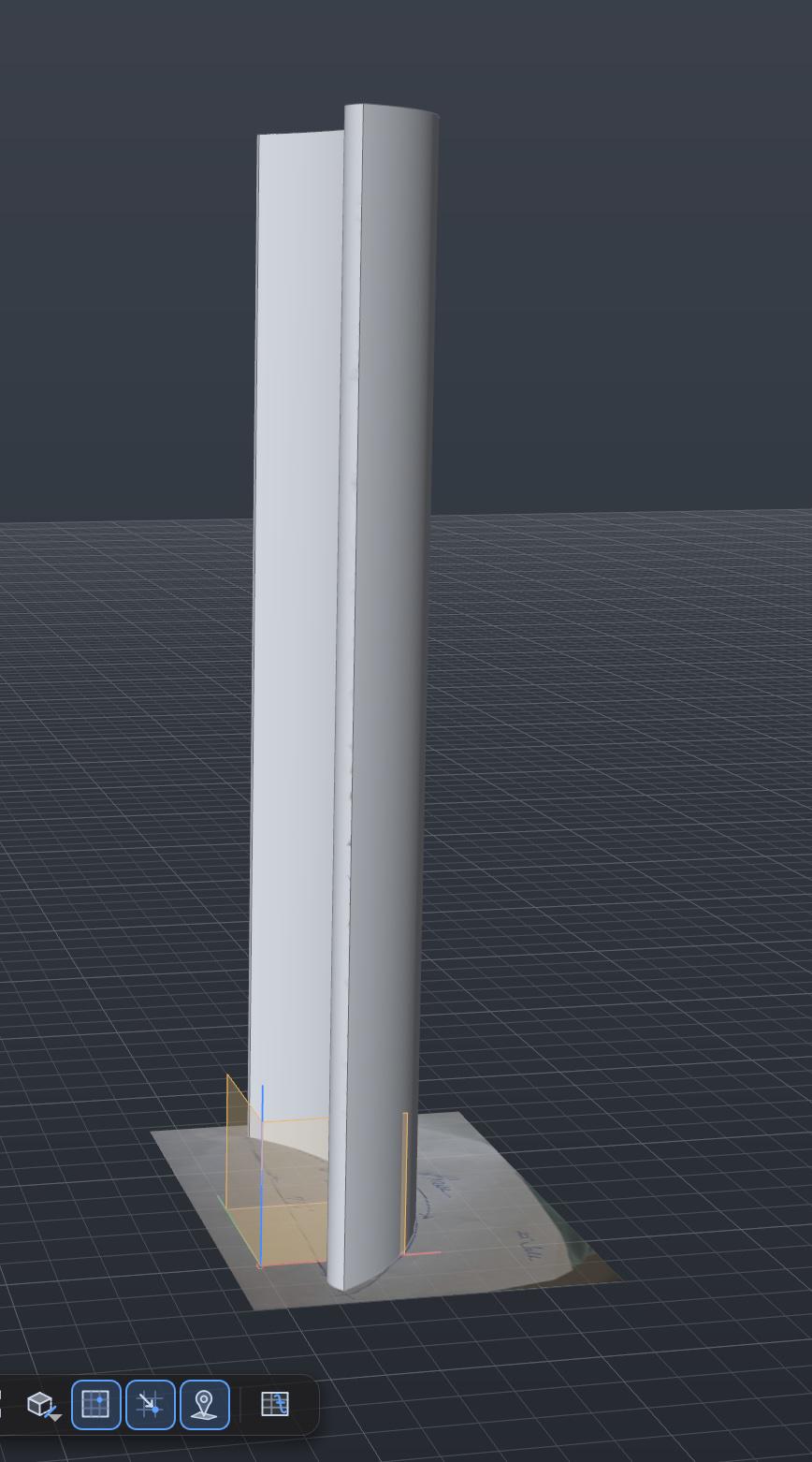
How do I tilt this object back about 15 degrees. Would like the bottom plane to remain flat as I would like to build something around it. I usually only do 2D stuff and never learned this part, I kind of suck at CAD and not sure where to go to find out how. Should I just search how to do it in fusion? I am sure it is pretty close but I don't know that either. ;-) thanks,


r/mitcad • • 1d ago

Info 0.72.0 has been released. Official release notes below.

10 Upvotes
  • Exploded views: Assemble > Explode takes an assembly apart in steps, automatic or by hand, with trail lines, saved with the design, shown in drawings and animated in USDZ exports; Measure works on the shown places.
  • Edit in Place: a linked component is edited inside the assembly with the assembly around it, and Finish saves it to the linked design. (#598)
  • Drawings: weld symbols (ISO 2553 and AWS A2.4) from a symbol library, their leaders snapping like a note's, and Propose Welds suggests them from BUILD's joints.
  • Drawings: a Blank sheet template, and sheet templates without a frame or a title block. (#578)
  • Drawing workspace: the main tools as buttons and the rest in each group's menu, so the groups fit at 1280 px.
  • Export: a URDF robot description for ROS 2 from the design's joints, links, masses and meshes. (#454)
  • Export... in the browser's and the view's context menus of bodies and components, with them selected. (#568)
  • CAM (highly experimental: check every toolpath and the machine code it writes with care before it runs on a machine): mill-turn on a lathe, with live tools on the C axis on the face and the diameter, the Y axis, a B head, the sub-spindle hand-over, the stock in 3D and sketches wrapped onto a diameter. (#346)
  • CAM (highly experimental: check every toolpath and the machine code it writes with care before it runs on a machine): post processors for the Makera Carvera and Carvera Air.
  • Tutorials: chosen on the Start page (Tutorials under User Guide) as cards, with one Start action and each tutorial's progress.
  • Loft and Surface Loft: a Perpendicular to Face end condition, end conditions on curve sections, and Surface Loft's end conditions in its panel.
  • Suppress: MitCad asks about the features that use what is suppressed (Suppress All or Suppress Only This), and several selected features are suppressed in one step. (#600, #601)
  • Sketch: the drawing tools snap to the centers of circular body edges and to where the sketch plane cuts the bodies. (#579)
  • Sketch: Remove Point on a spline, the pair of Insert Point; Delete on a single spline point keeps the spline. (#597)
  • Value fields: step buttons in the panels' and the sketch's fields, and Up/Down and the wheel step the 3D view's value boxes. (#594)
  • Move/Copy: Point to Point's Along (All, X, Y, Z) keeps only that axis of the move. (#580)
  • Split Body: a face or a body of another component as the Splitting Tool. (#588)
  • BUILD: travel limits for parts sliding along a shaft, a follower carriage keeps its offset expression, a bearing on a shaft has its Placement Offset, and rigidly joined bearings move together. (#575)
  • Windows: if MitCad freezes for a minute or two while another program reads its window (screen readers, automation and accessibility tools), send Help > Send Feedback afterwards: the session log now names that program, which helps us find the cause.

Fixed

  • Fillet and chamfer at the largest size that fits beside an edge build exactly, without a sliver; larger ones that would run past the flat faces at the edge's ends are refused in words. (#566, #536)
  • Fillet on a wave-shaped body whose rounding folds over at the crests, up to the radii the shape allows, and such a fillet in an imported design.
  • Fillet on a nozzle's junction with a spherical body, also when the nozzle is patterned. (#582, #577)
  • Fillet: a rounding joins an earlier, smaller rounding at their corner. (#592)
  • Fillet over a narrow face, at its largest radius or Full Round, leaves no lip past an earlier rounding. (#608)
  • Chamfer: four chamfers meeting at one vertex, as on all the edges of an octahedron. (#576)
  • Join: bodies whose faces' outlines are pieced together measure their true volume, so the join keeps them. (#463)
  • Shell of a loft with Tangent Edges Merge or Keep finds its walls instead of failing. (#549, #537)
  • Volume and area of a loft with Tangent Edges Merge are measured correctly; they were 11-14 % low.
  • Loft with two rails follows both rails, the same on mirrored sides. (#607, #610)
  • Boundary Surface Network: curves running past the outer crossing curves are cut back to them, and pairs that do not meet are named and shown. (#609)
  • STEP and IGES: faces colored apart from their body keep their color on import and are written back on export. (#606)
  • Flat Pattern DXF export opens in strict DXF readers. (#603)
  • Sketch mode no longer holds the view at about 30 frames a second. (#590)
  • Linux: where X11 with EGL cannot draw the window, MitCad starts on GLX as 0.69 did instead of showing a black or no window. (#586, #599)
  • Import: the progress count no longer jumps back for each component, and a long Import Report scrolls.
  • Component from Web: only a download its window started is reported, and its end once. (#574)
  • Move/Copy into a nested parent with points picked at the top level or a parent used twice.
  • Edit Standard Box remakes a flat box's crease lines too.

Each platform's packages were built from its own release candidate of the release branch (release candidate, source commit):

  • Windows: rc3 (9b72cd7050b5), web browser component 2026.1124.835
  • Linux: rc3 (9b72cd7050b5), web browser component 2026.1124.800

r/mitcad • • 1d ago

Open discussion: we need a way to reference other component's geometry, including sketches

1 Upvotes

Howdy, people.

I'd like to gather some suggestions on how to propose a change in GitHub's Issues.

I am currently dealing with a project whose component needs to reference the geometry (in this particular case, faces) of a different component inside the same file. To my knowledge, it's not yet possible.

Given my experience with FreeCAD, my usual workflow would be create a Sub-shape Binder from its faces, inside a different Body, thus bringing in geometry to manipulate. This workflow is functional for Sketches too.

Another, strong strategy is to bring a Link or Clone and proceed from there, however, FreeCAD has its own thought process that heavily differs from other parametric packages like Fusion or MitCAD.

In MitCAD, Sketches only belong to a single component, and their geometry can't be used inside another component.

I'd like to collect your difficulties so that the AI Agent on GH's Issues has no trouble understanding. I will update this thread once I create the issue.

Thanks!


r/mitcad • • 1d ago

Appreciation and Suggestions

5 Upvotes

My sincere gratitude and appreciation to the developer(s) of Mitcad. It is well thought and professionally executed.

I appreciate the clean interface and the fast response. I appreciate the thought behind MCP and cli which makes it very easy to hook with an AI agent.

I come from Solidworks and Autodesk Inventor, where you create the CAD, then conduct finite element analysis, change the CAD until you reach a satisfactory design, a complete Design process.

My request/suggestion is to add FEA in hopefully near future. Maybe using Calculix which is FOSS. This way it will be a complete (Design) software not just a 3D modeler. This will make it a Complete replacement to FreeCad.


r/mitcad • • 1d ago

Opinion My opinions on 0.72.0

4 Upvotes

Exploded views. Honestly... I hadn't really noticed that it wasn't there. I use it on occasion. I would have asked for it soon enough, so I'm glad it has been added, because it is VERY valuable once in a while.

Edit in place. I have tried this. It works. It's weird... but it works. I haven't used Edit in place in other programs, so this might be normal. I can see myself using it on occasion, so I'm glad to have it.

Weld symbols.. good to have, but we weld in-house so I don't bother with welding symbols personally.

CAM... it sounds like a fourth axis is making itself known. I don't see anything different at the moment, but they have added a couple of Carveras to the machine list, and they are available with a 4th axis, so maybe its in there. More digging will be required on this one.

Fixes to the Loft system (happy about that!) and improvements to the sketcher - removing a point on a spline is cool. That is cleaner than making points coincident so they 'don't matter'.

Moving along an axis? That is kind of cool. I will have to check that out.

And a bunch of fixes. I like this. A focus on fixing what we have. Good stuff.

More fillet and chamfer fixes. We're obsessed with fillets and chamfers. :)

Correcting coloured STEP and IGES files. This is nice to have.

Yeah, another great version.

The issues are starting to come in a lot faster. More people using it and wanting features from whatever modelling system they came from.


r/mitcad • • 2d ago

1st AI assisted model

Post image
7 Upvotes

So I managed to setup Claude Desktop and created my first model in Claude (free version). Here is the prompt: "Create an 8 mm hexagonal nut with an M8 threaded hole". It took about 2 minutes to come up with the first version which had a countersunk chamfer on 1 side only. I asked it why only 1 side and he said it was a mistake on his part. Then asked me if I wanted a chamfer on the outer lip for a realistic look, to which I said yes, then another 1 minute later I got the model. The process was slower that I would've liked, but its a start.


r/mitcad • • 2d ago

Opinion My Thoughts on 0.71.0

11 Upvotes

Cancel sketch? That is a good thing. Sometimes I get myself into the weeds and just want to 'rage quit' the sketcher, and now I can. I'm all for it.

Cell Grid? Cool. I may never use it, but it's nice to know it is there. Make an automatic grid of polygons.

Point clouds. I have never used these. I hear people talking about them. I think it has something to do with scanning 3D images or something.

The Decal thing is interesting. That needs some looking at. For the engraving crowd it's as handy as a pocket in a shirt.

Scripts. I think this is part of the tutorial setup. Makes sense.

Full round fillet? Sign me up! I like that! Pick two edges and you get a full fillet between them. Very nice.

Modifications to assembly constraints. I need to check this out. Okay, I am not getting it yet, but I'll keep trying.

CNC Lathes! Trying this right now! It works! It's only does facing and roughing so far, but that's a big step in the right direction. Very cool.

More fillet and chamfer fixes. Liking that.

Automatic flipping of join/cut when extruding. Love that!

A profile placed on a face or plane in BUILD mode follows that face or plane when it moves. That is awesome. I haven't needed that, but some day I will and I will be very happy that it is in there!

Construction planes are now viable faces for more constructions. This is good.

Rigid Groups on a rail move together. Honestly, I thought they already did, but I'm glad to have it.

A fix for the Component from Web not working when another window was open (like 'measure'). This is really good!


r/mitcad • • 2d ago

Info 0.71.0 has been released. Official release notes below.

9 Upvotes
  • Sketch: Equation Curve from y = f(x), x(t), y(t) or r(t) formulas that may use the design's parameters, editable afterwards.
  • Sketch: Conic Curve through two ends shaped by a shoulder point and rho, exact and editable with Edit Rho; Sketch Fillet rounds its corners.
  • Sketch: Cancel Sketch leaves the sketch and takes back everything done since it was opened, and a whole sketch edit is one undo step at Finish Sketch. (#554)
  • Sketch: points held on the offset of a spline or an ellipse, on its curve and at its ends, following the source as it moves. (#569)
  • Cell Grid: cuts a field of hexagon, square, triangle, circle or polygon cells out of bodies inside sketch profiles, for vents and grilles.
  • Point clouds: Insert > Point Cloud reads PLY, XYZ, PTS and CSV scans as a reference in the design, and Inspect > Point Cloud Deviation colors the points by their distance from a body, with a legend and statistics.
  • Decal: an image placed on a face, moved, scaled, rotated, flipped and faded, drawn on the body in the view and in renders, and cut at the face's edges.
  • Scripts: File > Export Timeline as Script writes a design's history as a script that builds it again, Tools > Macro records commands and runs a script file, and mitcad-cli runs scripts.
  • Fillet: a Full Round radius type, worked out so that the two roundings of a face meet and round the face away. (#557)
  • Drawings: a base view of a sheet metal body's Flat Pattern, with its bend lines, dimensioned like any view. (#548)
  • BUILD: End Cap closes a tube or profile member's open end with a plate from its section, flush or inset, chamfered at its corners, outward or cut back.
  • BUILD joint conditions: a miter's cut follows its lines, and a size change or a deleted member updates the joints.
  • Assembly: Assembly Constraint is now Constraint Set, and a quick Constraint tool adds one constraint at a time with Apply.
  • Standard Box: FEFCO slotted styles 0203 and 0206 and folders 0421, 0426, 0427, 0470 and 0471, Tuck and Tabs in the panel, and another number of locking tabs in Edit Standard Box. (#532)
  • Favorite Parameters: a tool card in MANAGE to edit the starred parameters' values. (#547)
  • Projects: other files (images, PDFs, spreadsheets, archives) kept in a project, listed in the Projects panel and opened with the system's app; mitcad-cli adds and records them. (#510)
  • Browser: preferences to put the Activate button and the Show eye in a column at the row's right edge. (#508)
  • AI Assistants: a preference, off by default, that lets connected agents use the print libraries. (#558)
  • CAM (highly experimental: check every toolpath and the machine code it writes with care before it runs on a machine): make a lathe and its tools in Machines and Tools, and edit a machine's keep-out zones. (#565)
  • Edit Parameters: fx opens Edit Formula on every row, the empty row too.

Fixed

  • Fillets and chamfers with Tangent Chain off end against the face the edge runs into, leaving a sharp edge, instead of failing. (#553)
  • Fillet: an overhang's bottom edge that starts where a rounding ends. (#572)
  • Shell and Thicken of a loft from a circle to a slot with merged tangent edges, Inside too. (#549)
  • Boundary Surface: the filled face fits its edges within their tolerance. (#540)
  • Extrude: choosing Cut or Join by hand flips the direction when that operation misses one way and works the other. (#541)
  • Sketch: the free ends of an offset's results can be dragged and stay where they are put. (#570)
  • Sketch: a circle drawn across a face's edge keeps the face sketch's automatic outline.
  • 3D sketch: a shape's typed size wins over a snap that fixes its place instead of being refused.
  • Construct: the Face of Axis Perpendicular at Point and the other face-at-point commands takes a construction or origin plane. (#584)
  • BUILD: a profile placed on a plane or a face follows it when it moves. (#585)
  • Joints: carriages joined by a Rigid joint or a Rigid Group on one rail move together. (#575)
  • Move/Copy: a component picked inside a sub-assembly moves in its parent component, with arrows in the parent's frame.
  • Selection sets: Delete on a member row removes the link, and members follow their features, bodies and placements into other components. (#493)
  • Component from Web and dropped files: inserted at once while Measure or another inspection is open, else after the open command closes; older components are told in words. (#574)
  • Linux: MitCad checks the graphics at start and falls back to another OpenGL format, native Wayland or GLX instead of a black window. (#586)
  • A click into a 3D view without graphics no longer crashes. (#595)
  • Import: a crash in the import's analysis no longer ends the import. (#596)
  • 3D mouse: with several designs open, the device follows the active design and stays when a design is closed. (#587)
  • Quitting logs each step, so a close that hangs shows where it stopped. (#573)
  • macOS: Finder knows .3mf files as MitCad documents.

Each platform's packages were built from its own release candidate of the release branch (release candidate, source commit):

  • Windows: rc2 (1d9383af24d3), web browser component 2026.1123.803
  • Linux: rc2 (1d9383af24d3), web browser component 2026.1123.728

r/mitcad • • 3d ago

Loft with rails .

4 Upvotes

I am trying to make this bottle from this video . But I can't get the spline to to make the lines completely smooth so I used tangent constrains to make them smooth. Even If I take 3 planes the loft does not work.

I can make it work by building each parts but it does not look good that way. I can share my file if anyone want it.

what seems to be the problem here?


r/mitcad • • 3d ago

Opinion My thoughts on 0.70.0

18 Upvotes

Cone? I haven't needed it (I just extrude at an angle) but we now have a new primitive. A cone.

We can now import a file with x,y coordinate pairs to add points to a sketch. This could be useful for hole placement or splines or other things like that. Nice to have.

Extend to Meet in a sketch. Remember this one because it could save you some time. Pick two curves and they will be extrapolated until they meet.

Explode text. You can now take text and convert it to individual curves so that you can modify it. Note that it is no longer text, so you can't edit it as text.

Extrude and Revolve - changes made so that if you select a profile then everything within the boundary of the profile is selected even if there is non-sketch geometry that breaks it up.

Bulk adding of parameters. Adding parameters is a bit different now. Instead of hitting "+" to add a parameter there is a new line at the bottom of the User Parameters that says "new parameter". Just over-type that line, and when you hit [Enter] that parameter will be added and a new "new parameter" line is added, so that you can just type and add as many new parameters as you want without having to keep clicking the mouse. Nice.

There is now a preference tick-box in 'General' that defaults to empty so that when you close the last design that is open then MitCad doesn't just shut down. It stays open until you ask it to close. Happy for this one!

Selection sets. This is kind of cool. So lets say you have a big assembly and there are a few parts of it that you want to be able to select at the same time for some reason. You can right-click on a component and pick "Create Selection Set" and you create the set and give it a name. Now you can right-click on the selection set in the "Selection Sets" folder that was created in the browser and you can add components to the selection set. As an example, maybe you have parts in the assembly that are sourced from a particular supplier so you want all of your "Fred's Industrial Supply" parts to be selectable. You create the selection set called "Fred's Industrial" then add all of those parts. Now if you click on the selection set it selects every component that was added to the selection set. I like it.

So many fixes!

Definitely a good release. Lots of fixes.


r/mitcad • • 3d ago

Info 0.70.0 has been released. Another biggie! Official release notes below.

15 Upvotes
  • Inspect: Draft Analysis colors faces by their draft from a pull direction, kept in the Browser like Print Analysis. (#535)
  • Boundary Fill: a panel that turns overlapping surfaces, surface bodies and planes into a solid in one step. (#481)
  • Boundary Surface: enabled by a 3D sketch alone, and a loop may run through curves of several sketches. (#540)
  • Cone: a cone or a frustum primitive beside Cylinder.
  • Insert Points: x y coordinates from .csv, .txt or .dat into a sketch as one smooth spline or as points, airfoil layouts included. (#482)
  • Sketch: Extend to Meet brings two lines or arcs to the corner where they meet.
  • Sketch: Explode Text turns a text into plain curves, and the sketch DXF export writes texts as their outlines. (#520)
  • Sketch: nested regions start Extrude and Revolve with the outline minus its holes, and a face's own edges no longer split the sketch's areas. (#507, #545, #544)
  • Loft: Tangent Edges merges a section's tangent edges into one smooth face. (#537)
  • Edit Parameters: user parameters in nested groups, the whole expression in the cell's editor, an Edit Formula editor with unit completion, an empty row that adds a parameter and a delete button per row. (#512)
  • Parameter errors are told in words, check the expression while it is typed, and leave the message band once put right.
  • Browser: named Selection Sets that link bodies, components, sketches and features. (#493)
  • Insert Component: a whole design linked with its components, joints and grounding, read only, so a linked placement can be made Flexible. (#533)
  • Insert Component: Choose Parts after Copy into the Project and Link.
  • Component properties: standing Part number and Description rows, a library part's own Part number in the parts list. (#519)
  • Bill of Materials: identical parts grouped in the structured and parts-only views.
  • BUILD: joint conditions for profiles (Miter, Butt, Square and Ends' Joint corners) kept with the design and editable, and profiles placed in parallel with their long faces in contact. (#499, #501)
  • Component libraries: components marked as not for print services.
  • Sheet metal: Export Bend Table as CSV or JSON, and Perforate with an optional outlined field.
  • View: a Wireframe with Visible Edges Only visual style. (#509)
  • Built-in wood and panel materials with real wood textures along each face's grain.
  • 3MF import: File > Open and Import read .3mf files as mesh bodies and components, slicer projects with the Production extension included. (#518)
  • .solidcraft import: newer file formats, 3D curves as 3D sketches and frame members as pipes and sweeps. (#525, #526)
  • mitcad-cli export writes .glb and .gltf like File > Export. (#528)
  • Preferences: quit MitCad when the last design is closed (off by default), and let new extrusions start with New Body. (#531, #496)
  • Save of a new design asks On this computer or To a project when a remote project is known.
  • Linux: a Wayland session runs MitCad through XWayland with EGL; native Wayland can be tried with MITCAD_WAYLAND=1. (#434)
  • Discord button as a pill like Boost development; the message band's close button is the shared close mark.

Fixed

  • Combine Join of many bodies from a STEP file joins them all, or says in words why it cannot. (#463)
  • Shell: hollows the reported designs, and a shell or thicken of a loft from a circle to a slot, ruled lofts included. (#466, #517, #549)
  • Fillets: a groove's end rounded at a ball-mill radius, a fillet over a narrow face running onto a round face, groups of edges whose roundings cannot meet, and the foot of a wide low step. (#524, #560, #536)
  • .FCStd import: the end roundings of a bent part at small bend radii, also after a parameter change. (#456)
  • .f3d import: a sheet metal design comes in as sheet metal with its edge flanges, Unfold and Refold, and can be unfolded. (#497)
  • Extend: a planar face cut at a slant continues its neighboring edges. (#462)
  • Extrude up to an object reaches an object behind its start, and the Extrude Cut panel says why a preview failed instead of waiting for good. (#492)
  • Extrude: a direction flip that fails tries the other operation; an extrusion edited to a new component or body takes its fillets along.
  • Mirror and feature patterns repeat an Extrude Cut in a design with several components. (#495)
  • Joints: a new joint keeps what earlier joints hold. (#530)
  • Sketch patterns: spacing and angle may use a driven dimension of their own sketch, and deleting the last copy removes the pattern and its parameters. (#470, #471)
  • Sketch: Horizontal or Vertical takes the other direction when only that one can be added.
  • Construction planes: Offset Plane takes a sketch's profile again.
  • View: an orbit past the screen edge no longer flips the view, on two screens too. (#546)
  • 3D view: the edge between pieces of one face on different surfaces is drawn. (#515, #516)
  • Section Analysis: the hatch lines lie in the section caps. (#522)
  • Drawings: a hole callout's leader points at the hole's center, also while its text is dragged, and line breaks in its texts. (#555)
  • Drawing export: a laid-out drawing of an imported assembly draws every placement of its components. (#527)
  • 3MF export for the Bambu family: Bambu Studio 2.9 no longer crashes slicing it, and the layer and filament change G-code is left to the printer's own system preset. (#563, #559)
  • Print plates: hidden bodies that no item names stay off the plates. (#556)
  • Sheet metal: the Tear bend relief, built as a rectangular slot, is retired. (#551)
  • Windows: no black frames round the floating panels when a 3D mouse driver finds a device. (#529)
  • Tutorials: one opened from the Start page starts in an empty design of its own. (#542)
  • A run started from a terminal prints only warnings and errors. (#552)
  • Connect AI Assistant: the desktop extension's install steps match the current app. (#486)
  • View background Follow System and the Browser's Rows background are the defaults again.
  • Security: the URL library is updated to 2.5.9, which no longer crashes on deeply nested blob: addresses (RUSTSEC-2026-0592).

Each platform's packages were built from its own release candidate of the release branch (release candidate, source commit):

  • Windows: rc3 (139d0fdea0e6), web browser component 2026.1122.1235
  • Linux: rc3 (139d0fdea0e6), web browser component 2026.1122.1133

r/mitcad • • 3d ago

AI Assistant

0 Upvotes

I want to set up AI assistant, which one is free and the best, Claude desktop, claude code, chatgbt/codex?


r/mitcad • • 3d ago

Today's release will be a little later than planned

6 Upvotes

Today's release will be a little later than planned, as a Rust security update affecting MitCad was released just as we finished compiling and testing new version.


r/mitcad • • 3d ago

Edit in place (Assembly)

3 Upvotes

Buongiorno a tutti, sto usando mitcad a casa (vengo da solidworks) e devo dire che è fantastico. Mi trovo però un po spiazzato però perche non vedo l ambiente assieme (adesso inserisco le parti in un nuovo file vuoto) e non riesco a fare le modifiche al suo interno. In solidworks c è una opzione “edit in place”, qui non la trovo anche se attivo il componente. Grazie a chj mi risponderà!


r/mitcad • • 4d ago

Info r/MitCad is doing pretty well.

9 Upvotes

This is the top of our current info screen:

Over 21,000 views. Not bad. 408 members? Nice.