r/nordvpn • • Sep 18 '26

Guides Heads up: iOS 27's Connectivity Assist affects Scam and phishing protection

23 Upvotes

Hi everyone, Sandra here - Product Owner for iOS at NordVPN.

If you’ve recently updated your iPhone or iPad to iOS 27, you may have noticed that NordVPN’s real-time protection (“Scam and phishing protection” in the app) isn’t blocking some ads, trackers, or malicious websites as expected. That’s because iOS 27 introduced Connectivity Assist, a new version of Wi-Fi Assist with expanded capabilities. If you had Wi-Fi Assist enabled before the update, Connectivity Assist is now on by default.

Scam and Phishing Protection in "Always" mode works by filtering your DNS traffic without a full VPN connection. This lightweight approach has always had trade-offs - without a full tunnel, we can't show you what was blocked, let you manage a block list, or explain why a site was flagged.

With iOS 27, this limitation becomes more visible. When Scam and Phishing Protection blocks a site, Connectivity Assist misreads it as a Wi-Fi problem and silently switches to cellular, bypassing our filtering - so the blocked content loads anyway.

For more information, you can check our recent blog post: https://nordvpn.com/blog/real-time-protection-ios-27/ 

This issue only affects "Always" mode. If you're connected to a NordVPN server, it does not occur.

Since Connectivity Assist is on by default, most of you are likely affected - which is why we recommend pairing protection with an active VPN connection.

How to stay protected:

  • Turn off Connectivity Assist. Go to “Settings” > “Wi-Fi” and turn off “Connectivity assist.” Doing so stops your device from switching to cellular data when real-time protection blocks a site.
  • Use real-time protection only with a VPN. In the NordVPN app, tap the shield icon (labeled “Protect”), select “Only with VPN,” and connect to a NordVPN server.

Still having trouble after trying the above? Our Support team is happy to help.


r/nordvpn • • Jan 08 '26

Guides Best NordVPN Deals – Tested & Working NordVPN Coupons

24 Upvotes

Hello everyone!

If you’re looking for a NordVPN coupon that actually works, you’re in the right place. I keep this post updated with the latest NordVPN deals and NordVPN coupon codes I’ve tested, so you can always look up the best price available without wasting time on expired offers.

NordVPN frequently runs limited-time campaigns, so deal details (price, discount %, extras) can change. I’ll do my best to track the newest promotions and update this post when anything changes-so you always have a reliable place to check current VPN deals.

The best NordVPN deal right now offers up to 76% off the 2-year plan, starting from $3.09/month and including 3 extra months for free. This makes it the highest-value option compared to shorter plans. I keep this post updated with tested NordVPN coupons so you can always find the latest working deals.

NordVPN deal: up to 76% off + 3 months extra

Option 1: Best value (2-year plan)

  • NordVPN coupon: 2YCOUPON (click here)
  • Plan: 2-year plan
  • Price: from $3.09/month
  • Extras: +3 months for free
  • NordVPN discount: up to 76% off

Option 2: Shorter alternative (1-year plan)

  • NordVPN coupon: 1YCOUPON (click here)
  • Plan: 1-year plan
  • Price: from $4.59/month
  • Extras: +3 months for free
  • NordVPN discount: up to 72% off

How to Apply a NordVPN Coupon

  1. Click “Get NordVPN” and go to checkout.
  2. Choose the plan you want.
  3. In the order summary (below the total), click “Got a coupon?”
  4. Enter your code (2YCOUPON or 1YCOUPON) and click Apply.
  5. You’ll see the updated price (and any extra months/bonuses included in the offer).

Why Choose NordVPN?

NordVPN isn’t just popular for VPN deals it’s also one of the most feature-complete VPNs out there. Highlights include:

• 7400+ servers in 118 countries

• Specialty servers: Double VPN, Onion Over VPN, Obfuscated, P2P, Dedicated IP

• AES-256 encryption for strong protection

• Coverage for up to 10 devices on one account

• A no-logs policy verified by independent audits

• ...and many more features.

Whether you want safer browsing on public Wi-Fi, more privacy online, or smoother access while traveling, NordVPN delivers strong performance plus frequent discounts.

(Deals last updated: April 16, 2026)


r/nordvpn • • 14h ago

Help - Browser Extension Firefox extension and Reddit login don't like each other?

2 Upvotes

The Firefox extension works for some sites but not Reddit, any ideas on this?

A Reddit login commences with a NordVPN pop-up saying this site doesn't allow VPN connections. I ignored that and continued with login as usual, Reddit does not make any attempt to verify what you have entered it just sits there doing nothing.

It fails if the NordVPN extension are the only VPN connections and processes running on the windows computer.

The NordVPN extension was added to a shiny new FireFox profile that was run in private-window mode.

This was written with the NordVPN desktop app running.

UPDATE: Also fails with Microsoft Edge.

Both Edge and FF browser extensions fail

  • When there is no Nord desktop app and associated background processes are running.
  • When the browsers are excluded by using split tunneling.

r/nordvpn • • 1d ago

Help More and more websites requiring NordVPN to be paused!

66 Upvotes

It seems more and more websites refuse to work unless NordVPN is paused. Anyone else experiencing this issue? Any recommendations on other VPNs that do a better job making their IP address less distinguishable? I’m also paying for a static IP address from NordVPN. Thanks.


r/nordvpn • • 1d ago

Guides How to choose a VPN: the checklist that cuts through marketing

9 Upvotes

Over the years, we've kept seeing the same pattern all over Reddit: someone picks a VPN based on a "best VPN 2026" article → uses it for two weeks and hits a wall (slow speeds, no kill switch, or a sketchy logging policy they didn't read) → turns to Reddit asking what to switch to → gets tons of comments that just drop VPN names without any real explanation → assumes the most frequently mentioned one must be the right choice → buys it aaaand repeats the cycle.

So we, the r/nordvpn mods, believe we've gathered enough experience and spent enough time in Reddit's VPN discussions to put together a guide that could help everyone avoid ending up in the same situation. The checklist is based on what actually matters when choosing a VPN, rather than what Reddit comments recommend or VPN marketing pages highlight. You can use it to evaluate NordVPN or any other VPN provider.

1. Privacy and trust

This is the one people skip because it's boring, but it's the actual point of using a VPN. A few things worth digging into:

No-logs claims are cheap. Anyone can write "we don't log" on a website. What you actually want to see is:

  1. An independent audit where a third party has actually checked the provider's logging practices.
  2. A publicly available audit report with a clear date and scope.
  3. If a provider makes big no-logs claims but you can't find any independent verification, that's a red flag.

Jurisdiction matters less than people think, but it's not nothing. Where a company is legally based affects which laws apply to it and how it must respond to legal requests. One country isn't automatically "safe" and another "bad." It's simply something worth understanding rather than making assumptions about. 

Payment anonymity is another thing to consider. If you don't want your VPN subscription linked to a card or PayPal account, check for alternatives like crypto or even cash by mail. Payment options can change, so it's worth checking the provider's pricing page.

Transparency reports are a decent signal too. A provider that publicly shares how many government or law enforcement requests it has received and how it responded to them is at least giving users something to evaluate.

2. Security and technology

A VPN doing its one job (protecting your connection) comes down to a few concrete things:

  • Protocols: WireGuard and OpenVPN are the two you want to see. Bonus if the provider lets you pick between them, since sometimes you want speed and sometimes you need something that gets through a restrictive network.
  • Kill switch: this is non-negotiable for me at this point. It cuts your traffic if the VPN connection drops instead of silently falling back to your normal IP. Also check for DNS and IPv6 leak protection, since those are the quiet ways your real IP leaks out even when you think you're covered.
  • Servers: number of servers is a vanity metric, honestly. What matters more is whether they're physical or virtual, how spread out the locations actually are, and whether they run RAM-only servers (data lives in volatile memory and gets wiped on reboot, so there's nothing sitting on a disk to hand over even if someone seized the hardware).
  • Independent testing: don't trust a provider's own speed benchmarks, obviously. Look for reviewers who publish their actual testing method and check multiple locations instead of just declaring a winner.

3. Practical stuff

Check device support and how many simultaneous connections you get. Think about whether you need split tunneling, a dedicated IP/server, or anything specific to your setup.

Compare pricing including renewal price, not just the intro offer. Free plans aren't automatically a scam, but read the limitations and figure out how the provider is actually funding the service if you're not paying.

Another thing worth checking is how the company has handled past controversies. Did the provider publicly address criticism and make improvements to its service, or did it just go quiet? This ties into transparency, but focuses more on how a company handles bad news rather than just good PR.

And check the refund window and what's excluded from it. You want enough time to actually run it on your normal devices and see how it holds up, not just a 24-hour trial that doesn't tell you anything real.

None of this means a VPN provider has to tick every box to be worth using. Everyone has different priorities, and some things will matter more to you than others. But going through this checklist before subscribing can help you avoid something we see all too often on Reddit: paying for a full year upfront, only to regret it three weeks later.

r/nordvpn • • 20h ago

Help - Windows Is it the same customer service support from NORD if you buy Nordvpn from Amazon rather than buying direct from Nord?

1 Upvotes

r/nordvpn • • 1d ago

Help - Windows Unable to stream anything with Nord Active

2 Upvotes

Since the most recent update, all streaming platforms in Australia detect a VPN, nothing else has changed on my Windows 11 pc. I have tried multiple browsers, everything that Nord support has recommended, anyone else experiencing this, anyone have a fix?

Thank you for any assistance 🙏


r/nordvpn • • 1d ago

Question NordVPN US servers causing freezing/lag on YouTube, Instagram, X, etc.

11 Upvotes

NordVPN US servers causing freezing/lag on YouTube, Instagram, X, etc.

Has anyone else been experiencing this with NordVPN?

Whenever I connect to a US server, streaming and social media platforms like YouTube, Instagram, and X (Twitter) start freezing, buffering, or becoming extremely laggy.

Without the VPN, everything works normally. But as soon as I connect to a US location through NordVPN, videos take longer to load, playback keeps stopping, and Instagram/X content can also freeze or become very slow.

I've tried connecting to different US servers, but the problem seems to persist.

Is this a known issue with NordVPN's US servers, or could it be related to routing, congestion, or something else?

Has anyone found a fix or a specific US server that works well for streaming?


r/nordvpn • • 1d ago

Help - Android I cannot backup my Samsung watch 8 unless I uninstall my Nordvpn

0 Upvotes

Hello everyone. So the title. First, a few notes: I already posted this in the Samsung Community. Not many answers there. So I'm posting my issue here. My watch 8, which I bought new in June, hasn't been auto backing up. Some of the community answers stated that Samsung was discontinuing this; not sure. So I went to do it manually, & I cannot do it that way, including if I pause Nordvpn. The error message I get is: "turn off vpn. To connect wirelessly, turn off your vpn, then try again." Updates are on/get checked, settings for Samsung have been checked, settings in my Nord are the same as before, & I'm not sure of what to do. Does anyone know what I could try doing on Nord's end, please? Otherwise, I have to uninstall Nord, do the backup, then reinstall Nord, each week! Thank you for reading.


r/nordvpn • • 2d ago

Discussion Have you ever convinced a friend or family member to take online privacy seriously? How?

6 Upvotes

Have any of you actually changed someone’s mind about online privacy? What was the thing that finally got through to them?

Maybe you showed them what Google already knows about them, and they got curious. Maybe they fell victim to a phishing scam, and that was their wake-up call. Or maybe you just quietly set up a password manager on their phone, and they ended up thanking you for it later. Did you get them on a VPN, turn on 2FA, or convince them to stop reusing the same password everywhere? Whatever it was, I want to know what actually made them stop and think.

The hardest part for me has never been knowing what to do. It’s getting someone else to actually care. So share your experience and tips below.


r/nordvpn • • 2d ago

Help - Router PSA: NordVPN Wireguard Configuration Files don't work (and their customer service SUCKS)

2 Upvotes

I noticed a few weeks ago that NordVPN started offering the ability to manually download Wireguard configuration files. Great, I thought. This will help people who want to use Nord on a router, or just prefer to use the official Wireguard App.

These configuration files seemed to work for a while. The problem is that they don't actually work any more! The configuration file uses a load balancing domain name (city.country.nordhold.net:51820) but the public key generated isn't for the load balanced domain, but is instead for the specific "verified" server, which doesn't work with the load balanced domain name. As a result, if you try to use them to connect, no data will go through. Since WG is a silent VPN protocol, no errors will be generated. Your data just won't work.

The configuration files that they generate do have some value, in that they will provide you with your private key, and the correct layout (IP and DNS), but without the correct server public key, you can't connect. Fortunately, if you're accustomed to the manual setup method, you can find the public key and swap out the wrong one for the right one. Alternatively, you can manually change the load balanced endpoint from the one generated in the configuration file (city.country.nordhold.net) to one that points specifically to the server that was identified when you created the configuration file (formatted as XX####.nordvpn.com), and it will sometimes work.

The bigger issue is Nord's customer service. I tried to let them know about the issue, but they basically just ignored me. I opened a chat, explained everything, and even sent them some screenshots. So, naturally, they just ignored me for 30 minutes.

Below is the generated format of the configuration files with notes about what you can use and what you have to replace:

[Interface]
PrivateKey = (your personal key - correct from the tool)
Address = 10.5.0.2/16
DNS = 103.86.96.100

[Peer]
PublicKey = (Server public key, wrong from the tool - you'll need to find the correct one and replace it here)
AllowedIPs = 0.0.0.0/0
Endpoint = city.2-digit-country.wg.nordhold.net:51820 (you can keep this if you can find the correct public key. Sometimes if you change this to the actual server (for example us1191.nordvpn.com) that will work also.
PersistentKeepalive = 25

There are lots of guides about how to obtain your private key and the public key. Now, you only have to do 50% of the work. It's a bummer that Nord's customer support is so bad.


r/nordvpn • • 2d ago

Question Split tunneling=no googling

2 Upvotes

So how much more do we have to live with googling being unavailable whenever you enable split tunneling and excluding the browser.

Scratch that, google on edge seems to be working, but not floorp, is there a way and place i can report a bug? Or an issue?

Solution (that worked for me)

On Floorp anyway, I excluded the browser from the vpn in split tunneling, went to settings in the browser, looked for dns and https, put on custom and done.


r/nordvpn • • 3d ago

Question Why does nordvpn on android requires google play services?

5 Upvotes

Surely, an app that somehow position itself on the side of those who want to remain private shouldn't rely on the biggest data grabber to function?


r/nordvpn • • 3d ago

Help - macOS Meshnet silently disconnects on pushed NordVPN updates?

5 Upvotes

Not sure what happened but for the last year, anytime NordVPN decides to push an update, the meshnet feature will silently fail requiring multiple app restarts on servers to bring it back, sometimes without even pushing for an update.

Anyone having this issue or know of any fixes?

For reference, I'm using a mac mini m4, m2 and m5 studio, and a macbook air. Running 26.x and 27.x version of macos. I standardized on meshnet since it was rock solid for so long, even with the attempt to remove the feature


r/nordvpn • • 3d ago

News Week 47 | Cybersecurity - technology - privacy news recap

3 Upvotes

r/nordvpn • • 4d ago

Feedback Dedicated IP servers going through "maintenance" and support does not know when it will be back.

4 Upvotes

I have asked if they knew if it would be 5 mins, 1 hour or days and they said they do not know. What is going on?


r/nordvpn • • 4d ago

Help - Windows why does the kill switch on windows 11 disallow internet connectivity even when i intentionally disconnect (or never even open) nord?

3 Upvotes

is there a way to stop this annoying behavior? kill switch doesn’t act this way on iOS or macOS and it would be very annoying to turn on/off the kill switch when i need to use nord. i’m on the newest version of windows 11 pro and nord vpn app


r/nordvpn • • 4d ago

Solved Dark web breach: currency?

6 Upvotes

I just got nord vpn, and don't understand much more than the basics. What does it mean, that the currency was exposed? Is there anything I should do?

I was just sent a notification that says:

"On November 11, 2026, a database related to the triplewhale.com website was found circulating the web. Almost 13 million email addresses were exposed, together with location, personal and other private data. Leaked records include address, name, first name, last name, phone number, country and city. The validity of the data exposed couldn’t be verified. Yet we’re still informing you about a potential data leak – but keep in mind there’s a chance of it being a false positive.

Leak detected on

November 11, 2026

Email address ***

Data exposed

Currency"


r/nordvpn • • 4d ago

Help - iOS NordVPN stops connectivity until I choose a different server

4 Upvotes

Hey y’all, I have two iOS devices with NordVPN on them and every so often (as in multiple times a day), my Internet connectivity just stops until I go turn off VPN, or pick a different server. Anyone else having this? Is there something I need to do?


r/nordvpn • • 5d ago

Feedback Hey NordVPN, I pay for your services, so can you not do this unskippable ad nonsense when I load the app please?

56 Upvotes

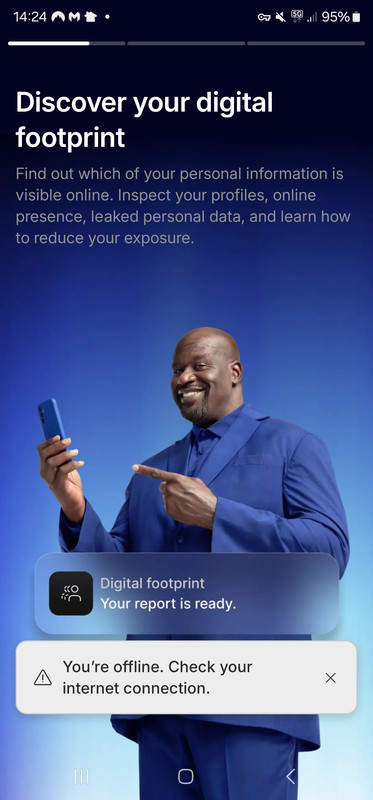
I opened the app and had to look at this for ages before I ciuld actually use the app: https://i.postimg.cc/131nv9W7/Screenshot-20261118-142437-Nord-VPN.jpg

If you must put ads in the app (which you don't) then at least make them immediately skippable.

Moan over.


r/nordvpn • • 5d ago

Help - iOS Is it me or is Nord slowing down a lot this week

19 Upvotes

Seems like every site I hit now gets the CloudFlare bot check, apps are slowing down like Reddit and YouTube, sometimes sites just won’t load at all unless you switch IPs. It would do that but now it’s almost every server you use

What’s going on? Did Nord run a promo and the servers are flooded ?

Is Black Friday doing this?


r/nordvpn • • 5d ago

Solved I'm currently paying 10 Euros a month for Nord VPN. Can I cancel this and sign up for their Black Friday deal (€99.30 for 2 years) and still keep my current settings etc?

2 Upvotes

How much hassle (or not) am I looking at here?

As in, can I still use the same log-in details etc?

Or do I need to cancel my current subscription and set up a brand new account?


r/nordvpn • • 6d ago

Solved Still can’t figure it out :(

4 Upvotes

I’ve tried using a VPN, smart DNS, changing the DNS in my Plume Home app (my cable and internet provider), I’ve tried changing settings on my TV so I could screen cast. I give up. I just wanted to watch that 2023 Russell Brand doc Dispatched: in plain sight. It works through the channel 4 app on my iOS phone. But I still cannot figure out what I’m doing wrong.
Would buying a UK fire stick be the easiest solution for this? Since fire sticks are VPN capable (unlike my Roku).


r/nordvpn • • 6d ago

Question Combining NordVPN with uBlock Origin Lite

3 Upvotes

I switched from Surfshark to NordVPN, and to my disappointment, the ad blocker isn't as effective here. So I've installed uBlock Origin Lite, which solves the problem. But I wonder whether they interfere with each other and if it's safe to use both at the same time. Can anyone advise, please?