r/olaelectric
•
u/_abhijithvijayan
•
3h ago
Modification 🛵 OpenDash: a free, open-source dashboard for Ola S1 scooters, rebuilt from scratch. Now in public beta

Launch video on YouTube · Install from your phone: OpenDash Companion
For the past few weeks a small group of invited riders has been beta testing a new dashboard I built for our scooters. It's ready for more people now, so I'm opening it up as a public beta.
OpenDash is an Android app that runs on the scooter's own touchscreen in place of the stock dashboard. It reads the same vehicle data and asks the scooter's own software to do things, the same way the stock dashboard does. Motor, brakes, battery management and locking stay with the scooter's controllers; OpenDash is only the screen.
It's free, open source (GPLv3), and built from scratch.
What's in it
- A riding screen where every drive mode has its own look
- Reverse, cruise and hill hold drawn right on the dial
- Nine themes, darks and lights, with light and dark switching by time of day, plus automatic brightness
- True Range: a range learned from your own rides
- Live diagnostics: every cell, every temperature, measured battery capacity
- Trouble codes read from all three controllers (read only, never cleared)
- Charging power, session energy, time to full and charge history
- An app launcher, with unofficial CarPlay and Android Auto through third-party apps (apps download over Wi-Fi only, for now)
- The dash island: your speed and warnings stay on screen over CarPlay and Android Auto. Any other app closes back to the dashboard while you ride
- Quick controls, a performance page, lock screen and passcode, media and calls
- Safe mode: if it ever keeps crashing, it starts plain, with a way back to the stock dashboard
- Updates itself from GitHub, through Android's own installer and its confirmation screen
Install it from your phone
- Download OpenDash Companion on an Android phone (Android 10 or later): https://github.com/abhijithvijayan/opendash-companion/releases/latest (the .apk under Assets)
- Connect to your scooter over Wi-Fi
- Tap Install OpenDash. It downloads the latest release, checks its signature and sets everything up.
The first time, it sets up access to the scooter for you. Some MoveOS 4 builds don't allow that yet; updating to moveos 5 is the only way. Going back to stock is one tap: Uninstall OpenDash in the same app.
Which scooters
- Gen 1 on MoveOS 4: in daily use
- Gen 1 on MoveOS 5, Gen 2 and Gen 3 on MoveOS 5: beta tested by riders
- Other models and builds: not tested yet
On any build other than Gen 1 MoveOS 4, OpenDash shows your scooter's data but holds back every command until you allow it on screen. If you try it on something untested, a log from your scooter is the fastest way to get it supported.
Safety and privacy
- Safety screens (side stand, faults, low battery, fall, alarm) always draw on top
- Commands that change the scooter's state only go out once the scooter has proven it's stopped
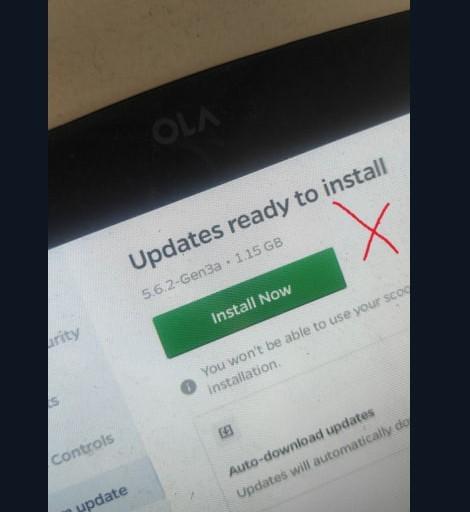
- OpenDash never downloads, installs or accepts a scooter firmware update; it only tells you one is waiting
- No account, no analytics service, no personal data. The only thing it sends is an anonymous weekly install count (versions and scooter generation, no ID of any kind), and you can turn that off in Settings → Updates
Please read before you install
This is a beta and an independent project, not made or supported by Ola Electric. Installing it may affect your warranty. Read the README first: https://github.com/abhijithvijayan/opendash
Uninstall any other mods first. If you've installed other dashboard mods, launchers or tweak apps on the scooter, remove them before installing OpenDash. Two apps trying to drive the same dashboard can fight each other and cause problems that are hard to trace. OpenDash Companion lists every app installed on top of the stock software and can remove them for you.
Thanks
Huge thanks to Sid, the first and most thorough tester, to Jacob, and to every invited beta tester who rode with it over the past weeks and sent logs. It wouldn't be ready without you.
Bugs, ideas and logs are welcome on GitHub: https://github.com/abhijithvijayan/opendash/issues
If you'd like to follow along as it moves through beta:
- YouTube: https://www.youtube.com/@practicaloverkill (subscribe for updates)
- Instagram: https://www.instagram.com/practical.overkill