r/opencode • u/arthurrogado • 14d ago
OpenCode File Browser is now a mini IDE: editor, tabs, git panel and diffs in the TUI
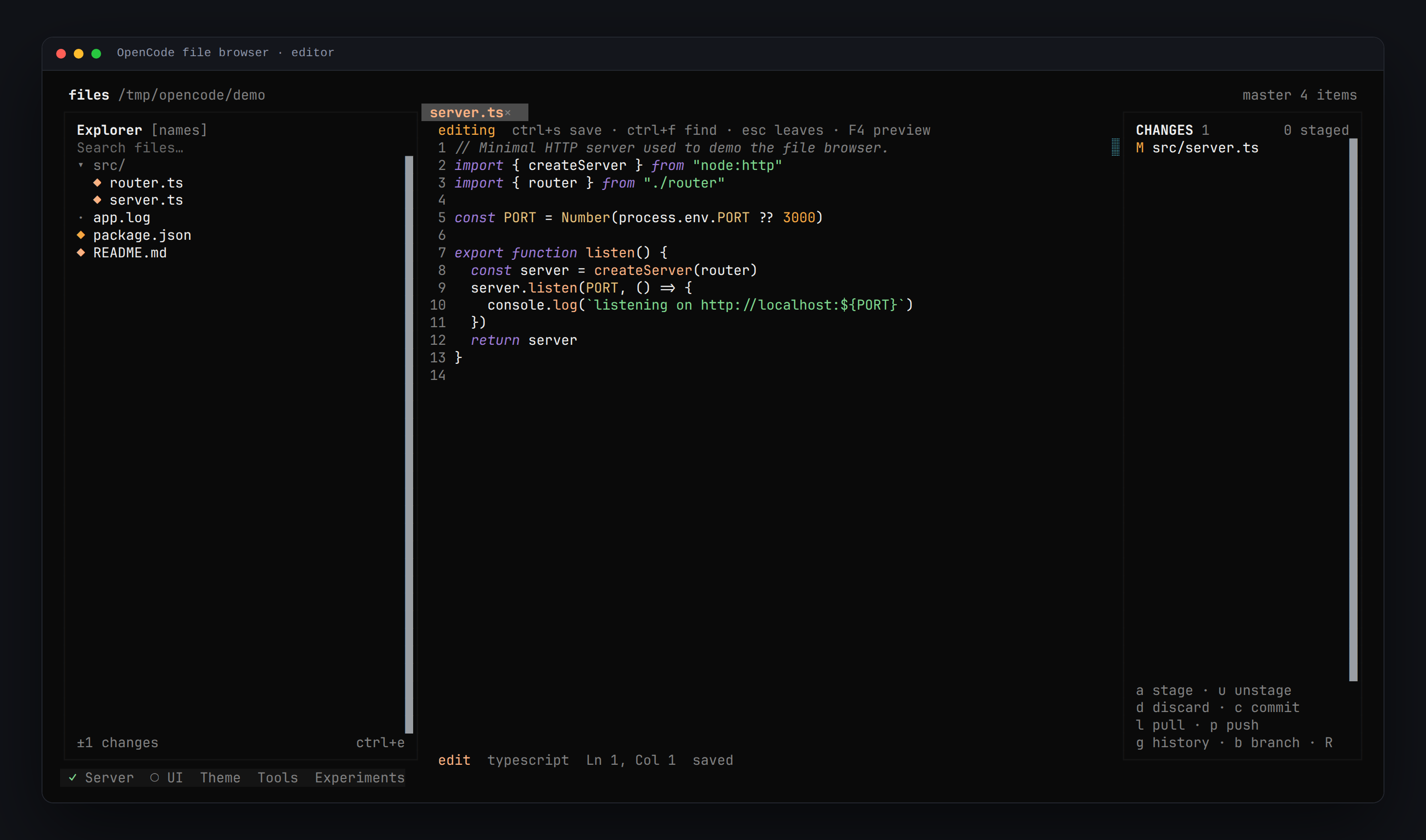
Hi! A few days ago I posted the first version here — a read-only file browser for the OpenCode TUI. It grew into a mini IDE:
- Explorer: expand folders in place or navigate into them (file-manager style), name/content search, case-sensitive option, hidden files.
- Editor: tabs, line numbers, syntax colours while editing, Enter for a new line, Ctrl+F inside the file, Ctrl+S with an on-disk conflict check, scrollbar and click-to-place cursor.
- Changes: stage/unstage/discard, commit, pull/push, branches, history, unified diff per change.
- Preferences (F2), including a simple mode that keeps the classic list + preview.
- Right click / F10 for new file/folder, rename, delete, close this/other/all tabs.
- Huge files show a metadata placeholder instead of freezing the TUI.
Install: opencode plugin add opencode-file-browser@latest
Source: https://github.com/arthurrogado/opencode-file-browser
Site: https://arthurrogado.github.io/opencode-file-browser/
OpenCode V2 only (tested on 2.2.5). Feedback welcome — especially on the editor keybindings and the navigate mode.

2
Upvotes
1
u/arthurrogado 14d ago
Edit mode in practice: e / F4 switches the current file to the editor - line numbers, syntax colours, a hint line with the keys, Ctrl+F finds inside the file, Ctrl+S saves and Esc goes back to the explorer.
Editing a file in the OpenCode TUI
1
u/taytay735 14d ago
Sorry, could you help me understand what are the benefits of reimplementing and using such a full featured editor inside of the TUI?
The more complex the editor the more I’d be inclined to use VSCode or TTT editor, as the bus factor and software maturity is high.