r/opencode • u/jakartaundercover • 2d ago
opencode in (not from) your phone
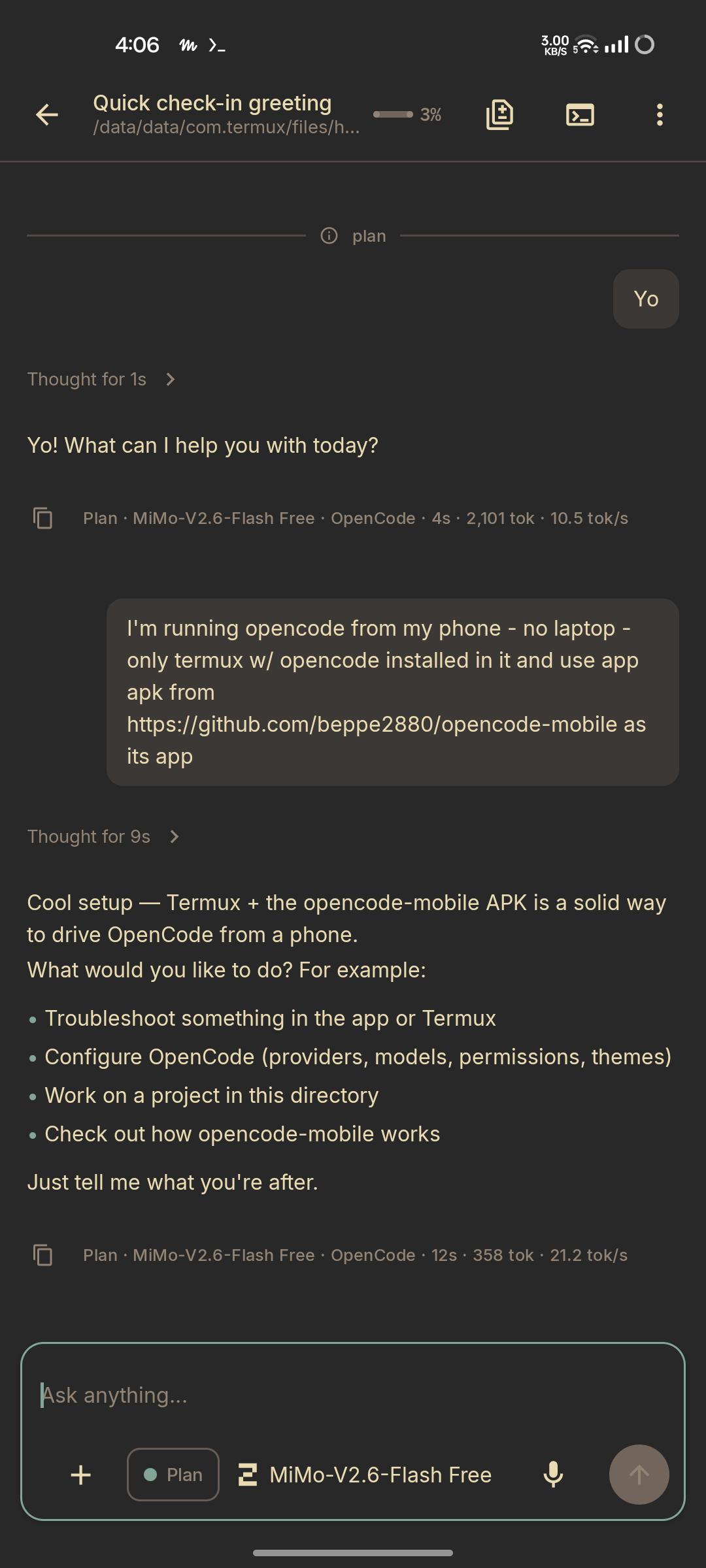
Everyone remote-controls OpenCode from their phone.
So this is a way to Opencode in your phone.
Main Character u/beppe28
https://github.com/beppe2880/opencode-mobile
This little app deserves way more stars.
For those who keep getting errors not found on ip and password in the app. Just read.
If you already have Termux with Opencode in it then all you need is a paste prompt in the opencode Termux page:
"Read this https://github.com/beppe2880/ and https://github.com/baliboyish/opencode-mobile-termux-tutorial - I already installed the app and provide me with correct ip and password"
The catch nobody warns you about: the OpenCode Mobile app needs a server with the 2.0.27 API spec (it checks /api/info). The native Termux build is 2.0.0, so you get "Not found on the server" forever — and it's NOT your password.
What worked for me:
• Run OpenCode 2.0.27 inside proot Ubuntu in Termux (version pinned on install)
• Serve it on 127.0.0.1:4096 with a fixed password
• Add the server manually in the app → Connected, old sessions migrated too
• Termux:Boot + a boot hook + battery unrestricted, so it survives reboots
Full honesty: I let an OpenCode agent inside termux fix the no server errors. I just being Thanos "I use ai to use ai".
Full step-by-step (including the lazy way) here: https://github.com/baliboyish/opencode-mobile-termux-tutorial
App credit: OpenCode Mobile by u/beppe28 — https://github.com/beppe2880/opencode-mobile
2
u/cefsea 2d ago
I use this one , better than others and easy to use
3
u/UnfilteredSapien 2d ago
Why not use offical opencode mobile app
1
u/beppe28 1d ago
Hey, I really want to thank you for this, it genuinely means a lot to me! 🙏 Seeing someone take the time to write a post about the app, and even put together a full tutorial, is honestly the best feedback I could ask for. It made my day.
Thanks also for figuring out the Termux setup. Running the server on the phone itself is a use case I hadn't covered, and the "Not found on the server" issue with older server versions is a great catch. I'll work on making that error clearer in the app.
If you'd like, I'd be happy to include your tutorial in the project, you could open a PR adding it to the docs, or I can link your repo from the README with full credit to you. Let me know and again, thank you!
Thanks again, really appreciate it!
0
u/4SubZero20 1d ago
IDK... This looks like someone made an app for the sake of making an app.
Standard OpenCode v2 as well as OpenChamber achieves the same result.
Plus I don't need to jump through hoops, just to install it. Just access a URL via a browser.