r/resinprinting • u/plantmom422 • 2d ago
Troubleshooting Resin Printer help

Hey guys
I use a resin printer for work and after an accident were the build plate wasn't screwed in fully so when it went to print it went into the vat on a diagonal angle its only worked once since
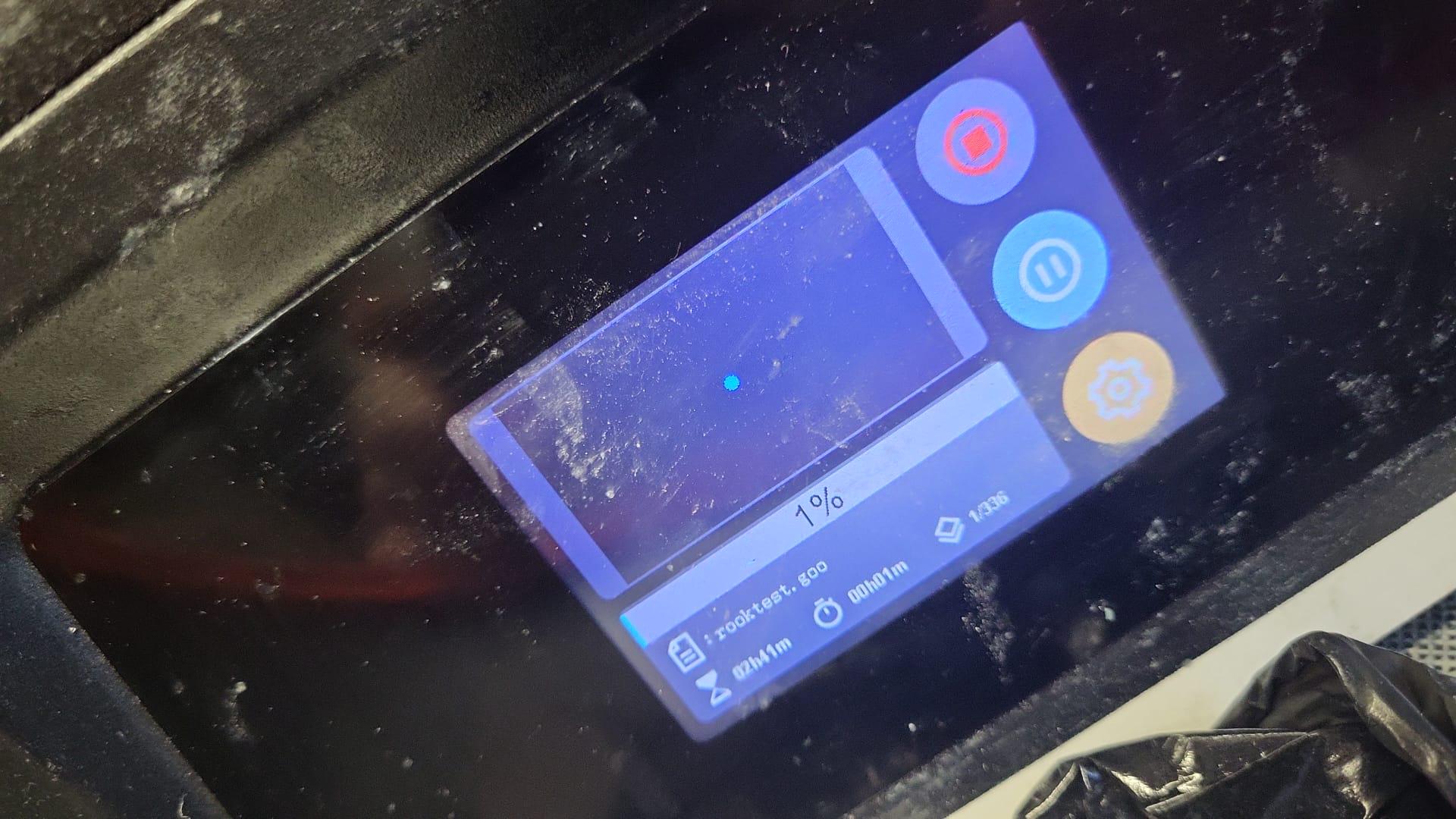
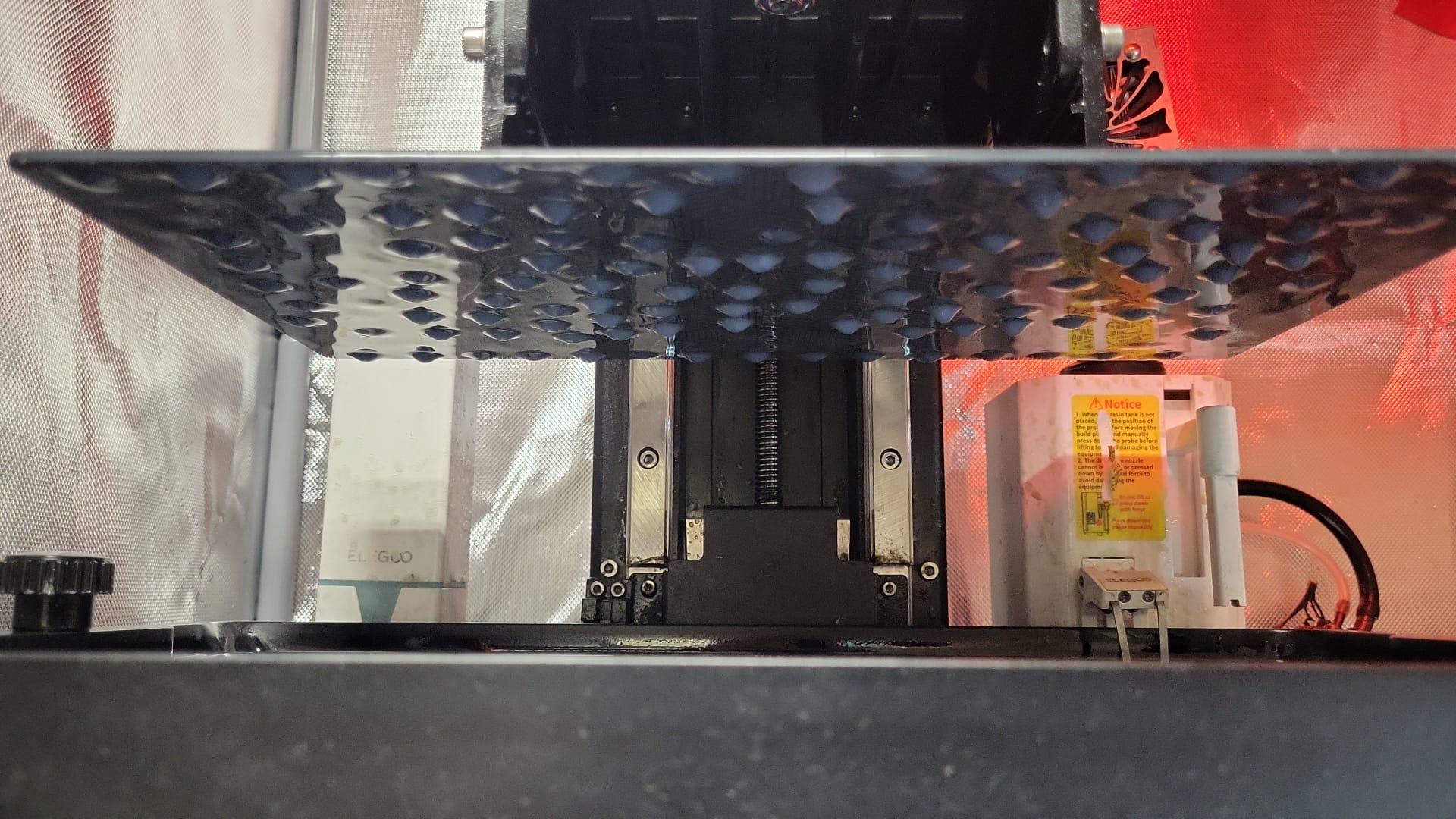
So far we've replaced the screen and the vat , the exposure comes up clear but it only prints the first few layers before tapping out - it usually stops showing a preview of the print at this point (1% mark)
Before each print were cleaning the vat and filtering the resin there's usually one layer stuck to them bottom
I have tried trouble shooting on the website but only 1. come up add more supports on the model - which we have tried and didn't work - we alao tried to print a test rook which also didn't take (see pictures attached)
2. It says to warm up the resin we have left the resin in the vat for an hour before putting on to print
3. Make the sure the build plate is fully releved and tightened - which it is
I'm kinda at a loss on what to do next any help would be massively appreciated
The model is an ellegoo Saturn 3 and we use the standard resin - and the pictures attached are from the test rook print
1
u/No-Raccoon425 2d ago
"It usually stops showing a preview of the print at this point"
This is not normal... I own a Saturn 3 and never had this problem before. I suggest removing the vat, start the print and observe what happens to the UV screen after the first few layers. Does it get stuck on the same image or it just stops working? Have you tried swapping your usb? Some usb (especially the cheap ones) can't read fast enough and cause print failure. I had this to happen. Try switching to another trusted usb, format it in Fat32 or EX-fat and try again.
1
u/Traditional_Yard2741 2d ago
What exactly does "tapping out" mean? Everything you try to print just stops working at the 1% mark? That sounds like a firmware issue or a corrupted USB drive.
First of all, for my own peace of mind, really make sure the plate is level. Watch a couple of YouTube videos on it, remove the vat, clean the plate, level it with some card or thick paper like the levelling card that came with the printer, following the instructions in the manual, and be very careful when locking the screws in again. There's an art to levelling, but once you get the hang of it it's easy.
Then try a simple test print with a brand new USB, using a newly sliced file, ideally one you have printed successfully before so you can rule out a corrupted download, and one that prints quickly so you can troubleshoot more efficiently.
If it still stops printing at 1% then it's got to be a firmware/hardware issue. Is there any chance resin has penetrated the internals? If it's firmware you'll have to find some updated files somewhere on the internet, load them onto a USB and update it. Maybe elegoo has them on their website? I've never had to do it myself so I don't know where to find them. If the hardware is fucked then you may have to replace the motherboard or the Z axis motor. At that point it's time to consider if it's not worth upgrading to a new machine.
1
u/8ltd 2d ago edited 2d ago
This might be a stupid point but the image is inverted on the exposure test. Did you replace the screen back to front?
If it’s not that, I would guess a few things.
1
u/crimsonforgeP 2d ago
Aside putting the screen in upside down have you checked the drive shaft isn't full of cured resin? This can cause what you're talking about. Clean it, lube, turn the screen around and see what happens.